Social Media Management in 2026: Tools, Strategies, and Hiring Tips
Learn how to manage your social media strategy, schedule content, track analytics, and work with experts or freelancers.

.png)
.avif)
Social media management is essential for building a strong online presence, reaching new audiences, and staying competitive. From scheduling content to engaging with followers and tracking performance metrics, today’s brands rely on social platforms for more than just digital marketing.
In 2026, success on social networks means being strategic, responsive, and efficient. With the rise of AI tools, influencer marketing, and mobile-first behavior, managing your social media channels effectively can lead to better brand awareness, higher engagement, and real business growth.
This guide covers everything you need to know to streamline your social media marketing strategy, from platform-specific tips and content management to top tools and hiring help. Whether you’re a small business owner looking to optimize your workflows or a freelancer exploring new opportunities in social media management, you’ll find actionable advice to level up your efforts.
What is social media management?
Social media management is the strategic process of managing and maintaining a brand's online presence across diverse social media platforms like Meta’s apps (Facebook, Instagram, Threads), LinkedIn, TikTok, and Snapchat.
At its core, social media management involves creating compelling content that resonates with the target audience across multiple platforms.
However, effective social media management extends beyond content creation. It involves actively engaging with the audience, initiating conversations, and participating in relevant discussions and trends.
When done well, social media management following an effective social media strategy can:
- Competitively position your brand. Online promotion increases brand awareness and brand sentiment.
- Increase sales and engagement. Social media strategy drives relevant traffic and consideration, ultimately increasing revenue.
- Connect you with your audience. By using social media tools, you can better build a community, generate leads, and provide customer service.
A key consideration is the increasing dominance of mobile usage. Approximately 98% of social media users access platforms on mobile devices, a trend that's particularly strong in younger generations. This shift highlights the need for strategies that prioritize mobile-friendly content and engagement.
Optimizing social media management for mobile use is essential to effectively connect with and engage the increasingly mobile-first audience, ensuring that brands remain competitive and relevant in the digital space.
Key components of an effective social media strategy
Social media has a tremendous influence: More than 5 billion people worldwide are social media users. To leverage this huge market, a successful social media marketing strategy needs to do more than fill a feed. It also needs to build trust, attract attention, and drive measurable outcomes.
To maximize your social media presence in 2026, focus on the following six essential areas.
Content creation and curation
Creating content that connects with your audience is the core of any strong strategy. Use platform-specific formats, like Reels for Instagram, thought leadership posts for LinkedIn, and short-form video for TikTok, to keep your social media posts engaging and relevant. Curation also plays a role. Share relevant industry updates, partner content, or user-generated posts to diversify your feed without doubling your workload.
Strategy development
Start with clear goals: brand awareness, lead generation, customer support, or sales. Align your social media content with broader business objectives and map everything out in a content calendar. Revisit your strategy often to adapt to shifting trends, algorithms, and audience behaviors.
Community engagement
Social media is a two-way channel. Responding to comments, DMs, and mentions builds loyalty and shows you’re listening. Use polls, live Q&As, and giveaways to invite participation. Prioritize authenticity; your audience will notice.
Influencer partnerships
Influencer marketing continues to grow as a top strategy for reach and credibility. Collaborate with influencers whose audience and values align with your brand. Whether you’re partnering with niche creators or macro-influencers, clear expectations and trackable goals will set you up for success.
Analytics and performance monitoring
Track your metrics, such as engagement rate, reach, click-through rate, and conversions, to understand what’s working; you’ll need to get some benchmarks in place. Most platforms offer built-in analytics, and tools like Hootsuite or Sprout Social can provide deeper insights across multiple channels. Let the data guide your optimization.
Crisis management
Things don’t always go according to plan. A smart social strategy includes a playbook for handling negative comments, public mistakes, or brand mentions during sensitive moments. Monitor conversations in real time using social listening tools and be ready to respond with clarity and empathy.
The role of a social media manager
A social media manager (SMM) is the account management person behind the posts, planning content, publishing updates, responding to followers, and optimizing performance across platforms. Whether in a full-time in-house role, freelance, or agency-based, SMMs balance creativity with analytics to deliver results.
Daily responsibilities
A typical workday may involve some or all of the following responsibilities:
- Content planning. Crafting and managing the social media content calendar and keeping an eye on relevant news, events, and trends across social media platforms to ensure timely and engaging content.
- Creating content. Generating content tailored to different social media platforms and adapting to the unique characteristics of each platform. The social media marketing manager may also work with graphic design specialists to improve the visual appeal of social posts.
- Engaging audiences. Actively engaging with the online community by responding to inquiries, comments, and messages promptly and in a professional manner.
- Refining strategy. Using data-driven insights to continuously refine and optimize social media advertising strategies and experimenting with new approaches to improve outcomes and achieve objectives.
- Owning the brand voice. Maintaining consistency in the brand's voice and tone across all content to create a cohesive and authentic brand identity.
- Analyzing data and metrics. Monitoring social media metrics such as reach, engagement, and conversion rates, and analyzing data to measure the effectiveness of marketing efforts and content strategies.
- Responding to feedback. Implementing crisis communication protocols effectively, addressing concerns transparently, and managing the brand's online reputation in times of adversity.
Required skills
Successful social media managers combine soft and technical skills, including:
- Strong communication. Crafting clear, brand-aligned messaging and replying to audience interactions with professionalism.
- Content design. Using tools like Canva or Adobe Express to create platform-specific content.
- Analytics literacy. Reading metrics and turning insights into action.
- Adaptability. Responding quickly to trends, crisis moments, or algorithm updates.
- Time management. Juggling multiple platforms and campaigns while keeping content timely and relevant.
Mobile-first workflows
With the large number of users accessing social media via mobile, social media managers must think mobile-first. That means:
- Designing vertical-friendly visuals and short-form videos
- Using mobile scheduling apps like Hootsuite or Buffer to post and monitor on the go
- Responding to comments and DMs quickly via mobile dashboards
- Testing posts in-app to ensure the layout and formatting display correctly
In 2026, SMMs aren’t just content schedulers; they’re real-time brand stewards helping businesses stay visible, relevant, and responsive.
Top tools for social media management
Choosing the right social media management platform can save hours of manual work each week while improving consistency and audience engagement. Next, we discuss the top tools, each with standout functionality and flexible pricing based on your business size and goals.
Hootsuite
Hootsuite remains one of the most robust and widely used social media management tools on the market. Designed for growing teams and agencies, it brings everything you need, including publishing, engagement, analytics, and social listening, into a single dashboard. It’s suitable for teams that manage multiple social media accounts across different networks and need automation and workflow tools to scale effectively.
Standout features:
- Unified dashboard for managing all platforms
- AI content assistant (OwlyGPT)
- Real-time monitoring and sentiment analysis
Pricing:
- Standard: $99 per user per month, paid annually
- Advanced: $249 per user per month, paid annually
- Enterprise: Contact for a custom quote
Buffer
Buffer is a popular choice for small businesses, freelancers, and solo marketers who want an easy-to-use tool with strong publishing and analytics capabilities. Its intuitive interface and low-cost plans make it a great starting point for those who are new to managing social media professionally. Buffer focuses on streamlining the planning and posting process without overwhelming users with complex features.
Standout features:
- AI writing assistant for captions and repurposing
- Optimal timing suggestions
- Integration with Canva and Bitly
Pricing:
- Free plan available
- Essentials: $5 per month per channel, billed annually
- Team: $10 per month per channel, billed annually
NapoleonCat
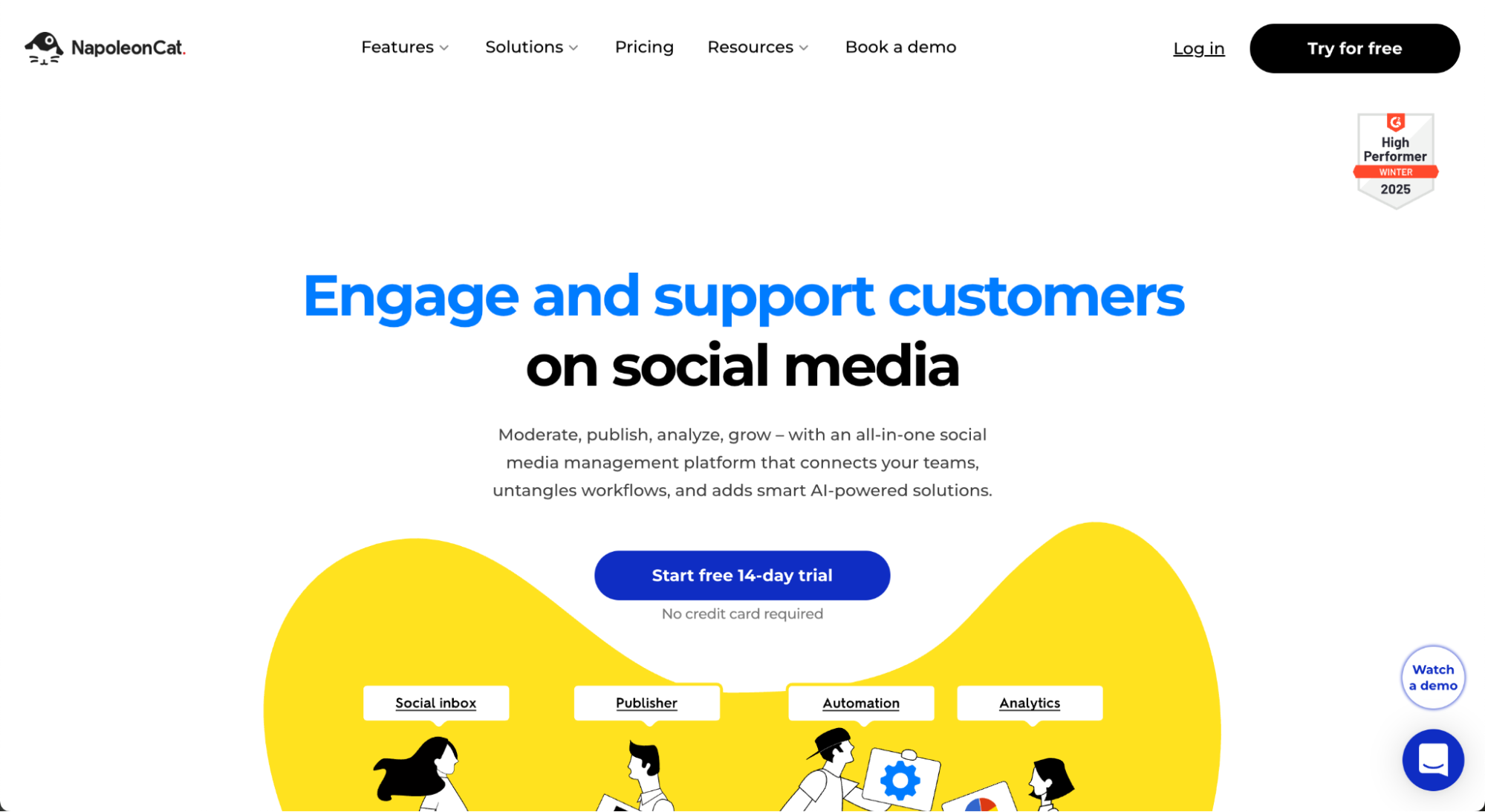
NapoleonCat is built for customer service teams and social media managers who need to manage high volumes of audience engagement across platforms. Known for its unified inbox and advanced automation rules, it helps businesses respond to messages, comments, and reviews at scale. If you’re focused on social customer support, moderation, and efficient publishing workflows, NapoleonCat delivers.
Standout features:
- Centralized inbox for social conversations
- Auto-response and comment filtering
- Drag-and-drop option to schedule posts
Pricing:
- Standard: $79 per month, billed annually
- Pro: $89 per month, billed annually
- Expert: $119 per month, billed annually
- Enterprise: Starting at $465 per month, billed annually
Sprout Social
Sprout Social is a full-featured social media management suite tailored to mid-size and enterprise businesses. With its advanced analytics, customizable reporting, and built-in CRM features, it’s popular with data-driven teams that want deeper insights into audience behavior and campaign performance. Sprout also supports scalable workflows, team collaboration, and influencer tracking on a single platform.
Standout features:
- Smart inbox and chatbot automation
- Influencer discovery and CRM tools
- Advanced analytics with customizable dashboards
Pricing:
- Standard: $199 per month, billed annually
- Professional: $299 per month, billed annually
- Advanced: $399 per month, billed annually
- Enterprise: Get in touch for a custom quote
Creator.co
Creator is built specifically for brands looking to scale their influencer marketing programs. It connects businesses with over 260 million creators and offers end-to-end campaign management, performance tracking, and audience insights. Well-suited for teams focused on branded content, creator partnerships, and social amplification, Creator is a top choice for influencer-led strategies.
Standout features:
- Searchable creator database with 260M+ profiles
- End-to-end campaign management
- Audience and engagement data
Pricing:
- Starting at $995 per month
Iconosquare
Iconosquare is a powerful analytics and scheduling platform designed specifically for brands, agencies, and content creators who prioritize performance tracking and data-driven decisions. It stands out for its in-depth visual analytics, platform-specific insights, and robust reporting tools. Initially built for Instagram, it now supports Facebook Ads, LinkedIn, TikTok, and X, making it a solid all-in-one option for visual-first brands.
Top features:
- Advanced performance tracking
- Visual dashboards show follower growth, engagement rate, best times to post, and content reach across platforms
- Deep analytics tailored for Instagram and TikTok, including Story performance and hashtag tracking
- Schedule and preview content across different accounts, with a grid planner and media library
- Export client-ready reports with white-label options
Pricing:
- Launch: $33 per month (one user, five social profiles), billed annually
- Scale: $69 per month (three users, five profiles), billed annually
- Excel: $116 per month (six users, five profiles), billed annually
Enterprise: Custom pricing with advanced support and access controls
Loomly
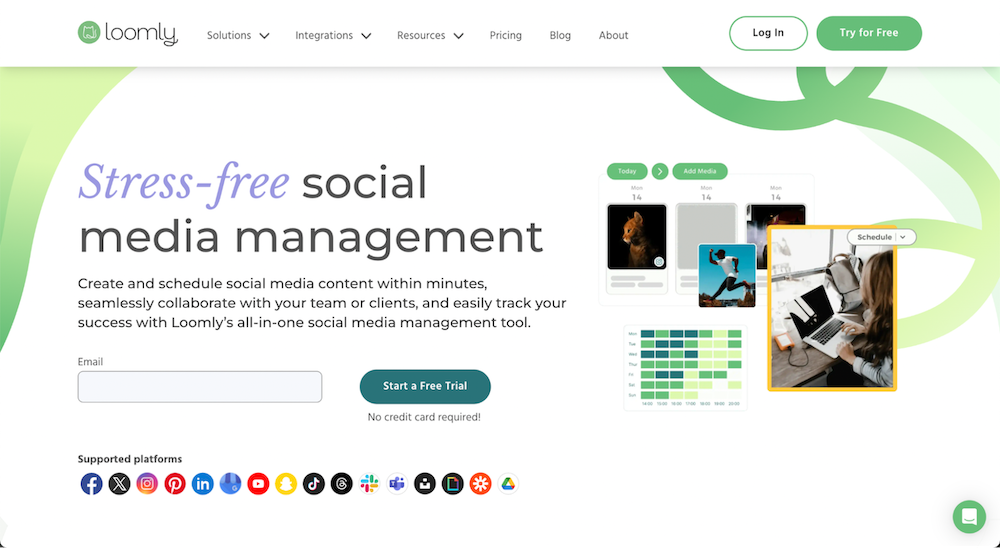
Loomly is a user-friendly social media management platform built for teams that want structure, collaboration, and clarity. It’s especially popular with marketing agencies, small businesses, and growing brands thanks to its intuitive workflows, built-in content suggestions, and approval processes. Loomly emphasizes planning and branding consistency without overwhelming users with overly technical features.
Top features:
- Built-in inspiration based on trending topics, events, and hashtags
- Collaborative workflows include versioning, comments, and approval flows to streamline teamwork
- Live post previews so you can see exactly how content will look on each platform before publishing
- Custom branding and roles allow for managing access and permissions with custom user roles
Pricing: Pricing is not clearly listed on the provider’s site. You must request a quote for the most accurate and current rates.
How to choose the right social media management platform
With dozens of tools available, each promising all-in-one functionality, it’s easy to get overwhelmed. But the right social media management platform isn’t necessarily the most feature-packed. It’s the one that aligns best with your specific needs, team size, and business goals.
Start by identifying who will be using the tool and how. A solo entrepreneur needs a different feature set than a marketing team managing dozens of social accounts. Consider these key decision-making factors to find your best fit.
Team size and collaboration needs
Small businesses and solo marketers can often get by with lightweight tools like Buffer or Canva’s content calendar. But if you’re working with multiple team members or need approval workflows, shared inboxes, and collaboration features, go for tools like Sprout Social or Hootsuite that support team-based functionality.
Pricing and scalability
Look beyond the monthly cost. Consider how pricing scales as you add users, channels, or premium features. Tools like Buffer and NapoleonCat have accessible entry plans, while Creator and Sprout Social offer more advanced features at higher tiers. Choose something that meets your needs today but also has room to grow.
Mobile support
Today, high volumes of social media activities happen on mobile. If you or your team works on the go, strong mobile support is a must. Tools like Hootsuite, Sprout Social, and Buffer offer highly rated apps with functionality nearly as high as desktop — including post scheduling, monitoring, and engagement tracking.
Automation and AI features
Scheduling content is just the beginning. Look for tools that offer AI-generated captions, hashtag suggestions, post recycling, or even sentiment analysis. Automation helps reduce manual tasks so you can focus on strategy and engagement.
Platform-specific features and audience goals
If your content is visual or creator-led, you may need tools that specialize in Instagram Marketing Reels, TikTok video formatting, or influencer management. Likewise, if your audience lives mostly on LinkedIn or Facebook, make sure the platform integrates natively with those APIs and supports in-depth analytics.
Choosing the right platform means matching your goals with the right functionality, not just choosing the most popular name. Prioritize usability, support, and the ability to adapt as your social media strategy evolves.
How to get started with social media management
Starting strong with social media management means building a strategy that’s focused, flexible, and aligned with your business goals. Whether you're a solo marketer or managing a team, these steps can help you establish a streamlined process that drives real results.
Define your goals
Set clear objectives that align with your overall marketing strategy. Use the SMART framework (specific, measurable, attainable, relevant, time-bound) to stay focused and track progress. Examples might include:
- Grow Instagram followers by 25% in Q2
- Increase website traffic from LinkedIn by 15% in six months
- Improve customer response time to under two hours on all platforms
Research your audience
Understand who you're speaking to: demographics, behavior, platforms, and preferences. Use tools like:
- Meta Insights and LinkedIn Analytics for built-in platform data
- Google Analytics for audience behavior on your website
- Sprout Social and Hootsuite for cross-platform insights
Knowing where your audience spends time and how they engage helps you shape your voice, content, and timing.
Perform competitive analysis
Study how your competitors approach social media. Look at:
- Content types, voice, and engagement strategies
- Posting frequency and formats (reels, carousels, polls, etc.)
- Follower growth and engagement rates
Use tools like Semrush, BuzzSumo, or Iconosquare to analyze trends and uncover gaps you can fill.
Select your starting platform(s)
Don’t try to be everywhere at once. Choose one or two platforms based on where your audience is and what content you’re best at creating. For example:
- LinkedIn for B2B and thought leadership
- TikTok for short-form, creative brand content
- Instagram for visual storytelling and product showcases
Once you have traction, you can expand.
Create a content calendar
A content calendar helps you stay consistent and strategic. Plan post frequency, formats, themes, and campaigns. Use tools like:
- Loomly for structured scheduling and team collaboration
- Trello or Asana for customizable workflows
- Google Sheets for simple, shareable planning
Pro tip: Use themes or series to simplify planning and keep your content aligned.
Engage with your audience
Active engagement builds trust and visibility. Prioritize:
- Timely responses to comments and DMs
- Sharing user-generated content
- Running polls, Q&As, or giveaways to encourage participation
Social listening tools, such as Hootsuite, NapoleonCat, or Sprout Social, can help track mentions and surface trends.
Track your results
Analytics help you understand what’s working and what’s not. Key metrics to track include:
- Engagement rate
- Follower growth
- Click-through rate (CTR)
- Conversion metrics (leads, sales, signups)
Use built-in analytics or third-party tools like Google Analytics, Buffer, or Iconosquare to monitor performance and optimize over time.
Find a social media manager
Social media is a powerful way to connect with your customers. By actively engaging, consistently providing value, and adapting to the ever-evolving market trends, you can build a powerful online presence that fuels your business success.
If you're ready to unlock the full potential of social media but lack the time or expertise, consider hiring a top-rated social media manager, content marketing expert, and video editing specialist with years of experience on Upwork.
If you’re a social media expert, check out open social media manager jobs and connect with business owners and marketing managers to find your next project.
FAQs
Social media management is one of the most important roles in modern marketing. Here are some of the most common questions to help guide your strategy and tool selection.
How much does social media management cost?
Pricing for social media management varies widely based on the scope of work. Freelancers may charge $25 to $100+ per hour, while social media tools range from $6 per month for basic plans to $1,000 per month for enterprise solutions.
Example of roles that can increase overall costs include:
- Content writing experts. They handle social media content creation, write captions, blogs, and campaign messaging, ensuring your brand consistently delivers quality content. Their fees add to the total investment but significantly improve engagement and brand voice.
- Project managers. They coordinate tasks, oversee timelines, manage collaborators, and ensure campaigns run smoothly. Strong project management helps startups avoid delays and maximize ROI, but adds an additional hourly or project-based cost.
If you're ready to hire expert help, posting a job post on platforms like Upwork can connect you with skilled freelancers who match your budget and goals. When budgeting, consider both tool subscriptions and the talent required to maintain a professional, effective social media presence.
How often should I post on social media?
There's no universal rule for frequency of posting on social media, but consistency is key. Many brands post three to five times per week per platform. Use your content calendar and analytics tools to test frequency, track engagement, and adjust based on what your audience responds to best.
Can social media management be automated?
Yes, tools like Buffer, Hootsuite, and Sprout Social let you schedule content, auto-tag mentions, and track performance without constant manual updates. Just remember to keep community management and engagement, plus real-time responses, human-led for authenticity.
Do social media management tools offer templates?
Yes, many top social media management platforms include templates to help streamline content creation and planning. Loomly offers post templates with optimization tips to guide your writing. NapoleonCat includes response templates for managing customer interactions. Hootsuite integrates with Canva, making it easy to use predesigned visuals directly within your dashboard. Buffer and Sprout Social offer AI-powered content suggestions and saved replies that serve as time-saving templates for common posts and responses.
Do I need different strategies for each platform?
Yes, absolutely plan a different social media strategy for each platform since every platform has a different audience, content style, and algorithm. Tailor your content type, tone, and format for each one, whether it’s educational posts on LinkedIn, Reels on Instagram, or trending audio on TikTok.
Upwork is not affiliated with and does not sponsor or endorse any of the tools or services discussed in this article. These tools and services are provided only as potential options, and each reader and company should take the time needed to adequately analyze and determine the tools or services that would best fit their specific needs and situation.
Prices are current at the time of writing and may change over time based on each service’s offerings.

.avif)

Author Spotlight

Upwork is the world’s largest human and AI-powered work marketplace that connects businesses with independent talent from across the globe. We serve everyone from one-person startups to large organizations with a powerful, trust-driven platform that enables companies and talent to work together in new ways that unlock their potential.

Latest articles