Dark Mode on Upwork: Optimized for Low-Light Browsing
Dark mode is available to all logged in Upwork users, optimizing readability and comfort with a sleek, modern interface built for low-light environments.

.png)
.avif)
At Upwork, we’re committed to supporting the best possible user experience for all clients and independent professionals. We built dark mode in direct response to Upwork community feedback for an alternate experience that works well at night, in dimly lit environments, and for users sensitive to light.
Dark mode is now available to all logged in Upwork users and optimizes readability and comfort with a sleek, modern interface built for low-light environments. Dark mode is currently only available on web and mobile web, with native apps to come.
Benefits of dark mode
- Improved visibility, comfort, and focus. Dark mode’s light text on dark backgrounds improves readability in low-light environments and reduces eye strain. Dark mode also improves accessibility for users with sensitivity to light.
- Choose the experience that works best for you. Manually toggle between light and dark mode whenever you want, or automatically update your experience based on system settings. Keep dark mode on at all times if you prefer the contrast, color scheme, or want to conserve battery life on your device.
How dark mode works
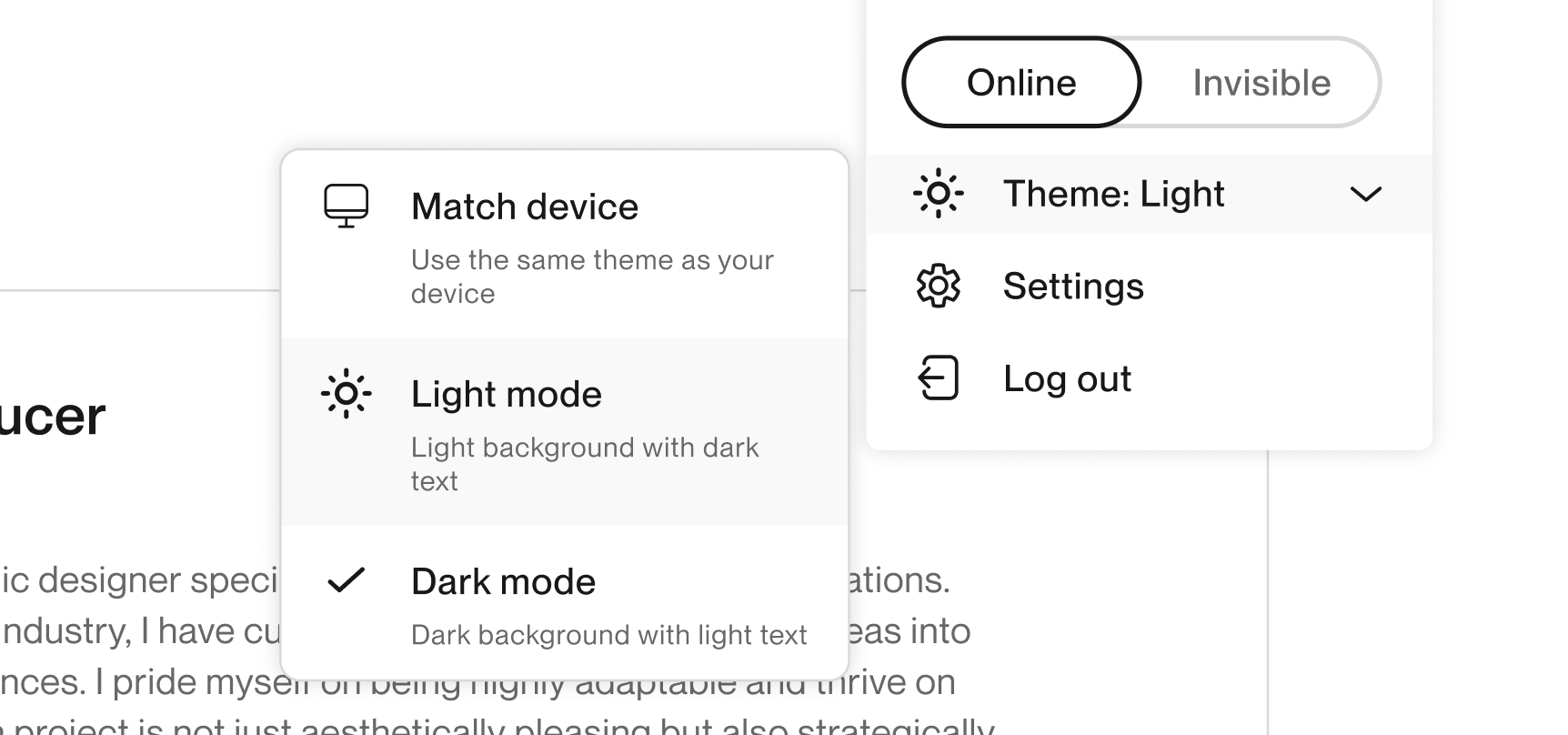
- For the desktop web version of Upwork, the theme selector is on the user menu popover located within the top navigation.
- Choose between light mode, dark mode, or device settings. If you choose the device settings option, Upwork pages will adapt to match your system’s settings for light or dark mode. This includes conforming to time-based automatic mode changes commonly found in operating systems.

Activate dark mode now
We value your feedback and continually make improvements to our platform to support the best possible user experience. Log in to your Upwork account to update your settings to dark mode now and learn about our latest features and enhancements on Upwork Updates.

.avif)

Author Spotlight

Beth Kempton is a B2B writer with a passion for storytelling and more than a decade of content marketing experience. She specializes in writing engaging long-form content, including blog posts, thought leadership pieces, SEO articles, case studies, ebooks and guides, for HR technology and B2B SaaS companies. In her free time, you can find Beth reading or running.







