How To Make a Fantasy Football Logo + Examples
Learn how to create a standout fantasy football logo with step-by-step tips and design inspiration. Explore examples to craft the perfect logo for your team.

.png)
.avif)
How To Make a Fantasy Football Logo + Examples
If you haven’t made a logo for your fantasy football team, now is the time.
Millions of fantasy team owners use online services like ESPN Fantasy Football, Yahoo Sports Fantasy Football, and NFL Fantasy for league management. Be a standout by creating a unique logo that reflects your team’s personality and intimidates your weekly opponents.
There are a plethora of tools that can help you with football logo design. Many offer template logos and mockups you can use in your design or as inspiration for your logo concept. You can even use your logo to make team T-shirts to wear on game day or to the draft.
How do you go about creating your new logo? We offer a step-by-step tutorial on designing a team logo that will impress your league for years.
Step 1: Choose a team name
If you haven’t chosen a name for your team, you’ll need to start your fantasy football journey there. Choosing a new team name might also make sense for your legacy team.
Say your team is named “The Brady Bunch” after Tom Brady, and he retires—for real this time. It might be time for a rebrand. Unlike a business name, your fantasy team name can (and probably will) be a play on words or known idioms.
Your new name could include:
- A recognizable team mascot logo
- An intimidating or friendly animal
- An ironic exaggeration
- A meaningful emblem
- A human character
Your name may reference your favorite NFL team or a player you cheer for. Add an element to your team name that reflects something unique about yourself. Below are a few examples of fantasy football team names that include NFL football team names, players, or general pun fun.
NFL team names
- “Cards” Against Humanity
- Troop Buffalo Bills
- We Ain’t Lion
NFL player names
- Ertz, Wentz, and Fire
- Working From Mahomes
- Allen This Together
General football pun fun
- No Punt Intended
- Number One Draft Pick
- The Goal Nine Yards
If you’re looking for more team name inspiration, check out the Sports Illustrated Top Names of 2024. Or you can try a fantasy football team name generator and see what it comes up with for you.
Step 2: Find inspiration for your logo
Once you’ve established your team name, it’s time to look for inspiration that will help you create your new team logo. We’ll review several tools you can use that offer templates and logo ideas to get you started. As you begin the process, consider what you’d like to use for team colors and fonts.
If you’d like to borrow the typography or color palette from your favorite NFL teams, you can search online for NFL team fonts or NFL team color codes. Many of the tools outlined below allow you to create the logo using specific fonts and team colors.
If you want to create your own look and feel without a specific team affiliation, you can find curated color schemes or play around with a color wheel to find ideas for your design.
Later in this article are examples of some of the best fantasy football logos to help get the creative juices flowing.
Step 3: Create a custom design
Now that you have your team name, font, and colors picked out, several tools online can help you create your fantasy football logo. Canva, Adobe Illustrator, and Logo.com are on the list.When using online logo design tools, follow a few tips:
- Consider where you’ll use your logo to help determine the shape, size, and file type you need.
- Logos typically don’t include photos and instead use files that are easier to scale and manipulate. If you want to use your likeness (or your pet’s, for example), consider converting your photo to a vector file using Illustrator (if you’re a pro) or a tool like Vector Magic.
- Choose fonts that are legible in any size. Consider whether you want a serif or a sans-serif font. See famous brand fonts for inspiration.
- Keep it simple. Less fine detail will give you more flexibility when scaling your logo and using it in multiple places.
- Borrow design ideas from the best sports team logos.
- When borrowing your design elements, be sure to use only royalty-free artwork.
You may want to hire someone with design experience to give you a polished logo, especially if you’re considering purchasing merchandise with your design. They can help ensure the quality is where it needs to be for your desired applications.
A great logo artist or graphic designer can also help you create team merch—like a T-shirt, sticker, custom football helmet, jersey, or whatever else you’d like to place your logo on for your championship celebration. Let’s dig deeper into the online tools available to help you design a striking logo representing your fantasy football team.
Canva
Canva has a free logo creator tool you can use to get started on your fantasy football team logo.
This tool offers football logo templates with football themes and additional design elements that you can add for customization.
Let’s go over the steps to creating a logo using Canva.
1. Visit the Logo Maker and click “Start designing a custom logo.”
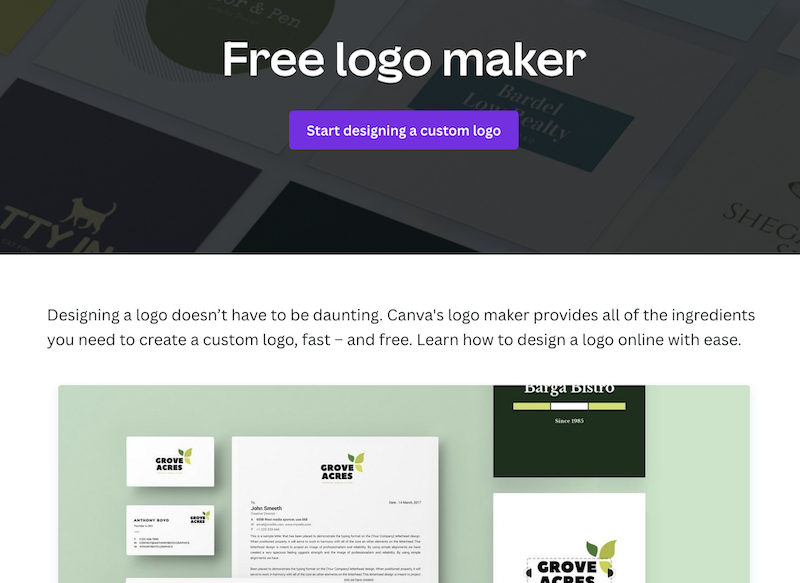
- Enter a search query, such as “American Football Logo.” Choose an option that resembles your inspiration

- Customize your design.
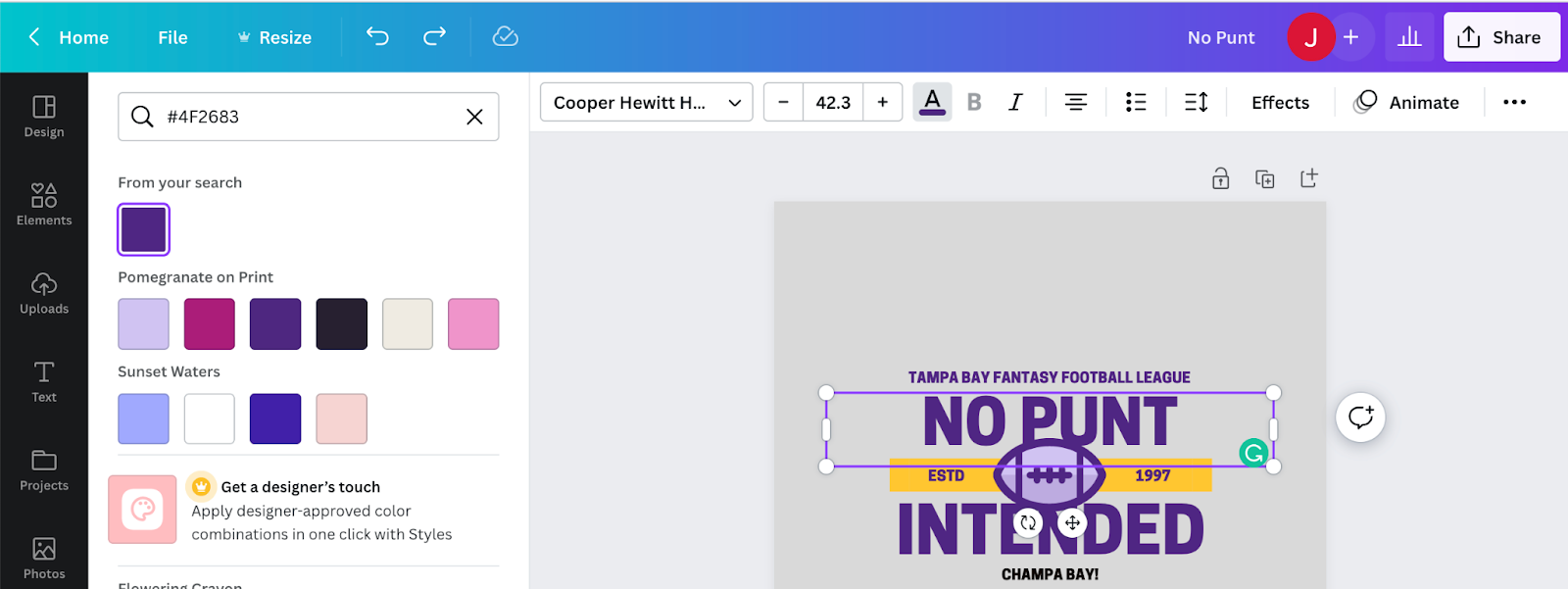
Many available templates allow you to change the font and color and fully customize your logo. If you want to emulate a particular NFL team’s color, you can find the HEX code online and enter it in the color search area.
You can find the right color in Canva by clicking on the text segment you wish to change, and then by clicking the “A” with the colored line under it.
Next, enter a color search using the HEX code you found. Canva may also offer you some recommended compatible colors to go with your pallet, depending on the design you selected.
4. Edit your logo’s fonts.
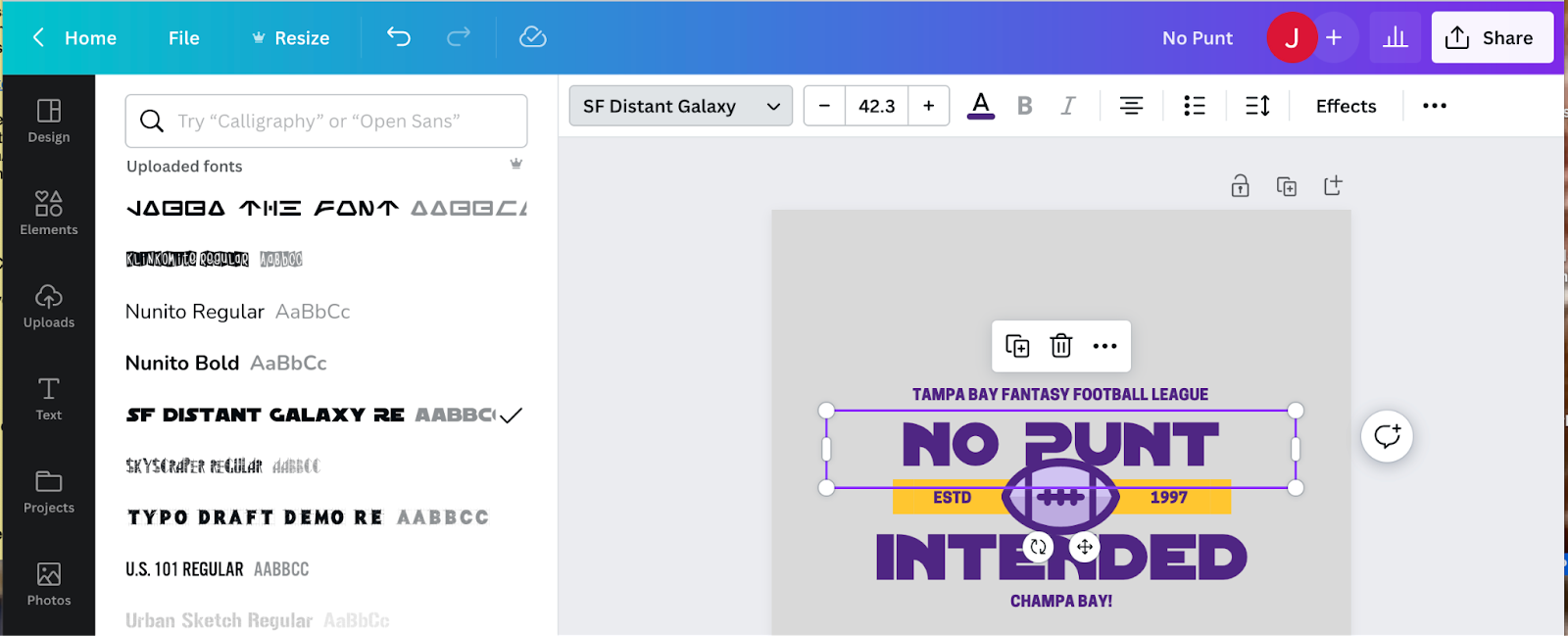
If you’re not happy with the font in the template, you can choose from one of the hundreds of available fonts that Canva offers.
If you have the pro version of Canva, you can upload a custom font if you can find a compatible type. You might choose an NFL team font or search for a font from popular movie artwork.
Some font creators may ask for a small fee to use their font. Be sure that any font you choose is compatible with Canva’s format requirements. Any newly uploaded fonts will appear under “uploaded fonts” when you select the font drop-down.
5. Add new elements to your design.
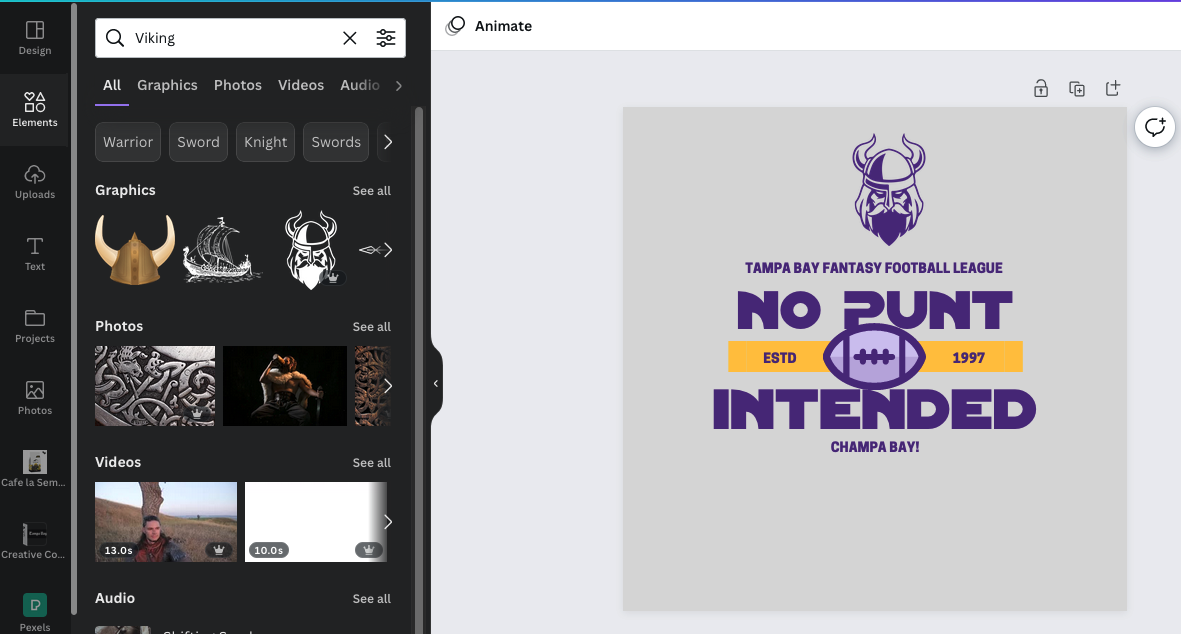
If you’d like to add more to your fantasy football logo, select “elements” to search for icons and images that complement your design. You can also add photos to your design, which you can edit in the application.
6. Download and save your logo for use.

Once you’ve completed your edits and your logo looks the way you want, click the “Share” button.
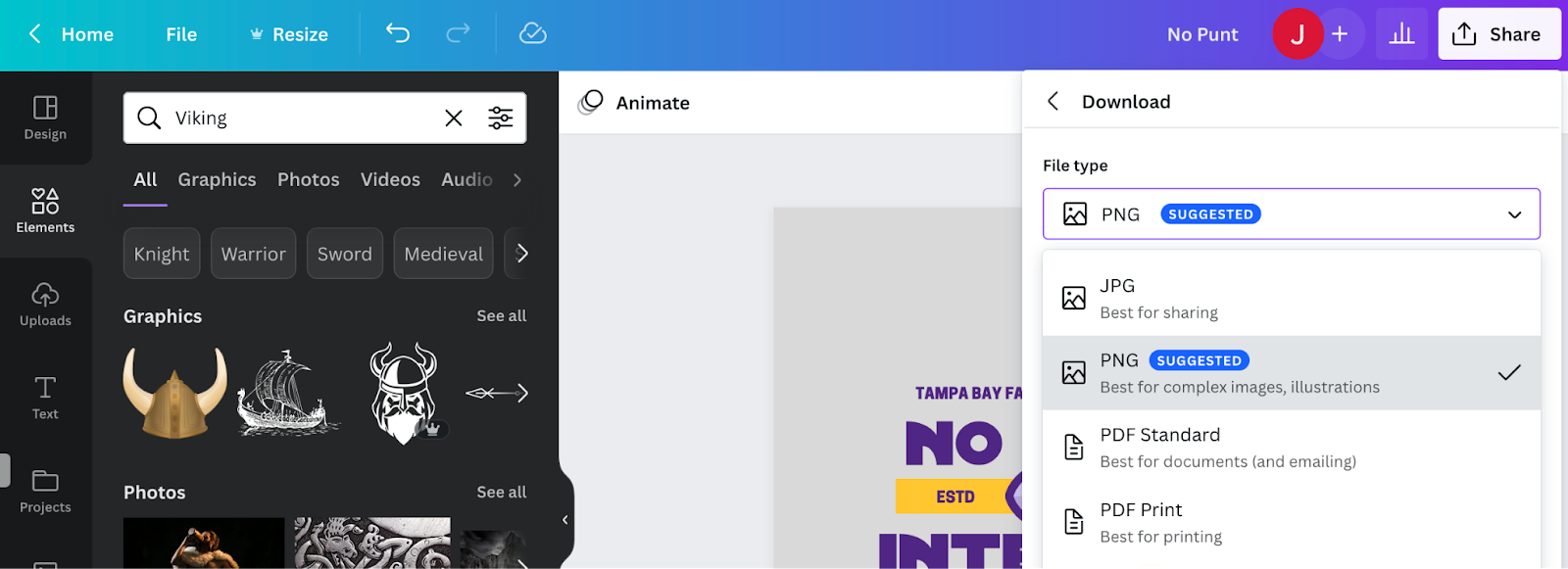
Then, select the file type you’d like to export it in. The PNG format is recommended for a logo design.
Save the file to your computer or drive. Now, you’re ready to share your logo with the fantasy football world.
Adobe Illustrator
If you aren’t a professional designer, you may not have access to Adobe Illustrator, but a free fantasy football logo-making tool is available that’s easy to use.
Let’s run through how this tool works to create your logo.
1. Answer three quick questions. Go to Adobe Illustrator’s fantasy football logo maker tool and fill in the blanks on the form.
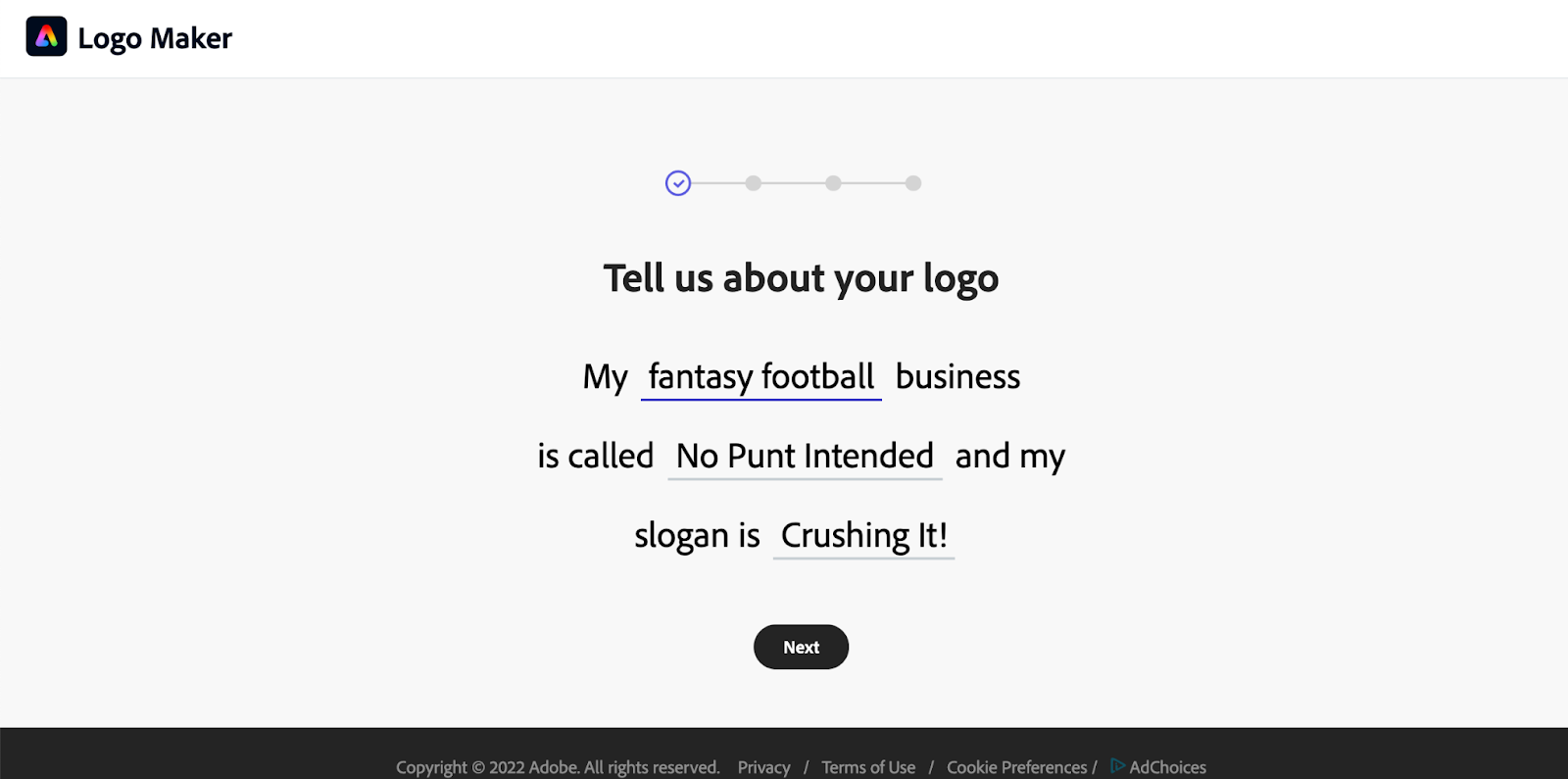
2. Choose a design style for a bold, elegant, decorative, or modern logo.

3. Choose an icon by scrolling through the icon options.

4. Choose a logo design. The tool provides numerous design options. When you find one you like, click the image to proceed.
If you don’t like any of your selections, you can try again with new query responses on the form.

5. Customize your logo. You can flip through color and font options to help make the design feel your own.

6. Sign in and save your file.
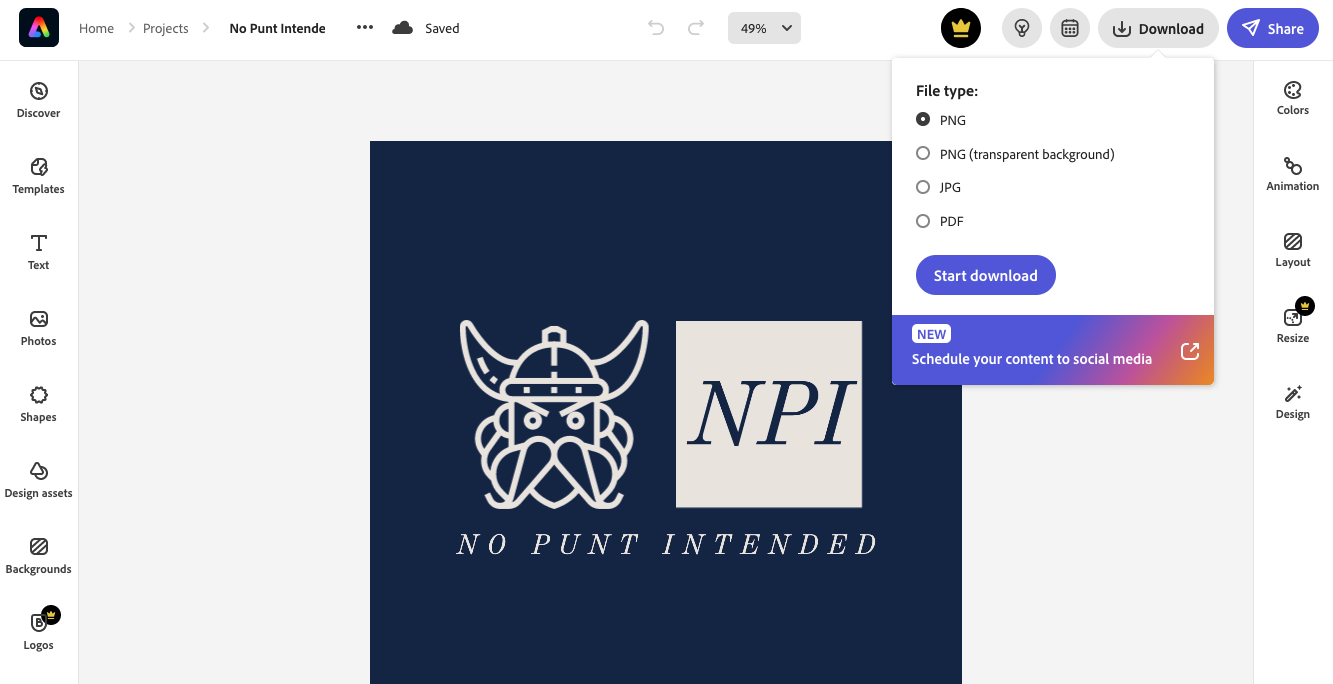
Next, you can sign up for a free Adobe Express account and download the file as a PNG, transparent PNG, JPG, or PDF.
Logo.com
If you want a fast and easy option for creating your fantasy football logo, try the Logo.com logo maker tool.
Much like the Adobe option, you just answer a few questions and the app creates multiple designs you can select from, edit, and save. You can also order products with your logo from the website.
The editing capability on Logo.com isn’t nearly as robust as Canva, but it does offer some additional color editing that the Adobe Illustrator tool doesn’t. The full version of Adobe Illustrator offers the maximum editing capability, but it’s not free and will likely require a professional graphic designer.
As a bonus, Logo.com offers a quick and easy way to order products once you’ve finalized your logo design.
1. Add your team name and click “Make a Logo.”

2. Choose a team slogan if you have one. Consider including your league name or city.

3. Enter “Football Team” for your industry.
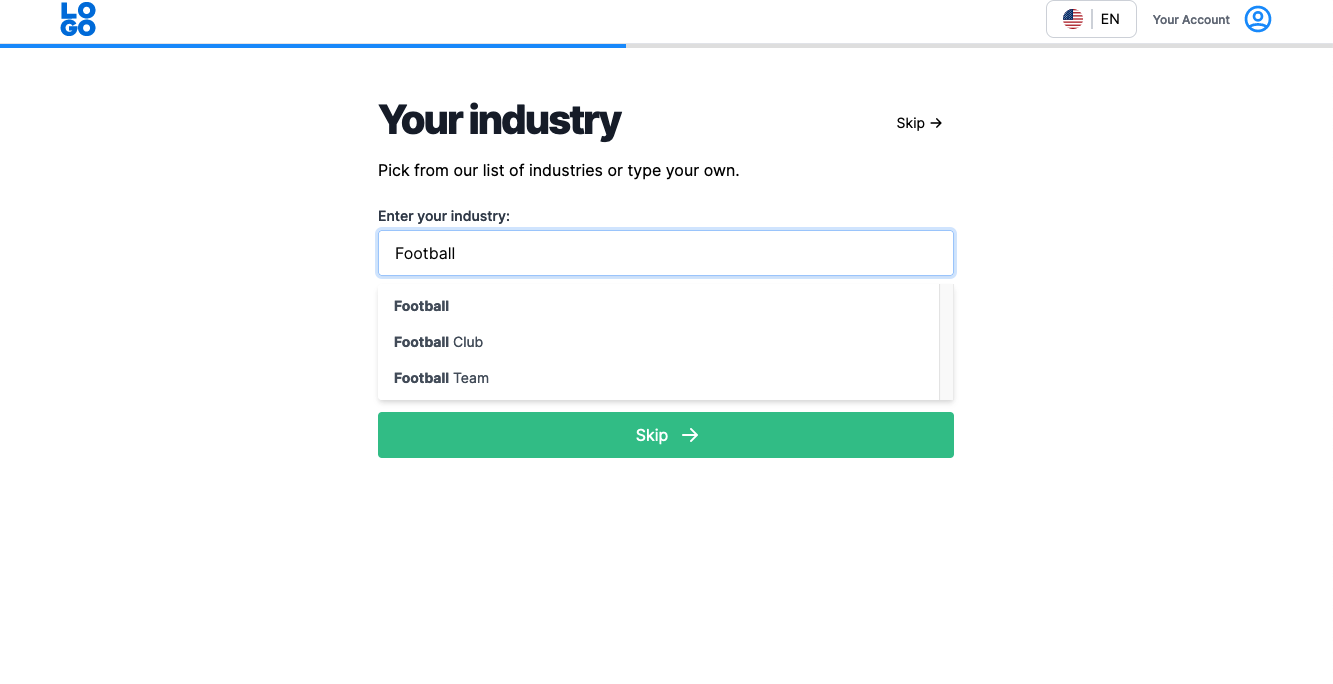
4. Select a design style (or skip to see all options).

5. Choose with or without icons.

6. Choose three relevant keywords to enhance the design.

7. Customize your design and generate your logo. You can change most of what you selected in previous steps at the top of the interface.
In the logo generator, you can change keywords, remove icons, play with colors, and try different fonts. Click “Generate” to create new options after making any changes.

8. Click the green arrow on the design of your choice to get to your final piece and download it.
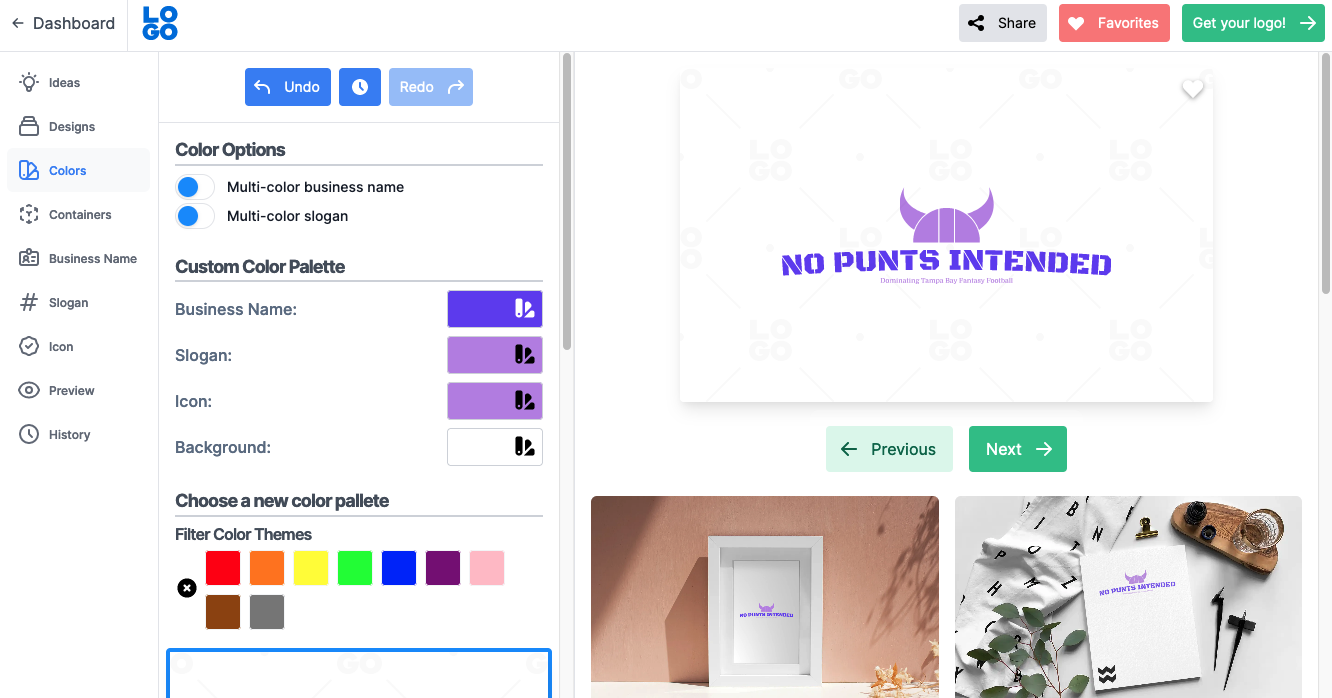
9. Click “Get your logo!” then select “Your logo files.”

10. Click “Download your logo,” and it’ll create a PNG wherever you save your files.

Step 4: Export the file to PNG
You might use your logo across multiple applications, including social media, merchandise ordering, and fantasy football apps.
Whatever your application, be sure to have the correct file type. A PNG file is recommended for most applications, and you can use a PNG file to convert to most of the other typically required file types.
Many platforms have an individual file size limit, so keep your PNG file under 500KB to ensure you’re below their file size limits.
Step 5: Upload your design
Now, it’s time to upload your logo design to your fantasy football app to share with your league. You can upload your logo to Yahoo Sports Fantasy Football by following the directions provided.
If you’re using ESPN Fantasy Football, you’ll need to upload your PNG design to an image files storage site like Imgur or ImageShack to get a working URL for your design.
You can follow these directions to upload your fantasy football logo to ESPN.
5 examples of custom fantasy football logos
We’ve compiled a few custom fantasy football logo examples to help inspire your designs. We looked for logo examples that we felt stood out from the typical logos.
Color, font choice, design layout, and graphics are all part of what makes a logo design shine.
“Trash Talking Mimes”

Source: Buffalo Wild Wings
This funny, eye-catching fantasy football logo includes bold colors and features a clever and unexpected team name. The stripes and bold red color help it stand out from the crowd.
“One Man Wolf Pack”
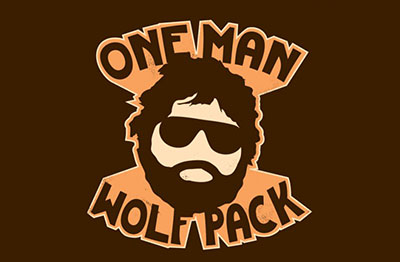
Source: Summitsoft
This unique logo references a popular movie and likely also captures the lone wolf spirit of the team’s manager. The colors go together nicely, and the character iconography suits the design well.
“I shall pass”
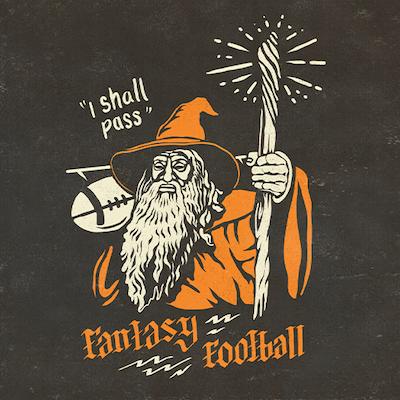
Source: Dribbble
This logo combines the power of wizardry and football. While the design may not scale well, elements from the logo can be modified in creative ways. It also has a complementary color scheme.
“The Sea Monsters”
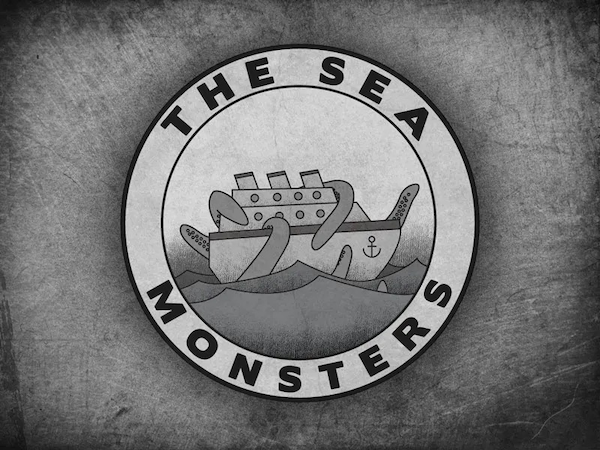
Source: Dribbble
Black and white is a bold choice for a logo—but in this case, it fits the old-time octopus-at-sea motif. The background adds a nice touch, and the circular design in the center would look great anywhere the profile icon is a circle.
“The Timid Yaks”
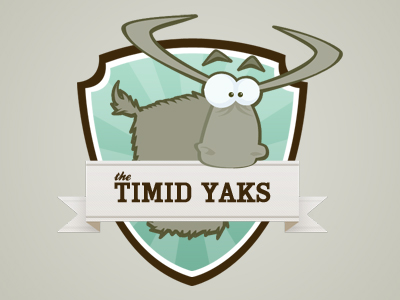
Source: Summitsoft
You might like this adorable fantasy football logo if modesty is your vibe. Both the team name and colors are understated. A humble design like this might be just what you need to catch your fantasy football league by surprise.
Get a fantasy football logo designed just for you with Upwork
Creating your own fantasy football logo can be fun and show your competitors you’re serious about your pastime.
If you’d like your logo to look more polished and professionally done, consider hiring a logo artist from Upwork.
Graphic designers can also find work designing fantasy football logos (and logos of all kinds) by leveraging the power of the Upwork network.
Upwork is not affiliated with and does not sponsor or endorse any of the tools or services discussed in this article. These tools and services are provided only as potential options, and each reader and company should take the time needed to adequately analyze and determine the tools or services that would best fit their specific needs and situation.

.avif)

Author Spotlight

Upwork is the world’s largest human and AI-powered work marketplace that connects businesses with independent talent from across the globe. We serve everyone from one-person startups to large organizations with a powerful, trust-driven platform that enables companies and talent to work together in new ways that unlock their potential.