The Best Data Modeling Tools for 2026
Need help creating and managing your databases? We've picked the best data modeling tools, plus strong alternatives for your next database project.

.png)
.avif)
Data modeling can help you understand the data structures and objects needed for business processes. It involves creating a visual representation that depicts how data is arranged, as well as how it flows across a system.
Data modeling facilitates the creation of quality applications by acting as blueprints, allowing developers to create apps that are easier to maintain and less likely to crash. It can also help you identify and correct issues likely to impact your application before they make it to production.
Data models can minimize confusion in the software development process by helping programmers know what to implement to get the system working. Data modeling tools enable programmers to visualize data structures, compare models, and generate database schemas and Data Definition Language (DDL) statements, among other functions.
Here are some of the top data modeling tools for 2023.
Our top picks for data modeling tools in 2023
Alternative options for data modeling tools in 2023
- Archi
- Lucidchart
- Navicat Data Modeler
- DTM Data Modeler
- MagicDraw
- Oracle SQL Developer Data Modeler
- HeidiSQL
Our top picks for data modeling tools in 2025
Consider factors like usability, scalability, and compatibility when selecting data modeling tools. Take time to consider if the data modeling tool has the proper features needed in your project. You should also look at the costs associated with the tool to avoid going over your budget.
Here are our top picks for data modeling in 2023.
ER/Studio

ER/Studio provides physical, logical, and business process modeling for organizations of all sizes. With the ER/Studio Business Architect tool, you can design and document the relationships between data, processes, and people. ER/Studio also enables you to simplify your data architecture using standard naming conventions and definitions.
ER/Studio is our top pick because it offers a highly collaborative environment. You can design data models and metadata to share with other data professionals.
Features
- Scalable data architecture. ER/Studio enables you to build a business-driven data architecture that scales according to your organizational needs. It also ensures that your sensitive data objects comply with different regulations.
- Support for different database platforms. ER/Studio allows you to create and manage data models for big data and relational databases. You also have the option to save the models on-premises or in the cloud.
- Submodel management. ER/Studio supports the synchronization of submodel hierarchies and the creation of submodels.
- Permission management. You can boost workplace security by setting user, role, and group-based permissions.
- Data classification. ER/Studio enables you to classify information according to a particular level of sensitivity. This feature ensures that confidential information doesn’t leak.
- Centralized communication. With ER/Studio, you can share the data models you’re working on with your team members. ER/Studio also features a centralized repository for saving models and metadata.
Pricing
ER/Studio is available in four main versions. ER/Studio Data Architect costs $1,470 per user (one-time payment), and ER/Studio Business Architect costs $920 per user.
You will need to request a custom price quote for the ER/Studio Data Architect Professional and ER/Studio Enterprise Team Edition versions.
Erwin Data Modeler

Erwin Data Modeler can help you design, visualize, and deploy data assets. You can also use Erwin Data Modeler to ensure clear and consistent data models throughout your application’s lifecycle.
Erwin Data Modeler is a top pick because it supports numerous activities, including business intelligence, big data, large-scale data integration, data management, and project management.
Features
- Agile application development. Erwin Data Modeler enables you to build applications both on-premises and in the cloud. You can even use hybrid architectures, big data, and NoSQL to define your models.
- Automation. You can reduce errors in your development process and save time by using Erwin Data Modeler to generate schemas and models.
- User-friendly interface. Erwin Data Modeler features an intuitive user interface that allows you to visualize complex data structures and business processes.
- Round-trip engineering. With Erwin Data Modeler, you can write and reverse engineer database code, ensuring consistency and efficiency when deploying data structures.
Pricing
Erwin Data Modeler is available in four editions: Standard, Workgroup, Navigator, and Safyr. You can request pricing for each of these editions at their website.
DbSchema

DbSchema enables you to create, document, and deploy schemas on different databases.
DbSchema is part of our top data modeling tools because it provides a simple interface to query data and create tables. In other words, you don’t need significant SQL knowledge to use DbSchema, making it suitable for beginners.
Features
- Standalone schema. You can share your schemas with team members since they’re separate from the database.
- Relational data editor. DbSchema offers an editing tool for adding records to different tables. You can also drag-and-drop tables and join them using foreign keys.
- Data generator. You can generate fake data using DbSchema to test database configurations.
- Database charts and reports. DbSchema features a report designer tool for generating dynamic charts, UML diagrams, and other reports for your web pages.
- Automations. DbSchema uses a Java Groovy script engine to run Java scripts, deploy schemas, execute SQL scripts, and generate HTML5 documentation.
- Data loader. DbSchema’s data loader enables you to import data in different formats, including XML, XLS, XLSX, and CSV, and store them in a database.
Pricing
DbSchema is available in two versions: community (free) and pro. The pro version is divided into academic ($98), personal ($196), and commercial ($294) editions. All prices are one-time payments for lifetime licenses.
Alternative options for data modeling tools in 2023
In this section, we discuss alternative data modeling tools that you can use in your project.
Archi
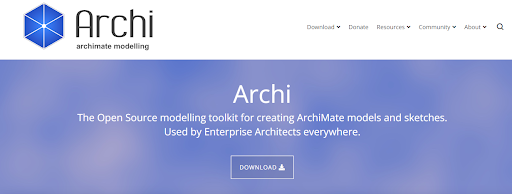
Archi is an open-source data modeling software used by enterprise architects and other stakeholders for creating ArchiMate sketches and models.
Features
- Sketch View. Archi provides a platform where you can brainstorm your ideas and draw sketches.
- Cross-platform. Archi is written in Java and is available on Windows, macOS, and Linux.
- Canvas modeling toolkit. You can create reusable canvas templates to draw your models and share them with colleagues.
- Hints view. Archi uses the hints view to help beginners understand ArchiMate’s components, viewpoints, and relationships. The hints view facilitates a flatter learning curve.
- Visualizer. Archi features a visualization tool that’s great for displaying model relationships and connections.
Pricing
Archi is available for free.
Lucidchart

Lucidchart is a visual representation tool that helps you create business process maps and design data flows, as well as plan and organize teams.
Features
- Cross-platform. Lucidchart is available on Windows, Mac, and Linux operating systems.
- Improved collaboration. Lucidchart enables you to work with teammates to design systems and processes in real time using features like collaborative cursors, shape-specific comments, and in-editor chat.
- Auto-visualization. Lucidchart enables you to automatically generate entity relationship diagrams, organizational charts, data models, and much more.
- Compatibility. Lucidchart is compatible with popular software like Slack, Asana, Microsoft Office, Google Workspace, and Atlassian.
- Scalability. With Lucidchart, you can scale your document repository according to your organizational needs.
Pricing
Lucidchart is available as a free, individual ($7.95 per month), team ($9 per user monthly), or enterprise (custom quote) version.
Navicat Data Modeler

Navicat Data Modeler is a database design tool for creating conceptual, logical, and physical data models. You can also use Navicat Data Modeler to perform forward and reverse engineering, generate SQL queries, import models from different data sources, specify the data type, and create entity relationship models, among other activities.
Features
- Support for multiple database systems. Navicat Data Modeler is compatible with different database systems, including MS SQL Server, SQLite, PostgreSQL, SQL Server, Oracle, MySQL, and MariaDB.
- Designer tool. You can use Navicat Data modeler’s designer tool to design, create, and modify data models without writing complex SQL queries.
- Model types. Navicat supports all three data models: conceptual, logical, and physical. You can use the model conversion feature to change the conceptual data to a logical model.
- Reverse engineering. With Navicat, you can create new ER diagrams using existing database structures. You can also visualize data models to understand indexes, relationships, and attributes.
- SQL code generation. Navicat Data Modeler enables you to generate SQL code running specific parts of your data model.
- Collaboration. Navicat is integrated with the cloud platform, enabling you to sync your model files and work with teammates remotely.
Pricing
Navicat is available in two editions: enterprise and noncommercial. The enterprise version has a monthly charge of $22.99. You can also purchase a yearly subscription for $229.99 or acquire the perpetual license for $459.
For the noncommercial version, you can choose between a monthly charge of $12.99, a yearly subscription charge of $129.99, or the perpetual license for $249.
DTM Data Modeler

With DTM Data Modeler, you can create physical and logical data models and engage in forward and reverse engineering. Database designers and administrators can also create triggers and indexes on particular tables in a database.
Features
- Reporting tool. DTM has a designer tool for generating HTML reports.
- Reverse and forward engineering. DTM supports both reverse and forward engineering, which helps you understand the characteristics of different data models.
- Quickstart console. DTM features a quickstart console for accessing basic functionalities.
- Model conversion tool. DTM enables you to convert a data model created by one database system to other compatible versions.
Pricing
You can make a one-time payment for the DTM Data Modeler version with one license for $179, three licenses for $349, and five licenses for $499.
MagicDraw

MagicDraw is a versatile development tool for reverse engineering, database schema modeling, systems engineering, and more. Its main users are programmers, systems analysts, documentation writers, and architects.
Features
- User-friendly interface. MagicDraw has an intuitive interface that allows users to start modeling quickly.
- Extensibility. MagicDraw provides an Open API that you can exploit to access extra functionalities.
- Collaboration. MagicDraw’s cloud platform enables you to collaborate with other teammates to create database models and engage in other activities.
- Automatic report generation. You can generate comprehensive reports and software documentation in RTF, PDF, and HTML formats.
Pricing
You can make a one-time payment of $899 for MagicDraw Professional and $299 for the Standard version.
Oracle SQL Developer Data Modeler

Oracle SQL Developer Data Modeler enables you to create and manage multi-dimensional, logical, physical, and relational data models.
Features
- Collaborative development. Oracle offers a highly developed cloud infrastructure for collaborating with your team to complete different modeling tasks.
- Beginner friendly. Oracle provides a wide range of documentation that allows beginners to easily start data modeling.
- Forward and reverse engineering. Oracle Data modeler tool enables you to break down data models to understand their structure, attributes, relationships, and other concepts.
Pricing
Oracle SQL Developer Data Modeler is available for free.
HeidiSQL

Like other data modeling software, HeidiSQL allows you to edit data structures in database systems like SQLite, PostgreSQL, Microsoft SQL Server, MySQL, and MariaDB.
Features
- Database export. You can export table rows as PHP array, SQL, XML, HTML, and CSV.
- Task manager. With HeidiSQL, you can monitor and terminate running processes.
- Server connection. HeidiSQL allows you to connect to several servers in a single instance.
- SQL editor. HeidiSQL also enables you to edit stored routines, scheduled events, views, and tables.
Pricing
HeidiSQL is available for free.
Get support from Upwork’s Marketplace
Data modeling is essential because it helps determine the relationship between data objects. It also enables you to represent data accurately, improve application quality, lower costs and development time, and control data redundancy. Data modeling tools ensure that you perform all these roles as fast as possible and with few or no mistakes.
If you require any help with data modeling or you’re looking for inspiration, Upwork is the best place to start. You can hire and work with talented data modeling freelancers to achieve your objectives.
As a data modeling expert, you can meet prospective clients and earn extra income by selling your services on Upwork, the world’s biggest talent marketplace.
Upwork is not affiliated with and does not sponsor or endorse any of the tools or services discussed in this article. These tools and services are provided only as potential options, and each reader and company should take the time needed to adequately analyze and determine the tools or services that would best fit their specific needs and situation.
Prices are current at the time of writing and may change over time based on each service’s offerings.

.avif)

Author Spotlight

Upwork is the world’s largest human and AI-powered work marketplace that connects businesses with independent talent from across the globe. We serve everyone from one-person startups to large organizations with a powerful, trust-driven platform that enables companies and talent to work together in new ways that unlock their potential.