Build a Lead-Generating Business Website: Platform Picks, Templates, and SEO Tips
Build an effective business website that drives leads. Compare the top website builders, pick templates, plan your budget, and get SEO-ready in 2026.

.png)
.avif)
Your website is often the first place potential customers interact with your business. Whether you're selling products, offering services, or building credibility, your website sets the tone and drives the first impression.
But a good-looking homepage isn’t enough. To compete in 2025, you need a fast, mobile-ready site that’s optimized for search, built to convert visitors, and flexible enough to grow with your business.
In this guide, you’ll learn how to create a high-quality business website from the ground up. We’ll walk through website builders, templates, domain registration, SEO best practices, and the real costs of building a professional site. You’ll also see where it makes sense to bring in expert help, from web designers to developers to SEO pros on Upwork.
Whether you’re just starting or ready to refresh your online presence, this step-by-step guide will help you build a site that works as hard as you do.
Plan your website goals and budget
Before choosing a template or hosting plan, get clear on what you want your website to do. Your business goals should shape everything—from the platform you choose to the features you prioritize.
Align your site with your business needs
Think about what you need your site to accomplish. Are you generating leads, booking consultations, or running an online store? A local service provider might focus on contact forms and SEO, while a retail brand would need a full e-commerce setup with checkout and shipping tools.
Know when to DIY and when to hire
If you’re starting a basic site and have time to learn, a drag-and-drop website builder like Wix or Squarespace might be enough. But if you want a custom layout, advanced integrations, or SEO that drives traffic, hiring a web developer or designer can save time and help you get better results faster.
Budget ranges to expect in 2025
Here's what typical website costs can look like, depending on your needs:
- Basic informational site (DIY): $100-$500 annually, including hosting and a domain
- Custom-designed small business site: $2,000-$10,000+ (including design, development, and content)
- Full e-commerce site with custom features: $5,000-$50,000+, depending on complexity
If you're working with independent professionals, platforms like Upwork offer more flexibility in pricing, helping you scale your website investment as your business grows.
Register a domain and pick your hosting provider
Your domain name is your market’s first impression of your website. It’s how people find your business online, remember your brand, and refer others. Choosing the right domain—and a reliable hosting provider—is the first real step to owning your online presence.
Tips for picking the right domain name
Your domain should reflect your business name, be easy to spell, and make sense to someone seeing it for the first time. A few best practices:
- Keep it short and memorable. Avoid numbers, hyphens, and awkward abbreviations.
- Stick with a trusted extension. A .com is ideal, but .co, .shop, or .io can work if they fit your brand.
- Avoid anything confusing. Don’t pick names too similar to competitors or that rely on tricky spelling.
- Secure a custom domain. Free domains often include the platform’s name (like yoursite.wix.com). A custom domain looks more professional and builds credibility.
You can check domain availability using popular registrars like GoDaddy, Namecheap, or directly through website builders like Squarespace or Shopify. Most domains cost $10-$20 per year.
How to choose the right hosting provider
Once you have your domain, you’ll need a hosting provider. Hosting is where your website files live online. Some platforms are “all-in-one” and include hosting, while others (like WordPress.org) require you to choose a separate provider.
Here’s a quick look at common hosting options in 2025:
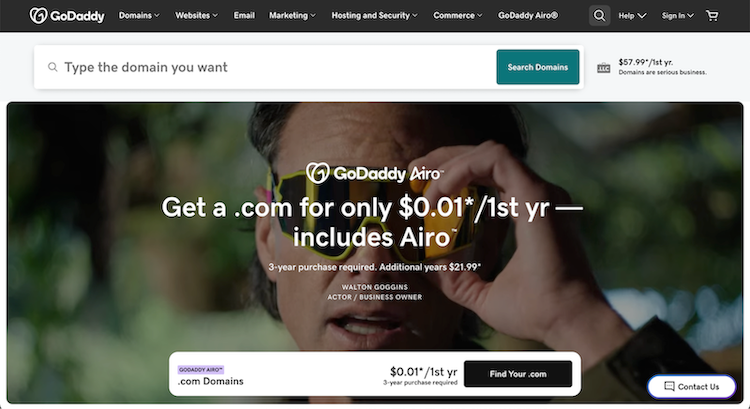
- Best for: Beginners managing multiple domains
- Pros: Wide feature set, frequent discounts, user-friendly
- Cons: Slower site speeds, limited 24/7 support
- Price: From $2.99/month (shared hosting) to $99.99/month (dedicated)

- Best for: WordPress users
- Pros: Pre-installed WordPress, free SSL, unlimited bandwidth
- Cons: Upsells, backups require upgrades
- Price: $2.95–$13.95/month

- Best for: Value-focused WordPress hosting
- Pros: 100% uptime guarantee, unlimited traffic, long money-back window
- Cons: Less intuitive dashboard, slower support
- Price: $2.59-$11.99/month

- Best for: Small businesses wanting strong customer support
- Pros: Great performance, daily backups, strong security
- Cons: Higher renewal prices, storage caps
- Price: $17.99-$44.99/month
Shopify or Squarespace (all-in-one)

- Best for: Entrepreneurs who want bundled hosting + builder
- Pros: Easy to launch, support included, integrated e-commerce
- Cons: Less backend flexibility, limited custom code
- Price: Shopify from $29/month, Squarespace from $16/month
If you’re not sure what setup is best for your business needs, a freelance web developer on Upwork can help you choose a platform, set up your hosting, and secure your domain without the guesswork.
Compare the best website builders
The right website builder depends on what you want your site to do. Whether you're launching an online store, showcasing your brand, or offering services, each platform comes with its own strengths. Most now include drag-and-drop editors, AI features, e-commerce tools, and built-in SEO capabilities.
Here’s how the top options compare in 2025.
Wix
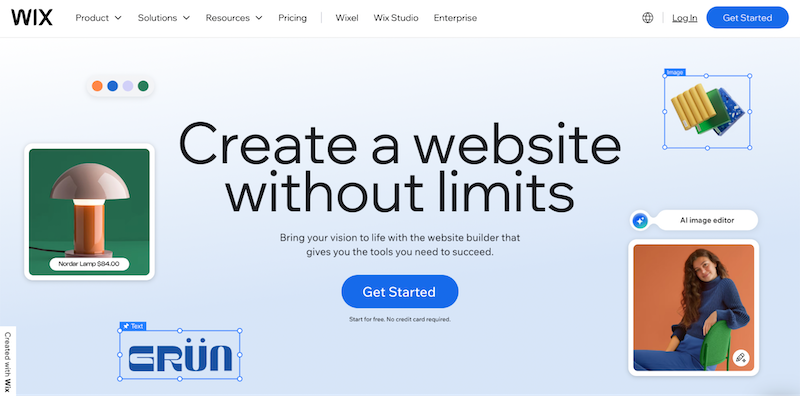
Wix is one of the most user-friendly options for small business owners who want visual control without coding. Its flexibility and massive template library make it a favorite for DIY builders.
- Best for: DIY users who want design flexibility
- AI tools: Wix ADI builds a customized site using your answers to a few questions
- SEO tools: SEO Wiz, structured data, custom meta tags
- E-commerce: Great for small shops—product pages, digital goods, and checkout integrations
- Pros: Easy drag-and-drop design, strong app marketplace, mobile optimization
- Cons: Can’t change templates after publishing, premium features can add up
- Price: Free plan available; premium plans from $17/month
WordPress (with Elementor or similar)

WordPress offers unmatched customization, ideal for business owners who want complete control over their site. With the right plugins and themes, it can support almost any feature.
- Best for: Full customization and content-heavy sites
- AI tools: Plugins for content generation, image creation, and layout automation
- SEO tools: Yoast, Rank Math, All in One SEO
- E-commerce: WooCommerce powers product listings, payments, and more
- Pros: Highly flexible, massive plugin ecosystem, strong community support
- Cons: Requires separate hosting, more technical to manage
- Price: Free core software; hosting and add-ons vary
Squarespace
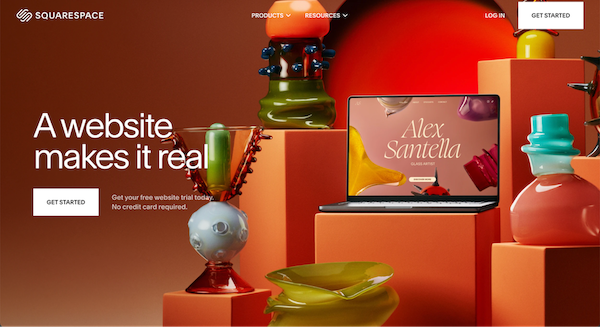
Squarespace is built for simplicity and beautiful design. It's a top choice for creatives, consultants, and small teams looking to get online fast with a polished look.
- Best for: Brand-focused businesses and creative portfolios
- AI tools: Text generator and layout assistant (beta)
- SEO tools: Built-in optimization, automated alt text, and schema
- E-commerce: Solid for service bookings, subscriptions, and digital sales
- Pros: Professional templates, built-in analytics, seamless social media integrations
- Cons: Limited flexibility, no free plan
- Price: From $16/month
Shopify
Shopify is the top choice for serious e-commerce. It supports everything from product listings to inventory management, making it ideal for growing online stores.
- Best for: Product-based businesses and e-commerce brands
- AI tools: Shopify Magic for product copy, marketing, and support chat
- SEO tools: Strong out-of-the-box SEO and app integrations
- E-commerce: Global selling, POS systems, advanced checkout options
- Pros: Scalable, secure, massive app store, built for selling
- Cons: Less flexible for content-heavy sites, some extra fees
- Price: From $29/month
Weebly (by Square)

Weebly is a beginner-friendly option best suited for small businesses and startups with simple needs. Its drag-and-drop tools make setup easy, especially for those using Square payments.
- Best for: Budget-conscious startups
- AI tools: Limited compared to others
- SEO tools: Basic tools with guided setup
- E-commerce: Good for light selling and service bookings
- Pros: Straightforward editor, solid free plan, integrates with Square
- Cons: Outdated design templates, less room for customization
- Price: Free plan; paid plans start at $10/month
If you’re still unsure which platform fits your business, an independent professional on Upwork can help you compare options, migrate content, or build from scratch.
Choose a template and build your pages
Once you’ve picked your website builder, the next step is choosing a template. A strong template gives your website structure, keeps the design consistent, and helps guide the user journey from homepage to contact form.
What to look for in a template
Not all templates are created equal. Look for one that fits your brand and offers flexibility as your site grows.
- Responsive design. Make sure the template automatically adjusts for mobile devices. Over 60% of web traffic now comes from phones.
- Modern layout. Look for clean navigation, white space, and built-in calls to action. Outdated templates can make your brand look less credible.
- Customizable features. Check that you can edit fonts, colors, buttons, and page sections to match your branding.
Key web pages to include
Most business websites need more than just a homepage. Here are some standard pages that build trust and help convert visitors:
- Homepage. This is your digital front door. Highlight what you do, who you serve, and what action you want visitors to take.
- About page. Share your mission, values, and story to build a connection.
- Products or services page. Make it easy for people to understand what you offer, how it works, and why it matters.
- E-commerce or booking pages. If you sell online or take appointments, these are must-haves.
- Contact page. Include relevant contact information so users can reach you in a way that suits their preferences. This includes your business phone number, email address, and social media links, plus a form for direct inquiries.
- FAQ page. Help visitors get quick answers to common questions and reduce friction.
- Blog or resource section (optional). Great for SEO and for sharing updates, case studies, or how-to content.
Tips for content layout and user experience
You don’t need to be a designer to create a clean, user-friendly site. A few basic principles go a long way:
- Stick to one to two fonts. Use one font for headings and another for body text to keep things readable.
- Use plenty of white space. Avoid cramming content together; white space makes your site feel more professional and easier to navigate.
- Guide visitors with CTAs. Every page should point to the next step, whether it’s buying a product, filling out a form, or learning more.
Need help choosing or customizing your template? Independent designers on Upwork can help you match visuals to your brand and create a seamless user experience.
Add integrations and functionality
Once your core pages are in place, it’s time to add the tools that make your site work harder. The right integrations can improve user experience, support your marketing, and drive conversions, especially if you’re running an e-commerce business.
Set up your e-commerce functionality
If you’re selling products or services online, your website needs to handle transactions smoothly and securely.
- Credit card checkout. Use trusted payment gateways like Stripe, Square, or PayPal to accept payments.
- Product pages. Include high-quality images, clear descriptions, pricing, and inventory status.
- Checkout experience. Make it mobile-friendly, fast, and as simple as possible—fewer clicks mean more completed purchases.
Add essential plugins and tools
Beyond selling, your site should help you collect leads, engage visitors, and build ongoing relationships.
- Contact forms. Let visitors send questions or quote requests directly. Tools like Gravity Forms or Formspree make it easy.
- Live chat or chatbots. Add tools like Tidio or HubSpot to offer real-time help or guide users to key pages.
- Social media buttons. Link to your active channels and let visitors share content.
- Email marketing integrations. Connect platforms like Mailchimp, Kit, or Klaviyo to grow your list and automate follow-ups.
Know when to bring in a pro
Not every integration is plug-and-play. If your site needs custom workflows, third-party API connections, or specialized e-commerce features like subscriptions or digital downloads, hiring a developer can save you time and reduce headaches.
You can find independent web developers, UX designers, and automation experts on Upwork who can help you set up advanced functionality and make sure everything works exactly how you need it to.
Optimize for SEO and mobile
A professional website does more than look good; it needs to be discoverable, fast, and mobile-ready. Search engine optimization (SEO) helps people find your site, while a mobile-friendly design ensures they stay once they land.
Use this SEO and mobile optimization checklist
Search algorithms continue to change, but the fundamentals remain the same: speed, structure, and trust.
- Core Web Vitals. Focus on loading speed (LCP), interactivity (FID), and visual stability (CLS), all measured by Google.
- Schema markup. Use structured data to help search engines better understand your content. This can improve your visibility in rich snippets and local search.
- Voice search optimization. Write in a conversational tone, include natural questions, and make sure content is easy to read aloud.
- Google Analytics 4 (GA4). Track how users engage with your site, identify drop-off points, and spot what’s working.
Don’t skip these basic SEO techniques
Getting the foundation right is what sets great business websites apart.
- Image optimization. Compress files, use descriptive file names, and include alt text for accessibility and SEO.
- Keyword targeting. Use relevant keywords (like “website builder” or “online store”) naturally in your headings, URLs, and copy.
- Internal linking. Guide users between pages and show search engines how your content connects. This improves navigation and keeps visitors engaged.
Keep content fresh and build credibility
A static site is a stale site in Google’s eyes. Ongoing updates help you stay visible and useful.
- Publish new content. Blog posts, FAQs, and resource updates show you’re active and relevant.
- Add social proof. Include testimonials, reviews, and case studies to build trust.
- Monitor rankings. Use tools like Google Search Console or an Upwork SEO expert to track performance and uncover new keyword opportunities.
If you want a stronger SEO strategy from the start or need help diagnosing traffic drops, independent SEO professionals on Upwork can set your site up for long-term success.
Publish, test, and monitor your site
Once your website is built, it’s time to launch—but don’t just hit publish and walk away. Launching a site is the beginning of an ongoing process. Testing functionality, tracking engagement, and making regular updates are key to staying competitive.
Run a pre-launch checklist
Before going live, double-check your entire site to make sure everything works as expected.
- Test on mobile devices. Make sure your site looks good and functions smoothly across phones and tablets.
- Click every link. Ensure internal and external links point to the correct destinations.
- Check contact forms and CTAs. Test form submissions, newsletter signups, and any buttons that drive user actions.
- Review spelling, grammar, and formatting. A polished site builds trust.
Use analytics to monitor performance
Once live, install tools to track how visitors interact with your site.
- Google Analytics 4 (GA4). Set up tracking to understand traffic sources, bounce rates, conversions, and more.
- Heatmaps and session recordings. Tools like Hotjar or Microsoft Clarity help visualize user behavior.
- Performance audits. Use tools like Google PageSpeed Insights or Lighthouse to identify speed and usability issues.
Update content regularly
A healthy website changes with your business. Make time each month to refresh and improve.
- Add new content. Update product pages, publish blog posts, or revise FAQs based on common customer questions.
- Improve based on data. Use analytics insights to tweak underperforming pages or test new CTAs.
- Stay secure. Keep plugins, themes, and integrations up to date to protect user data and site functionality.
Need help setting up GA4, running technical audits, or maintaining your site post-launch? You’ll find independent professionals on Upwork who specialize in every stage of the website lifecycle.
Build a website that works and converts with expert help
A successful business website in 2025 needs more than a sleek design. It should load fast, look great on mobile, be optimized for search, and guide visitors to take action. Whether you’re launching a simple site or a full e-commerce platform, the right tools and the right people can make all the difference.
If you’re ready to go beyond DIY, Upwork makes it easy to hire independent web developers, designers, SEO experts, and content pros who can bring your vision to life. Post a job, browse portfolios, and find the exact skills your project needs—on your timeline and budget.
Your next customer is already online. Let’s build the site that brings them in.
Take your time creating the perfect business site
Your website is your business’s online home, and it will form the basis for your online presence. It provides you with a tremendous opportunity to engage the modern consumer, who has largely moved online. The key is developing a site that customers will appreciate and that ranks well on search engine results pages (SERPs).
If you want to build a professional-looking website with the help of an expert, consider working with independent professionals on Upwork. With the largest online platform for freelancers, we have a variety of experts ready to help you at all stages of your project.
If you’re an independent professional specializing in developing websites, you’ll find the largest marketplace of clients looking for skill sets like yours. Get started building your business today.
FAQs: How to make a business website that supports your goals
Still have questions about building your business website? Below are some common topics that come up for entrepreneurs and small business owners just getting started.
What’s the best website builder for small businesses?
It depends on your business needs and comfort level with tech. Wix and Squarespace offer user-friendly, drag-and-drop tools and professional templates. If you want more customization and control, WordPress is a flexible choice, especially when paired with a skilled web developer.
Can I start with a free website builder?
Yes, but free plans often come with limitations—like platform-branded domains, limited features, and ads on your site. For a professional website, upgrading to a paid plan and securing a custom domain is a smart investment. It improves credibility and gives you access to essential features like SSL, analytics, and support.
Do I need separate website hosting if I use an all-in-one platform?
No. If you use an all-in-one site builder like Shopify or Squarespace, hosting is included. But if you're using WordPress.org or a custom setup, you'll need a hosting provider like Bluehost or SiteGround. Either way, make sure your plan supports fast load times, good uptime, and strong customer support.
How do I make my website mobile-friendly?
Choose a responsive template that automatically adjusts to fit mobile devices. Keep your layout clean, use large fonts and buttons, and test your site on different screen sizes. Most modern website templates from top builders are already optimized for mobile, but it’s still worth checking every page.
What tools should I use to market my new website?
Start by connecting your site to social media platforms like Instagram or LinkedIn. Use built-in or third-party email marketing tools to stay in touch with customers, and add marketing tools like Google Analytics, heatmaps, or SEO plugins to monitor engagement and improve over time.
Upwork is not affiliated with and does not sponsor or endorse any of the tools or services discussed in this article. These tools and services are provided only as potential options, and each reader and company should take the time needed to adequately analyze and determine the tools or services that would best fit their specific needs and situation.
Prices are current at the time of writing and may change over time based on each service’s offerings.

.avif)

Author Spotlight

Upwork is the world’s largest human and AI-powered work marketplace that connects businesses with independent talent from across the globe. We serve everyone from one-person startups to large organizations with a powerful, trust-driven platform that enables companies and talent to work together in new ways that unlock their potential.