The 8 Best Video Ad Makers of 2026
Video ad makers simplify the process of creating compelling ads. Discover the best video ad makers available on the market with this list.

.png)
.avif)
Incorporating video has rapidly become one of the most effective ways to market online. Looking at the rapid rise of Instagram, TikTok, and YouTube, it’s clear that some of the most popular apps are now video-focused.
With features like Reels on Instagram and Shorts on YouTube, these platforms make publishing short, snappy video content easier for creators and marketers. Brands are taking note and creating and editing high-quality videos to advertise on video platforms.
Users watch an average of 19 hours of videos online per week, and 88% of people say they’ve been convinced to buy a product or service by watching a brand’s video advertisement. This preference for motion content has made a video marketing strategy an irreplaceable part of any business plan.
Making a good product advertisement video that cuts through the clutter, holds attention, and drives traffic to your website can be challenging. If you want to tap into the video ads market, consider a video ad maker to simplify the process of creating compelling promo video ads.
You can also hire an independent professional through Project Catalog™ to create a great ad for your digital marketing campaign.
We’ve identified the best video ad makers available in 2025.
1. HubSpot Clip Creator

HubSpot’s Clip Creator uses AI-powered features to help you generate video slideshows in just a few minutes. Simply input a few details about your business and the type of video you want to create, select a template, and you’ll be all set. The platform includes a large selection of stock audio and image files, while built-in editing tools let you add animated transitions, tweak fonts, and more.
Best for: Solopreneurs and small business owners looking for an easy way to create promotional videos.
Pros:
- You can embed videos onto your website directly from the platform.
- Little to no learning curve is required.
- No watermarks.
Cons:
- Currently in the Public Beta phase—the platform might be subject to future changes.
- Rather limited editing tools compared to other platforms in this list.
- The platform is only suitable for video slideshows.
Price: HubSpot Clip Creator is 100% free to use.
2. Movavi Business Suite
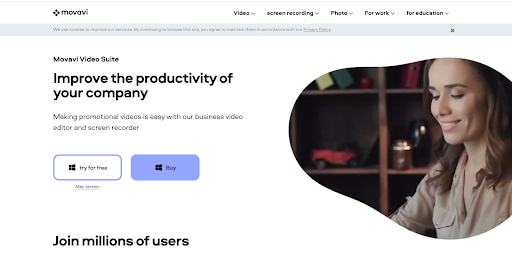
Movavi Business Suite, supported by macOS and Windows, lets you record and edit videos within a few minutes. With Movavi Business Suite you can add audio commentary, include screen recordings, and choose from an extensive library of effects to create video ads. Movavi is best if you want offline software to manage your own video production needs.
Best for: Beginners who want a powerful video editor with a simple interface
Pros:
- Movavi is comprehensive ad creator software for the creation, conversion, and recording of video files.
- It comes with an in-built library of videos and images, eliminating the need to source stock footage and pictures.
- The software is easy to navigate and use for beginners. In addition, many free and paid courses can help if you’re struggling.
Cons:
- Some users have found the text templates and transition effects library lacking.
- Movavi adds watermarks to all your videos if you’re using the free version.
- Movavi isn’t compatible with Apple’s new M1 chip.
Price: Movavi Video Suite is available for a one-year subscription. The individual plan costs $164.95 per license, the small teams plan (5-9 users) costs $156.70 per license, and the small businesses plan (10-24 users) costs $148.46 per license.
3. Wave.video

Wave.video is an online video-making tool known for its simple drag-and-drop interface. Wave.video allows you to resize videos, add graphics and stickers, and change layouts with a few clicks. Wave.video also comes with a live-streaming studio, video recording, and thumbnail maker, and users receive access to over 200 million stock photos, videos, and audio tracks.
Best for: Users who want to create engaging content for social media
Pros:
- Wave.video offers various effects, video ad templates, and transitions to create more eye-catching and engaging video ads.
- The simple drag-and-drop process benefits beginners using the tool.
- Wave.video comes with multiple editing features like automatic caption generation and auto-resize. The resize feature lets you use the same video file for multiple platforms by changing the aspect ratio.
Cons:
- Since it’s an online tool, it requires an active internet connection (which can be slow on certain browsers).
- You can only use one audio line in a video; adding an overlay of voice-overs and music is difficult.
- A number of users have complained about slow rendering times.
Price: Wave.video offers a free plan for videos up to 15 minutes with a watermark. Paid plans range from $20 to $60 per month for a monthly plan, with a 20% discount on each plan with an annual subscription.
4. Biteable

Biteable offers a range of tools to help you make professional marketing video ads. Since the software is accessed online, you don’t have to download and run it on your device’s storage. Additionally, signing up for Biteable gives you access to an extensive library of stock photos and videos. The tool also uses a drag-and-drop interface, simplifying the process of video creation.
Best for: Those who are producing a lot of content and need help tracking it
Pros:
- Biteable has an internal calendar that helps you set and work with deadlines.
- Biteable’s free plan gives you access to thousands of images and animated and live-action videos.
- The platform is easy to use and comes with a simple interface.
Cons:
- Video exporting can be slow.
- 24/7 support unavailable for free plan
- The trial version has a watermark on videos.
Price: The free trial gives you access to 2 million video clips and images but retains the Biteable watermark on all videos. Annual billing for the Pro plan is $15 per month for one user and the Premium plan is $49 per month for up to three users. A Business plan is also available with custom pricing.
5. FlexClip
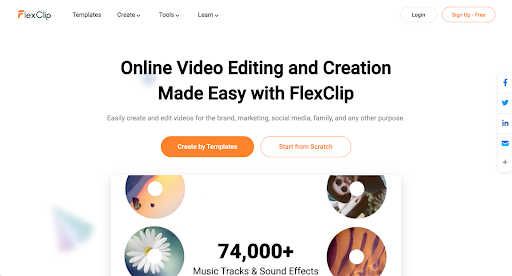
FlexClip is a powerful and easy-to-use online software tool. It’s built to help you craft great video clips quickly with its range of templates. If you’re using your own footage, FlexClip lets you render the video without a watermark if the duration is under a minute. Thanks to FlexClip’s varied templates, the tool is also popular among independent creators and individuals.
Best for: Those who want short, engaging videos for posting on Instagram Reels and YouTube Shorts
Pros:
- FlexClip gives you access to incredible stock images and video resources.
- The platform allows you to export videos in various formats, such as MOV, WEBM, M4V, MP4, AAC, FLAC, M4A, and MP3.
- FlexClip lets you export videos without a watermark, even with the free plan.
Cons:
- Users have found FlexClip better suited for short videos. Other platforms might be more viable if you’re making longer ones.
- The free version lets you create videos with a duration cap of one minute. You’ll have to subscribe to a paid plan to make longer videos.
- The free version supports 480p video quality. You’ll have to pay and subscribe to a plan if you want higher quality.
Price: The free plan allows for up to 12 projects a month with videos up to 10 minutes. The premium plans are $11.99 to $19.99 per month, when billed annually.
6. Animaker

Animaker is an online video tool that lets you create animated advertisements. Its simple interface helps you bring your vision to life and add a voice-over to create compelling ads. Using the platform gives you access to a vast library of animated characters, backgrounds, images, audio tracks, and effects that you can use in your video.
The tool also provides support material and an email response team if you get stuck while using the software.
Best for: Video creators looking for new formats
Pros:
- Animaker has a built-in feature that lets you share directly to social media platforms in the form of Facebook ads and YouTube ads, saving you time and making the process hassle-free.
- The bundle of editing tools provided by Animaker helps you create effective and attractive videos. You can even create an animated character and add lip-sync dialogues.
- It’s easy to create animation videos without much prior experience.
Cons:
- With the free plan, you can export only five videos (and they will have a watermark).
- Signing up for the Starter, Pro, or Enterprise plan is the only way to get commercial rights to a video. These plans can be expensive.
- The software is built on Flash technology, which can slow it down.
Price: Four pricing plans are available for Animaker: Basic for $15 per month, Starter for $25 per month, Pro for $43 per month, all when billed annually, along with an Enterprise plan with custom pricing.
7. Invideo
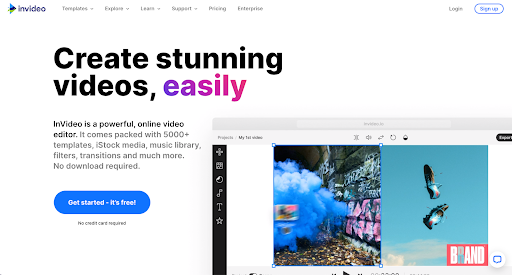
Invideo is another web-based tool that lets you create professional videos using ready-made templates. The free version lets you make up to 60 videos per month, which is considerably higher than its competitors. The product has over 5,000 customizable templates to create videos for ads, intros, promos, YouTube videos, and more. You can also share your projects with team members and work on videos together.
Best for: Users who want to make videos quickly and easily (if they’re creating videos for one brand)
Pros:
- Invideo lets you add voice-overs to your videos, making them more engaging.
- It’s one of the only platforms supporting video creation in multiple languages, which is a big advantage if you target international audiences.
- Invideo is popular for creating videos for social media platforms like Twitter, Facebook, and Instagram.
Cons:
- Videos with the free plan come with an Invideo watermark.
- Once a template is chosen, the user can’t change it.
- Exporting can be slow.
Price: Invideo offers a free plan that includes up to four video exports per week. Paid plans range from $24 to $96 per month, when billed annually.
8. Adobe Express

Adobe Express comes with simple tools to make stunning videos. The video-making software supports web and mobile creation and offers a range of layouts, storyboards, themes, and templates that make your job easier. Adobe Express comes with great features like easy background removal and team sharing. You also get access to Adobe Stock—Adobe’s royalty-free photo collection.
Best for: Those who need a specific font or who want to get started with Adobe Creative Cloud
Pros:
- Adobe Express stands out because of its comprehensive library of fonts made available through Adobe. These are accessible to every user for free and can distinguish your videos.
- The tool also provides access to an impressive library of images, videos, and effects you can add to your video.
- The interface is modern and attractive.
Cons:
- There aren’t as many additional design elements available, like illustrations or other vectors, which can be important in specific videos.
- The free plan doesn’t allow you to adjust the dimensions of a project.
- Many features require an Adobe Creative Cloud subscription.
Price: A 30-day free trial of Adobe Express is available and a free plan is available with basic features. Other options include a Premium plan for individuals starting at $9.99 per month and a Teams plan starting at $4.99 per person per month. Adobe Express is also included in the Adobe Creative Cloud All Apps plan for $59.99 per month.
A professional video editor is key
Both paid and free advertisement maker tools can help you craft your message in a video format. However, finding the right video-editing software or tool that fulfills your needs, fits your budget, and delivers high-quality products can be grueling.
A simple way to eliminate the hassles of subscription fees, deadlines, and upskilling to learn new software is to outsource the creation of video ads. The key is to find a professional video editor who can take care of your deliverables and use their skills to make your business stand out.
If you’re a business owner looking for someone to take over video editing, you can hire the best independent video editors on Upwork. Find and connect with qualified talent on Upwork today! If you already have the skills, browse these available video editing jobs.
Upwork is not affiliated with and does not sponsor or endorse any of the tools or services discussed in this section. These tools and services are provided only as potential options, and each reader and company should take the time needed to adequately analyze and determine the tools or services that would best fit their specific needs and situation. Prices are current at the time of writing and may change over time based on each service’s offerings.

.avif)

Author Spotlight

Upwork is the world’s largest human and AI-powered work marketplace that connects businesses with independent talent from across the globe. We serve everyone from one-person startups to large organizations with a powerful, trust-driven platform that enables companies and talent to work together in new ways that unlock their potential.







