Wix vs Shopify: Which Is Best for You?
Learn the features and key differences between Wix and Shopify so you can decide which platform is best for your business.

.png)
.avif)
Launching an e-commerce store can be a great way to work from home or expand your retail operations into new markets. With the help of website builders like Wix and Shopify, having your own e-commerce business is surprisingly attainable.
Let’s take a closer look at both Wix and Shopify and see which one might be right for your new or growing e-commerce business.
Wix and Shopify: Who are they for?
Wix and Shopify make it easy for anyone to build a functioning e-commerce website—no web design experience required.
Each service offers its users customizable templates and drag-and-drop elements that allow for basic site customization without the use of CSS, HTML, or programming languages. But if you want or need a more custom solution, you can also hire a web developer to build a site using Wix or Shopify.
You can use your Wix or Shopify site to sell goods and services, including:
- Products that you ship to customers
- Drop-shipped goods sent directly from manufacturers or fulfillment centers to customers
- Print-on-demand items that are created for each individual order
- Digital downloads (PDFs, videos, music, and more)
- Consulting sessions
- Online coaching and training programs
- Membership to in-person groups
- Event tickets
- Local food delivery
Both Wix and Shopify also offer integration with select point of sale (POS) systems, so you can manage both your in-person and online business sales in one spot.
Wix vs. Shopify: Key Differences
Shopify is specifically geared toward e-commerce use. While you can add other features (such as a blog) to a Shopify site, the platform is really only useful if you’re going to be selling goods and services.
You can use the Wix content management system (CMS), on the other hand, for a variety of purposes. The platform is well-suited to building blogs, business landing pages, appointment booking sites, and online stores. Because its focus is more varied than Shopify, Wix doesn’t offer quite the same number of e-commerce tools—but it’s still the right choice for many online businesses.
This guide will break down the features, plans, pricing, and benefits of each platform so you can decide whether Wix or Shopify is best for your business.
Wix overview

Wix is a full-featured website CMS that includes over 800 ready-to-use templates, a blog editor, and a mobile app for making quick website updates from your smartphone. The company touts that websites made using its platform are:
- User-friendly with no-code, free templates and a drag-and-drop editor
- Customizable with different colors and over 100 fonts
- Compatible with search engine optimization (SEO) best practices and mobile use
When you first set up a Wix account, the platform asks what its purpose is. This helps to improve the accuracy of the templates and options that will be shown to you during setup.

The Wix setup wizard will then ask you to select different pages and features that will be added to your site. (You can add or remove these options later, too.)

When setting up an online store, you can choose to include:
- Chat widgets
- Fillable forms
- Visitor forums
- Membership groups
- Appointment bookings
- Event sales
- Live event calendars
- Subscription plans
- Pricing plans
- Online programs
- Dining reservations
- Food orders
- Restaurant menus
- Blogs
- Portfolios
- Instagram feed displays
- Videos
- Music
After completing this initial setup, you’ll be able to manage your e-commerce site’s pages, features, design, and content through a dashboard in your site’s backend (that’s the part that only your team can see—your customers get to see the frontend).

Your dashboard will include a series of setup steps that guide you through the process of adding inventory, selecting a payment processor, connecting a domain, and designing and optimizing your website. You can then continue to expand your site’s functionality and ease-of-use by adding additional tools through the Wix App Market.
Some of these actions, such as connecting a custom domain name, will require you to upgrade to a paid Wix plan.
How much does it cost to use Wix?
Wix pricing includes different tiers for standard and e-commerce websites. To run a Wix store, you’ll need to select one of Wix’s e-commerce plans:
- Core, starting at $29 per month
- Business, starting at $36 per month
- Business Elite, starting at $159 per month
(There’s also a cheaper Light plan available, but it doesn’t support online sales.)
Each of these plans, except Light, allows you to process payments, create customer accounts, and sell across social media platforms in addition to your storefront.
If you’d like to accept multiple currencies, automate sales tax collection, use advanced shipping tools, or sell goods and services on a subscription basis, you’ll need to opt for the Business or Elite plan.
Connecting your e-commerce website to an in-store Wix POS also comes with an added cost. A simple Wix card reader costs $59, while a complete checkout terminal starts at $1,295. Wix POS transactions are processed through the Wix Payments system; third-party payment processors are not supported.
Wix does not offer a free trial. If you cancel your plan within the first 14 days, though, you can get a refund. You can also play around with building a Wix website using a free plan before upgrading to unlock full e-commerce functionality and advanced features.
Designing a Wix e-commerce site
You can use several approaches to create an e-commerce site with Wix. You can do it yourself through the Wix Editor, rely on AI generation with Wix ADI, or hire a Wix developer to build a custom site using Velo or Editor X.
Wix Editor
The Wix Editor is the classic, templated drag-and-drop system that Wix is known for. More than 500 Wix templates are suited for e-commerce use, so you can build and launch a store quickly. You can even select a store template that’s specific to your type of e-commerce business:
- Fashion and clothing
- Jewelry and accessories
- Arts and crafts
- Home and decor
- Beauty and wellness
- Food and drinks
- Sports and outdoors
- Electronics
- Kids and babies
- Books and publishers
- Pets and animals
- CBD
You can then add your company logo, fonts, colors, and graphics to any template so it’s customized for your brand.
Wix ADI
If you don’t have any brand assets for your website or aren’t interested in selecting from Wix’s hundreds of templates, you can get help from Wix’s Artificial Design Intelligence (ADI).
You can opt to begin using Wix ADI during the initial website setup process.

Wix ADI will then ask you some basic questions about your business and present you with a variety of color and font pairings. Once you select your favorite, Wix ADI will then produce three website designs for you to choose from.
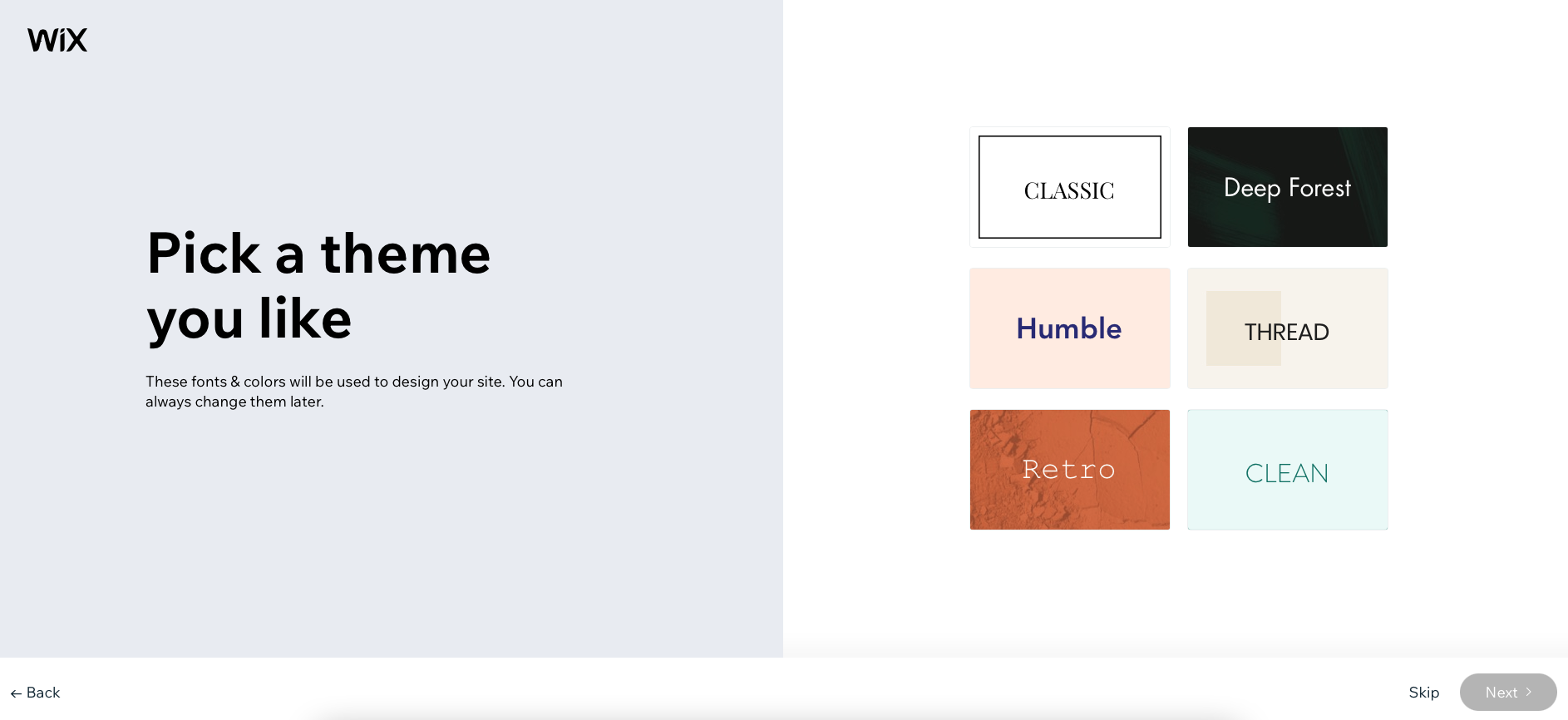
You can launch any of the Wix ADI-generated website designs as they are or customize your ADI site further using the Wix Editor.
Velo by Wix
Velo is Wix’s full-stack development platform for building enterprise e-commerce sites and web apps. Designers can use drag-and-drop and custom code to create a unique frontend, while developers can build apps and databases to power a site’s content. This combination gives e-commerce businesses maximum design flexibility to create storefronts that change depending on a visitor’s location, shopping history, device, and other factors.
To take full advantage of Velo’s power, you’ll need to work with a Wix developer who can create a completely custom e-commerce site, complete with databases, for you.
Editor X

Editor X doesn’t support every custom feature that Velo does, though, so it may be a comfortable medium for users who are experienced in web design but not full-stack development. If you’d prefer not to work with code at all, you can get help with Editor X site design by purchasing a Wix web design service in Project Catalog™.
Wix e-commerce features
Regardless of the way you build a Wix site, you can use the Wix content management system (CMS) to manage your product pages, inventory count, and more.
The Wix Dashboard gives you a complete overview of every product currently for sale on your site or through Wix POS—and makes adding new physical or digital products an easy process.

Setting up new product pages is simple, too. Just fill out the provided form fields, upload images and a product description, and publish your new page.

Wix lets you easily adjust pricing, offer discounts, create variants, and track profit margins all from the product detail pages in your dashboard.
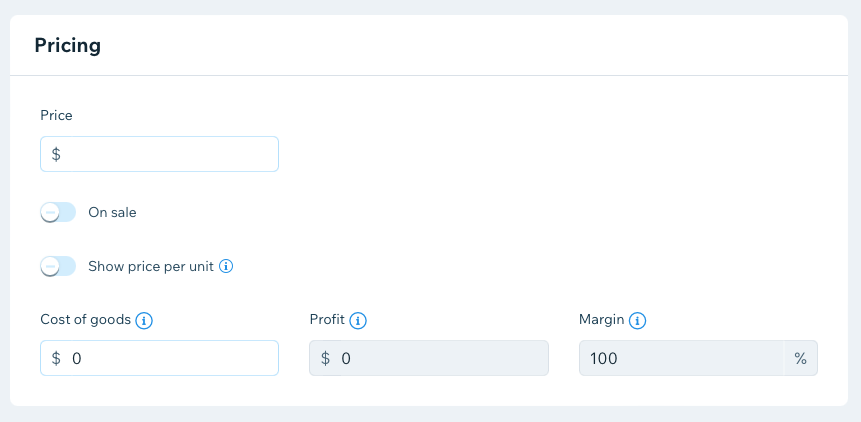
You can also set global shipping, pricing, and tax collection rules from your store’s settings page.

Wix users can opt to offer installment payments to their customers. This service is available through Afterpay.
If you don’t have products to sell, but you want to start an online business, Wix partners with Modalyst to help you find items to dropship. You can access this feature from the Wix dashboard.
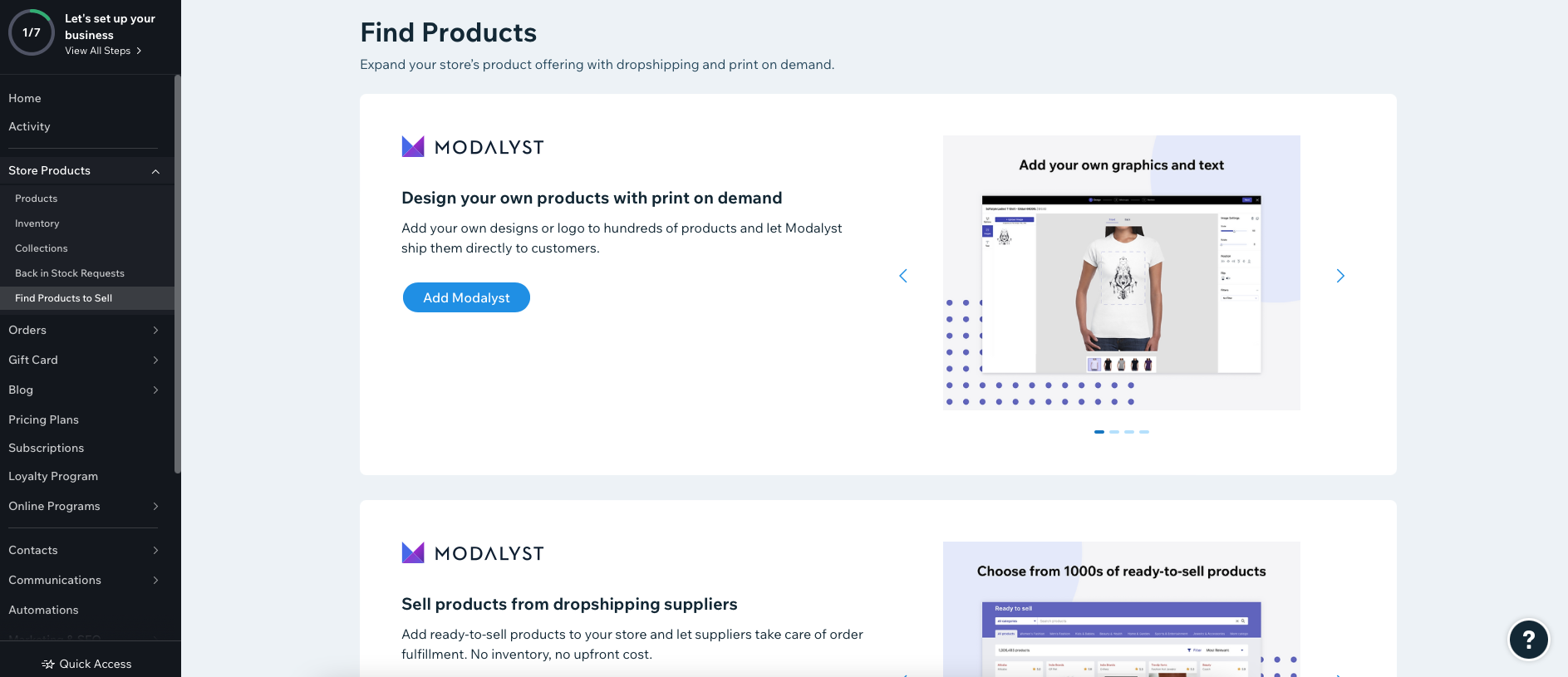
Modalyst is just one of the many add-ons that you can integrate with your site through the Wix App Market.
Wix App Market
The Wix App Market is made up of 53 Wix apps, as well as many others created by third parties. Each app adds a business management or marketing feature to your site, such as:
- Adding event booking capabilities
- Collecting product reviews from customers
- Starting a loyalty program for customers
- Using Shippo or ShipStation to set up shipping options
- Incorporating Amazon Multi-Channel Fulfillment services
- Sending sales transactions to QuickBooks Online
Many of the apps available in the Wix App Market require a subscription to another service (such as QuickBooks) in order to work. You can either connect services you already use or sign up for new ones that you’d like to use when getting ready to sell online.
Pros and cons of using Wix for e-commerce
Shopify overview
Shopify is a major player in the e-commerce world, processing over $235.9 billion in gross merchant volume in 2023 according to the company’s full year financial report. While you can have text-focused landing pages and a blog on a Shopify site, these features are secondary to the platform’s main purpose: online storefronts.
Shopify stores sell all manner of products, services, and subscriptions. The company showcases websites selling home decor, food, drink, clothing, crafts, books, electronics, artwork, and other assorted merchandise.
When you first create a Shopify site, you’ll be asked to answer a few questions about your current e-commerce business (if any) and industry. Your answers help the Shopify setup wizard guide you in the right direction.

After completing the initial setup process, you’ll gain access to a dashboard. This is where you’ll move through the remaining stages of setup, as well as manage your site’s:
- Theme
- Products
- Orders
- Content
- Discounts
- Transactions
- Customer accounts

You can try out all of Shopify’s features (excluding some paid apps) during a three-day free trial. After that, you’ll need to choose a paid plan.
How much does it cost to use Shopify?
Shopify pricing includes several different plans tailored to businesses of all sizes. Whether you’re testing out a new business idea, selling customized products from your phone, or building a large headless e-commerce site, you can use Shopify.
Shopify Starter
Shopify’s simplest Starter plan is $5 per month and allows you to sell products through a lightweight storefront. Shopify lets you try the platform free for three days, then move to one of the paid plans.
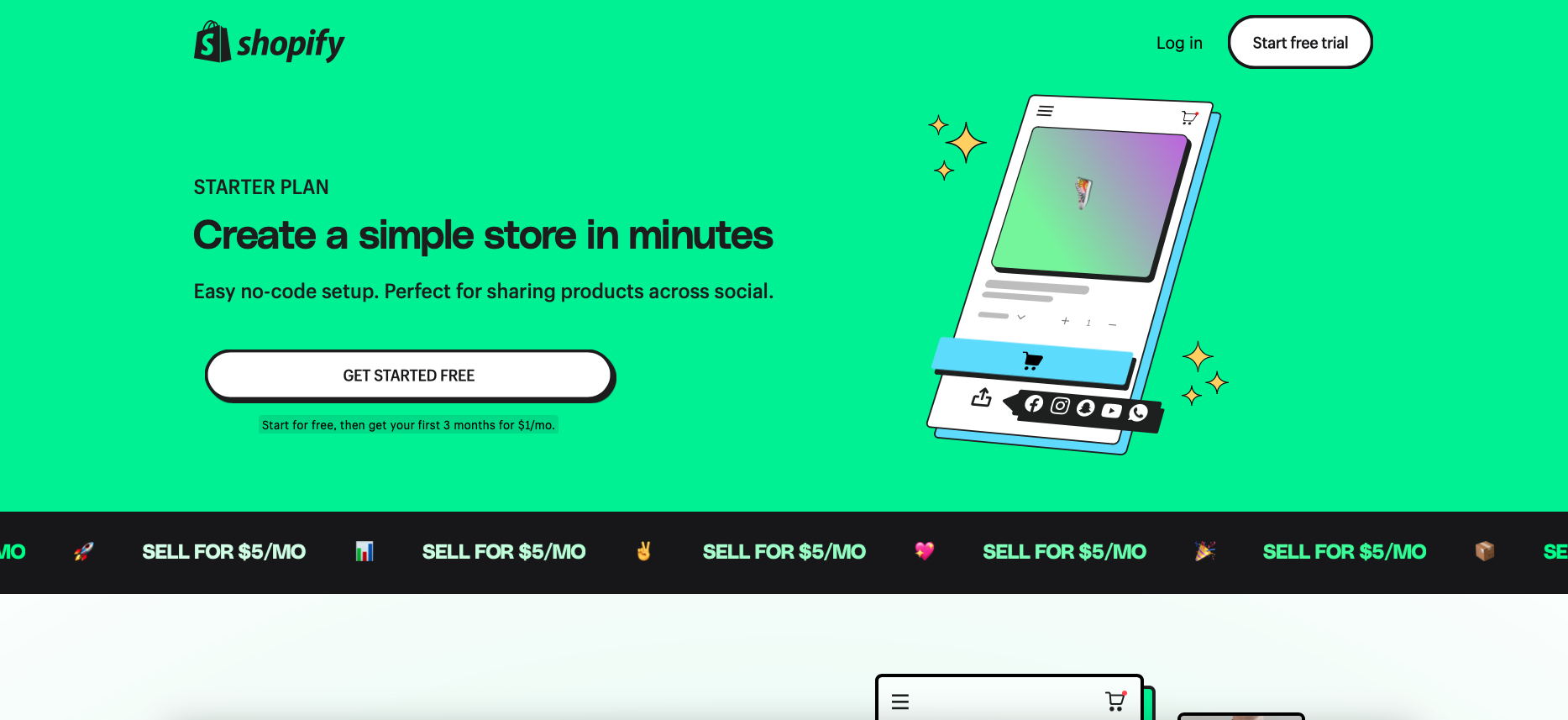
The Starter plan integrates with Linkpop, a link-in-bio service that makes your social media bio link shoppable. This makes Shopify Starter ideal for influencers and anyone who will be using their phone to create content and generate income.
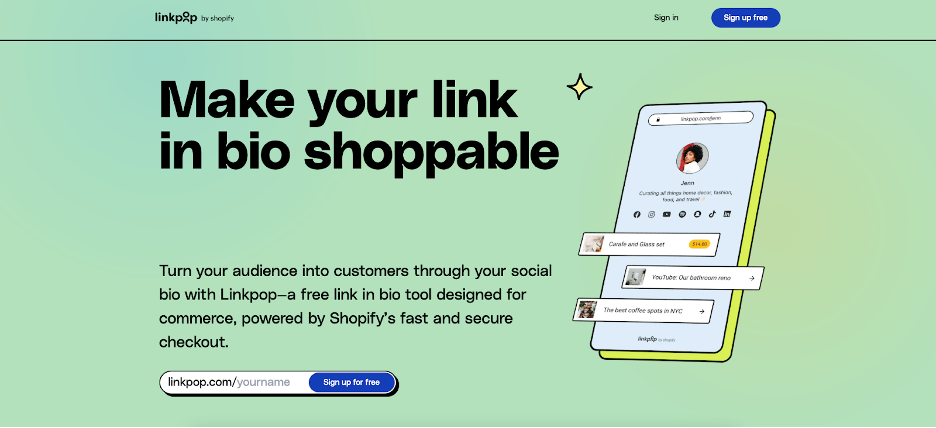
If you’d like to build a full-featured site with apps and optional Shopify POS integration, you’ll need to select a higher-tier plan.
Other plans
Shopify offers three more e-commerce plans that provide varying levels of access to its core features:
- Basic, which starts at $29 per month, for an annual plan
- Shopify, which starts at $79 per month
- Advanced, which starts at $299 per month
Each tier, including the basic plan, allows you to:
- Build an e-commerce storefront with access to Shopify apps
- List and sell unlimited products
- Create multiple staff logins (from two to 16, depending on the plan)
- Track inventory in multiple locations
- Get discounts on shipping rates
- Connect a Shopify POS
- Process international e-commerce transactions
- Access 24/7 customer support
Anyone interested in detailed reporting features, automations, or import tax calculations and collections on international sales should consider signing up for an advanced Shopify plan.
There is an additional cost to use Shopify POS hardware. A POS Go system starts at $299, while a lightweight Tap & Chip card reader starts at $49. You can process POS transactions through Shopify Payments or another payment gateway of your choice.

If your business relies heavily on in-store retail sales, an optional Shopify POS Pro Retail plan (starting at $79 per month) can give you additional POS functionality.
Shopify Plus
Shopify also offers an enterprise-grade solution for large companies. Over 10,000 brands use Shopify Plus, including Staples, Heinz, and Allbirds.

While your company doesn’t need to be a specific size in order to use Shopify Plus, you’ll need to be comfortable spending at least $2,000 per month on an e-commerce system.
Shopify Plus allows companies to:
- Develop custom web applications
- Create localized stores for international audiences
- Add an unlimited number of Shopify apps
- Customize the checkout process
- Unlock greater automation capabilities
Shopify Plus also includes the Shopify POS Plus plan functionality for advanced in-store sales across multiple locations.
You can use Shopify Plus with over 70 Shopify themes or as a headless e-commerce shopping cart system to power sales on custom storefronts across multiple channels—including Internet of Things (IoT) devices and wearables.
Designing a Shopify e-commerce site
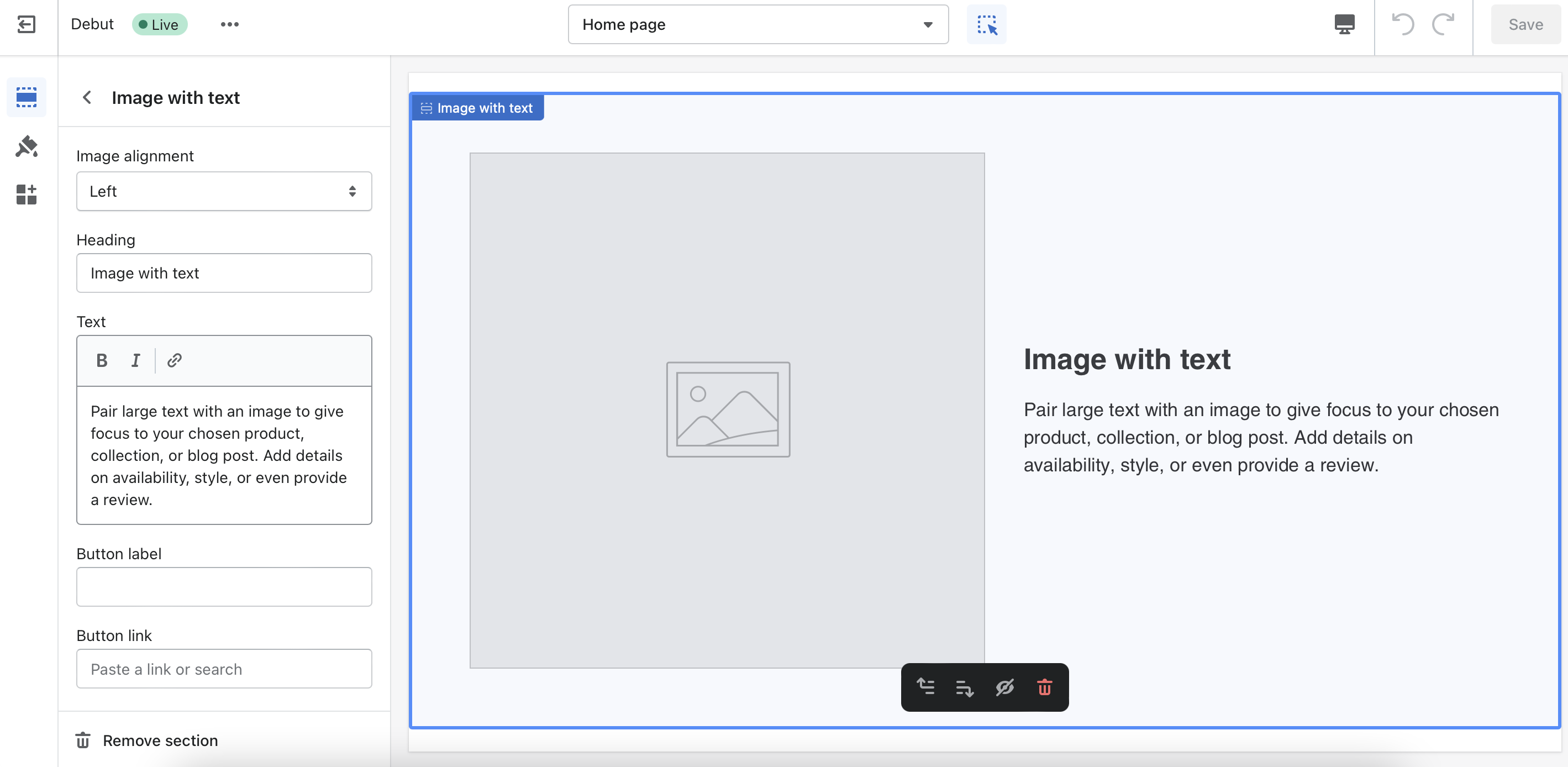
Your Shopify store will have a basic, plain theme and image placeholders to start. You can easily change a site’s themes, colors, fonts, and graphics with Shopify’s no-code drag-and-drop interface.
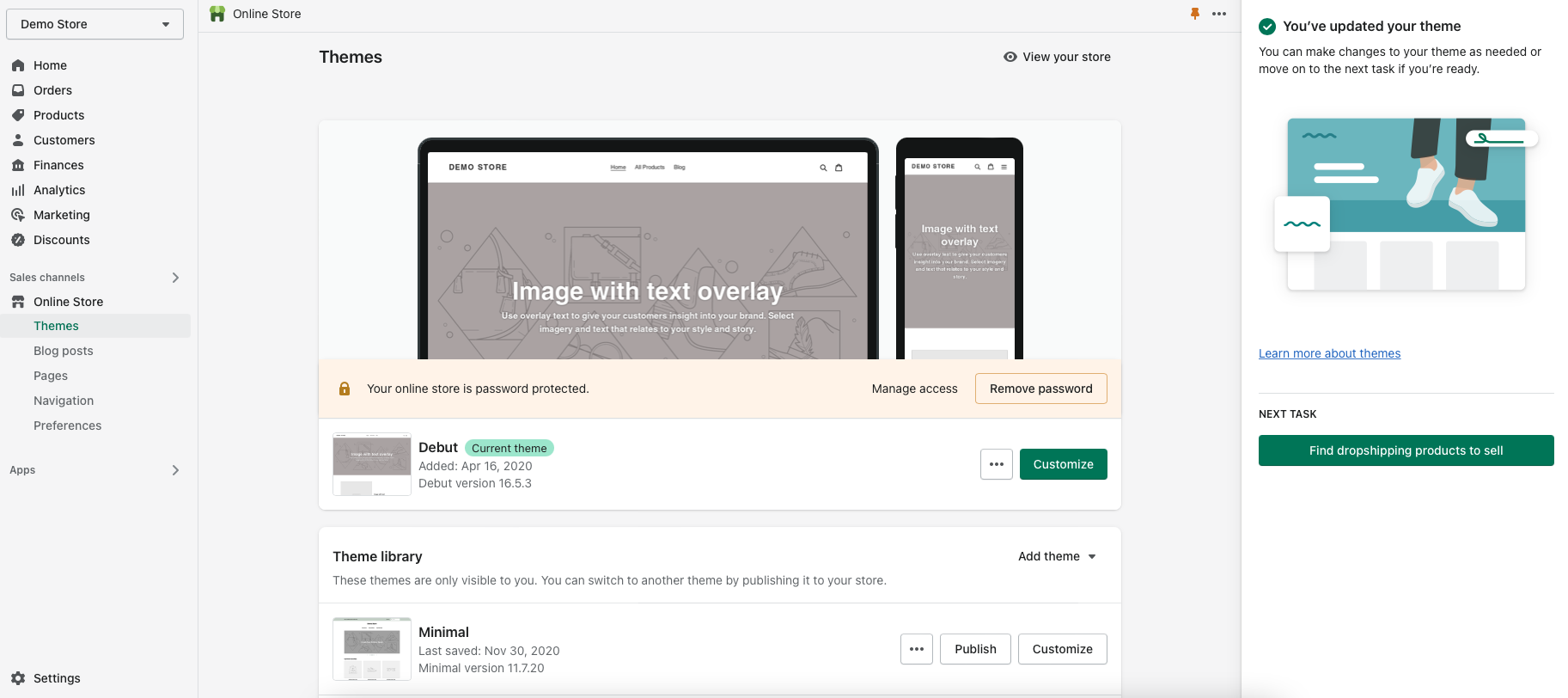
You can move elements around a page, click on them, and change the text in an editor that opens up along the left side.
You can also choose from 80 different themes in the Shopify Theme Store to help you get started when customizing your site. Shopify lets users try any theme for free—as long as you’re working on designing an unpublished site. Once you’re ready to make your store live, you’ll need to pay for any premium themes.
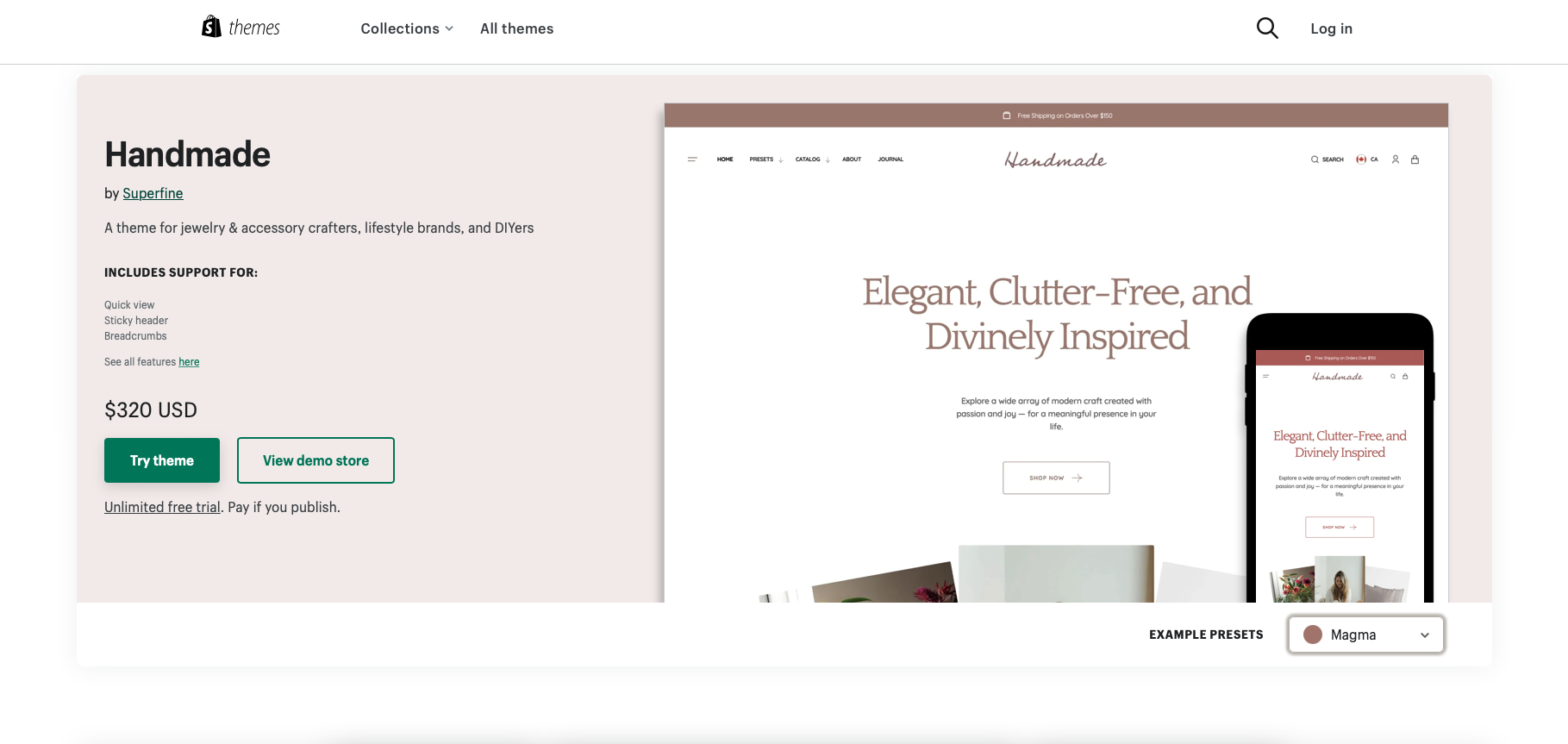
If you don’t like the existing themes that Shopify offers, a Shopify templates specialist can help you develop a custom look for your site.
Shopify e-commerce features
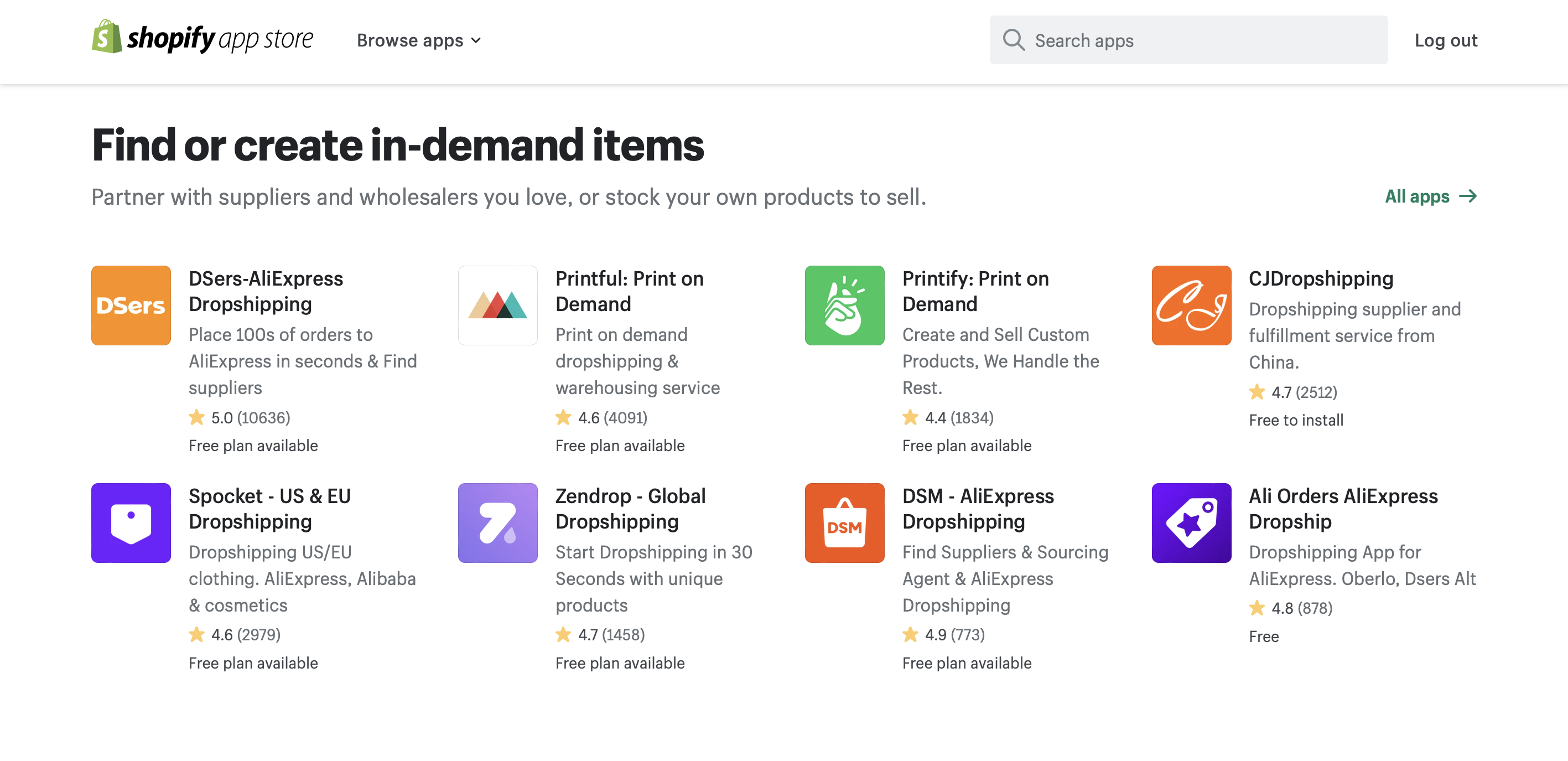
Creating and managing products for sale is also very easy with Shopify. When you’re ready to add your first product, Shopify will ask if you already have inventory or if you need to find items to sell.

If you select “find products to sell,” Shopify will direct you to the dropshipping section of its app store. You can select from over 400 different dropship and print-on-demand services. (More than 12% of all Shopify stores use dropshipping services.)
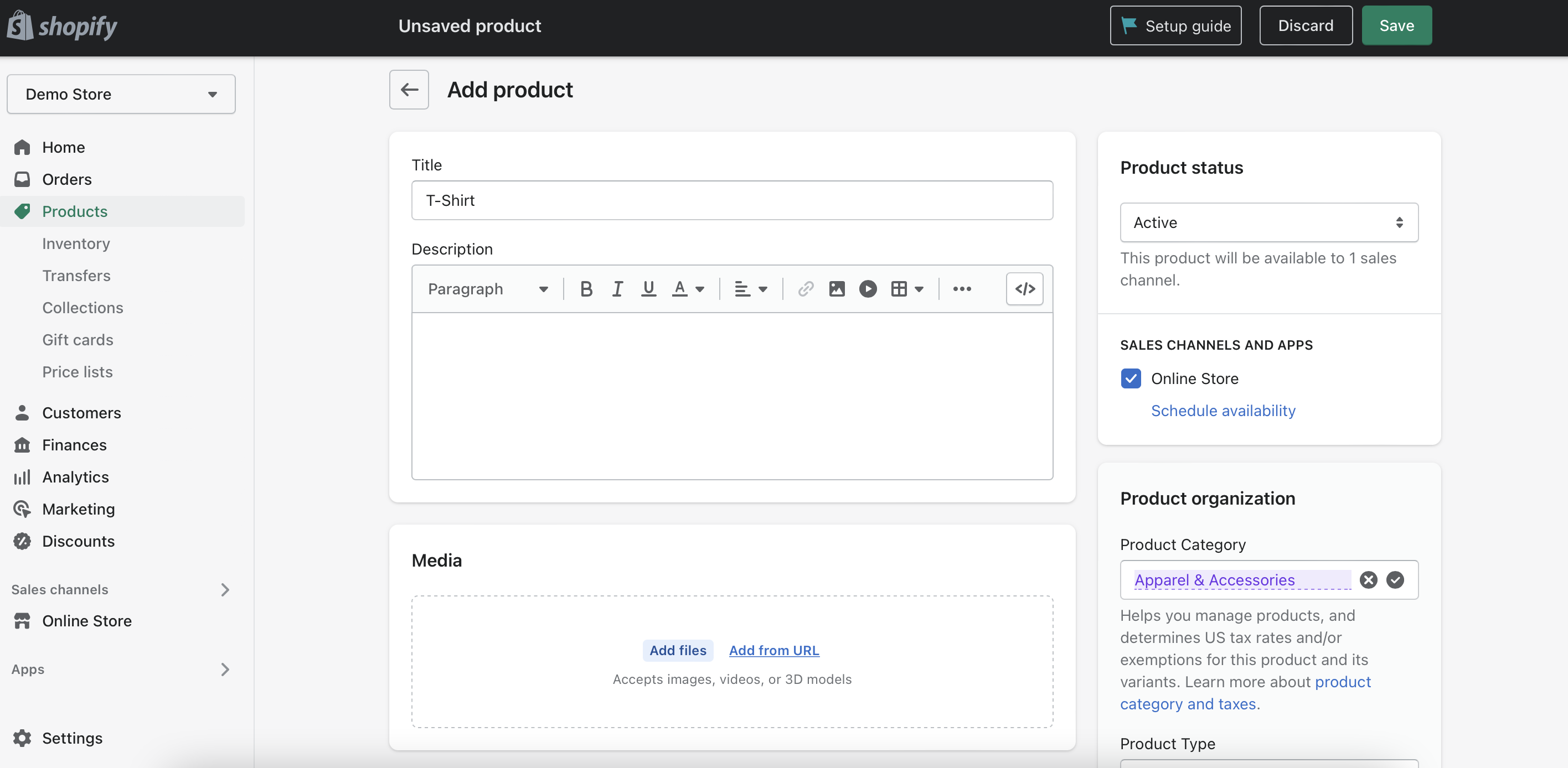
If you already have products to sell, you can add them to your Shopify store by filling out form fields about product details, quantity, and tax eligibility.
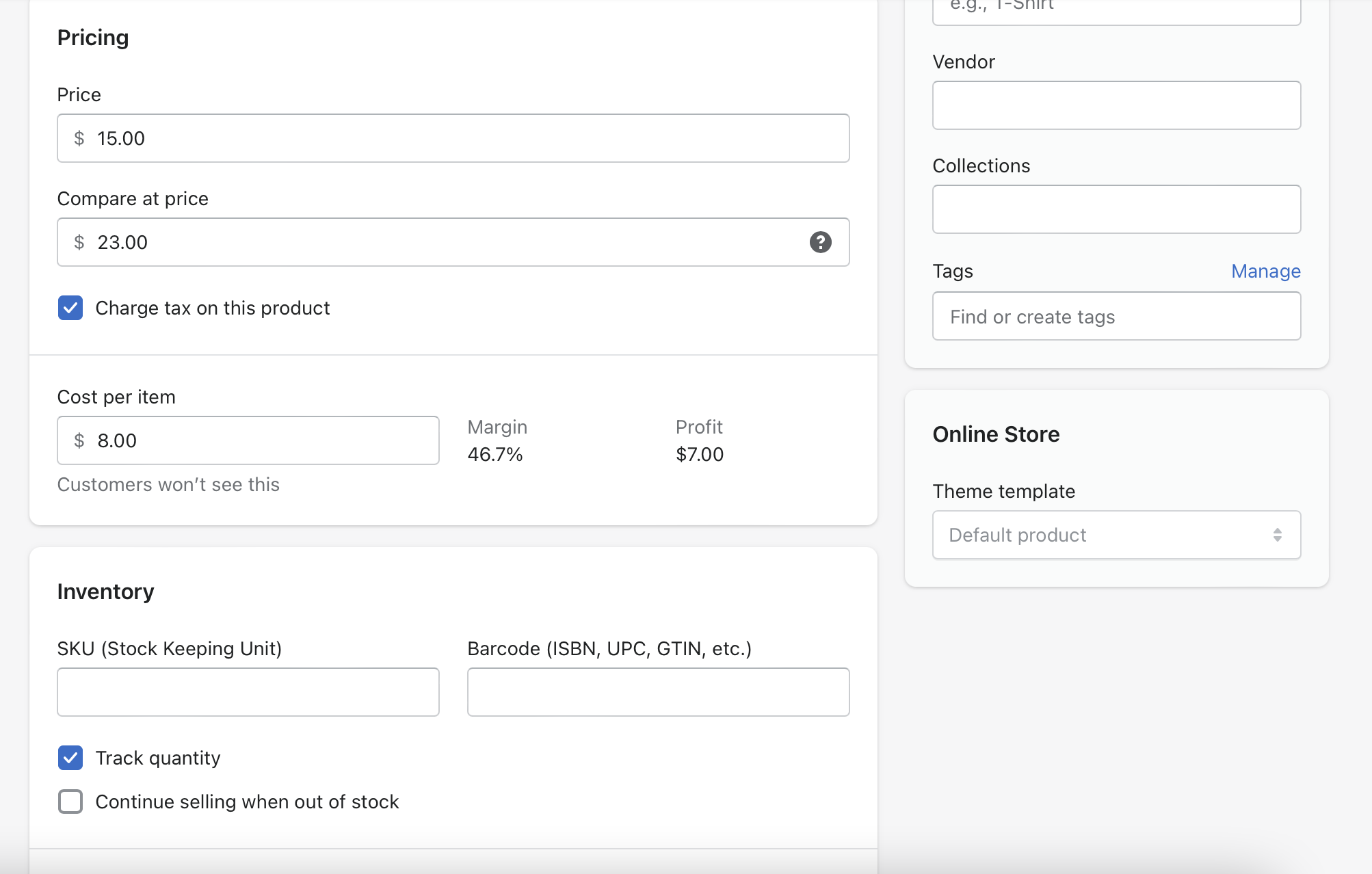
Like Wix, Shopify enables users to track profit and inventory status on each item. You can also set up per-item sale prices in addition to offering store-wide discounts.
Shopify also offers its sellers access to the Shopify Fulfillment Network, which is a third-party logistics (3PL) service similar to Fulfillment by Amazon. When using a 3PL service, you’ll send your inventory to the provider’s warehouse, where they’ll handle packaging and shipping for each order.
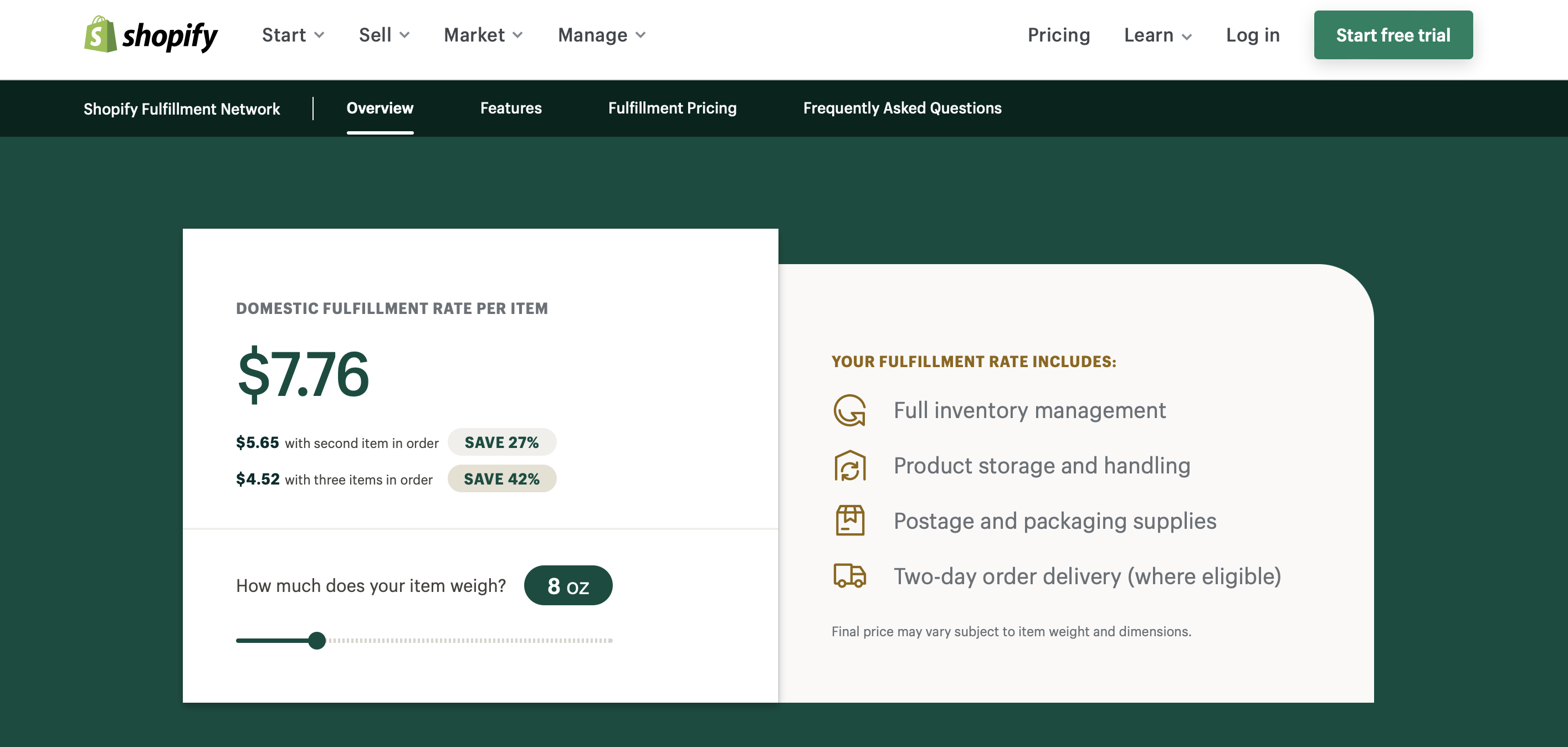
These services can be a good way to handle storing large volumes of inventory without having to lease warehouse space yourself.
The Shopify Fulfillment Network offers two-day shipping on orders, as well as a returns and restocking service. Rather than paying a set fee upfront to use this 3PL service, you pay Shopify to stock and ship each individual item based on its weight.
Shopify App Store
The Shopify App Store allows you to add further functionality to your site and includes much more than just dropshipping and print-on-demand tools.
You can connect many business and marketing tools you may already use—including QuickBooks, Mailchimp, and Klarna—as well as sign up for new ones that can help you:
- Launch text and email marketing campaigns
- Communicate with customers across social media platforms
- Ship and deliver products
- Sync transactions with your accounting software
- Sell products across different marketplace websites
- Run ads for your business
- Generate social proof from customers
- Boost sales through abandoned cart recovery
- Build a loyalty program
While installing an app on your Shopify site is typically free, you may need to pay to subscribe to the additional services that third-party apps support.
Pros and cons of using Shopify for e-commerce
Which platform is best for you: Wix or Shopify?
If selling physical products is your top priority, you may want to use Shopify. E-commerce is Shopify’s entire focus, while it’s just one of many services Wix supports. And, because Shopify offers broad dropshipping support, a 3PL service, and POS hardware, you can realistically run an entire online and in-store operation from one Shopify dashboard.
However, if you’re more interested in content creation with an optional e-commerce aspect—such as writing a blog, using affiliate links, and selling downloadable PDFs or a course membership—then Wix’s CMS tools might be the best choice when you build your e-commerce website.

Get help from e-commerce professionals
While Wix and Shopify do make creating your own e-commerce site possible, sometimes it’s still nice to have help from a professional. Whether you’re interested in working with an e-commerce consultant to help you figure out the best e-commerce platform for your store, want a custom Shopify theme, or need a web app developed with Wix, Upwork can connect you with the right experts to help.
If you’re an e-commerce expert interested in offering your services to clients, Upwork is the best place to find Wix, Shopify, and e-commerce development jobs.
Log in to or create an Upwork account now to begin finding—and offering—Wix and Shopify e-commerce solutions.
Upwork is not affiliated with and does not sponsor or endorse any of the tools or services discussed in this article. These tools and services are provided only as potential options, and each reader and company should take the time needed to adequately analyze and determine the tools or services that would best fit their specific needs and situation.
Prices are current at the time of writing and may change over time based on each service’s offerings.

.avif)

Author Spotlight

Emily Gertenbach is a B2B writer who creates SEO content for humans, not just algorithms. As a former news correspondent, she loves digging into research and breaking down technical topics. She specializes in helping independent marketing professionals and martech SaaS companies connect with their ideal business clients through organic search.