WordPress vs. Shopify: Which Is Best for You?
Learn the differences between WordPress and Shopify in this comprehensive comparison—pros, cons, and what to consider when choosing a website builder.

.png)
.avif)
Depending on who you ask, it’s never been easier—or more overwhelming—to make a website for your business. While tons of options are available, from simple one-page no-code site generators to completely customizable website builders, figuring out which one is right for you can be confusing.
In this guide, we’ll take a closer look at two widely loved website platforms—WordPress and Shopify—to help you figure out which one best suits your needs.
Who is this guide for?
If you’re interested in creating a new website or are considering switching away from your current website host, you’ve probably come across lots of articles talking about WordPress and Shopify. These two platforms are extremely popular among business owners and bloggers—for good reason. Both WordPress and Shopify offer users a lot of design flexibility, multiple pricing plans, and support for e-commerce sales.
However, the platforms are quite different in both the way they work and the audiences they target. This guide will detail how WordPress and Shopify are unique—so that you can make an informed decision based on your business needs, size, and budget.
And if you’re feeling unsure about DIY website design, don’t worry—we’ll cover all the different ways you can use these two platforms to build a website, from pre-made templates through getting help from skilled web developers.
WordPress overview
WordPress is a robust content management system (CMS) that’s great for managing a high volume of multimedia content. Whether you plan to publish a regular blog, run an online store, launch a photography portfolio, or host a podcast, chances are that WordPress can handle it.
This versatility, along with the platform’s high level of design flexibility, make WordPress a popular choice—it powers over 36 million websites and counting. WordPress actually offers two versions; the right one for you will depend on your budget, goals, and technical expertise.
WordPress.com vs. WordPress.org
When using WordPress for the first time, you’ll need to choose between WordPress.com and WordPress.org.
WordPress.com is a fully managed, software-as-a-service (SaaS) website platform. You create and update your website by logging into WordPress.com in an internet browser.
You don’t have to find a website host or configure security updates—WordPress takes care of this for you. However, in exchange for this convenience, you’ll have to pay a monthly fee or allow advertising on your website.

WordPress.org looks and feels very similar to the WordPress.com product, but it’s free and open source. To use WordPress.org, you’ll need to download the software onto a web host of your choosing. You’ll also be responsible for maintaining security updates and keeping your site online.
Using the open source version of WordPress gives you more control over how your website looks. And, even though you’ll have to pay for web hosting, WordPress.org may be cheaper to use than WordPress.com.

WordPress VIP is one more option. It’s available to large companies that have complex security needs or a high volume of website visitors. Because this option is priced per company, interested users have to contact WordPress VIP for a quote.
WordPress for blogging
WordPress is considered to be a top website platform for bloggers. It allows users to easily update and manage written blog posts as well as videos, photos, and audio files. When using WordPress as your CMS, you can benefit from a variety of editing and SEO features.
Search engine optimization (SEO) tools
Because WordPress is very customizable, you can optimize your pages for maximum SEO performance. The default WordPress interface includes fields you can fill out to add things like meta descriptions and alt text to your pages. You can also get direct feedback on your pages’ SEO performance with the help of different WordPress plug-ins like Yoast.
You can also easily connect WordPress sites to Google Analytics and get valuable insights about visitors to your blog.
Customizable editing experiences
The default WordPress content editor is called Gutenberg. It functions as a basic what-you-see-is-what-you-get (WYSIWYG) text editor, which requires users to toggle between entering text in the back end and previewing how it will look to visitors on the front end.

If you don’t like this editing experience, you can change your WordPress editor. Alternatives like Elementor allow you to enter text directly on pages and see what it will look like to visitors as you type. This makes the WordPress editing experience more akin to Squarespace or Wix.
The same features that make WordPress great for blogging also make the platform a strong choice for businesses websites and landing pages. Even if you don’t need a full blog, you can use the WordPress editor and CMS tools to manage pages, capture visitor data with contact forms, and upload multimedia content.
WordPress for e-commerce
WordPress is also a reliable choice for building e-commerce websites—if you use the open-source WordPress.org version, that is. (Only one WordPress.com plan works as an e-commerce solution.)
Automattic, the parent company behind WordPress, also makes an e-commerce platform called WooCommerce. WooCommerce is specifically designed to work on WordPress sites, so you get both the powerful WordPress CMS and a highly customizable inventory management and sales tool.

Like WordPress.org, WooCommerce is free and open-source. You can install it on your website host of choice and customize it to match the rest of your WordPress website. Taking advantage of every single WooCommerce feature, though—including selling tickets, offering product customization options, and selling subscription products—may require the purchase of additional add-ons called WooCommerce plug-ins.
WordPress design flexibility
The near-limitless design flexibility of the WordPress platform is a huge reason for its popularity. Broadly speaking, you can choose from three approaches for WordPress design:
- Use a premade WordPress theme as is, customizing only your images, text, and logo. You can use free WordPress themes, purchase one through the WordPress platform, or buy a theme directly from a WordPress designer in Project Catalog™.
- Use the standard WordPress editor to add new sections to an existing theme or completely replace the editor with a visual page builder like Divi.
- Work with a WordPress developer to build a completely custom website from scratch, including a unique theme, page structure, and functionality tailored to your needs. This includes creating custom WordPress e-commerce websites as well as blogs, portfolios, sales funnels, and more.
Regardless of which option you select, you can always add further features to your site through the use of plug-ins.
WordPress plug-ins
Plug-ins are another big reason why WordPress powers so many websites. Through the use of plug-ins, WordPress users can add extensive functionality to their site and connect tools that they regularly use in business. With plug-ins, you can do things like:
- Check your web page SEO performance right in the WordPress dashboard
- Funnel sales information from WooCommerce to QuickBooks
- Add chatbots to assist in customer support
- Automatically translate web pages into different languages
Over 60,000 plug-ins are available for WordPress.org sites, and many are also available for WordPress.com users on specific plan tiers.
WordPress pricing
WordPress.org is free to download but requires users to purchase a web hosting plan from a third-party like Bluehost. These plans often start around $10 per month. Open-source WordPress users will also need to purchase a domain name, which can cost as little as $12 per year.
WordPress.com users have several plan tiers to choose from:
- Free: This plan requires the use of a WordPress.com subdomain, visible WordPress branding, and ads on every site.
- Personal: This plan costs $4 per month (billed annually) and includes a domain name, web hosting, email support, basic themes, and no ads.
- Premium: This plan costs $8 per month (billed annually) and includes everything in personal plans, plus chat support and additional themes.
- Business: This plan costs $25 per month (billed annually) and includes all premium features, plus the ability to install plug-ins and run automated website backups.
- e-Commerce: This plan costs $45 per month (billed annually) and adds WooCommerce functionality to WordPress business plans.
Shopify overview
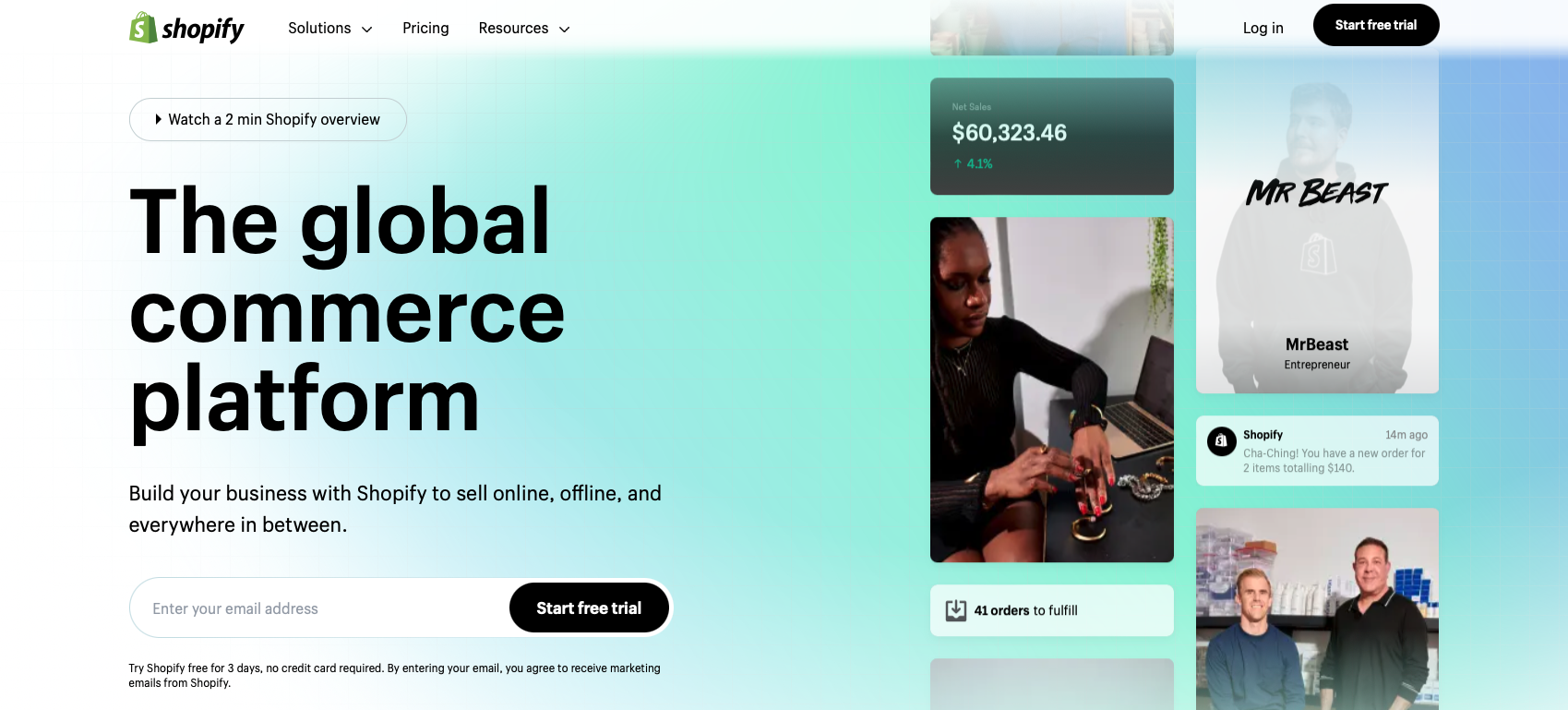
Shopify is an e-commerce website builder focused on enabling the sale of digital or physical products. While the company offers a variety of features common to website builders—blogs, image libraries, landing pages, drag-and-drop design—the main focus of every Shopify site is an e-commerce store.
More than 1.75 million online merchants use Shopify to power their businesses. The platform is so appealing, in part, because of specific e-commerce features it offers, including:
- The Shopify Fulfillment Network (for warehousing and shipping)
- A proprietary payment platform called Shop Pay
- Shopify POS hardware and services
- No inventory limits
- Drop-shipping support
- Over 8,000 Shopify apps to add website functionality
- Royalty-free stock images from Burst
Shopify for business
Because the central feature of every Shopify site is a store (and its inventory), the platform is really best suited for anyone selling products—digital or physical. Some service businesses may also find that they can make Shopify work for their needs—but generally, Shopify is best for anyone who has trackable inventory levels.
Let’s look at four different businesses and see why they may or may not be a good fit for Shopify.
- Anna runs a brick-and-mortar cafe. While she’s always focused on retail sales, she’s now interested in selling branded coffee mugs and packaged coffee beans online. Because Anna has physical products to ship and sell, Shopify could be a good choice for her needs.
- Xavier has a side hustle making clothing patterns. He’s been selling the patterns through Etsy, but would like to have a website of his own. Xavier sells each pattern as a PDF, so Shopify is an option. He can upload the PDFs to Shopify and sell them as digital products.
- Jules is a business consultant. They sell two different consulting packages: a one-time session and a membership that includes a monthly call. While their business doesn’t use inventory, Jules sells defined packages. As such, they could feasibly treat their packages like digital inventory and use Shopify. However, Jules might be better suited by a platform like Squarespace, which has a built-in membership portal feature.
- Ricky is a therapist. He’d like to send prospective clients to a website where they can book an appointment with him. He only sells his time, and it is not broken out into defined packages—clients may schedule any number of appointments with him based on their personalized treatment plans. There isn’t really a good way for Ricky to treat his appointments like inventory, so Shopify won’t be the best fit for his business. Instead, Ricky might be better served by a platform like Wix or WordPress, both of which offer booking features.
Shopify for blogging
Shopify sites can include an optional blog. Many e-commerce businesses choose to use blogs to help their organic content marketing initiative, but you can turn the blog feature on and off as needed.
The Shopify blog contains all the basic features you’d expect from a blog—a light content management system, the ability to upload photos, embed videos, and comment management. The platform isn’t ultimately focused on blogging, though, and requires some workarounds for actions that are native to other blog platforms.
One example is creating blog categories. On WordPress, you can create a new blog category right from your dashboard. On Shopify, you have to create more than one blog in order to have a sense of categorized posts.
If you’re a content creator focused on generating income through blog content and don’t have a storefront, it’s probably best to skip Shopify and go with WordPress instead.
Shopify design flexibility
Shopify users can set up a fully functional e-commerce site in just a few clicks by using one of the platform’s prebuilt, customizable themes. After installing the theme on a site, you can modify it further by adding and moving different sections including featured products, content blocks, and images.
Shopify isn’t an open source program, so you can’t customize your site to the same level of WooCommerce and WordPress.org. That said, you can work with a Shopify developer who’s familiar with the platform’s functionality in order to develop a storefront that feels entirely unique. This is often done by developing a custom Shopify theme using the platform’s Liquid language.
If you find that your business does require more extensive customization abilities, then you may need to look at Shopify Plus, the company’s enterprise-grade platform, or switch to WordPress.
Shopify apps
The Shopify app store offers over 8,000 plug-ins that enhance a store’s functionality. It includes apps that:
- Connect stores to drop-ship and print-on-demand services
- Improve customer service support through chatbots, forms, and even forums
- Send data from Shopify stores to third-party tools like QuickBooks
- Push product data out to social media platforms and online marketplaces like Amazon
- Link storefronts to the Shopify Shop app
- Boost sales through customer retargeting and automation
- Add terms, conditions, and other legal documents to storefronts
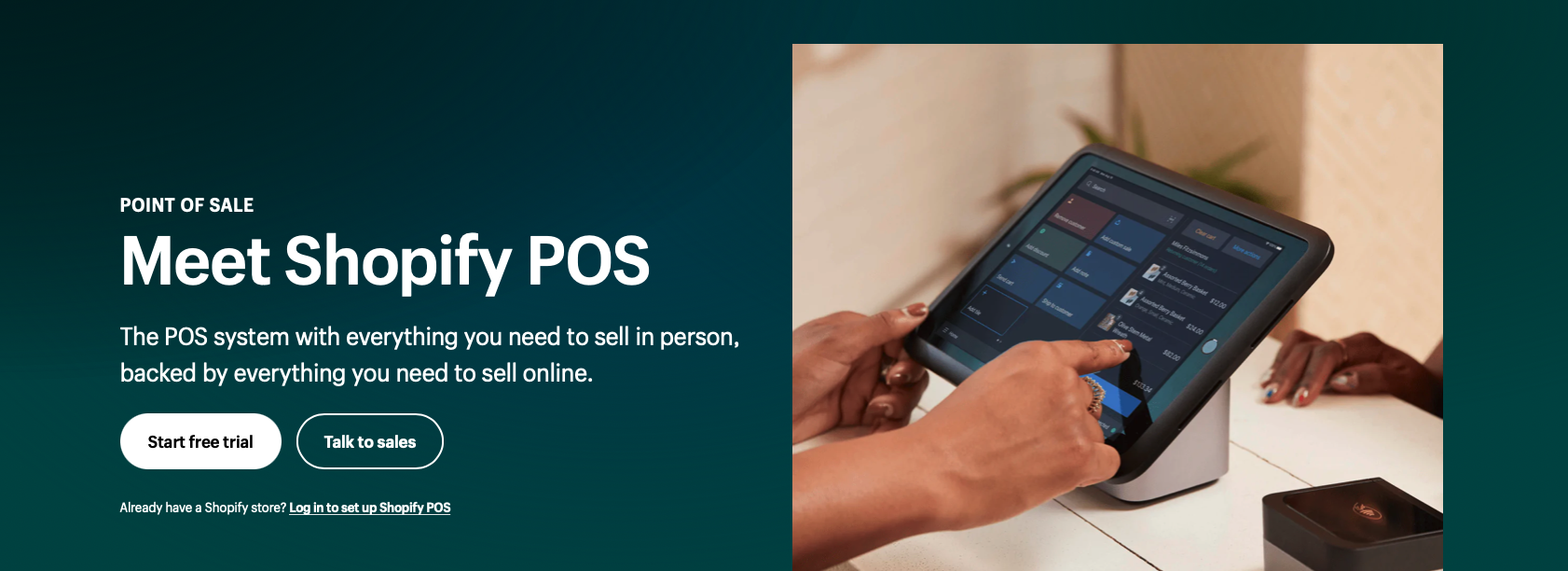
Shopify users can also connect their e-commerce inventory to their retail sales system by incorporating Shopify POS.
Shopify pricing
If you’d like to create a full e-commerce store with Shopify, you can choose between three plans that offer varying feature sets:
Basic plans, which cost $29 per month and provide two user seats. Sites on this plan get access to basic reports and shipping rate discounts.
Shopify standard plans, which cost $79 per month and provide 5 user seats. This tier provides every feature in the Basic plan, as well as:
- Standard reporting
- Reduced third-party transaction fees
- Increased shipping rate discounts
- E-commerce automations
Advanced plans, which cost $299 per month and include 15 user seats. Sites on the Advanced plan get access to everything in the Shopify plan tier, as well as:
- Advanced reports
- Further reductions on third-party transaction fees
- Duty and import tax estimation and collection
You can also save up to 10% per month by opting for annual billing.
If you’re interested in experimenting with e-commerce, but aren’t ready to launch a fully customized website, you can instead opt for Shopify Starter, the company’s most lightweight plan built with ease of use in mind.
For $5 per month, Shopify Starter customers get a simple, no-code storefront and shopping cart meant for selling across social media and messaging apps like WhatsApp. If you find you need more e-commerce features in the future, you can upgrade to a higher-tier Shopify plan.
On the other end of the spectrum, very large companies may be best served by Shopify Plus, which offers greater support and customization for $2,000 per month and up.
WordPress vs. Shopify
There’s a strong case to be made for using either WordPress and Shopify. Both platforms are great at what they do—you just need to make sure you pick the best one for your needs.
WordPress is often considered the best all-in-one solution for broad business use. It’s the ideal choice when you need to blog, publish content, or attract service-based business customers through organic search. It’s also a strong choice for building portfolios that showcase creative work.
Shopify is likely to be the best e-commerce platform for many online businesses. Its seamless integration with Shopify POS, drop-shipping support, and multi-tiered pricing structure mean that it’s going to be easy for businesses of all sizes to pick a plan and get their sales started. However, if you need very extensive customization abilities in your e-commerce shop, you might want to turn to WooCommerce and a WordPress developer.
Which is best for you?: WordPress or Shopify
Still unsure whether you’d prefer to try WordPress or Shopify? Check out the chart below to help you decide—and remember, you can always sign up for a Shopify free trial or try the free version of WordPress.com to get a feel for each platform.

Get help from web experts
Ready to get started by turning your e-commerce store ideas into reality? Get help from a skilled Shopify developer or WordPress developer on Upwork. Whether you need help with theme customization or want to build a completely custom site from the ground up, you can find experts to help. Log into your Upwork account today to post a job or purchase a service.
And if you’re a Shopify pro or WordPress expert who can help clients create the e-commerce site of their dreams, connect with new customers through Upwork. Simply log in to create a profile, send proposals, or create a new listing in Project Catalog.
Upwork is not affiliated with and does not sponsor or endorse any of the tools or services discussed in this article. These tools and services are provided only as potential options, and each reader and company should take the time needed to adequately analyze and determine the tools or services that would best fit their specific needs and situation.
Prices are current at the time of writing and may change over time based on each service’s offerings.

.avif)

Author Spotlight

Emily Gertenbach is a B2B writer who creates SEO content for humans, not just algorithms. As a former news correspondent, she loves digging into research and breaking down technical topics. She specializes in helping independent marketing professionals and martech SaaS companies connect with their ideal business clients through organic search.







