Top 10 Best AI Tools for Modern UX Design
Discover the top AI tools transforming UI/UX design. Elevate your design game with these innovative solutions and find new AI software to help your UI.

.png)
.avif)
Good user interface (UI) and user experience (UX) designs should be simple and easy to use, but also powerful enough for users to accomplish their goals. They also need to be accessible, catering to the needs of all users, including those who are differently abled. A good UI design should also deliver consistent results and respond to user needs and devices.
While you don’t need AI to create a visually appealing UI design that checks all the boxes, it can be a time-consuming process. Artificial intelligence tools can improve the UI/UX design process by removing bottlenecks and streamlining workflows.
AI-powered platforms assist UI/UX designers in conceptualizing, creating, and refining interfaces faster. They also allow designers to quickly generate and filter through ideas, build mockups, generate components with text prompts, and fill in user experience blanks with artificially generated content.
Keep reading to discover some of the top AI design tools, including their features and pricing plans, that can help transform your UX workflow.
Prototyping and wireframing
Prototyping tools like Uizard, Framer, and Wondershare Mockitt help designers generate AI-inspired art, product layouts, and mockups, and enrich them with components via a text-to-image interface.
1. Uizard

Uizard is a collaborative UI design platform for building mockups and interactive prototypes for landing pages, websites, and mobile applications. It provides an intuitive drag-and-drop interface that makes it easier for beginners to get started with the design process.
Uizard also has a huge number of pre-made UI design templates that you can import and integrate with your project or simply draw inspiration from to create better designs. Plus, it supports rapid prototyping, helping to visualize how different components will work and make any desired changes to improve the user experience.
Features:
- Auto-designer tool. The auto-designer tool allows you to generate editable UI components and multi-screen designs from text prompts.
- Wireframes conversion. You can scan your hand-drawn sketches using Uizard Scribble scanner, and AI will convert them into editable UI mockups.
- Screenshot editor. The screenshot editor allows you to extract colors, styles, and typography from screenshots or images that inspire you and transfer them into your projects’ mockups.
- Attention heatmap. Uizard uses AI to predict areas of the UI that are likely to receive a lot of user attention. You can use these AI-generated insights to enhance your design.
- Content generation. With Uizard, you can populate prototypes with AI-generated images, placeholder text, and interactive user experience elements to streamline your workflow.
- Theme design. Uizard uses deep learning algorithms to analyze uploaded images and extract matching themes, which you can apply to your project.
Pricing:
- Limited free tier
- Pro: $12 per month
- Business: $39 per month
2. MidJourney
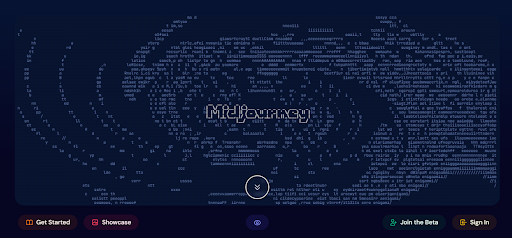
Midjourney is a popular generative AI platform that allows individuals to produce images in different themes. However, it doesn’t allow you to tweak or edit wireframes. But, what Midjourney lacks in terms of workflow capabilities, it makes up for with its advanced image generation abilities. Using Midjourney’s text-to-image prompts, designers can quickly produce assorted logos, cover art, pictures, wireframes, and UI mockups for websites and mobile apps.
Features:
- Image variations. It can generate multiple variants of an image from a single text prompt, allowing you to choose the one most suitable to your project.
- High image resolution. MidJourney can generate high-resolution UI designs which you can draw inspiration from.
- Image prompts. You can submit image prompts to allow MidJurney to produce designs in similar styles.
- Remix mode. Midjourney’s remix mode allows you to edit your prompts and image variations to get closer to what you’re looking for.
- Style control. MidJourney allows you to generate UI designs in different styles just by using specific keywords.
Pricing:
- Basic: $10 per month or $8 per month (paid annually)
- Standard: $30 per month or $24 per month (paid annually)
- Pro: $60 per month or $48 per month (paid annually)
- Mega: $120 per month or $96 per month (paid annually)
3. Framer
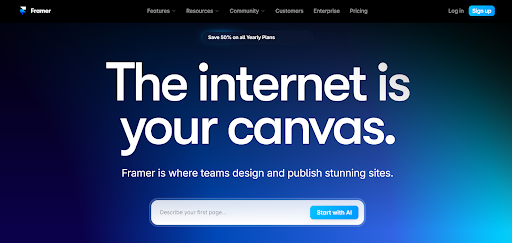
Framer helps designers create responsive web design experiences that are interactive and user-friendly, down to the buttons, links, and gestures. It also allows developers to add interactivity and logic to prototypes using JavaScript, create animations and transitions using a timeline interface, and simulate real-world physics for more natural motion.
Team members can also collaborate and share feedback in real time. And with integrated AI capabilities, programmers can automate different UI design and development tasks.
Features:
- AI-generated templates. Framer offers a wide variety of AI-generated templates that you can download and use in your project. However, payment is required for some of the templates.
- Web development. Framer AI helps you develop a simple, functional website without having to write any code.
- Style selection. Framer AI allows you to apply different layouts, fonts, and styles and see how they look. This helps you find the best style for your project.
- AI copywriter. AI copywriter enables you to create website copy fast. You can edit the content to reflect your style before posting it online.
Pricing:
- Limited free tier
- Mini: $5 per month per site
- Basic: $15 per month per site
- Pro: $30 per month per site
- Team Basic: $20 per month per editor
- Team Pro: $40 per month per editor
4. Wondershare Mockitt
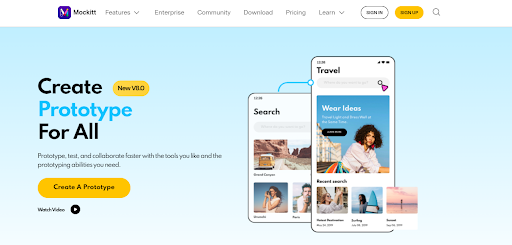
Wondershare Mockitt uses AI to help designers speed up the prototyping process, spark creativity with component generations, and fill in creative blanks with AI-generated content. Mockitt enables designers to access its powerful AI features using a familiar chat interface that mimics ChatGPT. With the rest of the platform’s functionality, such as real-time collaboration, a large library of templates, and one-click handoff, Mockitt can fit into your workflow comfortably whether you’re a one-person team or an entire in-house staff.
Features:
- AI chat. Wondershare Mockitt uses the ChatGPT algorithm to provide personalized assistance, such as generating app slogans and vision statements.
- AI component generator. The component generator refines your design process by allowing you to create multiple components, including flow charts, mind maps, and tables using AI. You can edit these components further to match your needs and preferences.
- AI prototype generator. You can use Mockitt AI to generate editable prototypes for mobile and web interfaces,
- Magic fill. Mockitt provides access to AI-generated content in multiple languages, including English, French, Chinese, and Spanish.
Pricing:
- Limited free tier
- Professional: $8 per editor per month
- Enterprise: $12 per editor per month
UI design and layouts
From Figma to Khroma, here are tools to help you build visually appealing UI designs and layouts.
5. Figma

Figma is a cloud-based design and collaboration platform that empowers designers, teams, and organizations to create, share, and collaborate on digital design projects seamlessly. While it’s not primarily an AI-focused tool, it does offer several AI-driven capabilities and plugins that enhance the design process.
Features:
- AI-generated summaries. You can use AI to convert ideas on whiteboards and mind maps into easy-to-grasp concepts.
- AI code generator. The UI-to-code feature optimizes your workflow by generating production-ready code for your prototypes.
- AI-powered libraries. The platform supports third-party plugins that extend native Figma functionality, generate ideas from prompts and auto-name layers, and generate copy, icon sets, and avatars with AI.
Pricing:
- Limited free tier
- Figma Professional: $12 per editor per month
- Figma Organization: $45 per editor per month
- Enterprise: $75 per editor per month
6. Sketch

Sketch is a comprehensive design platform for Mac users. It enables you to collaborate with colleagues in real time to create UI designs, icons, illustrations, and app prototypes. Sketch also lets you experiment with different colors, layouts, and themes—and see how your app will appear on real devices. Currently, Sketch doesn’t have in-built AI-powered tools; it relies on AI-powered plug-ins to enhance its UI design and layout creation functionality.
Features:
- VisualEyes. This Sketch plugin analyzes UI designs and helps find components that users will mostly interact with.
- Lokalise. This extension uses AI to translate content into different languages.
- Maze. This plugin leverages AI to perform product research and collect actionable insights from real users.
Pricing:
- Standard: $10 per editor per month
- Business: $20 per editor per month
- Mac-only license: $120 per license
7. Khroma
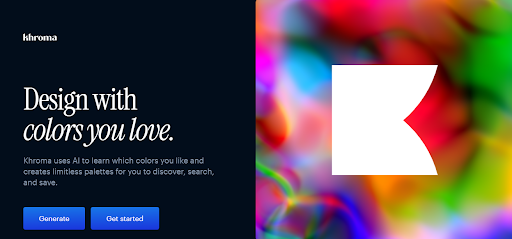
As their tagline says, Khroma uses AI to learn your favorite colors and create limitless palettes for you to try out. For professional designers who often need carefully chosen hues, discovering colors and tracking down combinations can be difficult, especially if they’re not mainstream. Khroma enables designers to discover, save, and experiment with color combinations almost without limits to solve that pain point.
Features:
- Custom trainable ML models. Train Khroma’s neural network-powered algorithm to filter colors to your taste using criteria such as hex and RGB values.
- Infinite color combos. Khroma AI model has been trained on vast amounts of data, including human-generated palettes. As a result, it allows you to experiment with different colors, typography, palettes, and gradients. You can also use these color palettes to create a custom image.
- Color collection. You can save an unlimited library of colors to use later.
- Advanced search. Khroma allows you to search for colors using hue, tint, hex, and RGB values.
Pricing:
- Khroma is available for free
User research and behavior analysis
User research and behavior analytics platforms help product engineers track usage patterns using heatmaps, session replays, A/B testing, and surveys to understand how to build better product experiences.
8. UserTesting
UserTesting is a popular user research and customer experience platform that helps product teams understand their audiences, simplify product experiences, remove UX obstacles, and drive adoption with deeper UX insights. It serves as an all-in-one solution where research teams can recruit audiences, control for quality in their experiments, onboard subjects efficiently, interview them (live or asynchronously), and visualize the data generated.
Features:
- AI insight summary. UserTesting allows you to summarize key moments from text descriptions, videos, and other data formats.
- Friction detection. UserTesting AI enables you to identify friction points in user interactions.
- Sentiment analysis. The platform allows you to research using machine learning and find positive and negative user perceptions of your product.
- Interactive path flows. UserTesting lets you collect and visualize data from multiple sessions, giving you a more complete picture of the customer journey to improve usability.
- Keyword mapping. UserTesting groups sentiments based on specific keywords, enabling you to understand user behavior better.
Pricing:
- Contact sales for pricing
9. Hotjar

Hotjar is a personal research assistant that helps product engineers conduct user research faster, filter through the data they generate on the platform, and automate repetitive tasks intelligently.
Features:
- AI-generated surveys. Create detailed surveys quickly by simply stating your goal (for example, measure user satisfaction).
- Automated insights. Summarize open-ended survey responses and include actionable recommendations for next steps.
- Heatmaps. Heatmaps allow you to track user interaction with various UI components, enabling you to identify friction points.
- Automated data collection. Collect feedback about specific parts of their product, right down to specific images, forms, or UI elements.
Pricing:
- Basic: Free
- Plus: $32 per month
- Business: $80 per month
- Scale: $171 per month
10. Pendo

Pendo’s AI features act as an automation layer on top of their product to help UI/UX teams simplify their product experience.
Features:
- AI-generated content. Auto-generate in-app guides and onboarding walkthroughs using Pendo’s built-in writing assistant.
- AI-powered summary tools. Filter through surveys and customer feedback using AI-powered summary tools.
- AI chat. Use AI-powered chatbots to simplify your customer service experience and guide users to the right answers faster.
- Workflow recommendations. Get AI-generated UX suggestions for reordering your in-app sequences and improving the user journey.
- AI-generated qualitative insights. Pendo AI helps you make sense of data through reports and interactive visualizations.
- AI tag assist. With AI tag assist, you can measure how much users are engaging with your product generally or with specific features.
Pricing:
- Contact sales for pricing
Find UI/UX design experts on Upwork
Upwork is the largest ecosystem of independent designers, including UI and UX experts, who’ll help you harness the power of AI to transform your design process.
Whether you’re building a mobile app from scratch or creating a brand website using existing themes as inspiration, Upwork gives you access to the talent you need to get started.
If you’re a visionary UI/UX designer who’s experienced using AI-enhanced design tools (like those we’ve covered) to automate your workflow, Upwork can connect you with different UI design jobs and projects to help you earn extra income. Get started today.
Upwork does not control, operate, or sponsor the tools or services discussed in this article, which are only provided as potential options. Each reader and company should take the time to adequately analyze and determine the tools or services that would best fit their specific needs and situation.
Prices are current at the time of writing and may change over time based on each service’s offerings.

.avif)

Author Spotlight

Upwork is the world’s largest human and AI-powered work marketplace that connects businesses with independent talent from across the globe. We serve everyone from one-person startups to large organizations with a powerful, trust-driven platform that enables companies and talent to work together in new ways that unlock their potential.