How To Build an Effective Landing Page
Create a landing page that captivates and converts. Follow our step-by-step guide to integrate compelling content, design, and user experience elements.
.png)
.avif)
A landing page plays a specialized role on a website. It’s a focused, goal-driven page that prompts visitors to take a specific action, such as signing up for a newsletter, downloading a resource, or making a purchase. By minimizing distractions, delivering a clear message, and emphasizing a strong call to action, landing pages help transform general website traffic into measurable business results.
This guide explains how to create an effective landing page design from start to finish. You’ll learn the essential elements, optimization strategies, and best practices that convert landing-page traffic into meaningful results.
What is a landing page?
A landing page is any webpage a visitor lands on after clicking on an ad or a content marketing link. It’s often a standalone page created for a specific offer, product, or campaign, although any page on your website could serve as a landing page, including evergreen content or even your homepage.
The goal of a landing page is to persuade a visitor to take an action that furthers your business goals — also known as a conversion. Common conversion examples include making a purchase, signing up for a webinar, or providing contact information for a sales lead, email marketing, or other future outreach.
An effective landing page has a single purpose that guides users toward the action you want them to take. When done well, such a page generates high conversion rates.
Well-designed website landing pages typically include:
- A compelling headline that grabs attention and clearly states the value or offer
- Concise, persuasive copy that explains the product’s benefits and addresses user needs
- Visual elements like images or videos that reinforce the message and engage visitors
- A strong call-to-action (CTA) button that directs users toward the desired next step
- Lead capture forms for collecting user information, such as emails or sign-ups
- Trust elements like testimonials, security badges, or social proof to build credibility
Different types of landing pages
Not all landing pages serve the same purpose. Each one is designed to support a specific marketing goal. Understanding the different types helps you choose the right structure for your offer, audience, and campaign.
Common types of landing pages include:
- Lead generation landing page. Collects visitor information such as names and email addresses, often in exchange for a free resource, discount, or newsletter sign-up
- Click-through landing page. Designed to warm up visitors before leading them to another page, typically a sales page, product page, or checkout screen
- Sales landing page (long-form or short-form). Focused entirely on persuading visitors to make a purchase. These pages include persuasive copy, testimonials, product details, and strong CTAs
- Product landing page. Highlights the features, benefits, and visuals of a single product. Commonly used in e-commerce and SaaS
- Splash page. A simple introductory page that appears before the main website, often used to announce promotions, collect basic preferences, or verify age
- Event landing page. Created to promote webinars, workshops, conferences, or virtual events. Typically includes event details, speakers, schedule, and a registration form
- Coming soon (pre-launch) landing page. Used to build anticipation for a new product, service, or website. Usually encourages visitors to join a waitlist or sign up for notifications
Landing page vs. homepage: key differences
Although both a landing page and a homepage are parts of your website, they serve very different purposes. Understanding these distinctions helps you design each page with the right intent and strategy to maximize engagement and results.
This table summarizes the key differences between landing pages and home pages:
3 ways a landing page can help your business
A landing page can help your business in the following ways:
- Search engine ranking. Crafting your landing page to use search engine optimization (SEO) best practices can help it reach a high position in search engine results pages (SERPs) or be highlighted in certain SERP features. This can create more visibility for your promotion or offer.
- Product, offer, and campaign launches. Since a landing page is the first page users land on when clicking a link, you can use it for any specific goal you have in mind, such as launching a product or a marketing campaign. This helps you track conversions and sales related to that specific product or campaign.
- Efficient lead generation. The right landing page design can deliver results whether visitors are at the start or end of the buyer’s journey. An effective landing page can encourage more people to sign up, subscribe, or buy.
Don’t have the time or expertise to make a landing page yourself? Upwork can help you find skilled independent landing page developers who can build a responsive landing page for you. You can also find specialists in website design, graphic design, UI design, and web development services on Upwork. Get started today!
7 tips to create an effective landing page
Before you sit down to build a landing page, think about what you want to achieve:
- Do you want to grow your email list?
- Are you trying to sell a particular service or product?
- Do you have an upcoming event to promote?
From there, define how you’ll attract the attention of your target audience. Get clear on your messaging. Are you offering a solution to a problem, a free sample, a discount — or something else?
While tools are available to help you build your own landing page, it might be worth your while to ensure you have a good one. Getting it right the first time is key, and the little details matter. For something as important as a landing page, engaging a freelancer who knows what they’re doing is an excellent option.
Read on to discover the steps to follow to create a high-converting landing page.

1. Begin with a strong headline
Hook potential clients with a clear, compelling headline. It’s the first and most-viewed element on your landing page. You have only a few seconds to capture visitors’ attention, so make every word count.
To create a strong headline:
- Be clear. Communicate the main benefit or offer instantly
- Keep it short. Aim for under 10 words, and avoid long words or complex phrasing
- Focus on value. Highlight what the visitor gains by staying on the page
- Use active language. Strong verbs give your message more force
- Match intent. Ensure your headline aligns with the ad or link that brought users to the page
- Test variations. A/B test different headlines to see which one resonates most with your audience
2. Use effective subheadings
A headline should grab a visitor’s attention, while good subheadings will persuade them to stay. Your subheadings should complement the header, provide more depth about the products and services highlighted on your landing page, and guide the reader toward the next step.
To craft potent subheadings:
- Add context. Share additional information about the offer and its benefits
- Address common objections. Anticipate your audience’s doubts and reassure them about the offer’s value, ease, and credibility
- Keep it succinct. Limit headings to brief statements that flow naturally from the headline
- Provide clear direction. Employ words that showcase value and encourage immediate action
- Highlight differentiation. Emphasize the benefits and features that distinguish your offer from competitors
- Maintain tone consistency. Match the energy and intent of your headline for a cohesive message
3. Add strong visual elements
One of the easiest ways to improve user experience (UX) is to pair concepts with meaningful images. Visuals also help people retain information. In fact, people remember more information when it’s paired with relevant images or graphics.
Use the following guidelines when choosing an image for your landing page:
- If the purpose of your landing page is to sell a specific product, add a picture of the product
- If you’re offering a service, add a picture relevant to what you’re promoting
- If you’re offering access to you, your time, or your expertise, include a picture of yourself
- Invest in clear, high-quality photos that are tastefully staged
- Avoid using stock photos that other businesses or creators might choose
4. Craft informative body copy
Your body copy expands on the headline and subheadings to give visitors the details they need to make an informed decision. It should clarify your offer, highlight the value it brings, and guide readers toward a specific action, all while staying concise and conversational.
Your copy should address key questions that visitors are likely to ask, including:
- How does your product or service benefit the customer?
- What sets your product or service apart from the competition?
- How will your product or service change an aspect of their lives or the way they do business?
When writing a landing page copy:
- Focus on benefits over features. Explain how your product or service improves the customer’s life or solves their problem
- Answer key questions. Make it clear how your solution differs from competitors and what customers gain by choosing you
- Use clear, simple language. Avoid jargon and overly technical terms. Aim for easy readability among your target audience
- Keep sentences short. Brief sentences can punch up your message and make it easier to absorb
- Write conversationally. Use contractions and natural phrasing to build connection and trust
- Use bullet points for clarity. Break up long paragraphs by listing benefits or features in bullet format for quick readability
- Include social proof where possible. Support your claims with short testimonials, stats, case studies, and other results to build credibility
- Move the reader along. Guide readers to the call to action, such as signing up, purchasing, or learning more
If you want polished copy that converts effectively, consider working with an experienced copywriting specialist who can help you craft messaging tailored to your audience.
5. Include trust indicators

Web users are inundated with online advertisements and offers. Because of this, consumers have become less trusting and wary, and they’re likely to bounce quickly if your site looks unprofessional or scammy.
To establish trust right away, add indicators that endorse your reputation and expertise, such as the following:
- Testimonials or customer reviews. Support from real people presents social proof that you are the “real deal” and can deliver on your promises
- Trust badges. Logos and trademarks of prominent or popular brands you’ve worked with or partnered with can lend credibility to your claims
- Awards or recognition. Add logos or links to awards you’ve received that demonstrate your authority and build confidence in your ability
- Statistics and data. Use numbers to back up your claims. For instance, you can mention the number of customers served or how many years you’ve been in the industry. For digital products, indicate the number of downloads or subscribers you have to show how appealing your product is to others
6. Provide a strong CTA
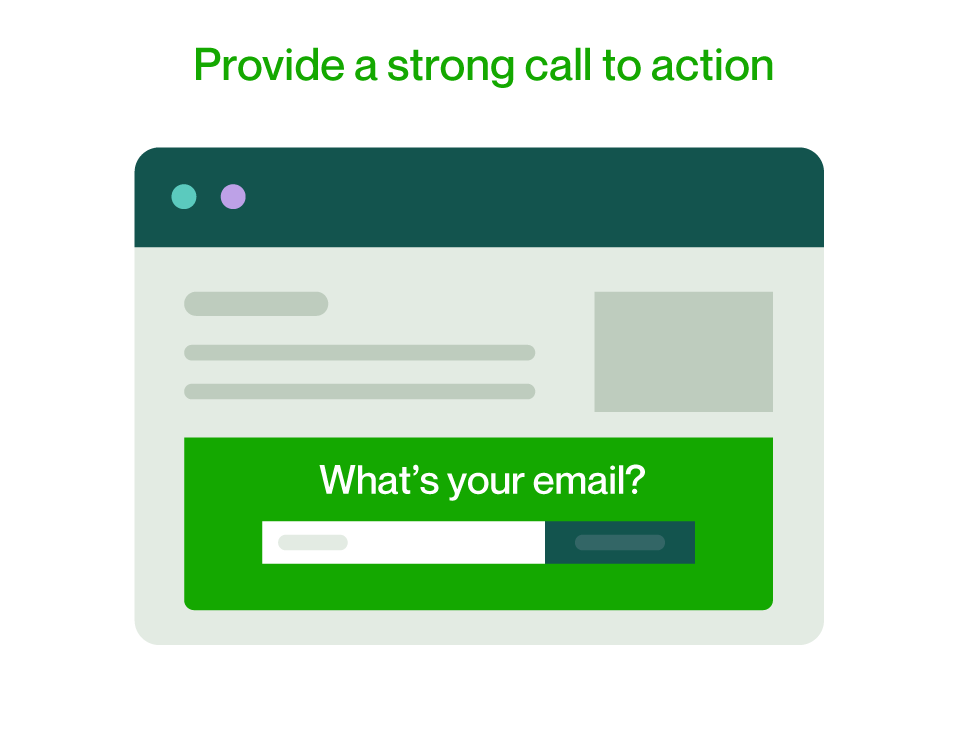
The most important element of an effective landing page is the CTA. The ultimate goal of your landing page is to get the person reading it to click the button, banner, or link.
Here are some of the best practices to get the highest conversion rate possible out of your CTA:
- Use a CTA button. Make it obvious where your potential customers should click so they can’t miss it
- Make your CTA stand out. Use high-contrast colors and make it big, especially on mobile screens
- Position your CTA prominently. Your prospect should not have to scroll down the page or look closely to find it
- Use persuasive copy. Ideally, you’ll create different landing pages for several purposes as you meet potential customers in their journey to discovering your products or services
In general, your CTA should make people feel they’re getting something instead of giving something up. But that will depend on how close they are to buying. If the purpose of your landing page is to get people to sign up to a webinar or your newsletter, you can use words like “Get,” “Discover,” or “Learn More.” If you’re using the landing page to close the deal, “Buy Now” and “Sign Up” create excitement and may lead to conversion.
7. Run A/B testing
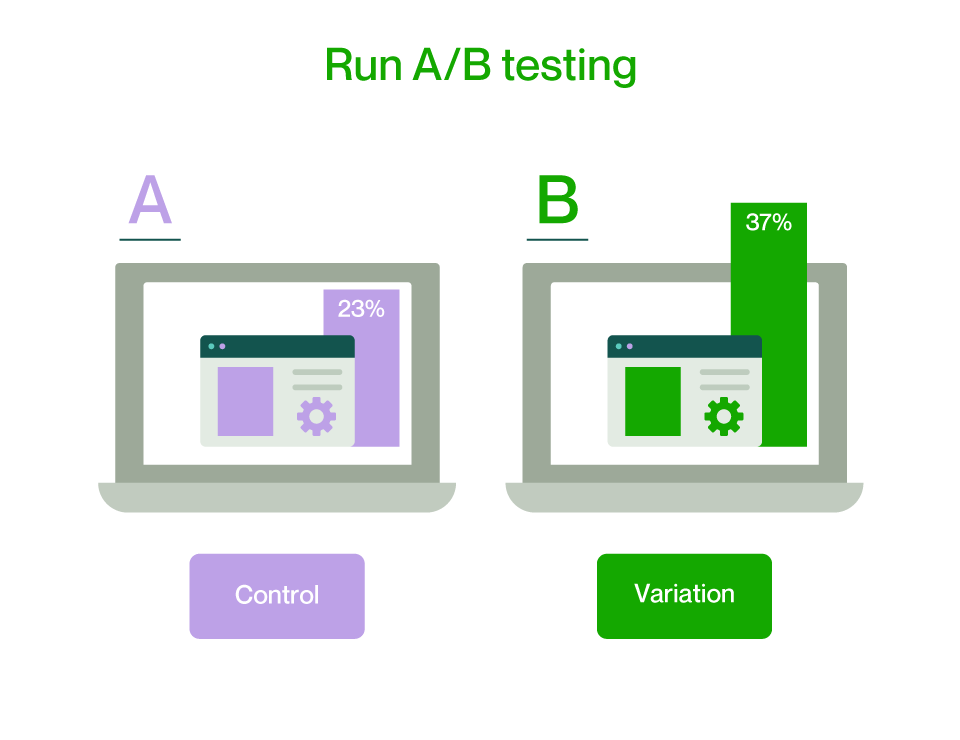
Once your landing page is live, don’t assume it’s perfect. Use A/B testing (or split testing) to compare two or more versions of your page and determine which one drives better results. By changing one element at a time and analyzing real data, you can iteratively improve conversions and user engagement.
For effective A/B testing:
- Test one element at a time. Focus on a single variable (e.g., headline, CTA, or image) to clearly identify what’s influencing performance
- Start with high-impact areas. Titles, calls to action, visuals, and forms usually have the biggest effect on conversions
- Use reliable analytics tools. Platforms like Unbounce or Optimizely can help you run controlled experiments and track results accurately
- Gather data. Let your test run long enough to collect a statistically significant sample before drawing conclusions
- Segment your audience. Analyze performance by user type, traffic source, or device to uncover deeper insights
- Document your results. Keep track of what works (and what doesn’t) to guide future design and copy decisions
- Repeat regularly. Continuous testing ensures your landing page evolves with audience behavior and market trends
Useful tools when creating a landing page
Building an effective landing page becomes easier when you have the right tools for design, development, testing, and optimization. Whether you prefer no-code builders or hands-on coding, these tools can help you create a polished, high-converting page.
Website builders and CMS platforms
These platforms allow you to create landing pages quickly without advanced coding skills. They include:
- WordPress. A flexible CMS ideal for building customizable WordPress websites, including landing pages. Plug-ins like Elementor Pro use a drag-and-drop builder for creating visually polished layouts — or you can work with a WordPress developer on Upwork
- WooCommerce. This WordPress plug-in makes it easy to build product-focused landing pages with e-commerce functionality
- Wix and Webflow. Beginner-friendly website builders with modern templates and easy customization
- Shopify. Useful for e-commerce startups needing conversion-optimized product landing pages
Front-end development tools
For custom landing pages that require full control over layout and functionality, you should be familiar with:
- HTML. For structuring and organizing the content of your landing page using modern, semantic elements
- CSS. For styling, layout, and visual formatting to create a clean, responsive, and appealing design
- JavaScript. Allows you to add interactive UI elements like sliders, countdown timers, or dynamic forms
- Bootstrap. A responsive front-end framework that speeds up layout creation with grid systems and ready-made components
Design and planning tools
For help mapping out the user journey and producing a visually cohesive page, consider these products:
- Wireframing tools like Figma, Sketch, and Adobe XD. Useful for planning page structure, creating mock-ups, and prototyping
- Canva and Adobe Photoshop. Ideal for creating polished graphics, hero images, icons, and PSD design files that can be handed off to developers or used as visual assets on your landing page
How to drive traffic to your landing pages
Even the most well-designed landing page won’t deliver results without visitors. Driving consistent, high-quality traffic ensures your message reaches the right audience and maximizes your conversion potential. Whether you’re promoting a product, service, or campaign, using a mix of organic and paid strategies can help you attract and engage the right users.
Consider these tips to drive traffic effectively:
- Leverage paid advertising. Use Google Ads, Facebook Ads, or LinkedIn campaigns to target specific demographics and direct users straight to your landing page.
- Optimize for SEO. Incorporate relevant keywords, meta descriptions, and fast load speeds to help your page appear in organic search results.
- Promote through email marketing. Send personalized emails to your subscribers linking directly to your landing page’s offer or campaign. CRM tools like HubSpot and Mailchimp facilitate marketing automation, enabling you to segment audiences and track user engagement.
- Use social media and digital marketing. Share your landing page across social platforms with engaging visuals, hashtags, and clear CTAs to increase reach.
- Collaborate with influencers or partners. Partner with niche influencers or industry leaders who can share your landing page with their audience.
- Utilize content marketing. Create blog posts, videos, or podcasts that naturally lead readers to your landing page for more information.
- Retarget website visitors. Run remarketing campaigns to re-engage people who previously visited your site but didn’t convert.
- Add internal links. Link to your landing page from your homepage, blog posts, and other key pages to capture traffic already engaging with your site.
- Track performance. Use dashboards like Google Analytics and UTM parameters to monitor traffic sources and optimize campaigns based on performance data.
Start creating your next landing page
Landing pages are essential to your success and longevity in the online business world. They offer some of the best ways to capture leads and move potential customers down the sales funnel. That’s why building an effective landing page with a responsive design requires strategy and a targeted, goal-oriented focus.
If you need help with landing page redesign, consider working with top-rated landing page designers, web designers, UX design specialists, and front-end developers on Upwork, who can help you create high-converting landing pages tailored to your business goals.
Upwork is not affiliated with and does not sponsor or endorse any of the tools or services discussed in this article. These tools and services are provided only as potential options, and each reader and company should take the time needed to adequately analyze and determine the tools or services that would best fit their specific needs and situation.

.avif)

Author Spotlight

Upwork is the world’s largest human and AI-powered work marketplace that connects businesses with independent talent from across the globe. We serve everyone from one-person startups to large organizations with a powerful, trust-driven platform that enables companies and talent to work together in new ways that unlock their potential.

Latest articles