How To Use Carrd to Create Functional, One-Page Websites
Learn how to use Carrd to build a functional, one-page website. Follow this step-by-step guide to create your site with ease—no coding required.

.png)
.avif)
What if you could create a stunning website in minutes without writing a single line of code? Carrd, a powerful yet simple platform, allows you to do just that. As the demand for one-page websites grows for things like landing pages, personal portfolios, and small business sites, Carrd offers a cost-effective solution for creating functional, visually appealing designs.
In this quick Carrd tutorial, we'll guide you through setting up and customizing a Carrd website that meets your unique needs. We’ll also walk you through selecting and personalizing templates, adding essential design elements, and enhancing functionality.
Whether you’re a freelancer, a small business owner, or a creative looking to showcase your work, this guide will show you how to create a professional Carrd website in no time.
What is Carrd, and why should you use it?

Carrd is a no-code website builder designed to create one-page websites quickly and efficiently. It’s perfect for small businesses, personal portfolios, and landing pages, offering an affordable and user-friendly solution for anyone looking to build a web presence. It's a worthy competitor to platforms like Wix or WordPress, and its simplicity makes it an excellent choice for beginners who want to dip their toes into web design without a steep learning curve.
Here are some of the ways to use Carrd:
- Portfolio sites for freelance graphic designers or photographers
- Landing pages for marketing campaigns or events
- Small business sites for showcasing products or services
- Personal pages for resumes, bios, or passion projects
- Lead generation pages with embedded forms for capturing customer information
Carrd’s flexibility lets you design anything from a free website to a more complex site with premium features, such as multipage websites and custom domains. Its cost-effectiveness, combined with powerful design capabilities, makes it a standout choice among today's top website builders.
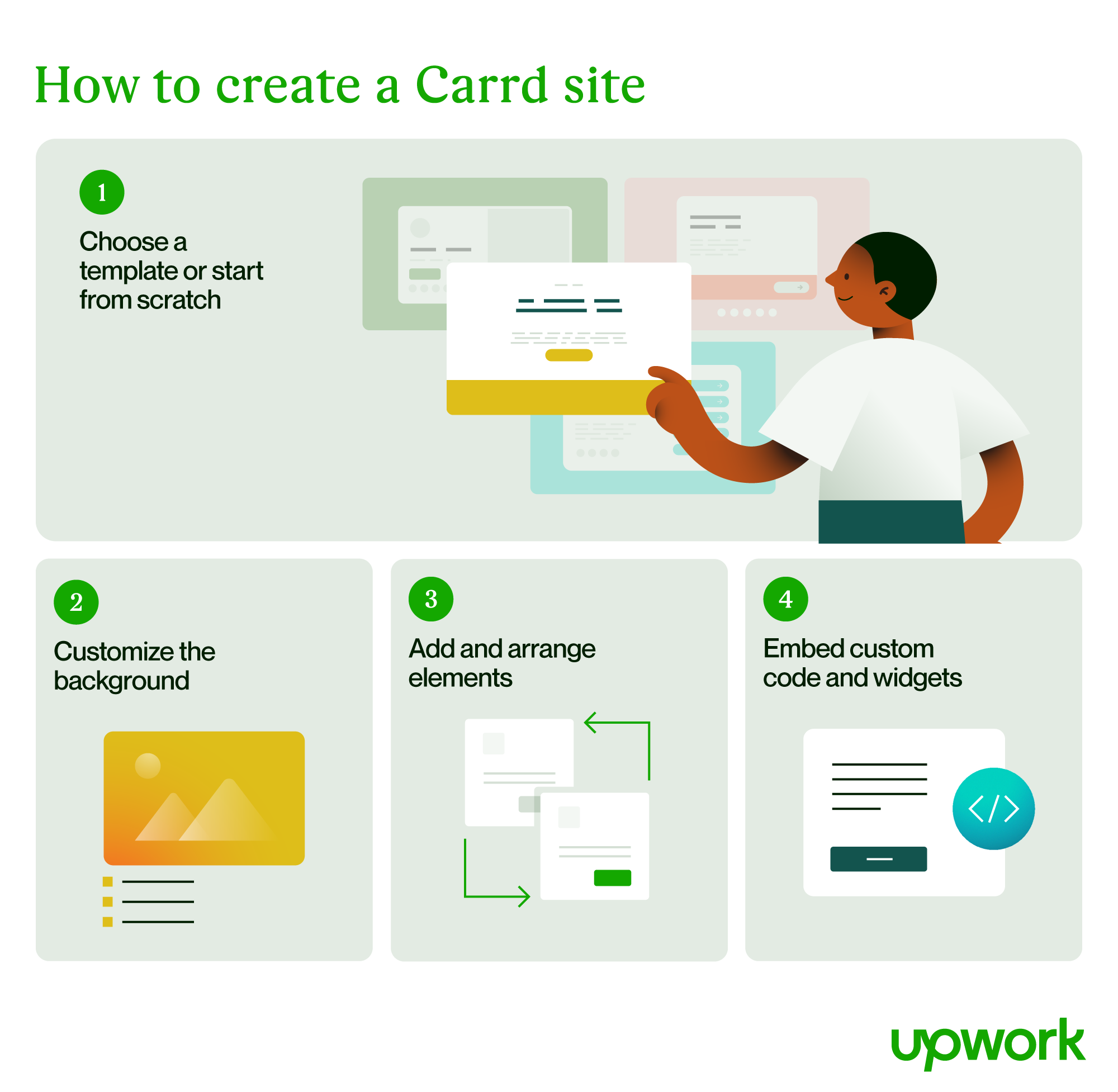
How to use Carrd
Follow these steps, as well as the on-screen instructions, to set up your new site:
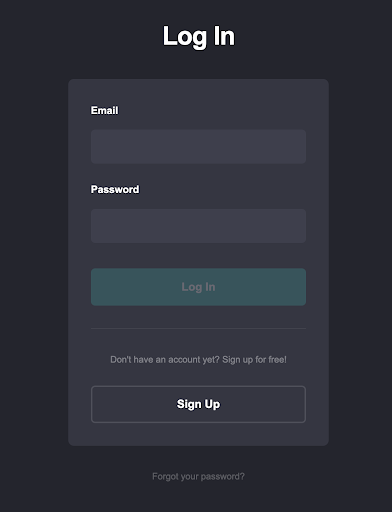
1. At Carrd.co, click Log In.

2. If you haven't already, click Sign Up. Otherwise, enter your credentials and click Log In.
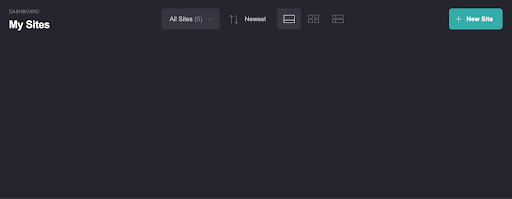
3. From the dashboard, click New Site.
4. Select a starting point by choosing a category to refine your options, or opt for a blank page if you prefer to start from scratch. Below is what you’ll see if you start from scratch:
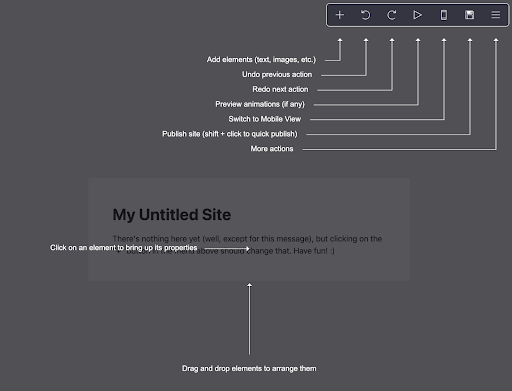
5. Follow the on-screen instructions to create your new site.
Take this opportunity to adjust basic settings, such as selecting a template, configuring your layout, and preparing your site for publishing. Once completed, you’ll be ready to start customizing and adding content.
Selecting a Carrd template
Carrd makes it simple to create a professional one-page website by starting with one of its predesigned templates or a blank canvas. These templates act as handy starting points, offering layouts tailored for various purposes like portfolios, landing pages, or contact forms. Whether you’re a beginner or an experienced designer, Carrd’s flexible templates make website design accessible and intuitive.
Browse Carrd’s extensive collection of templates to find one that suits your needs. Templates come with prebuilt text elements, buttons, and images, saving time during setup. If you prefer full control, select a blank page and build your site from scratch. Use the sidebar to manage and customize all site components with ease.
Customizing the background

Enhance your website’s appearance by personalizing the background color or choosing an image or video. These features allow you to create visually engaging sites that reflect your style or brand:
- Choose solid colors and gradients, or upload custom images to set your background.
- Add dynamic video or slideshow backgrounds to make your site more interactive and visually appealing.
- Include patterns or textures to add depth and personality to your design.
Adding and arranging elements

Carrd’s editor makes it easy to insert and arrange elements like text, buttons, images, and forms:
- Use spacing and section breaks to organize your content for better readability and flow.
- Adjust text styles, fonts, and sizes to match your branding.
- Add interactive features such as playlists, galleries, or timers.
Embedding custom code and widgets
Carrd’s Pro Standard plan or higher allows you to embed custom code and third-party widgets, expanding your site's functionality:
- Embed payment options from Stripe, PayPal, or Gumroad.
- Add contact or sign-up forms integrated with tools like Mailchimp, ActiveCampaign, or EmailOctopus.
- Insert custom HTML, CSS, or JavaScript to incorporate features beyond Carrd’s default options.
Carrd pricing
Carrd offers a straightforward pricing structure, allowing users to start with a free website or upgrade to one of three pro plans for advanced features.
Free plan
- Create up to three one-page websites per account
- Limited design and functionality
- Displays Carrd branding
Pro Lite ($9/year)
- Create up to three single-page websites
- Remove Carrd branding
- Access premium URLs, templates, high-quality images, video uploads, and slideshows
- No element limits and additional features like site icons, QR codes, and site transfers
Pro Standard ($19/year)
- Create up to 10 sites with all Pro Lite features
- Support for custom domain URLs
- Includes advanced features such as forms, widgets, embeds, Google Analytics, meta tags, and local fonts
Pro Plus ($49/year)
- Create up to 25 sites with all Pro Standard features
- Access advanced forms, password protection, redirects, downloadable sites, and site files
- Includes variables, canonical URLs, and increased update frequency for performance optimization
Carrd’s pricing provides options for a range of users, whether you need a basic landing page or a feature-rich multipage website. These plans allow you to scale your site’s functionality at an affordable cost.
Build your next website with Carrd
Carrd makes website building accessible for beginners and professionals alike. Whether you’re creating a one-page website for your small business, a personal portfolio, or a landing page, Carrd is an intuitive and affordable platform for bringing your vision to life.
With its customizable templates, no-code tools, and advanced features like embeds and custom domains, Carrd is a powerful solution for website building. It’s an ideal choice for those seeking to create an impactful web presence quickly, easily, and on a tight budget.
If you need expert help designing the perfect website, you can hire web designers on Upwork. Web designers seeking opportunities to work on Carrd and other website projects can find web design jobs on Upwork, too.

.avif)

Author Spotlight

Upwork is the world’s largest human and AI-powered work marketplace that connects businesses with independent talent from across the globe. We serve everyone from one-person startups to large organizations with a powerful, trust-driven platform that enables companies and talent to work together in new ways that unlock their potential.







