Find the Best Video Editor Jobs
Check out a sample of the 8,555 Video Editor jobs posted on Upwork
AI Video Creation & Editing Expert
Hourly ‐ Posted 1 day agoHours needed
Duration
Experience level
We are seeking a talented AI Video Creation & Video Editing Expert to bring a 90-second video project to life using LTX studio. The ide…
Motion designer - Video editor for short form ads
Fixed-price ‐ Posted 1 day agoFixed-price
Experience level
Overview We have one filmed customer testimonial (2:40) for a Belgian construction-software product. The video is in Dutch. We need it…
Video Editor for Creative Agency
Fixed-price ‐ Posted 1 day agoFixed-price
Experience level
We are seeking a skilled video editor to join our Creative Agency. The ideal candidate will have experience in after effects and premi…
Videographer / Motion Graphics Designer — Short-Form Product Walkthrough Videos
Fixed-price ‐ Posted 1 day agoFixed-price
Experience level
LeaseStash is a PropTech platform connecting landlords and tenants across, covering property listings, lease agreements, escrow payment…
Motion Graphics Editor, Cinematic Event Launch Trailer + Cut-Downs (60-80s, "Movie Trailer" Style)
Hourly ‐ Posted 1 day agoHours needed
Duration
Experience level
Overview We're launching a trailer for a large international event, and we're looking for an exceptional motion graphics editor to lea…
Short-Form Video Editor / Stream Clipper for Dedicated Brand Building (No AI Tools)
Fixed-price ‐ Posted 1 day agoFixed-price
Experience level
Looking for a dedicated, long-term video editor to turn live stream footage into highly engaging, curated short-form content (TikTok, R…
Expert French-Speaking Video Editor for Faceless AI, SaaS and Software Demo Videos
Fixed-price ‐ Posted 1 day agoFixed-price
Experience level
We are a French-speaking technology company looking for highly skilled video editors to produce premium faceless demonstration videos.…
Video Assembly Operator Wanted (NOT video editing) — Monthly Pay
Fixed-price ‐ Posted 1 day agoFixed-price
Experience level
Video Assembly Operator Wanted (NOT video editing) — Monthly Pay Remote · Daily workload · Fixed monthly salary What the job is We are…
Real Estate Video Editor
Fixed-price ‐ Posted 1 day agoFixed-price
Experience level
We are seeking a skilled video editor to create engaging and professional videos for our real estate listings. The ideal candidate will…
Youtube & Short Form Video Editor
Hourly ‐ Posted 1 day agoHours needed
Duration
Experience level
I'm looking for a fluent English speaker based in Colombia to join my editing team. The role involves working closely with our team to…
can earn $15–$35/hr.
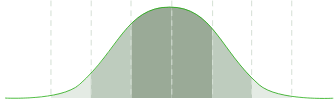
$15$35
Median hourly rates (USD)
How to become a freelance video editor
Video editing is where storytelling meets technology, and it’s one of the most in-demand creative careers today. As a freelance video editor, you’ll transform raw footage into engaging stories that connect with audiences across film, social media, and marketing campaigns. Whether you’re a beginner or looking to grow your freelance business, here’s how to get started.
1. Master the fundamentals of storytelling
At its core, video editing is about emotion and pacing. Learn how to structure a story that flows naturally, from choosing the right shots to creating rhythm through cuts, sound, and transitions. The more you understand story structure, the more compelling your edits will be.
2. Build a strong technical foundation
Familiarize yourself with industry-standard software like Adobe Premiere Pro, Final Cut Pro, or DaVinci Resolve. Learn file formats, codecs, and color correction basics. Understanding the full post-production process — from syncing audio to exporting in various aspect ratios — will set you apart in a crowded field.
3. Develop a unique editing style
Your editing style is your signature. Maybe you specialize in fast-paced social content, cinematic storytelling, or branded documentaries. Find a visual tone that fits your interests and strengths, and make it part of your portfolio identity so clients instantly recognize your work.
4. Create a demo reel that highlights your range
Your demo reel is your resume. Keep it short (under two minutes), and showcase your best clips across genres — ads, interviews, music videos, or product features. Include clear captions and project titles so clients understand the type of work you do best.
5. Learn to collaborate and communicate clearly
Freelance video editors often work with directors, producers, and marketing teams remotely. Get comfortable taking feedback, asking clarifying questions, and managing revisions. Clear communication not only improves your work but also helps build long-term client relationships.
How to create winning video editing proposals on Upwork
A great proposal can be the difference between landing a project and being overlooked. Here’s how to make your video editing proposals stand out on Upwork:
- Personalize your pitch. Reference the client’s project directly — mention their video type (promo, vlog, ad, etc.) and note any creative direction or editing style they want.
- Lead with a creative solution. In your opening lines, explain how you’ll bring their footage to life — for example, “I can help you turn your raw clips into a fast-paced, cinematic highlight reel that matches your brand tone.”
- Keep it short and visual. Stick to 150–250 words. Share a link to your demo reel or similar project so the client can see your editing style right away.
- Highlight relevant tools and techniques. Mention editing software and workflows (like Adobe Premiere Pro, Final Cut, color grading, or motion graphics) that match the project’s needs.
- End with confidence and clarity. Reconfirm your understanding of the project scope — length, format, and deadline — and invite the client to chat about style or creative direction.
- Prepare for a client discussion. Review typical video editor interview questions and be ready to respond to client messages about the job.
Use Uma, Upwork’s Mindful AITM to help draft your proposal incorporating best practices that win jobs. Submit your proposal using Upwork’s fast and easy process.
Skills to help your video editing portfolio stand out
To attract clients and command higher rates, highlight a mix of creative, technical, and interpersonal skills in your Upwork profile and proposals.
- Storytelling and narrative pacing
- Video editing software (Adobe Premiere Pro, Final Cut Pro, DaVinci Resolve)
- Sound design and mixing
- Color correction and grading
- Motion graphics and basic animation
- File management and archiving
- Client communication and project management
- Adaptability, time management, and reliability
Video editing FAQs
Curious about starting your freelance video editing journey? Here are answers to some common questions.
Should I get a video editing degree or certification?
While formal education can help, many successful video editors are self-taught. A degree in film, media production, or communications can open doors, but certifications from Adobe or online platforms like Coursera and Skillshare can be just as valuable — especially when paired with a strong portfolio.
How much should I charge as a freelance video editor?
Decide what to charge as a freelance video editor based on your experience, niche, and project scope. Upwork’s rates typically fall between $10 and $60 per hour. Beginners might start at $20–$40 per hour, while experienced editors charge $60–$100+ per hour for advanced projects like commercials or branded storytelling. Research similar freelancers on Upwork to benchmark your rates and adjust as your skills grow.
How do I get my first freelance video editing job?
To get your first video editing job, start small — edit short projects for friends, local businesses, or content creators. Use those clips in your Upwork portfolio and focus your proposals on results, not years of experience. You might find starting jobs in related areas of YouTube or TikTok editing or working as a videographer.
Do I need expensive equipment to start?
Expensive equipment is not needed to get started as a video editor. Many video editors start with free or low-cost software like DaVinci Resolve and basic laptops. As you grow, invest in faster storage, more RAM, and color-accurate monitors.
How do I handle client feedback or revisions?
Treat feedback as collaboration. Ask clarifying questions, stay professional, and focus on implementing changes efficiently. Work with a structured video editing revision workflow such as Frame.i or Vimeo Review. Prioritize revisions based on scope and impact, ensuring the client understands how each change will affect cost and timing. Clear communication helps turn first-time clients into repeat ones.
Upwork is not affiliated with and does not sponsor or endorse any of the tools or services discussed in this article. These tools and services are provided only as potential options, and each reader and company should take the time needed to adequately analyze and determine the tools or services that would best fit their specific needs and situation.
The rates and information provided in this article are based on current data and industry sources available at the time of publication. Freelance rates can vary depending on factors such as experience, location, project scope, and market conditions. Readers are encouraged to conduct their own research to confirm current rates and trends, as this information may change over time.
Upwork is not affiliated with and does not sponsor or endorse any of the tools or services discussed in this section. These tools and services are provided only as potential options, and each reader and company should take the time needed to adequately analyse and determine the tools or services that would best fit their specific needs and situation.
Your next job starts right here
Set up a free profile to showcase your skills, experience and desired pay rate to clients. You choose the payment method that's best for you to easily get paid for your work.
Find workGives you security and peace of mind