11 Best Payroll Services for Small Businesses
Discover the top 11 payroll services tailored for small businesses. Streamline your payroll process and stay compliant with these trusted providers.

.png)
.avif)
Managing payroll can become a complex task for growing businesses. Ensuring you pay employees accurately and on time requires attention to detail and can take up valuable time you could spend growing your company.
Payroll companies help businesses ensure employees are paid on time while following local and federal laws. They may also provide record-keeping and reporting services.
We cover 11 of the best payroll software options for small businesses.
1. Upwork Payroll

Upwork Payroll features a payment processing system that allows businesses to pay freelancers through the platform using various payment methods, including ACH, PayPal, and wire transfer.
The invoicing feature allows freelancers to create and send invoices to clients through the platform. Businesses can review and approve invoices before making payments, ensuring accurate and timely payments.
Upwork Payroll has a unique escrow protection feature that holds funds in escrow until the employee completes work and you approve it, providing added protection for businesses and freelancers.
In addition, the platform allows businesses to find and hire freelancers and full-time professionals from its global talent pool. Employers can track project milestones, communicate with team members, and manage project files.
Pros
- Payment processing and invoicing features built into the platform
- Available as a desktop and mobile app
- Escrow protection available to protect funds
Con
- Limited customer support for payroll-specific issues
2. ADP
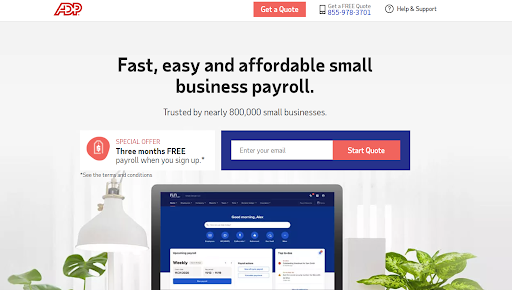
Over 70 years after its creation, ADP provides human capital management solutions to businesses in over 140 countries. The platform offers an easy-to-use solution interface with analytics tools to ease payroll, human resources (HR), and time management.
Talent managers can use the built-in onboarding and training apps alongside new hire reports. As a small business owner, you can use ADP to help you process payroll, manage taxes, and provide periodic reports.
In addition, ADP provides workers’ compensation plans, dedicated support from specialists, and compliance alerts to ensure you don’t violate any regulations.
Pros
- Robust reporting and analytics features
- Multiple plans to fit businesses of different sizes and needs
- ADP runs on mobile and desktop
Con
- The setup process can be a little complicated
3. Gusto

Gusto automates the full-service payroll process—from calculating taxes and deductions to issuing paychecks and tax filings. Further, it automatically calculates and files federal and state taxes and makes the necessary payments on behalf of the business.
In addition, Gusto provides employees a login portal to access their pay stubs, tax forms, and other payroll-related documents.
Besides its payroll features, Gusto offers other HR and workers’ compensation features, such as health benefits and 401(k) plans.
Gusto’s user-friendly interface and customer support make it a top choice for growing businesses looking to streamline their payroll and benefits processes.
Pros
- Provides multicurrency accounting and instant conversion in 160 currencies
- Features an advanced invoicing and accounting software suite
- Offers real-time support from advisers
Con
- Limited HR software integrations
4. OnPay
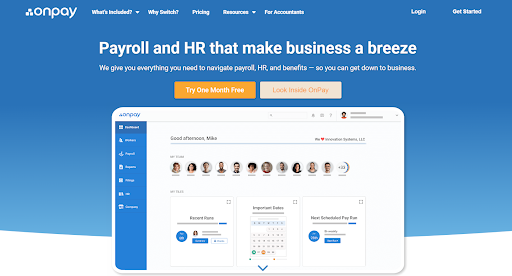
OnPay allows businesses to pay employees through direct deposit or printed checks, providing flexibility in how they pay their employees. The platform handles all payroll tax filings and payments to the Internal Revenue Service (IRS) and state and local authorities, ensuring compliance and reducing the risk of penalties.
Integrating tools like QuickBooks, Deputy, and Vestwell with OnPay helps extend the experience with several payroll and HR management tasks.
One critical feature of OnPay is its user-friendly interface, making it easy for businesses to manage payroll processes without extensive training.
OnPay also offers features like HR services, benefits administration, and reporting. You can get help from OnPay’s resource library to learn the fundamentals of payroll, benefits, and HR management.
Pros
- Offers a mobile app for iOS and Android devices
- Features employee self-service tools
- Provides multistate payroll
Con
- Requires add-ons to access time-tracking features
5. Patriot Software
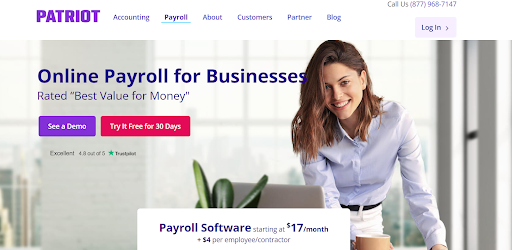
Patriot Software is another cloud-based software service that allows users to set up payroll quickly and easily. The software handles federal, state, and local payroll taxes, including calculating and filing payroll taxes. You may also generate W-2 and 1099 forms.
The software’s time and attendance feature lets you track employee hours and overtime and manage paid time off (PTO) requests and approvals.
The reporting tool extends the experience, providing several customizable payroll reports, financial statements, and tax reports.
Pros
- Competitive pricing with various plans
- Offers basic accounting features, including invoicing, expense tracking, and bank reconciliation
- Interface is user-friendly and easy to navigate
Con
- Base fee doesn’t include setup cost
6. Paychex

Since 1971, Paychex has provided payroll, HR, and insurance services to small and medium-scale businesses across the U.S. and Europe.
Paychex streamlines and automates payroll, saves time, and ensures compliance with tax laws and regulations. Its automated payroll process system handles all payroll tax filings and payments, ensuring your business complies with federal, state, and local tax laws. Employees can also benefit from flexible 401(k) and health insurance plans.
The Paychex services integrate with job boards and allow you to post open positions, schedule interviews, and track applicant performance using critical HR analytics. Using Paychex, you can optimize onboarding and employee training programs.
Pros
- Mobile self-service available
- No cost until the first payroll
- 24/7 chat and phone support
Con
- Requires an additional fee for tax filing, W-2, and 1099 filing
7. QuickBooks Payroll
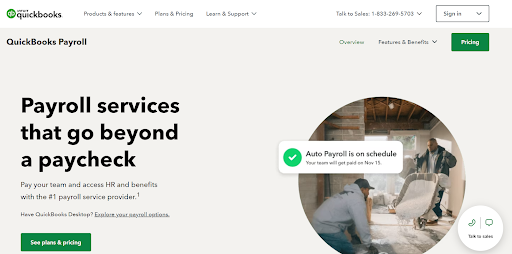
QuickBooks Payroll offers an auto payroll feature, allowing you to automate your payroll process. Once you set up auto payroll, QuickBooks will automatically calculate and run payroll on your selected schedule. If you incur any penalties due to payroll tax errors, QuickBooks will help cover up to $25,000 of the tax penalties.
In addition, QuickBooks Payroll provides expert setup assistance, ensuring you have everything you need to get started with the tool.
You can also access HR advisory services, which provide access to HR experts who can answer your questions and provide guidance on HR-related matters, such as hiring and termination processes and employee benefits.
Pros
- Allows integration with other QuickBooks products, such as QuickBooks Online and QuickBooks Desktop
- Offers an employee self-service portal
- Businesses can pay their employees via direct deposit
Con
- Customer support phone line available only during business hours
8. Square Payroll
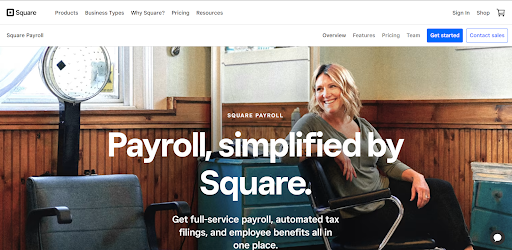
Square Payroll is another small business payroll software choice that allows you to customize payment schedules and pay rates and automatically pay employees by direct deposit or manual check.
The software also automates the tax filing process, automatically mailing the W-2 and 1099-NEC forms to each employee or contractor. Other features like new hire reporting, sick leave and overtime tracking, and benefits importing are crucial for payroll management.
In addition, Square Payroll provides a comprehensive suite of HR tools that integrate with Square POS, Team Management, other Square services, and third-party tracking applications.
With these integrations, you can manage and streamline the payroll process from one place. If you encounter challenges while using the software, you can get timely and reliable HR support from Square Payroll’s specialists.
Pros
- Allows managing payroll via desktop or mobile app
- Integrates with other Square products
- Allows employers to offer customized health insurance and retirement plans
Con
- Doesn’t provide a free trial
9. Wave Payroll
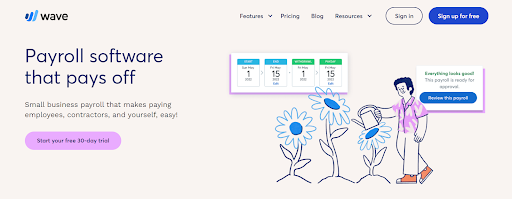
Wave Payroll is a comprehensive payroll service designed to simplify paying employees and independent contractors and managing payroll tax filings. Wave Payroll enables automatic payroll journal entries and reduces the time spent on manual bookkeeping.
The payroll service also offers a breakdown of payroll expenses by employee and expense type, and tracks leave time and accruals required for payroll processing.
Wave Payroll is updated regularly to incorporate changes in government relief programs and tax regulations and offers priority customer support via live chat and email.
Businesses can also hire a Wave Advisor to help complete and file their business or personal income taxes.
Pros
- Updated regularly for new regulations
- Clearly distinguishes contractors from employees
- Breaks down payroll expenses by employee and expense type
Con
- Tax filing isn’t available in all 50 U.S. states
10. Xero Payroll
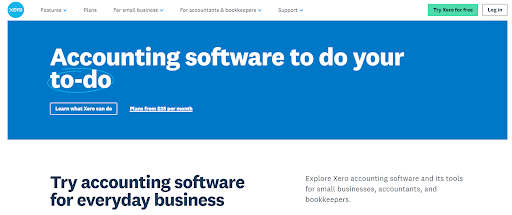
Xero partners with Gusto to provide a comprehensive payroll service across all U.S. states. The software notifies employees when it’s payday, and they can set up automatic payouts.
Integration with Xero accounting allows you to manage federal and local taxes and other deductions. The user interface allows employees to set up their account dashboard, and if they encounter any challenges, they can get help using the service again.
The software enables users to connect their bank to Xero, allowing for secure and automated transaction flow into Xero each business day.
Pros
- Intuitive and user-friendly platform and interface
- Comprehensive payroll and HR features, including tax filings and compliance.
- Affordable pricing
Con
- Doesn’t provide a support phone number
11. Zenefits

Zenefits automates payroll processing, including tax filings, direct deposits, and year-end forms like W-2s and 1099s. The software tracks employees’ time and attendance, including overtime, sick leave, and vacation time.
It also integrates with time-tracking tools, like QuickBooks Time and Deputy, to automate timekeeping and reduce manual errors.
Zenefits helps businesses maintain compliance with labor laws by providing compliance alerts and updates to help businesses stay informed of regulatory changes.
The software offers onboarding tools that help businesses conduct background checks and provide I-9 forms and employee handbooks.
Pros
- Provides automated payrolls
- Features mobile application for Android and iOS
- Allows self-service administration
Con
- Customer service response time can be slow
How to choose the right payroll service for your business
The right payroll service for your business can impact your bottom line, employee satisfaction, and compliance with tax regulations. Below, we highlight some tips to help you choose the right payroll service for your business.
Determine your payroll needs
Before choosing a payroll solution, consider your payroll needs, budget, and resources so you can select the solution that best meets your requirements.
Some tips to help you assess your payroll needs include:
- Evaluate your workforce. Determine the size and complexity of your workforce. How many employees do you have, and are they full or part time? Each type of employee requires a different payroll setup. For example, part-time employees and contractors may require more complex withholding calculations than full-time employees. If you’re uncertain about anything, consult a tax professional.
- Consider your budget. Payroll costs can be a significant expense for small businesses. According to the Bureau of Labor Statistics, the average compensation per employee in the private industry is $40.23 per hour, as of December 2022. Consider payroll software costs, outsourcing payroll, or hiring a payroll specialist. Evaluate your budget and choose a payroll solution that meets your needs and fits your budget. Will you pay your employees weekly, biweekly, or monthly? Consider your cash flow and choose a payroll frequency that makes sense for your business.
- Understand payroll tax requirements. Payroll tax compliance can be complicated, with various federal, state, and local taxes to consider. Determine which taxes you must pay as well as those you need to withhold and pay on your employees’ behalf. Ensure you have a system to calculate and remit taxes.
Evaluate customer support
Payroll systems can be complex, and technical issues can arise. Access to knowledgeable and responsive customer support can help resolve technical issues quickly, minimizing disruptions to your business. Consider those with faster response speeds and several contact methods when evaluating customer support.
Some essential customer support features to look for include:
- Knowledge base and FAQ. A comprehensive resource center or community forum with frequently asked questions (FAQ) can help you find answers to common questions without contacting customer support.
- Dedicated account managers. Some payroll service providers assign a dedicated account manager to each customer. This person can serve as a point of contact for any payroll-related questions or issues.
- Training and resources. Payroll service providers may offer training resources, such as webinars, tutorials, or training videos, to help customers learn how to use the software and troubleshoot common issues.
Check for integration capabilities
Integrating payroll software with your existing HR and accounting systems can help streamline processes, reduce manual data entry, and ensure consistency of employee data across all systems.
Integration capabilities can also simplify reporting by allowing you to pull payroll data from multiple systems into a single report to make more informed business decisions.
Check for integration capabilities with your existing HR and accounting systems. Look for software solutions that offer prebuilt integrations with popular HR and accounting systems, such as QuickBooks, Xero, and ADP.
Also, consider the integration’s ease of use, setup, and additional costs.
Review pricing and fees
Payroll software providers may offer different contract terms, such as monthly, quarterly, or yearly. Consider the length of the contract and any penalties for early termination when evaluating the total cost of the software.
Some other factors to consider when reviewing pricing and fees for payroll software are:
- Subscription fees. Payroll software providers typically charge a subscription fee based on the number of employees you have. Some providers may offer different pricing tiers based on the level of service you require, such as advanced or basic payroll features. Choose a pricing plan that fits your budget and your business needs.
- Setup fees. Some payroll software providers charge a setup fee to get your account running. The fee can vary depending on the provider and the complexity of your payroll requirements.
- Transaction fees. Some payroll software providers charge transaction fees for additional services, such as direct deposit and tax filings. These fees can vary depending on the provider and the service provided. Check the software’s terms of use or reviews from other users to understand any transaction fees associated with the payroll software.
Manage and pay W-2 employees with Upwork Payroll
The right payroll service for your small business can help ensure accurate and efficient management of your payroll processes. Given the wide range of options, finding one that fits your needs can be challenging.
Fortunately, Upwork Payroll allows you to manage your W-2 employees, pay them accurately and on time, and stay compliant with tax regulations—all from one convenient platform.
Plus, you can access Upwork’s pool of top-rated payroll experts to expand your team as needed. Sign up for Upwork Payroll today and enjoy hassle-free, reliable payroll management for your freelance team.
Upwork is not affiliated with and does not sponsor or endorse any of the tools or services discussed in this article. These tools and services are provided only as potential options, and each reader and company should take the time needed to adequately analyze and determine the tools or services that would best fit their specific needs and situation.
This article is intended for educational purposes and should not be viewed as legal or tax advice. Please consult a professional to find the solution that best fits your situation.

.avif)

Author Spotlight

Upwork is the world’s largest human and AI-powered work marketplace that connects businesses with independent talent from across the globe. We serve everyone from one-person startups to large organizations with a powerful, trust-driven platform that enables companies and talent to work together in new ways that unlock their potential.