Why Are My Upwork Proposals Not Being Viewed? 6 Tips To Improve Visibility
Wondering why your proposals on Upwork aren't being viewed? Learn what clients see first, how proposal visibility works, and how to increase your proposal views.

.png)
.avif)
If your Upwork proposals aren't getting the views you'd expect, your profile, rate, or cover letter may need some adjustments. How you present yourself and match with jobs directly affects your proposal views.
Key takeaways about proposal views on Upwork
- Clients may not reach your proposal if a job gets high volume. Applying early and to best-match jobs improves your chances.
- Your profile picture, title, rate, and Job Success Score (JSS) are what clients see before opening a proposal. Make sure they tell a clear story.
- Generic proposals are easy to spot. Personalizing your response shows clients you've read the posting and understand the work.
- Boosted Proposals, competitive pricing, and an active presence on Upwork can all increase your visibility with clients.
According to the Upwork Research Institute Monthly Hiring Report (2025), demand for skilled freelancers is growing across categories like AI, creative, and customer support, with more than one million jobs posted annually on the U.S. marketplace. Understanding why your proposals may not be getting viewed is one of the first steps to better matching with the right projects and growing your freelance career on Upwork.
How the Upwork algorithm matches proposals to clients
The Upwork algorithm is built to connect clients with the right talent. It uses machine learning (ML) and artificial intelligence (AI) to compare your proposal and profile against the job posting, looking at factors like keywords, skills, experience, and work history. When a client receives multiple proposals, Upwork shows the closest matches first.
Clients can also search for talent and invite them to apply directly. In both cases, the algorithm organizes results based on who it determines is the best fit. As a freelancer, here's what helps you rank higher:
- A 100% complete profile
- Talent badges, like the Rising Talent Badge
- A high Job Success Score (JSS)
- Applying to jobs that match your skills
- Positive client feedback
- Being active on the platform
Dive deeper into how the Upwork algorithm works:
How your Job Success Score (JSS) affects proposal visibility
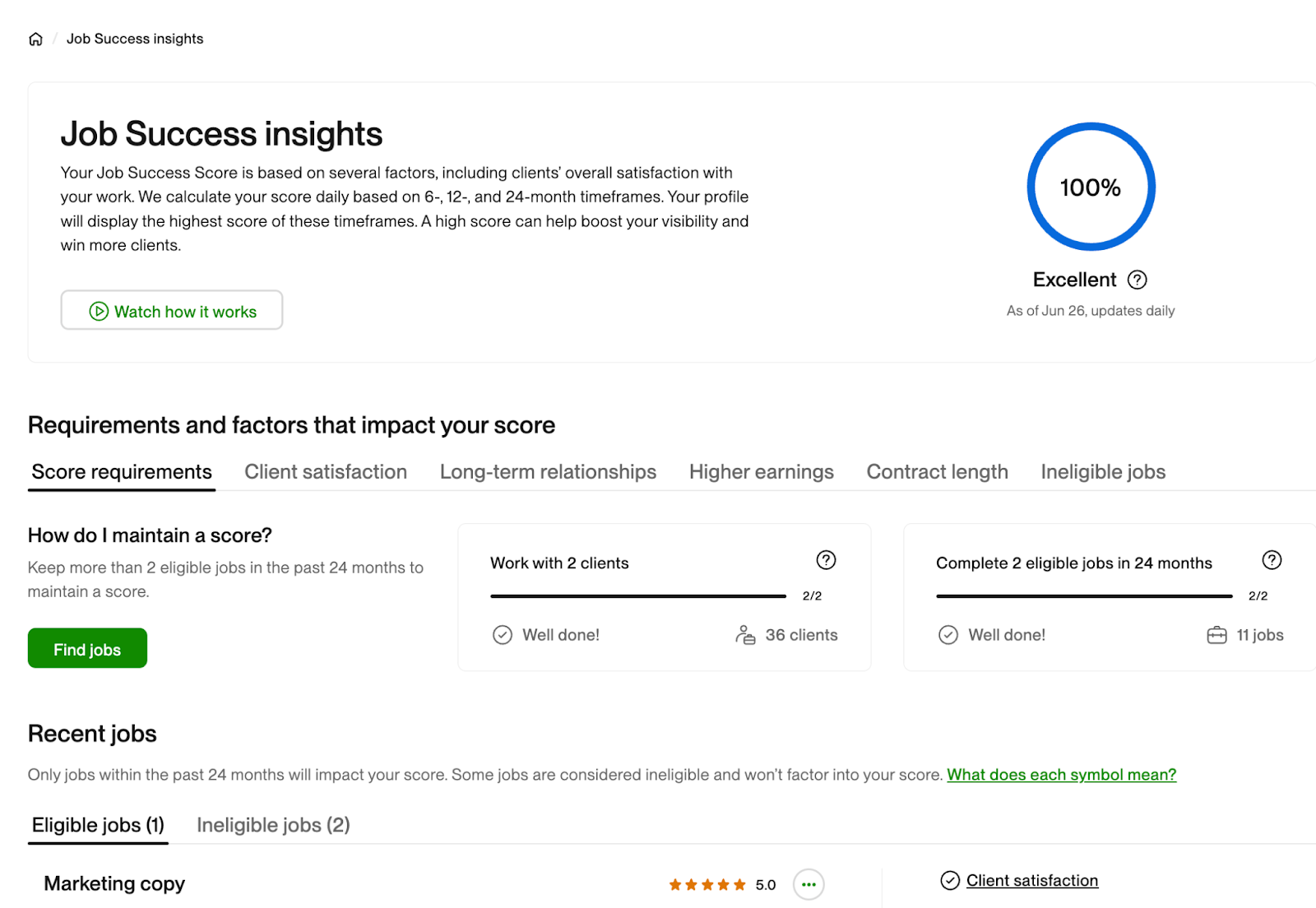
Your Job Success Score (JSS) measures your success on the platform based on completed projects, contract length, earnings, and client feedback. The algorithm uses your JSS when determining which proposals to surface first. A higher JSS signals reliability to both the algorithm and clients. Freelancers with a JSS of at least 90% consistently deliver high-quality work, which is why it's a requirement for Top Rated talent badges.
You can view your score and how it's calculated on your Job Success insights page, then learn how to improve your Job Success Score to help increase proposal views.
Checking your proposal views
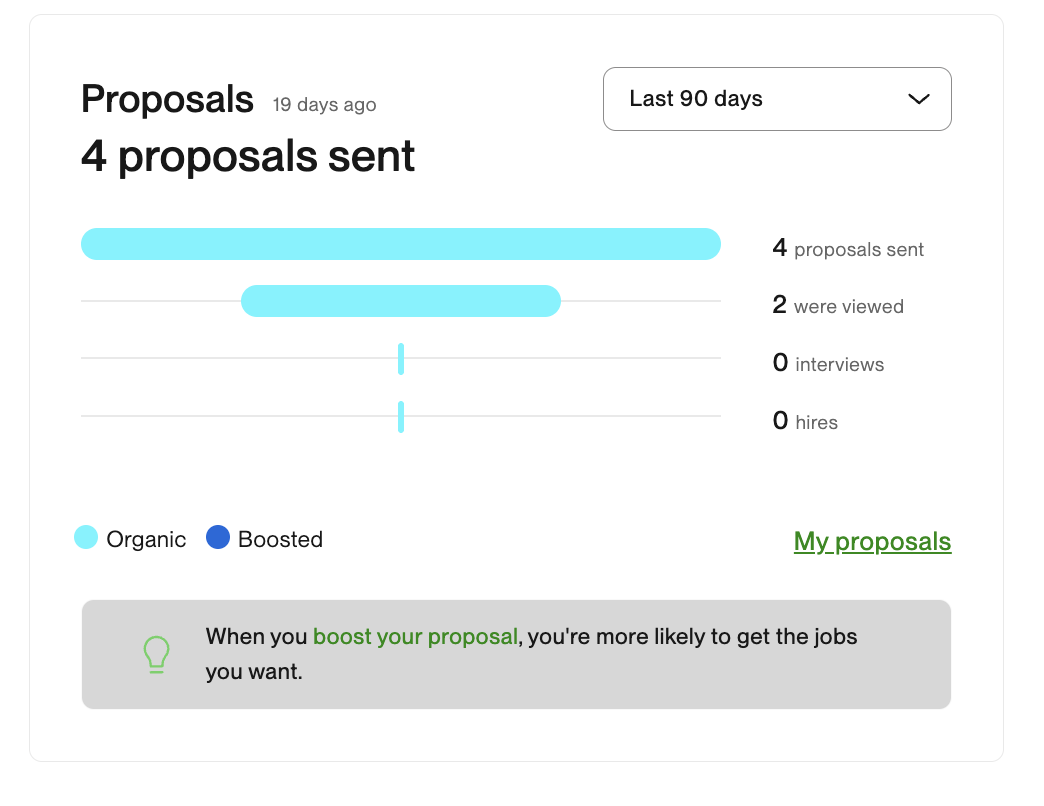
To see how your proposals are performing, go to Stats and trends in the drop-down menu under your profile picture on your home page. You'll be able to see which proposals have been viewed, how many times, and when. Checking this regularly can help you see what’s working and where to adjust to improve proposal views.
Top 5 reasons your Upwork proposal’s not being viewed
Some jobs on Upwork receive a high volume of proposals, and clients may not get to yours before they start interviewing other freelancers. Other times, the issue may be less about competition and more about how your profile, rate, or proposal aligns with what the client is looking for.
Here are the top reasons why your Upwork proposal isn’t being viewed:
- Submitting generic proposals to every job
- Having an incomplete or outdated profile
- Overpricing or underpricing your services
- Applying to jobs that don't match your skills
- Having limited availability or slow response times
1. Submitting generic proposals to every job
While you can use a general template as a starting point, each cover letter should be tailored to the specific client and project. The algorithm compares your cover letter to the job description, and clients can tell when a proposal doesn't reference any specific points about their job. If your proposals aren't getting viewed, a generic cover letter could be the reason. See tip #4 that covers writing a custom proposal, including tools that can help.
Uma™, Upwork’s Mindful AI, can help you write faster, stronger, and better tailored proposals. You can start from scratch by answering a few quick questions in the Uma chat or get personalized feedback on a draft you’ve already written. You can upgrade to Freelancer Plus to unlock unlimited access to Uma.
2. Having an incomplete or outdated profile
Your Upwork profile is what clients see first when they open your proposal. Your profile title, overview, Job Success Score (JSS), portfolio, and past client feedback all shape whether a client views your proposal or moves on to the next submission.
Take time to make sure each section is filled in, current, and reflective of the work you want to win. Upwork also uses your profile to match you with relevant jobs, so keeping it up to date can help your profile stand out and show up more often in client searches. Incomplete and outdated profiles may not be ranked as high by the algorithm.
3. Overpricing or underpricing your services
Be strategic with your rate when submitting a proposal. If your hourly or fixed-price rate is outside of the client's posted budget, they may not view your proposal. Proposals that fall outside the budget range are listed further down, as they're less closely matched.
Overpricing or underpricing can also be a red flag. Your rate should be competitive with other freelancers who have similar skills and experience.
- Rates lower than the average range may signal lower quality to clients
- Rates that are too high can discourage clients from reaching out
Here are two tools that can help you find the right range:
- Proposal insights (available with Freelancer Plus). This lets you see average bid amounts and applicant stats for a job.
- Freelance Rate Calculator. The Freelance Rate Calculator can help you figure out what your minimum target hourly rate should be, based on your expenses.
You can also edit your proposals within six hours of submitting (or until the client views it). For fixed-price projects, start by estimating how many hours the work will take and multiply by your average hourly rate. You'll get a better sense of this as you complete more similar jobs.
4. Applying to jobs that don't match your skills
Always read the full job posting before submitting a proposal, and spend extra time crafting your proposal to get more views. You also want to make sure it's a project you genuinely want to work on and are qualified for. If your profile doesn't meet the client's skill and experience requirements, they may not view your proposal.
Keep in mind that some clients will add a code word in the header or at the bottom of their job post and ask freelancers to include it at the top of their proposal. This is one way clients filter for freelancers who've read the full description.
5. Having limited availability or slow response times
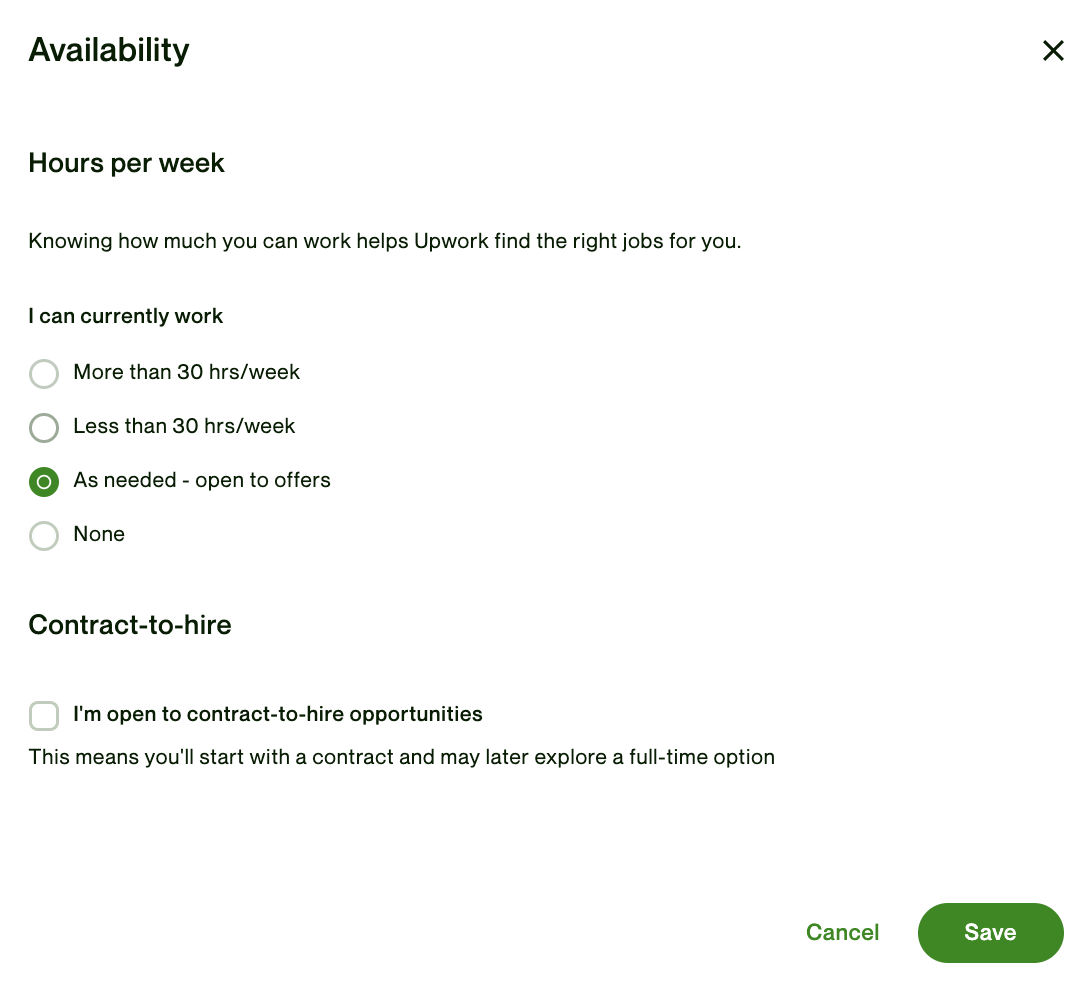
Make sure your availability is updated and matches the project's requirements. An availability set to "None" could affect whether clients see your proposals. The Upwork algorithm may prioritize proposals from other freelancers whose profiles match the project's needs in terms of availability.
You can set your availability by going to Find Work>>Profile>>Hours per week.
Responding quickly to job invites and potential client messages shows you’re active on the platform. When reviewing proposals, clients may prioritize responsive freelancers over those who take longer to reply. Try to respond to job invites and messages within 24 hours. Replying within one to two hours is ideal, but may not always be possible with different time zones and work schedules.
The Availability Badge can help you stand out to clients using the search feature to find talent. It lets clients know you're open to new work, which can lead to more job invites.

What your proposal viewing stats can tell you
Your Stats and trends page can help you figure out which of the previous reasons apply to you. If you're seeing low views across the board, compare those proposals against the five areas we just covered. If certain proposals are getting viewed but not leading to interviews, the issue may be more specific to how your cover letter or pricing fits that particular job.
Once you have a sense of where to focus, you can start working on improving your proposal views.
6 proven tips to increase your proposal views
Now that you know what not to do, here are best practices for getting more clients to see your proposals. Getting clients on Upwork starts with perfecting your profile and building your reputation. This can feel slow at first, but as you win more jobs and earn positive feedback, your proposals will start to stand out.
Here are a few proven ways to help increase your proposal views:
- Boost your proposal to increase visibility
- Optimize your profile
- Bid on best-match jobs
- Personalize each proposal
- Stay active and engaged
- Seek feedback and ask for testimonials
1. Boost your proposal to increase visibility
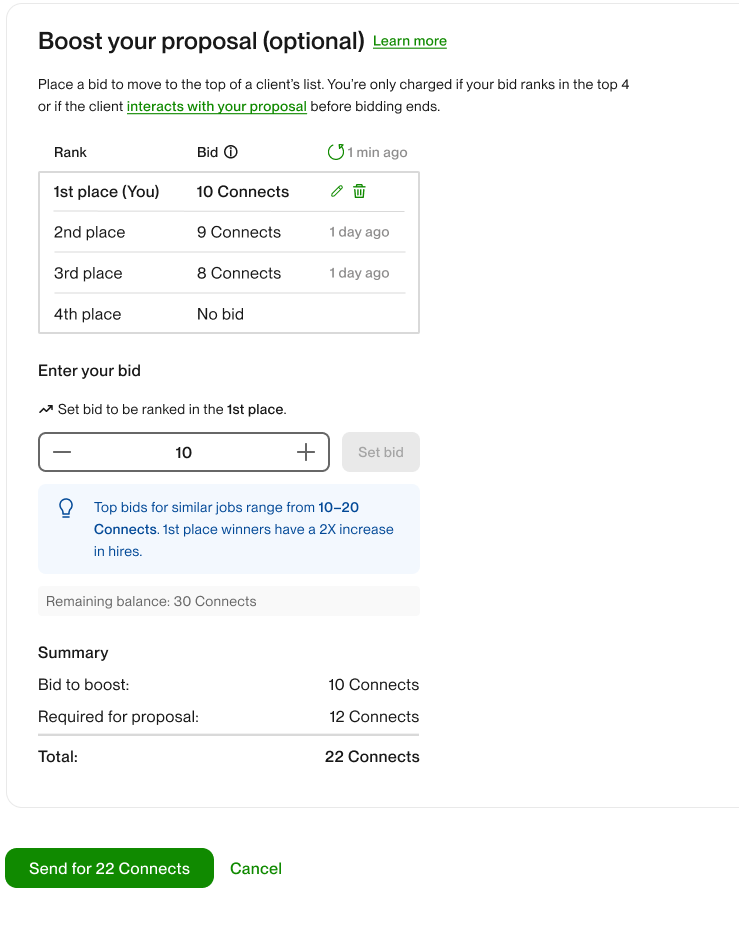
Boosting your proposal can help you stand out to clients and increase your proposal’s visibility. If you find a job that you’re really interested in, you can bid to have your proposal land in one of the first four boosted slots at the top of the client's results list. These are marked "Boosted" with a blue lightning bolt, and the auction stays open for seven days or until the client hires.
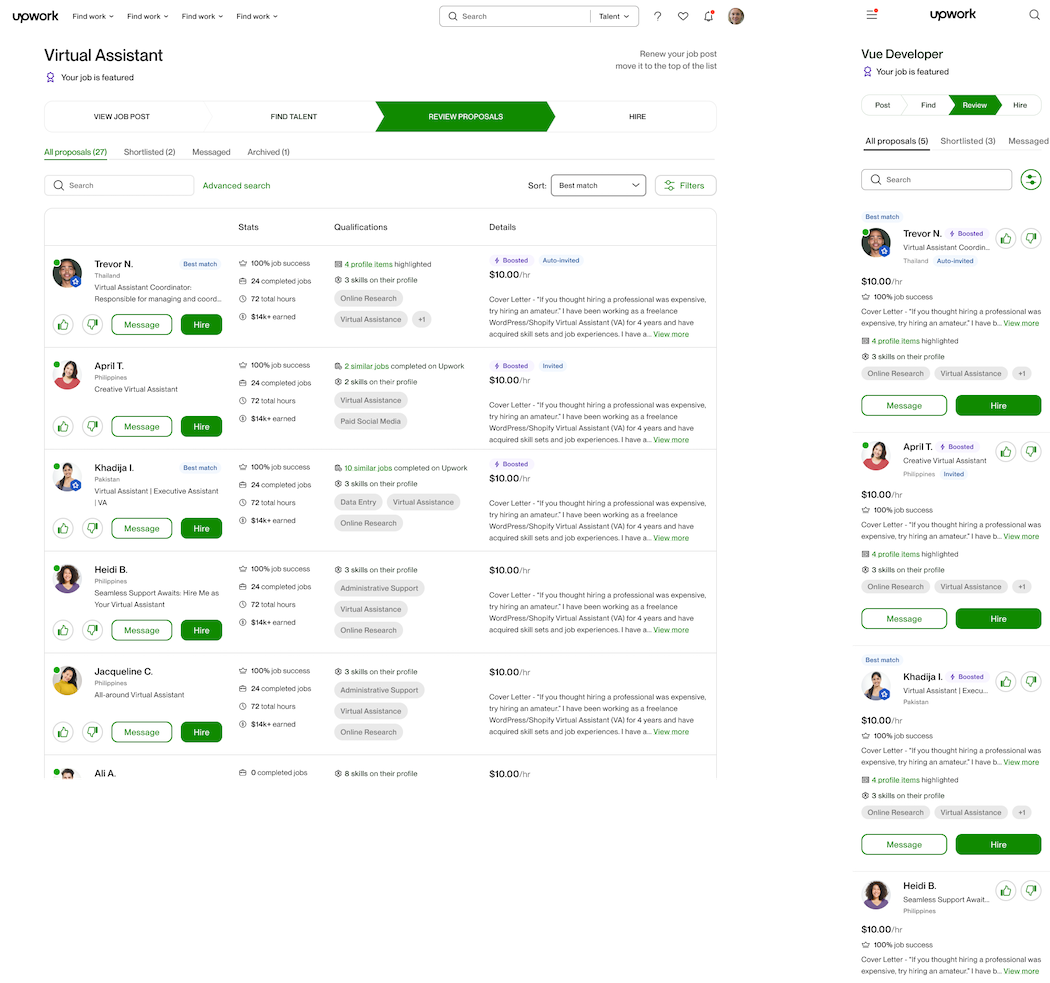
When boosting, you'll be able to see how many Connects you need to bid to win the top spot, which can help you decide whether it's worth the investment for that particular job.
2. Optimize your profile
Your profile title, overview, and profile picture are what clients see first when they open your proposal. Make sure they clearly reflect what you do and match the types of jobs you're applying to.
Upwork's algorithm ranks freelancers based on profile category, skills, Job Success Score (JSS) and client feedback. A profile that closely matches a job posting is more likely to get your proposal viewed by clients. Many professionals find success by choosing a niche and marketing their freelance business around that skill, which makes it easier to match with the right projects.
Check out these Upwork profile examples for guidance and inspiration as you work on optimizing your profile.
3. Bid on best-match jobs
Be strategic about the projects you submit proposals to. If a job doesn't closely match your profile, skills, and portfolio, your proposal may not get views. Here are a few ways to find the right jobs:
- Check Best Matches under Jobs you might like on your Home Page to see what Upwork recommends based on your profile and work history
- Use the search bar and Advanced search to filter by category, experience level, job type, and more
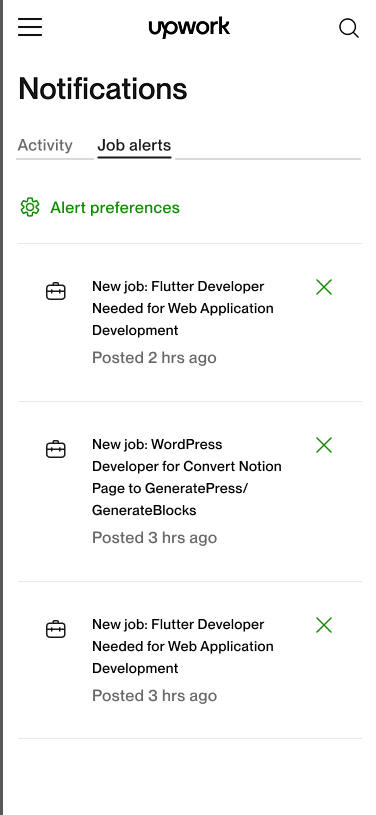
- Set up customizable job alerts (available with Freelancer Plus) to get instant notifications for jobs that match your skills and be one of the first to apply
When a project receives a high number of proposals, clients may not get to those at the bottom of the list. Being an early applicant or a close match can help your proposal surface near the top.
4. Personalize each proposal
Your proposal is how you quickly show a client that you're interested and qualified. Every project and client is different, so take the time to personalize each proposal to improve the chances of it being viewed.
Start by reading the full job posting to make sure it's the right fit. Then, as you draft your proposal:
- Reference specific skills and requirements from the job posting
- Include a short summary of your relevant experience
- Answer any screening questions the client has included
Spend extra time on the first couple of sentences. This is the first part of the proposal clients will see, and you want to grab their attention so they click "Read more" and visit your profile.
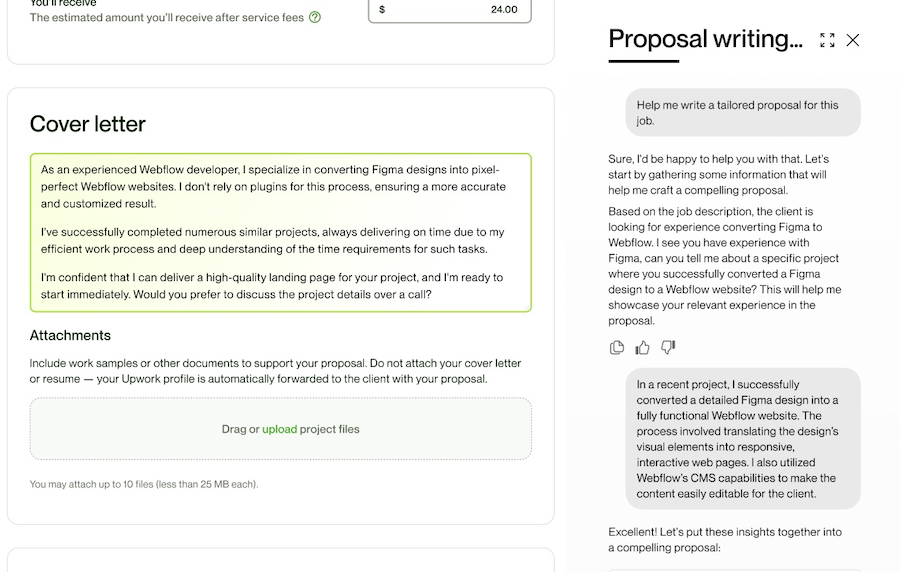
Uma™, Upwork's Mindful AI, can also help you write and refine personalized proposals. Freelancer Plus subscribers get unlimited Uma access.
5. Stay active and engaged
When clients post projects, they want to find qualified talent who can get started right away. Upwork tries to match clients with responsive, active freelancers which can directly affect whether your proposals are being viewed. If a client likes your proposal or profile and sends an interview request or job invite, responding quickly can help you win the bid.
A few ways to stay visible:
- Respond to job invites and messages within 24 hours (one to two hours is ideal, but not always possible across time zones and work schedules)
- Use the Upwork app on your phone and laptop and turn on notifications so you don't miss messages or invites
- Turn on the Availability Badge to let clients browsing search results know you're open to new work, which can lead to more job invites
6. Seek feedback and ask for testimonials
Positive reviews and testimonials help establish trust with new clients and are an important part of your Job Success Score (JSS). If you're new and don't have reviews yet, taking on smaller projects can help you build up initial feedback. You can also ask past clients to leave a testimonial on your Upwork profile.
In her success story, Corinna, an Expert-Vetted data analyst, advises new freelancers to bring testimonials from other platforms:
"Bring as many testimonials as you possibly can. For example, if you already have a few going on your LinkedIn profile, I would reach out to them and say, look can I just use the very same one here on Upwork? You're gonna get an email; just copy and paste it from what you previously wrote on LinkedIn."
Keep in mind that reviews are optional. If you know a client was satisfied with your work, you could reach out and ask them to leave feedback.
Improve proposal views to grow your career
Getting more proposal views takes time, but every change you make to your profile, rate, or cover letter brings you closer to the right clients seeing your work. If you're ready to put these tips into action, start with the area that feels most relevant to your stats and build from there.
Ready to get started? Find your next project on Upwork and submit proposals with confidence.
FAQs about Upwork proposals not being viewed
Whether you're new to Upwork or have been freelancing for a while, questions about why proposals aren't being viewed come up often. Here are answers to some of the most common.
How do I know if my proposal has been viewed on Upwork?
Go to “Stats and trends” in the drop-down menu under your profile picture on your home page. You'll see which proposals have been viewed, how many times, and when.
Why are my Upwork proposals not being viewed?
Common reasons your proposals aren’t being viewed include applying to jobs that don't closely match your skills, sending generic cover letters, pricing outside the client's budget, having an incomplete profile, or applying to a high-volume job where the client shortlisted applicants quickly.
Can I edit my proposal after sending it?
Yes. You can edit most parts of your proposal within six hours or until the client views it. After that, you can still update terms like pricing and milestones until an offer is made.
Do Boosted Proposals help with profile views?
Boosted Proposals can help increase your visibility and chances of your proposal being viewed, especially on competitive job posts. They work best when your proposal is already well-matched to the job and your cover letter is tailored to the client's needs.
What do clients see before opening my proposal?
Clients first see the opening lines of your cover letter, along with your name, profile picture, talent badges, hourly rate, and Job Success Score (JSS). These are what clients use to decide whether to open your full proposal, so make sure each one is clear and relevant to the job.
How do I know if my rate is hurting my profile views?
Proposal insights (available with Freelancer Plus) show you average bid amounts, bids that received messages, and applicant stats for a job. This can help you see whether your rate is too high, too low, or not competitive for the types of freelancers the client is considering. If your proposals aren't being viewed, your pricing may be worth adjusting.
Should I use the Availability Badge?
If you're actively looking for work, the Availability Badge can help. It shows up in search results, recommendations, and your profile, and clients can filter specifically for freelancers who are available now. That means you could get noticed before a client even starts reviewing proposals.

.avif)

Author Spotlight

Upwork is the world’s largest human and AI-powered work marketplace that connects businesses with independent talent from across the globe. We serve everyone from one-person startups to large organizations with a powerful, trust-driven platform that enables companies and talent to work together in new ways that unlock their potential.

Latest articles