The 10 Best Online Payroll Management Software Programs
Effective payroll management software can streamline your payroll process. Check out our list of the best payroll management software.

.png)
.avif)
Successful businesses pay their employees on time. This boosts employee morale, ensures legal compliance, and aids retention and recruitment. A reliable payroll service provider can streamline this process, helping you maintain a positive reputation and a thriving work environment.
This article delves into the top 10 online payroll software options so you can identify which payroll company will be a good fit for your specific payroll needs and human resources requirements. Keep reading to learn more about everything from pay stubs and PTO management to accurate withholdings calculations.
1. Upwork Any Hire

Upwork Any Hire provides a comprehensive solution for managing payroll, catering to businesses with permanent employees who also engage freelancers. The dashboard serves as an all-in-one service for creating contracts and managing pay and benefits, enabling you to efficiently handle time tracking, invoicing, and payments. It's particularly beneficial for businesses who need to comply with international employment laws when engaging a distributed workforce of remote, on-site, permanent, and freelance workers.
Pros:
- Unified payroll management for permanent employees and freelance workers
- Compliance with local employment laws when creating contracts for international workers
- Features for time tracking and invoicing
Cons:
- Employer burden costs can vary significantly due to differences in laws and regulations across countries and regions. This makes providing a detailed estimate without additional information about the client's business and location challenging.
Pricing: Upwork’s pricing is simple and transparent. Work with contractors for $49 per professional per month and 3% payment processing. Hire full-time employees in states, regions, and countries where you don't have entities from $199 per professional per month and 3% payment processing—and no service fees for talent.
2. Gusto

Gusto is a popular payroll management option focusing on simplicity and ease of use. It automates payroll, tax filing, and benefits administration, making it ideal for small businesses. Gusto also provides employee onboarding tools and integrates with popular accounting software like QuickBooks and Xero.
Pros:
- Easy to use and integrates with popular accounting software
- Automatic tax filing and benefits administration
- Every Gusto plan comes with unlimited payroll runs
Cons:
- Large organizations may find more efficient options
- Limited customization options
Pricing: Starts at $40 per month + $6 per employee
3. OnPay
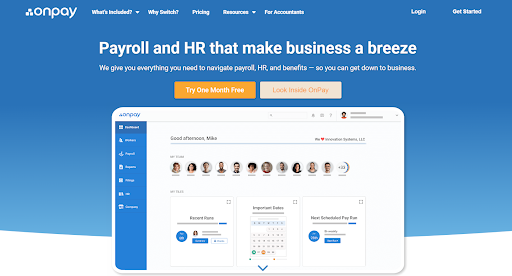
OnPay is a cloud-based payroll solution designed for small- and medium-sized businesses. It offers a comprehensive payroll service that includes automated tax filings, benefits management, and multi-state payroll processing. OnPay also provides HR tools like employee onboarding, time tracking, and performance management.
Pros:
- Comprehensive payroll features and HR support
- Automated tax filings and employee benefits management
- Multistate payroll processing and Quickbooks online integrations
Cons:
- Users say the customer service bot does not always understand detailed questions, and it can be hard to get in touch with a live person
- Setting up paid time off (PTO) automations on your own can be complex
Pricing: $40 per month + $6 per employee
4. ADP RUN

ADP RUN is a web-based payroll and HR management platform offering features like payroll processing, tax filing, employee onboarding, and benefits administration. The platform helps users manage employee benefits like health insurance, PTO, and more. ADP RUN also includes robust payroll reporting and analytics tools, allowing you to monitor your basic payroll and HR performance.
Pros:
- Streamlined payroll tax filing and compliance, reducing stress for business owners
- Easy-to-use employee portal and mobile app
- Automatically calculates and files local taxes, benefits, and retirement deductions based on your business location and employees' work locations
Cons:
- Best suited for small business owners and startups, not large organizations
- Does not offer all the HR/HCM (human capital management) add-ons that ADP Workforce Now does
- Multiple complaints about poor customer support
Pricing: Interested parties must provide company information to learn more about pricing.
5. Rippling
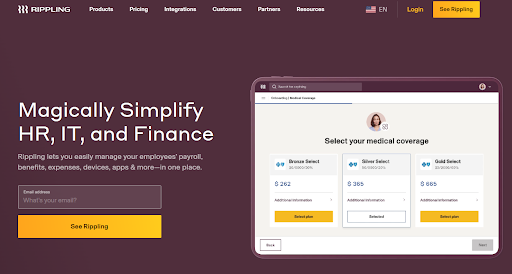
Rippling is HR software designed for businesses aiming to simplify their payroll and HR processes. It provides features like automated payroll, tax compliance, and benefits administration, ensuring your payroll data is accurate and up to date. The platform also includes an integrated applicant tracking system, enabling seamless management of the entire employee lifecycle.
Pros:
- Comprehensive HR software with automated payroll and tax compliance
- Customizable and scalable to accommodate growing businesses
- Streamlines bank account and employee hours tracking for accurate payroll data
Cons:
- Some users have experienced issues with Rippling not filing quarterly taxes or paying federal taxes on payroll for certain employees, resulting in financial penalties from the government
- Pricing may be expensive for small businesses
Pricing: You can request a custom pricing quote.
6. Intuit QuickBooks Payroll
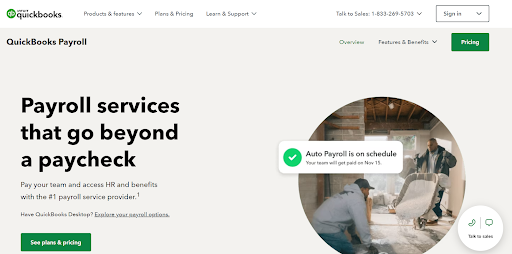
Intuit QuickBooks Payroll is an extension of the popular QuickBooks accounting software. It simplifies payroll processing and tax filings with features like automatic payroll, direct deposit, and tax form preparation. QuickBooks Payroll is ideal for businesses already using QuickBooks for accounting purposes.
Pros:
- Seamless integration with QuickBooks accounting software
- Automatic payroll and tax form preparation
- Direct deposit feature and same-day direct deposit with higher Intuit QuickBooks plans
Cons:
- May be unsuitable for non-QuickBooks users
- Users report frustrating updates and unhelpful customer support
Pricing: Starts at $37.50 per month + $5 per employee per month
7. Square Payroll
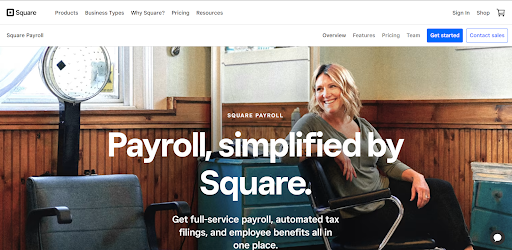
Square Payroll is a user-friendly, in-house payroll solution designed for small businesses and retailers. It integrates seamlessly with Square POS, making managing both payroll and sales data easy. Features include automatic tax filings, time tracking, and employee benefits administration. Square sells itself as the best payroll software for businesses also using Square for payments.
Pros:
- Seamless integration with Square POS
- User-friendly interface
- Automatic tax filings and employee benefits administration
Cons:
- Limited features compared to competitors
- Really only suitable for retailers and small businesses
Pricing: Pay employees and contractors for a $35 monthly subscription fee, plus a $6 monthly fee per person paid; pay contractors only for a $6 monthly fee per person paid.
8. Paychex Flex

Paychex Flex is a full-service payroll and HR software solution catering to businesses of all sizes. This comprehensive payroll system offers features like streamlined payroll processing, tax calculations and compliance, time tracking, and benefits administration. Paychex Flex also provides advanced reporting and analytics tools to support informed business decisions on payday and beyond.
Pros:
- Comprehensive payroll and HR solution
- Advanced reporting and analytics tools
- Tax calculations and compliance features
Cons:
- Learning curve for new users
- Some users report the employee self-service portal is clunky and hard to use
Pricing: Custom pricing based on company size and requirements
9. Paycor

Paycor is a straightforward online payroll service and HR management platform designed for small and medium-sized businesses. Paycor offers features like payroll processing, tax compliance, time and attendance tracking, and benefits administration. Paycor also includes a range of HR tools to help with employee onboarding, performance management, and more.
Pros:
- Comprehensive payroll and HR features
- Many resources and webinars to help users navigate the software
- Customizable reporting tools
Cons:
- Many complaints about customer support and poor implementation
Pricing: Interested parties must talk to sales for custom pricing based on company size and requirements
10. Zenefits

Zenefits serves as a unified solution for HR, payroll, and benefits management, catering to the unique requirements of small and medium-sized enterprises. The platform offers a variety of features, including streamlined payroll execution, tax reporting, time monitoring, and benefits oversight. Zenefits comes equipped with a diverse set of HR utilities that enhance procedures like employee onboarding, performance evaluation, and regulatory compliance.
Pros:
- All-in-one HR, payroll, and benefits solution
- User-friendly interface and easy onboarding
- Wide range of HR tools and features
Cons:
- Numerous complaints about complex customer service process
- One user says they ran into issues with the IRS due to incorrect reporting
Pricing: Starts at $8 per employee per month
What to look for when choosing payroll management
Think about what your business really needs when looking for the right payroll management software. Consider things like how many employees you have, how many contractors and freelancers you engage, and whether they’re located locally, nationally, or internationally. Don't forget to think about global payroll if you have employees in different countries.
Consider any past pain points you’ve had—which for many business owners include onboarding, tax filings, and on-time payments—and look for solutions that directly address them.
Company size and employee types
The size of your company and the types of employees you have both play a crucial role in determining the right payroll management software for your business.
Here's how to consider these factors when choosing a payroll solution:
- Small businesses and startups. For small businesses and startups, simplicity and affordability are key. Look for a payroll solution that's easy to use, with a straightforward pricing structure. Ensure it has essential features like automatic tax calculations, direct deposits, and basic reporting. Finding a scaleable solution that can grow as your company expands is also important.
- Medium-sized businesses. As your business grows, so do your payroll needs. Medium-sized businesses should look for software that can handle a larger number of employees, multiple pay structures, and various benefits packages. Your business may also need advanced features like time tracking integration, customizable reporting, and performance management to run smoothly.
- Large enterprises. Large enterprises require a robust and comprehensive payroll solution that can handle complex payroll processes across multiple departments, locations, and countries. Look for software with advanced features like global payroll capabilities, multi-currency support, and sophisticated compliance management. Additionally, ensure the software can seamlessly integrate with your existing HR, accounting, and ERP systems.
Your employees will also impact the payroll software you choose. Consider the following employee types when evaluating your options.
- Full-time permanent employees. Look for software that can handle regular salary payments, benefits administration, and paid time off (PTO) tracking.
- Part-time permanent employees. Ensure the software can accommodate varying pay rates and hours, as well as pro-rated benefits for part-time staff.
- Freelancers and contractors. Choose a payroll solution that can manage payments for freelance and contract workers, including generating 1099 forms for tax purposes.
- Remote and international employees. Companies with remote or international employees need software with global payroll capabilities, including currency conversions and compliance with local tax laws.
Tax compliance and filing
Staying compliant with tax laws and regulations is crucial for any business, and having the right payroll management software can make this process much easier.
Here are some important aspects to consider when evaluating a payroll solution's tax compliance and filing capabilities:
- Automatic tax calculations. Choose payroll software that automatically calculates your employees' federal, state, and local taxes based on their location and income. This helps reduce the risk of errors and ensures the correct taxes are withheld from each paycheck.
- Tax form generation and filing. Your payroll software should generate the necessary tax forms for your business, such as W-2s for employees and 1099s for freelancers or contractors. Some solutions also offer electronic filing to save time and reduce errors.
- Quarterly and annual tax filings. In addition to generating tax forms, your payroll solution should also help you with quarterly and annual tax filings. This includes calculating your payroll tax liabilities, filing the appropriate forms with the IRS and other tax agencies, and making any required tax payments.
- Tax compliance updates. Tax laws and regulations can change frequently, so choosing payroll software that stays up to date with the latest compliance requirements is important. This ensures your business remains compliant and avoids costly penalties for noncompliance.
- Multistate and international tax compliance. Businesses operating in multiple states or countries need a payroll solution that can handle varying tax laws and regulations across different jurisdictions. Look for software offering multistate and international tax compliance features, such as automatic calculation of state-specific taxes, currency conversions, and adherence to local tax laws.
Integration with existing systems
When choosing payroll management software, you need to consider how well it can integrate with your existing systems and software. Seamless integration can save time, improve efficiency, and help you maintain accurate records.
Here are some key aspects to consider when evaluating a payroll solution's integration capabilities:
- HR and benefits platforms. Your payroll software should connect with your existing HR and benefits platforms to share data and streamline processes. This ensures employee information, such as personal details, job titles, and benefits enrollment, remains accurate and up to date across all systems.
- Time and attendance tracking. Businesses using separate time and attendance systems must choose a payroll solution that can integrate with it. This allows for accurate tracking of employee hours, overtime, and paid time off, which you can use to calculate paychecks and ensure proper payment.
- Accounting software. A payroll system that integrates with your accounting software can help streamline financial management and reporting. This includes transferring payroll data to your general ledger, tracking expenses, and generating financial reports for analysis and decision-making.
- Project management and collaboration tools. If your business relies on project management or collaboration tools, finding a payroll solution that can integrate with them is helpful. This can help you track employee hours on specific projects, allocate resources effectively, and manage your workforce more efficiently.
Discover how Upwork Payroll works for your business
Upwork Payroll is designed to simplify and streamline your payroll processes while ensuring accuracy and compliance. Whether you're a small business owner, a freelancer, or a large organization, Upwork Payroll has the tools and resources to help you manage your payroll with ease.
Here's how Upwork Payroll can benefit your business:
- Simplified payroll management. Upwork Payroll takes care of payroll calculations, tax withholdings, and payments, so you can focus on growing your business instead of getting bogged down in payroll details.
- Compliance assurance. Stay compliant with local, state, and federal tax regulations and avoid costly penalties, as Upwork Payroll helps you manage tax filings and reporting.
- Streamlined onboarding. Easily onboard new employees, contractors, or freelancers through the Upwork platform, which simplifies the process and reduces the time spent on administrative tasks.
- Global reach. Upwork Payroll is designed to handle international payroll, making it easier to manage your global workforce and provide timely, accurate payments.
- Access to top talent. Combine Upwork Payroll with Upwork Full Time to find and hire the best employees for your business. Upwork Full Time connects you with a vast pool of highly skilled professionals across various industries, enabling you to find the perfect fit for your team.
Take control of your payroll processes and access top talent with Upwork Payroll and Upwork Full Time. Discover how these powerful tools can transform your business operations and help you build a stronger, more successful organization.
This article is intended for educational purposes and should not be viewed as legal or tax advice. Please consult a professional to find the solution that best fits your situation.
Upwork is not affiliated with and does not sponsor or endorse any of the third-party tools or services discussed in this article. These tools and services are provided only as potential options, and each reader and company should take the time needed to adequately analyze and determine the tools or services that would best fit their specific needs and situation. Prices are current at the time of writing and may change over time based on each service’s offerings.

.avif)

Author Spotlight

Upwork is the world’s largest human and AI-powered work marketplace that connects businesses with independent talent from across the globe. We serve everyone from one-person startups to large organizations with a powerful, trust-driven platform that enables companies and talent to work together in new ways that unlock their potential.