How To Use Jasper for Language Translation
Learn how to use Jasper for language translation. Discover how this AI tool can translate content across 80+ languages, streamlining global communication.

.png)
.avif)
Good communication allows different parties to forge successful relationships. But in a globalized world, many organizations and individuals face language barriers, which can limit the effectiveness of their communication. As a result, they may need language translation to bridge gaps and gain a competitive edge.
Powered by machine learning (ML) and natural language processing (NLP), Jasper can help businesses and individuals overcome language barriers, making communication easier across diverse languages. With translation support for over 80 languages, Jasper AI (artificial intelligence) capabilities can save you time and effort by automating language translation tasks in your workflows.
In this article, we explain how to use Jasper for language translation.
How to use Jasper for translation
Jasper is primarily an AI writing assistant that helps users create content in different tones and styles to reflect their brand. It’s been trained on large amounts of data in different languages, which can help you with language translation activities.
Learn how to set up Jasper’s writing tool for translation in the following sections.
Setting up for translation
While Jasper AI is mainly trained in English, it partners with DeepL to offer translation services for more than 80 languages to one of it’s supported 30 translated languages. Here’s how to use Jasper AI to translate content to different languages.
Note: We assume you have a Jasper account. If you’re just starting, create a Jasper account on the official website.
1. Once you’re signed in, you should be directed to the following dashboard.

2. To translate content to different languages, you must first enable the Language Translation integration in Jasper. Click on your profile at the top left corner of the webpage. You should see a drop-down window with the following options.

3. Click on Settings to proceed. This will direct you to the following page hosting different workspace settings.

4. Press on the Integrations button to access Jasper plug-ins.

5. Enable the language translation option.

6. We’re ready to test Jasper’s language translation functionality. To demonstrate, we wrote an article in English on why dogs are cool. We then asked Jasper to help us translate it to French.
Our article in English:

Jasper generated the article in French:

We went a step further to generate the same article in Spanish:

Jasper Chat can also assist you with language translation tasks. To illustrate, we used Jasper Chat to help us advertise our products in Germany. We wanted to connect more with the people by using the local language.
Here’s our ad in English:

Here’s Jasper Chat translating the ad to German:

Automating translation workflows
Jasper AI workflows allow individuals to quickly generate long-form articles and other content by following predefined steps. With the language translation option enabled, you can translate content to a language supported by Jasper AI.
Assuming you’ve generated an article with Jasper, you can personalize it for different audiences by translating it to any language. To illustrate, we wrote the following article on why sportswear is essential for athletes.

We can translate it to Japanese using the prompt “Could you translate the above article on why sportswear is essential to Japanese?”

Jasper can also help translate marketing materials like ad copy, social media copy, product descriptions, and FAQ. To demonstrate, we asked Jasper to help us translate our product description from English to Spanish.
Here’s our product description in English:

Jasper translated the product description to Spanish:

Using browser and Chrome extensions
Browser extensions can make it easier to access Jasper’s services, including its translation capabilities. You can use Jasper in any supported tab rather than navigating to the Jasper homepage.
1. You can find the link to the Jasper Chrome extension on your dashboard.

2. When you click the Install now button, you’ll be directed to the following Chrome extension store where you can download the program.

3. Press the Add to Chrome button to add the Jasper Everywhere extension to your browser.
4. A pop-up window will notify you of what the Jasper browser extension can do. Click the Add extension button to install it.

5. Jasper AI‘s onboarding screens should pop up after successful installation. Go through the onboarding screens and press the Complete button to finalize the installation process.

6. If the extension was successfully installed, you should see Jasper’s official logo on supported webpages. For example, here is the logo on Google Docs:
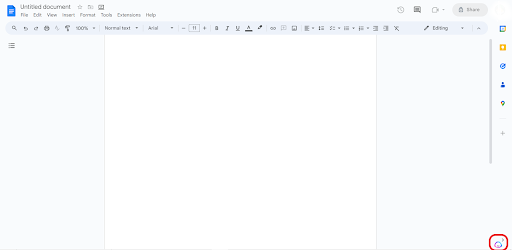
7. The Jasper icon will change position depending on the webpages you visit. For instance, on X, the icon is next to the primary input field.

8. You can use Jasper AI capabilities by clicking on the extension and entering your command or prompt. Alternatively, you can highlight the content you wish to translate and click the Ask Jasper icon that pops up. To illustrate, we used the extension to translate a simple article on “why dogs are cool” from English to French in Google Docs.

Content generation
Jasper is customizable, meaning it can adapt to a brand’s voice and tone to enhance content creation across multiple languages. The Jasper Brand Voice feature lets you set the tone and style that Jasper should follow while producing content.
1. To add a tone, navigate to the Jasper AI dashboard and click on Brand voice and then Voice & Tone.

2. Next, click on the Add voice button and write some text in the pop-up window to help Jasper learn about your writing style.

You can add facts and other types of information into Jasper’s knowledge base, enabling it to create content tailored to your target audience. Jasper can also analyze existing content and detect your unique style and tone, allowing it to produce similar content.
Jasper is powered by several AI models, including OpenAI’s GPT-4 and Anthropic algorithms, which enhance interoperability and facilitate high-quality content generation across diverse languages.
What’s more, Jasper can be trained using custom business data like company facts, product catalogs, and brand identity information to generate more personalized and tailored content. It also supports several grammar, search engine optimization (SEO), and plagiarism checker tools to optimize and improve your content quality.
While Jasper can perform automated checks to enhance content quality, review the generated content to make sure it meets established standards. We offer some tips to help you improve content quality and ensure consistency in output.
- Consistency. Ensure you set default styles and tones to allow Jasper to produce consistent content.
- Integrations. Make use of Jasper integrations like its plagiarism checker and SEO tools to optimize your content.
- Templates. Using Jasper templates can save you time and effort and facilitate more consistency in the AI outputs.
- Updated content. Jasper can also assist you in repurposing old content to fit newer styles for more consistency.
- Collaboration. Use Jasper to work with teammates to develop and optimize content. Note that the collaboration feature is more supported with the Team and Business pricing plans.
Use cases for AI translation
From e-commerce to blogging, Jasper can help individuals create content in different scenarios. We explore different use cases for Jasper when it comes to language translation.
E-commerce
Jasper can assist e-commerce businesses in translating product descriptions, customer reviews, and other essential content to cater to a global audience. Localizing content helps potential customers to understand different information and make better purchasing decisions. It also allows new entrants to penetrate foreign regions, market themselves, and attract a loyal following.
SEO
SEO allows businesses to improve their online visibility by using different techniques, including specific keywords, to attract traffic. Marketers can use Jasper to translate SEO-optimized content to enhance search engine visibility across different regions and language-speaking demographics.
And with the Surfer SEO and Copyscape add-ons, Jasper enables you to analyze content for rankability, compare it with that of your competitors, and make necessary optimizations.
Social media marketing
Social platforms like Facebook, YouTube, and Instagram have billions of active monthly users—some of whom could be potential customers. Social media marketing can help you reach these audiences and promote your products and services.
Jasper can translate social media posts and campaigns, allowing you to spread your message to a broader market. With this AI tool, you can write Instagram captions, LinkedIn posts, and posts on X.
Customer support
Effective customer support can lead to increased user engagement, customer satisfaction, and enhanced brand loyalty. Businesses can use Jasper’s translation capabilities to process requests from diverse customers and provide relevant and meaningful responses.
Jasper also offers an API that you can integrate directly into applications. But you may need to train the models and customize them further to fit with your use case.
Content localization
Content localization ensures your target audience understands you. For example, if you’re targeting the Japanese market, you may have to translate some of your English content into Japanese to make it more accessible to the target market.
Jasper supports more than 80 languages, making it a valuable tool for localizing content and ensuring it’s culturally relevant for different target audiences. You can also localize your content to fit different accents or dialects, such as Brazilian Portuguese, Australian English, British English, and American English.
Educational resources
International students may have trouble learning due to language barriers. Jasper can assist in translating educational materials, ensuring that learning resources are accessible to non-English speaking students. It can also streamline communication between tutors and international students, facilitating a free flow of ideas.
Blogging and article writing
Jasper can assist in translating blog articles and other long-form content, enabling writers to reach a more diverse readership. Popular output languages that Jasper supports include German, French, Polish, Japanese, Chinese, and Spanish. It can also help you check the grammar and sentence structure in your writing, ensuring you deliver quality content to readers.
Comparing Jasper with other AI tools
You can use other AI-powered writing and translation tools to create and transform your content. Here’s how Jasper compares to some of these platforms.
DeepL and Jasper
DeepL focuses primarily on language translation. You can add text or upload files in PDF, TXT, or docx format and have them converted to your desired language.
Jasper’s language translation features are built on the DeepL API. So, they essentially operate using the same translation algorithms, but Jasper offers more additional features on top of translation, including the ability to write SEO-optimized and plagiarism-free content.
You can access basic translation services for free on DeepL, while Jasper requires an active subscription.
Jarvis and Jasper
Powered by GPT-4 models, Jarvis helps individuals overcome language barriers through its multilingual chat translation service. You can also use Jarvis for copywriting, summarizing articles, and getting instant responses through Jarvis Chat.
Jasper offers more language translation features but at an additional cost. On the other hand, Jarvis is available for free.
Overcome language barriers with AI translation
Artificial intelligence tools like Jasper and ChatGPT can help you create content tailored for diverse audiences. With Jasper’s language translation features, you can create long-form posts and other content and convert them into multiple languages like Dutch, Italian, Russian, Swedish and more.
But just like other AI-powered tools, Jasper isn’t perfect. It can still make mistakes and produce inaccurate and biased content. As a result, human oversight is required to monitor the accuracy and reliability of AI content. Consider working with professional language translators on Upwork to help you harness the power of AI.
If you’re a professional looking for work, Upwork can connect you to different translation jobs and projects, helping you develop your portfolio and earn extra income. Get started today!
Upwork does not control, operate, or sponsor the tools or services discussed in this article, which are only provided as potential options. Each reader and company should take the time to adequately analyze and determine the tools or services that would best fit their specific needs and situation.

.avif)

Author Spotlight

Upwork is the world’s largest human and AI-powered work marketplace that connects businesses with independent talent from across the globe. We serve everyone from one-person startups to large organizations with a powerful, trust-driven platform that enables companies and talent to work together in new ways that unlock their potential.