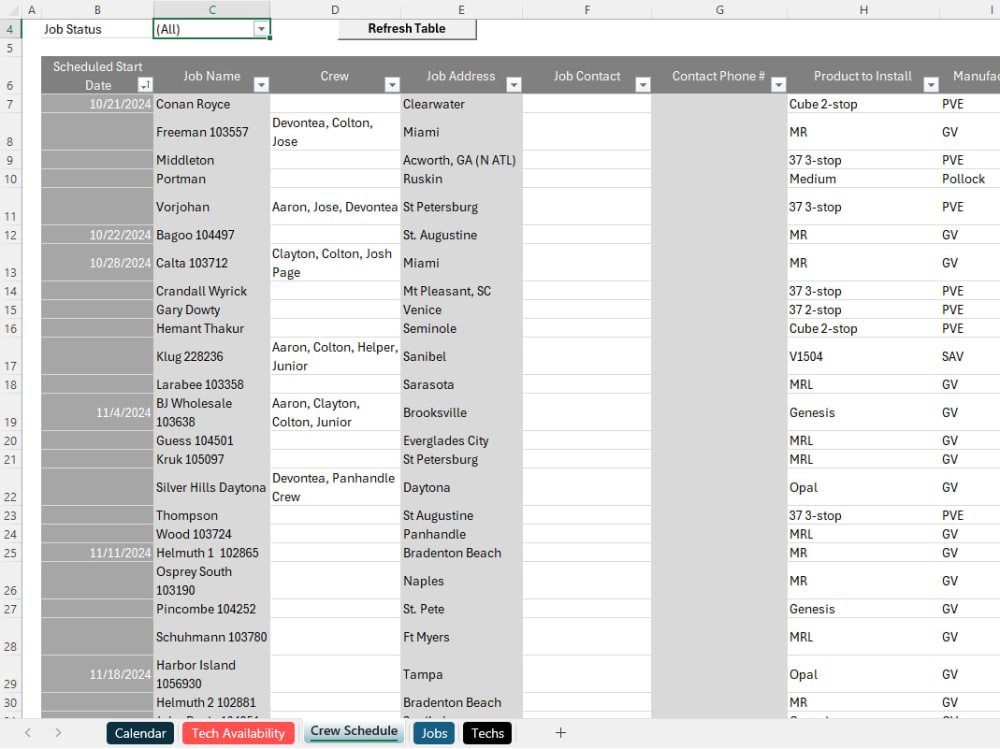
You will get a scheduler for job assignments, availability tracking, and planning.
Project details
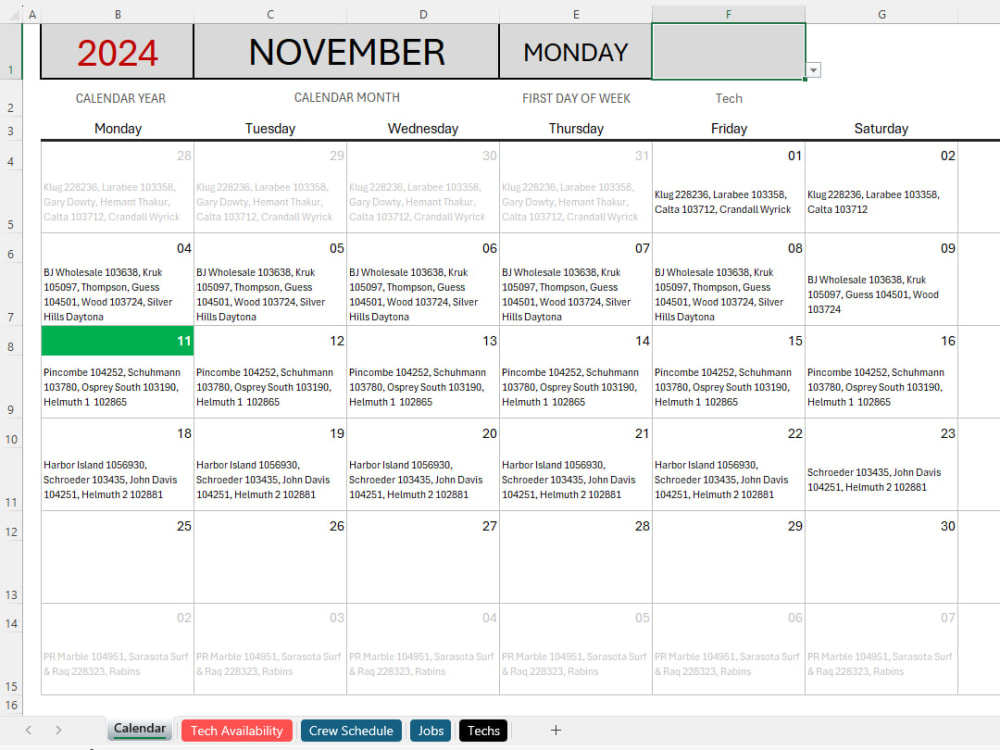
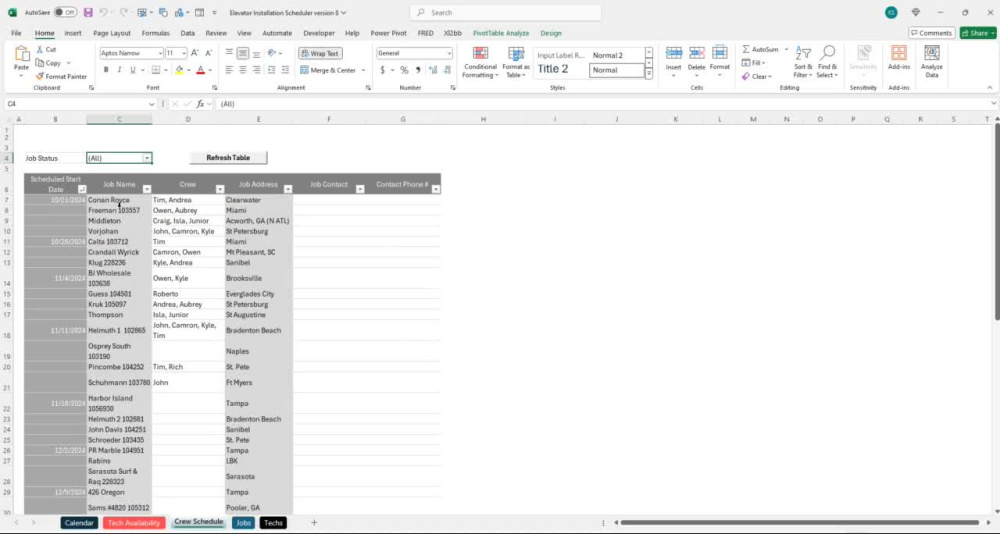
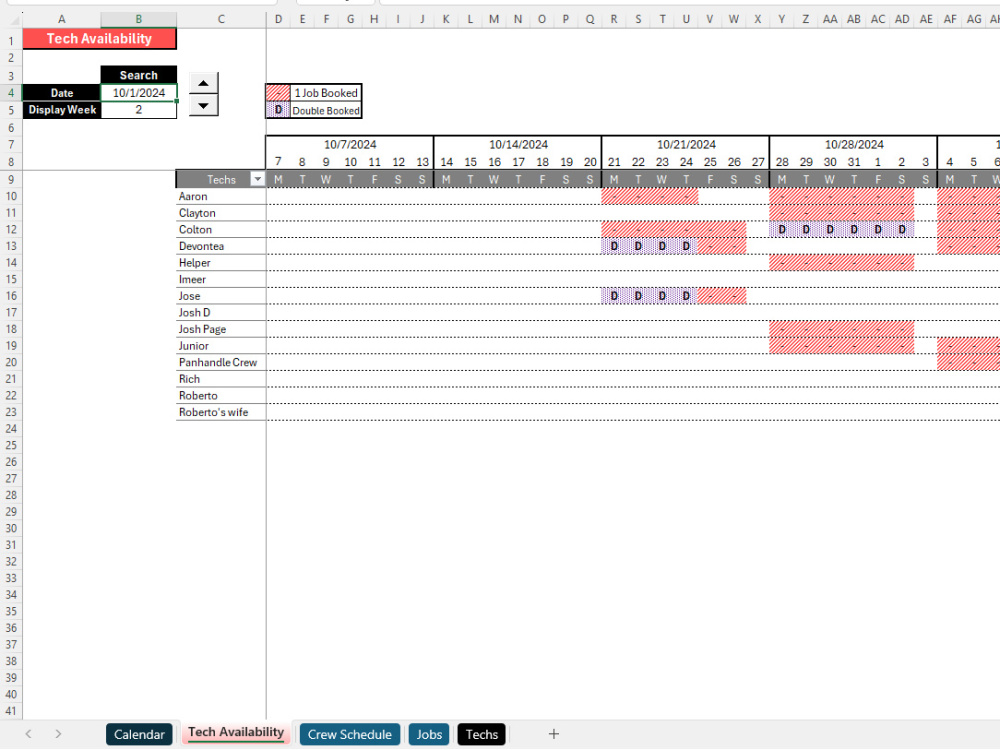
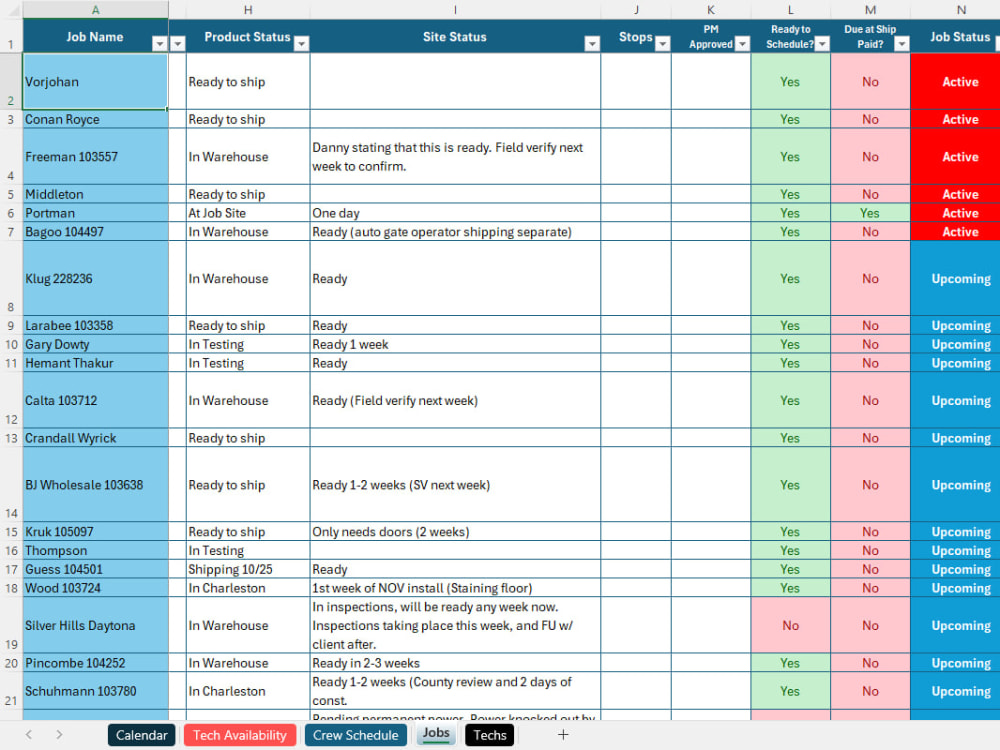
What sets my scheduling tool apart is its versatility and automation for managing job assignments across any industry. It allows businesses to easily assign multiple resources to each task via a custom dropdown, ensuring efficient allocation. Job details automatically populate across tabs, reducing manual input and errors. The "Availability" tab highlights when resources are available, flagging any double bookings. A calendar view provides a clear visual of upcoming tasks, sortable by year, month, or technician. This tool streamlines scheduling, reduces conflicts, and enhances overall job management for any organization.
Project Type
Project ManagementWhat's included $200
These options are included with the project scope.
$200
- Delivery Time 2 days
- Number of Revisions 3
Optional add-ons
You can add these on the next page.
Fast 1 Day Delivery
+$20
Additional Revision
+$20
2 reviews
(2)
(0)
(0)
(0)
(0)
This project doesn't have any reviews.
SD
Scott D.
Dec 27, 2024
Debt Payoff Calculator in Excel
Kyle has our strongest recommendation. He not only completed our Excel project on time and within budget, he added features we had not considered that made the calculator more robust. Kyle possesses top-tier Excel skills, excellent communication skills, and high creativity. He's a pleasure to work with.
KD
Kalvin D.
Sep 23, 2024
Create Excel Graphs (Pie/Bar)
About Kyle
Data Analytics: Microsoft Excel Expert
100%
Job Success
Plymouth, United States - 9:43 pm local time
My diverse experience includes process improvement projects, analyzing large datasets, building databases in Access, and developing dashboards in Excel and Power BI.
Whether you need advanced data analysis, automated tasks through VBA, or sophisticated financial models, I am here to help you achieve your goals with Excel.
Skills:
Microsoft Excel
Power Query (M Code)
Power Pivot (DAX)
VBA (Visual Basic for Applications)
Advanced Excel Formulas
Data Analysis
Process Improvement
Project Management
Power BI
Steps for completing your project
After purchasing the project, send requirements so Kyle can start the project.
Delivery time starts when Kyle receives requirements from you.
Kyle works on your project following the steps below.
Revisions may occur after the delivery date.
Collect the information and build out the first version.