You will get Accounting Migration Data Check — Missing & Duplicate Records
Project details
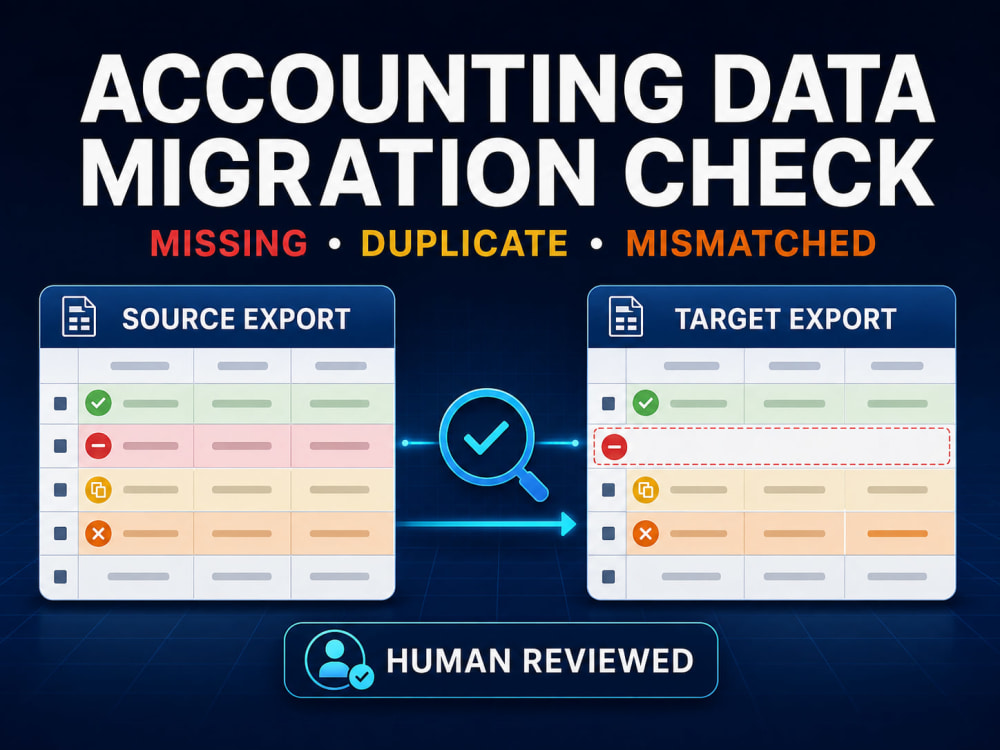
I compare structured Excel/CSV exports from your old and new accounting systems to show which invoices or payments matched, went missing, were duplicated, changed, or require review. This is file-based migration validation—not migration execution, bookkeeping, financial auditing, or live-system correction.
Before closing your old accounting system, verify that invoice and payment records migrated correctly.
You receive:
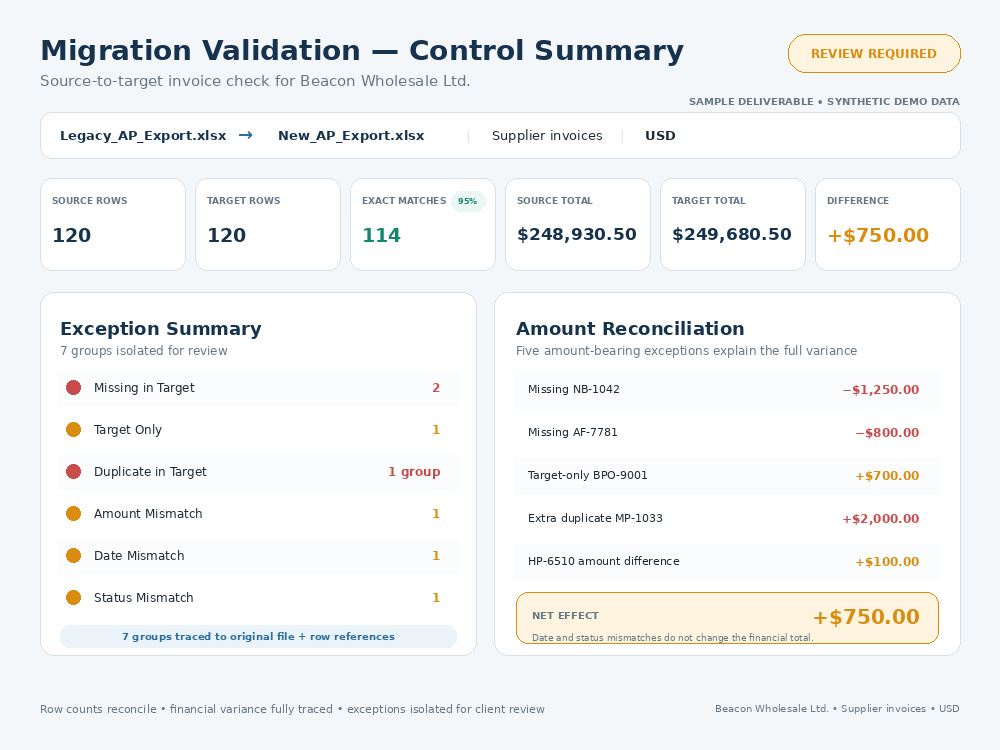
Control summary
Matched records
Missing-in-target records
Target-only records
Duplicate records
Amount, date and status mismatches
Ambiguous records marked for review
Original file and row references
Matching rules and review notes
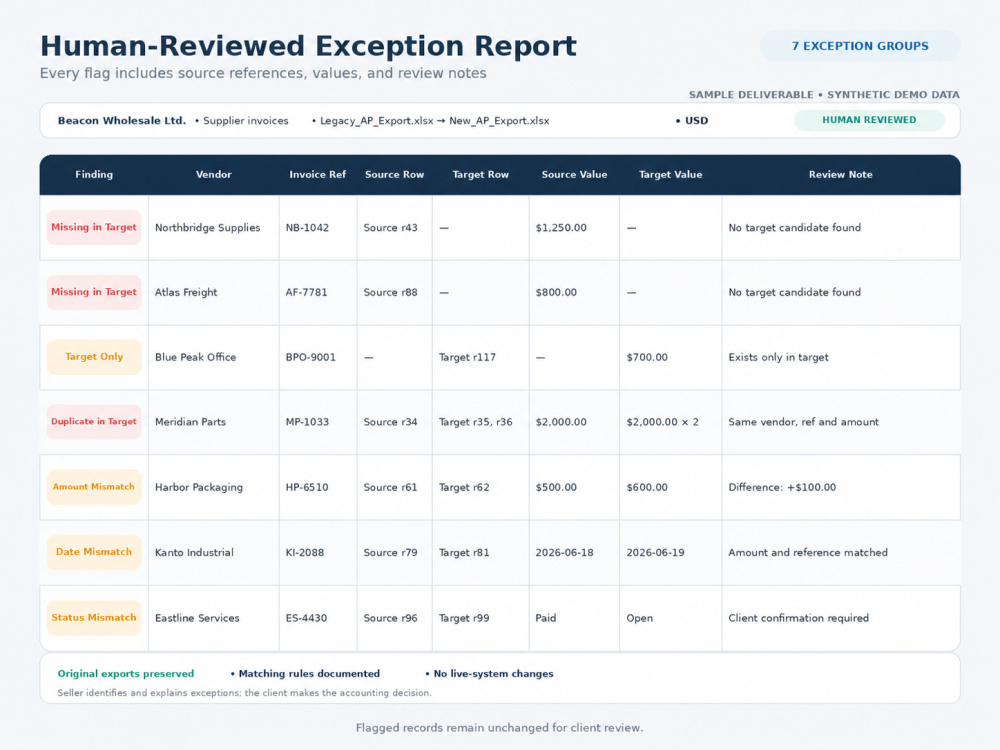
Human-reviewed exception report
Original files remain unchanged. I manually review flagged exceptions within your package limit and sample-check at least 5% of clean matches. Currencies are compared separately, and uncertain records stay in the review queue.
This is exported-file validation only. It excludes migration execution, platform access, live corrections, bookkeeping, bank or general-ledger reconciliation, tax decisions and certification of financial accuracy.
Before closing your old accounting system, verify that invoice and payment records migrated correctly.
You receive:
Control summary
Matched records
Missing-in-target records
Target-only records
Duplicate records
Amount, date and status mismatches
Ambiguous records marked for review
Original file and row references
Matching rules and review notes
Human-reviewed exception report
Original files remain unchanged. I manually review flagged exceptions within your package limit and sample-check at least 5% of clean matches. Currencies are compared separately, and uncertain records stay in the review queue.
This is exported-file validation only. It excludes migration execution, platform access, live corrections, bookkeeping, bank or general-ledger reconciliation, tax decisions and certification of financial accuracy.
Data Entry Type
Data Cleansing, Error DetectionData Entry Tool
Google Sheets, Microsoft ExcelWhat's included
| Service Tiers |
Starter
$49
|
Standard
$119
|
Advanced
$249
|
|---|---|---|---|
| Delivery Time | 2 days | 4 days | 7 days |
Number of Revisions | 1 | 1 | 2 |
Number of Hours of Work | 3 | 7 | 14 |
Formatting & Clean Up | |||
Graph & Table Creation |
Optional add-ons
You can add these on the next page.
Fast Delivery
+$25 - $50
Additional 1,000 combined rows
(+ 1 Day)
+$35
Additional 100 exception groups
(+ 1 Day)
+$30
Additional source-target pair or entity
(+ 1 Day)
+$40Frequently asked questions
About Kashan
Business Research & Data Validation | Data Analysis & Reconciliation
Oyama, Japan - 7:13 am local time
That practical experience is what led me into broader business research and data work.
I help clients with research, data validation, comparison, analysis, and reconciliation. Sometimes that means finding and organizing supplier or market information. Other times it means cleaning a spreadsheet, comparing two files, checking why records don’t match, or finding missing, duplicate, and inconsistent data.
I work mainly with Excel, CSV files, business records, supplier data, pricing information, and structured exports.
My approach is simple: I keep the original data intact, avoid guessing when something is unclear, and flag anything that needs attention. For larger datasets, I use tools to handle the repetitive work efficiently, then review the exceptions and spot-check the results before delivery.
The goal is not to give you another complicated spreadsheet. It’s to give you a clear result showing what was checked, what matches, what doesn’t, and what needs your attention.
If you have business data, research, spreadsheets, or records that need to be checked, compared, cleaned up, or organized, feel free to send them over.
Steps for completing your project
After purchasing the project, send requirements so Kashan can start the project.
Delivery time starts when Kashan receives requirements from you.
Kashan works on your project following the steps below.
Revisions may occur after the delivery date.
Prepare and map the exports
Compare source and target data