You will get CRM Data Cleanup & Quality Audit with Before/After Reporting

Project details
Messy CRM exports cause real problems. Duplicate contacts, inconsistent formatting, and missing data lead to failed imports, broken automations, and wasted time cleaning things up manually.
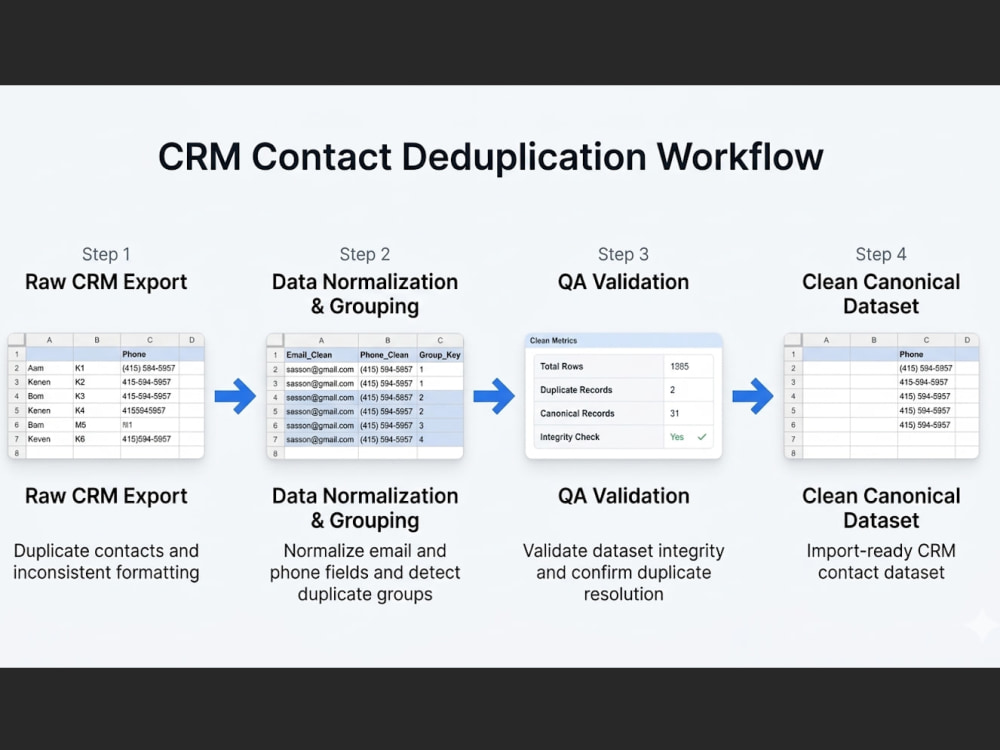
I take your raw contact list and turn it into a clean, deduplicated dataset that's ready to import. The work covers duplicate detection across email, phone, and name fields, standardization of formatting inconsistencies, identification of primary records in each duplicate group, and removal or flagging of duplicates based on your preference.
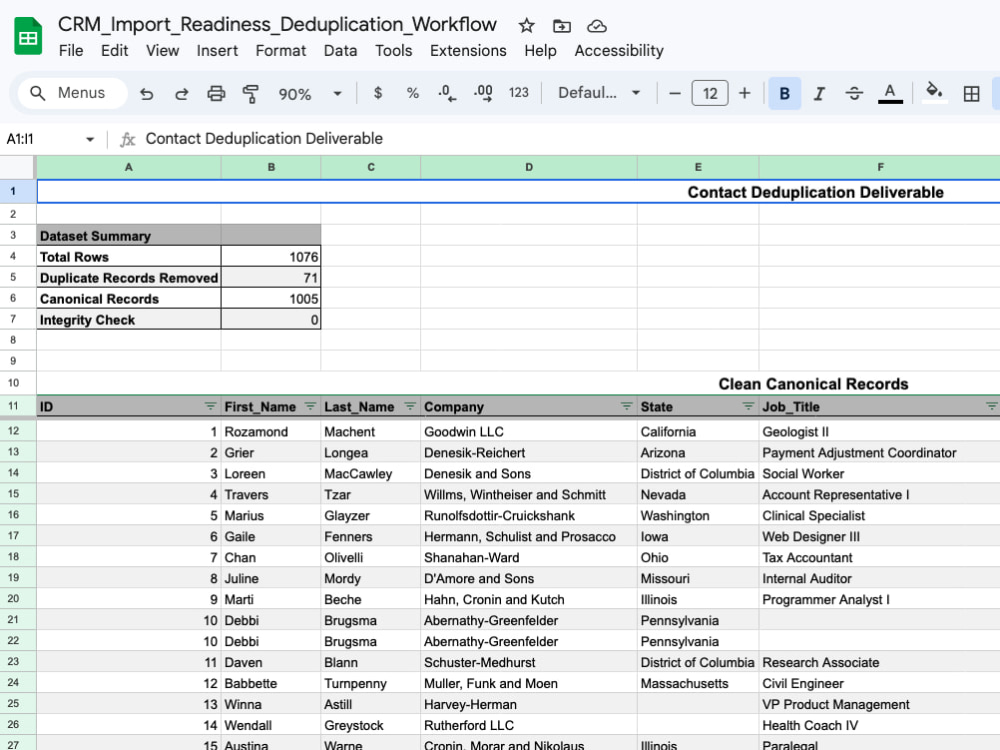
Every delivery includes a summary at the top of the final dataset showing total records processed, duplicates removed, and an integrity check confirming zero unresolved conflicts. You can verify the cleanup at a glance before importing anything.
The cleaned file is structured for direct import into HubSpot, Salesforce, Zoho, or whatever CRM you're working with.
Good fit if you're preparing for a CRM migration, cleaning a marketing list before a campaign, or just need duplicate contacts resolved before they cause more issues.
I take your raw contact list and turn it into a clean, deduplicated dataset that's ready to import. The work covers duplicate detection across email, phone, and name fields, standardization of formatting inconsistencies, identification of primary records in each duplicate group, and removal or flagging of duplicates based on your preference.
Every delivery includes a summary at the top of the final dataset showing total records processed, duplicates removed, and an integrity check confirming zero unresolved conflicts. You can verify the cleanup at a glance before importing anything.
The cleaned file is structured for direct import into HubSpot, Salesforce, Zoho, or whatever CRM you're working with.
Good fit if you're preparing for a CRM migration, cleaning a marketing list before a campaign, or just need duplicate contacts resolved before they cause more issues.
Data Entry Type
Data Cleansing, Error DetectionData Entry Tool
CRM Software, Google Sheets, Microsoft Excel, Microsoft OfficeWhat's included
| Service Tiers |
Starter
$125
|
Standard
$275
|
Advanced
$575
|
|---|---|---|---|
| Delivery Time | 3 days | 5 days | 7 days |
Number of Revisions | 2 | 3 | 100 |
Number of Hours of Work | 3 | 8 | 16 |
Formatting & Clean Up | |||
Graph & Table Creation |
Optional add-ons
You can add these on the next page.
Additional Revision
+$25
Additional Hour of Work
+$35
Extra 1,000 Records
(+ 2 Days)
+$75Frequently asked questions
About Brendan
CRM Data Cleanup & Deduplication | HubSpot, Salesforce, Excel
Los Angeles, United States - 12:29 pm local time
Typical project is a contact list between 500 and 5,000+ records that needs duplicates removed, fields standardized, and bad emails flagged before a CRM migration or campaign launch. I handle the full cleanup: names, emails, phones, company names, states. You get back a file that imports clean into HubSpot, Salesforce, Zoho, or whatever system you're moving into.
You send the export, we agree on what needs cleaning and how duplicates should be defined for your data, and I deliver the cleaned file with a short report covering what changed. No ambiguity, no back and forth.
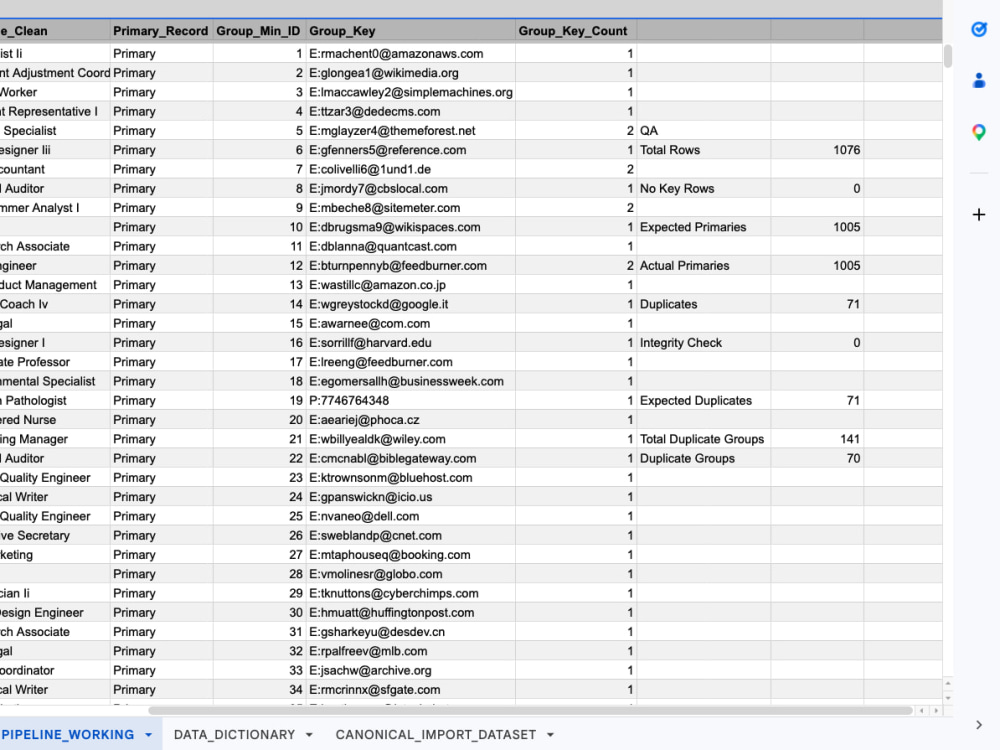
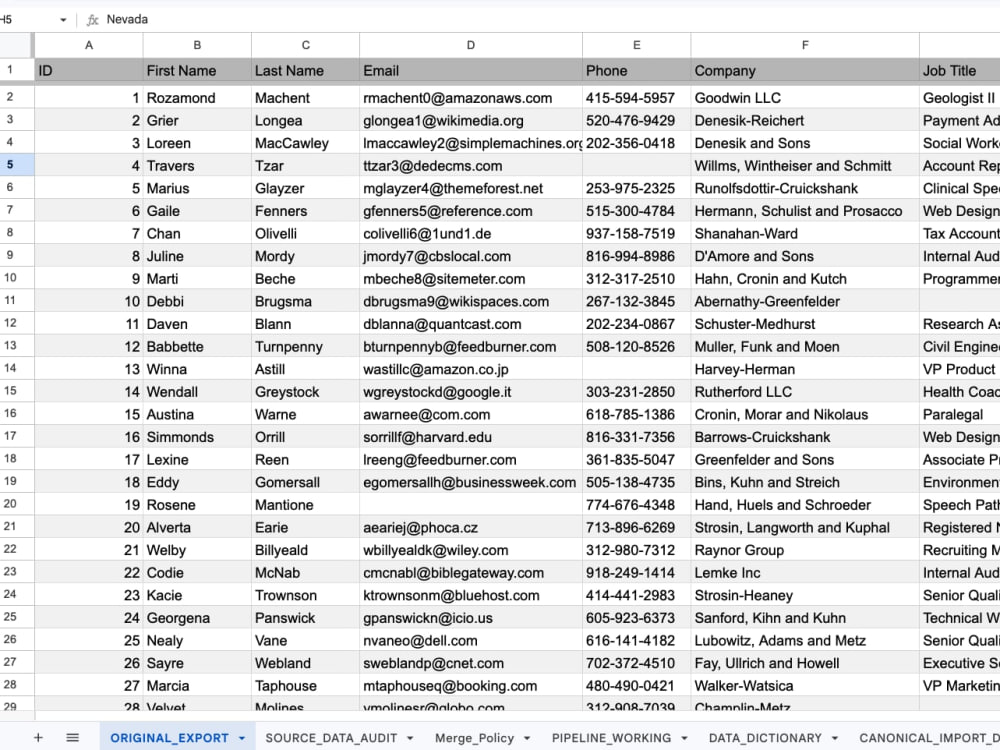
I work in Google Sheets and Excel. Portfolio has a full before/after deduplication project with QA validation showing the entire pipeline from raw export to canonical contact set.
Available to start within 24 hours.
Steps for completing your project
After purchasing the project, send requirements so Brendan can start the project.
Delivery time starts when Brendan receives requirements from you.
Brendan works on your project following the steps below.
Revisions may occur after the delivery date.
Dataset Review
I review the uploaded dataset to assess scope, identify data quality issues, and determine how duplicates should be defined across fields such as email, phone, or name combinations.
Duplicate Detection
I analyze the dataset to identify duplicate groups, detect primary records, and locate inconsistencies such as formatting errors or conflicting contact information.