You will get Custom Excel Property & Rental Management Dashboard
Project details
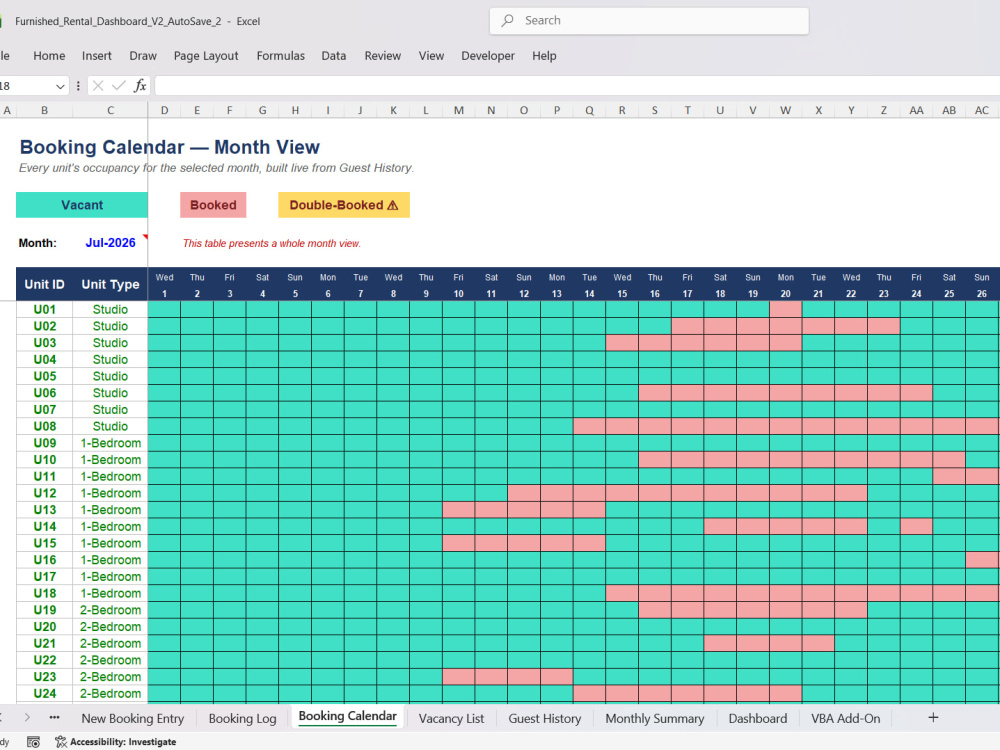
Fully automated Excel property & rental management system — built for landlords, property managers, and short-term rental operators managing multiple units.
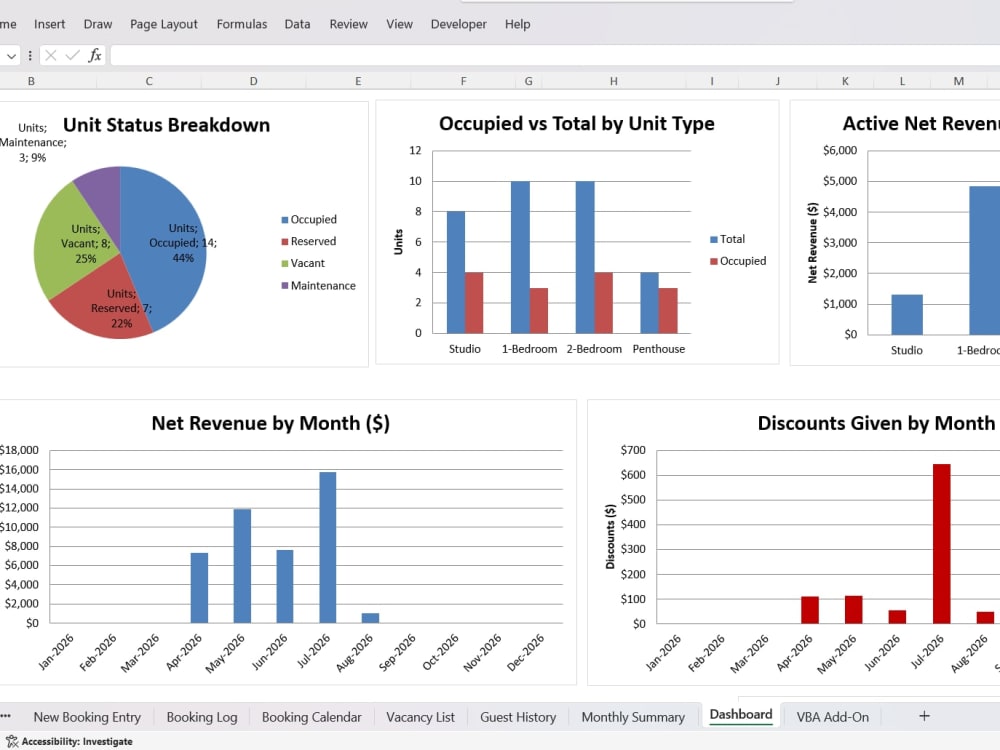
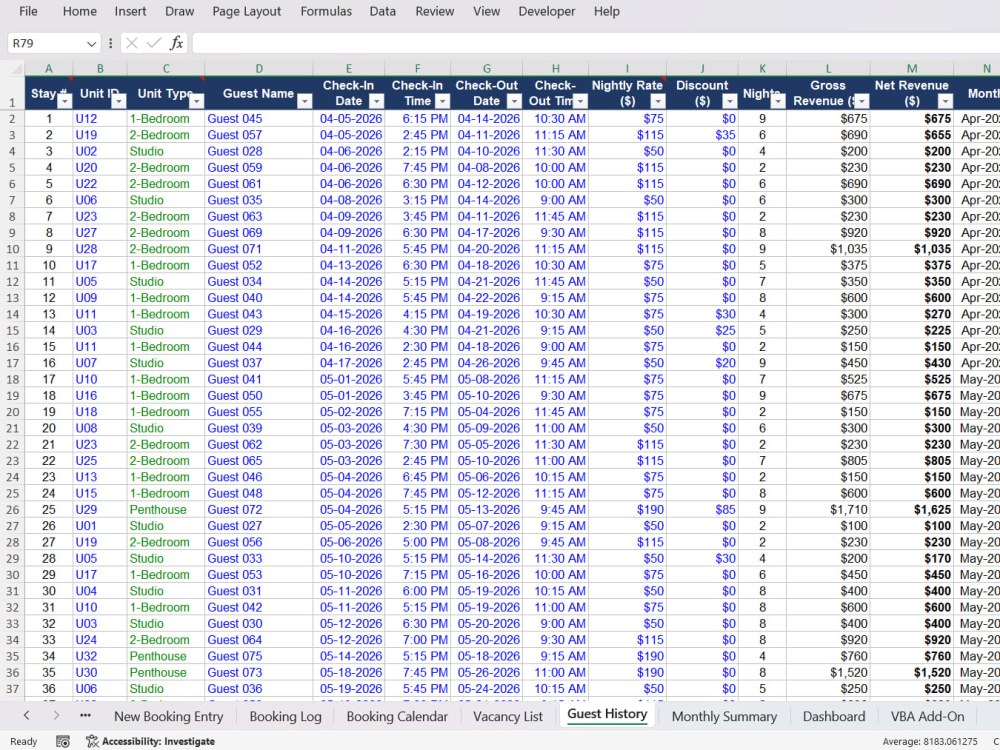
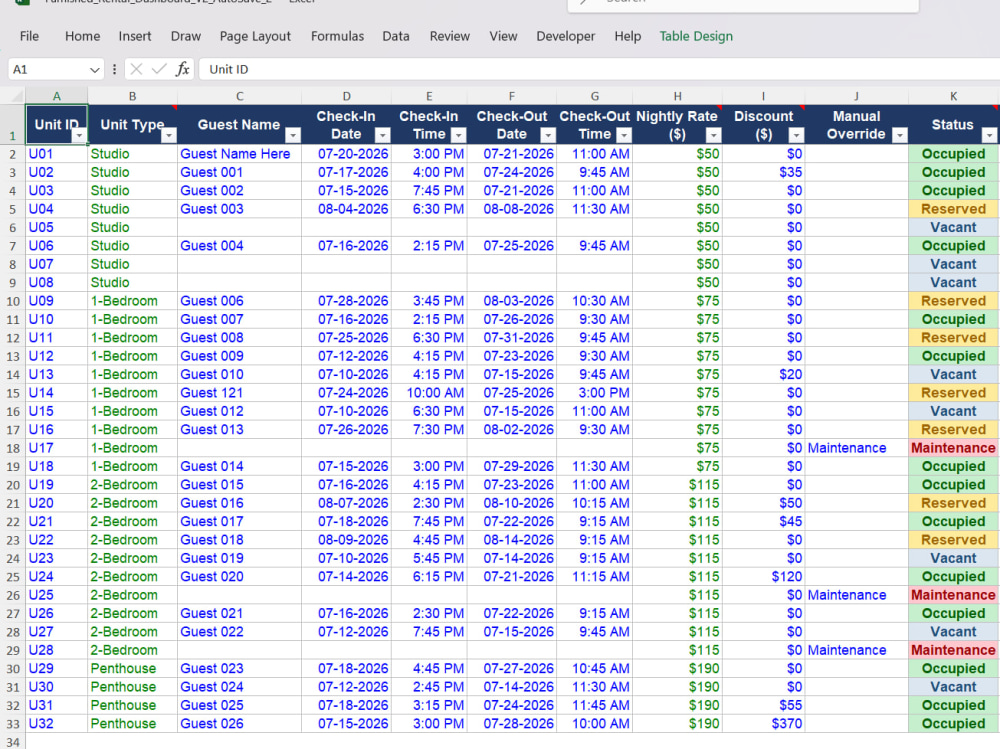
Update one entry when a booking changes, and everything updates instantly: live vacancy list, occupancy dashboard, revenue tracking, and guest history — no manual re-entry anywhere.
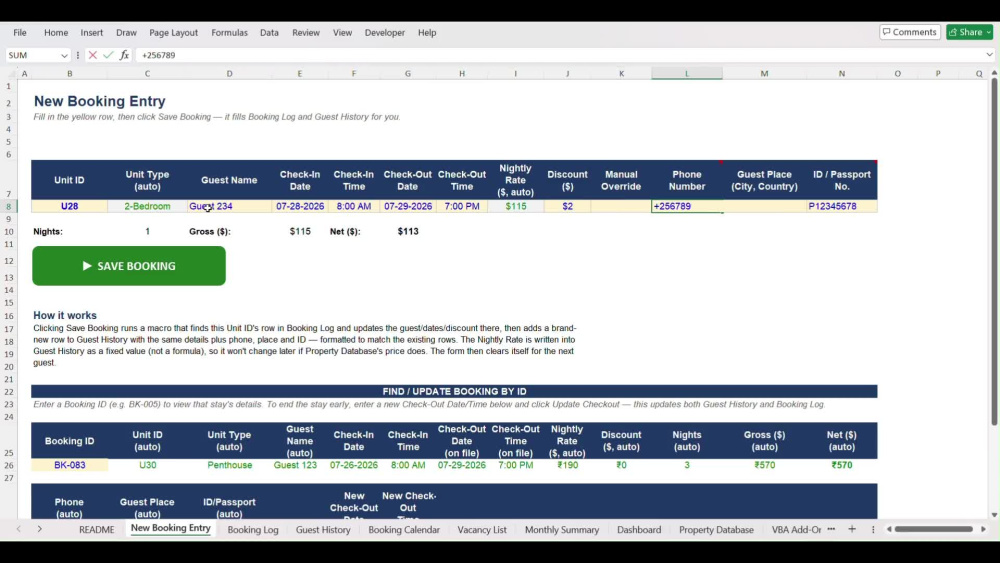
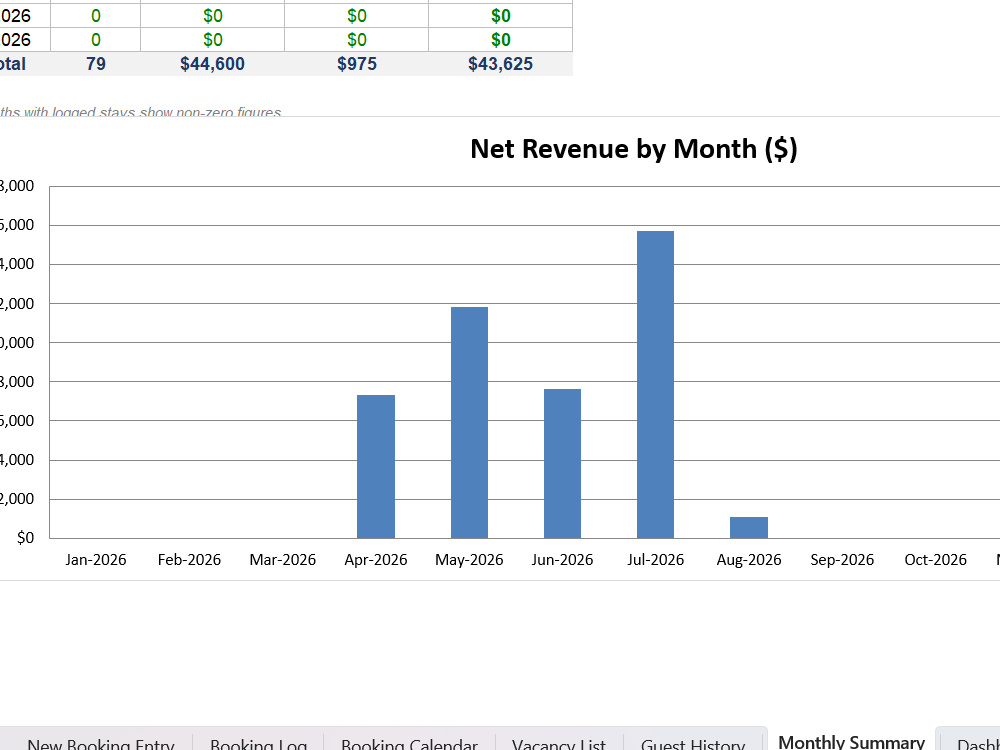
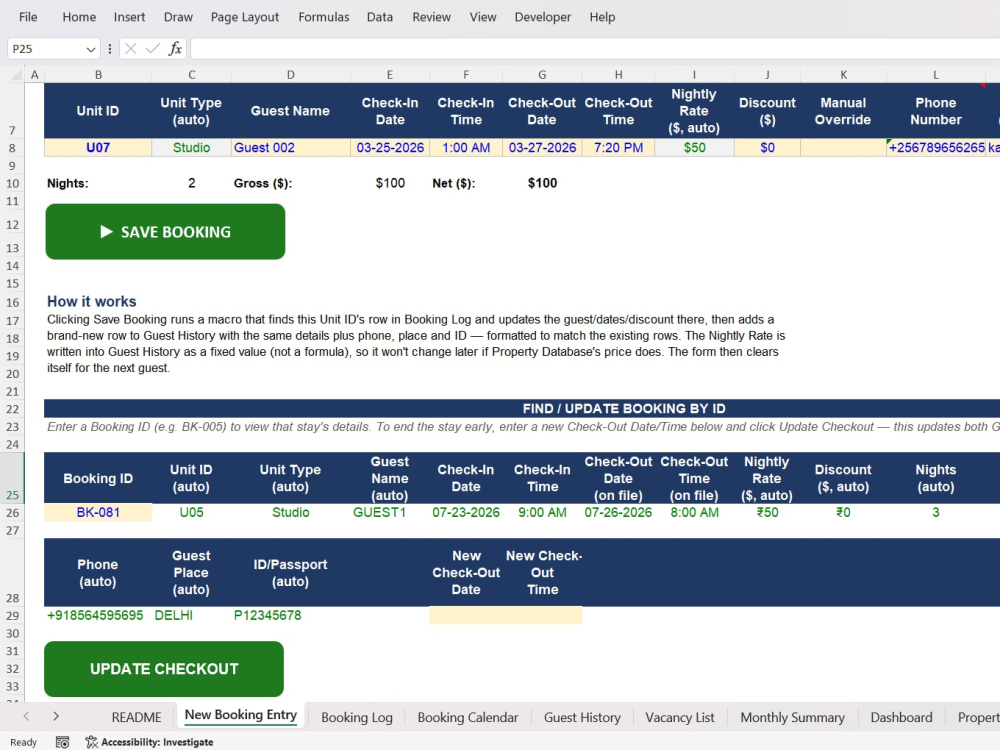
Core features: booking log (or guided entry-form, your choice), auto-filtered vacancy list, manager dashboard with occupancy and revenue metrics, guest history, and monthly summary. Higher tiers add a full booking calendar, property database, and VBA automation for advanced users.
Built 100% formula-driven at its core — no fragile macros required, so nothing breaks from security settings, and staff can use it safely without special permissions. Every formula tested across multiple scenarios before delivery.
Tell me your unit count and workflow preference, and I'll tailor it to exactly how your team works — clean, professional, and ready for daily use.
Update one entry when a booking changes, and everything updates instantly: live vacancy list, occupancy dashboard, revenue tracking, and guest history — no manual re-entry anywhere.
Core features: booking log (or guided entry-form, your choice), auto-filtered vacancy list, manager dashboard with occupancy and revenue metrics, guest history, and monthly summary. Higher tiers add a full booking calendar, property database, and VBA automation for advanced users.
Built 100% formula-driven at its core — no fragile macros required, so nothing breaks from security settings, and staff can use it safely without special permissions. Every formula tested across multiple scenarios before delivery.
Tell me your unit count and workflow preference, and I'll tailor it to exactly how your team works — clean, professional, and ready for daily use.
Project Type
Data Entry, Project Management, OtherWhat's included
| Service Tiers |
Starter
$200
|
Standard
$350
|
Advanced
$500
|
|---|---|---|---|
| Delivery Time | 5 days | 7 days | 10 days |
Number of Revisions | 1 | 3 | 4 |
Frequently asked questions
About Puneet
Manufacturing Excel Dashboards | OEE, Scrap & Costing | Six Sigma
Dehradun, India - 4:08 pm local time
I'm a Senior Production Engineer and certified Lean Six Sigma Black Belt with 4+ years running 24/7 manufacturing operations, currently managing a blow-molding division. I help manufacturers turn messy shop-floor data into clear, automated Excel/Google Sheets systems — and apply Six Sigma methodology to actually fix the problems those numbers reveal.
What I bring, backed by real results from my own plant:
- 31% scrap reduction using DMAIC methodology
- 15% OEE improvement through root-cause analysis and changeover optimization
- 500+ accident-free days managing floor operations
What I can build for you:
✅ OEE trackers & production dashboards (Availability/Performance/Quality, auto-calculated)
✅ DMAIC project trackers and SOP templates
✅ Costing sheets — cost per unit/ton, broken down by material, labor, utilities, overhead
✅ Shift-wise production logs with automated rejection/downtime Pareto charts
✅ Six Sigma training decks and process documentation
I don't just build spreadsheets — I understand the shop floor problems they're meant to solve, because I live them daily. If you run a manufacturing operation and want visibility into OEE, scrap, or costs without hiring a full-time analyst, let's talk.
Available for both one-off builds and ongoing monthly reporting/dashboard maintenance.
Steps for completing your project
After purchasing the project, send requirements so Puneet can start the project.
Delivery time starts when Puneet receives requirements from you.
Puneet works on your project following the steps below.
Revisions may occur after the delivery date.
Review Requirements & Confirm Scope
I'll review your unit count, workflow preference, and any additional fields you need, then confirm the final structure before starting — so there are no surprises partway through.
Build Core Structure
I'll set up the booking log (or entry-form, per your preference), vacancy list, and core automation — the foundation everything else runs on.