You will get Data entry using Ms Excel
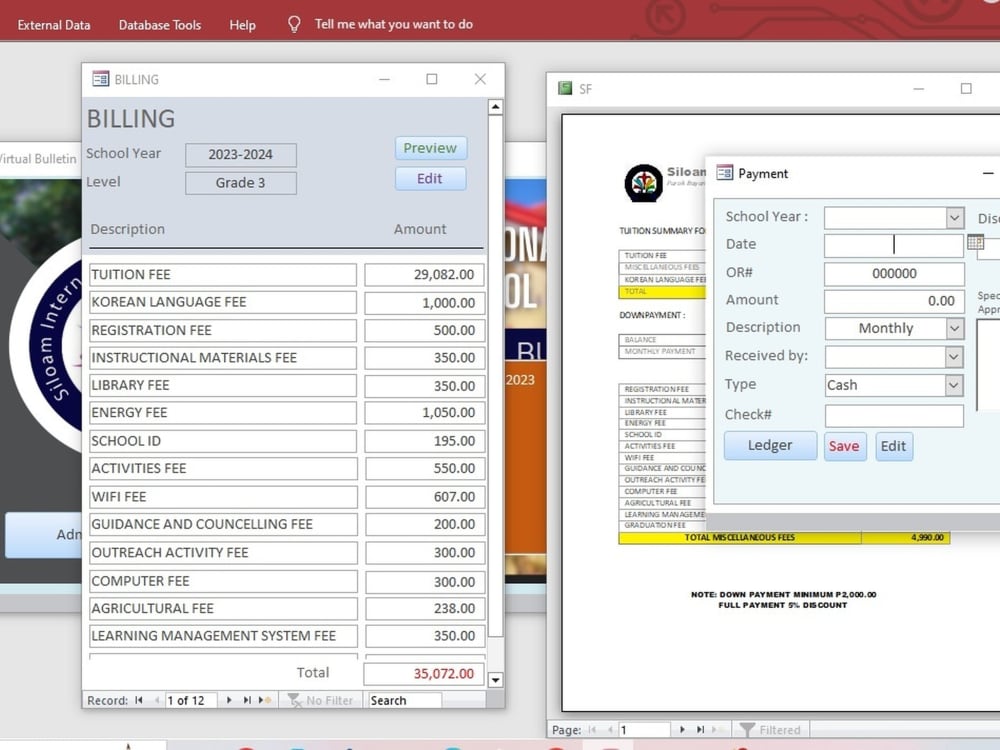
Project details
What makes my project different is the combination of fast data entry and strategic organization. I don’t simply type information— I design clear layouts, update existing records, and ensure every data point is meaningful and connected. I am experienced in Microsoft Excel, Word, and Access, allowing me to create clean databases, track performance, and maintain accuracy. My work prevents duplication, errors, and confusion, giving you reliable information you can trust.
Data Entry Type
Copy Paste, Data Cleansing, Document Conversion, Error Detection, Online Research, Word ProcessingData Entry Tool
Google Docs, Google Sheets, Microsoft Excel, Microsoft Office, Microsoft WordWhat's included
| Service Tiers |
Starter
$5
|
Standard
$8
|
Advanced
$10
|
|---|---|---|---|
| Delivery Time | 1 day | 3 days | 5 days |
Number of Hours of Work | 4 | 6 | |
Formatting & Clean Up | - | - | - |
Graph & Table Creation | - | - | - |
Optional add-ons
You can add these on the next page.
Additional Revision
+$2
Additional Hour of Work
+$2About Jade
Data Entry, Database Management, Media conversion, Research
Valencia, Philippines - 4:18 am local time
My knowledge in MS Excel includes advanced data analysis, and formula creation to process enhance productivity. In MS Word, I am adept at creating and formatting documents to ensure clear and professional communication. However, my true passion lies in database management with MS Access. I have a proven track record of designing and maintaining databases that support efficient data storage, retrieval, and reporting.
Feel free to reach out to discuss how I can assist with your project needs.
Steps for completing your project
After purchasing the project, send requirements so Jade can start the project.
Delivery time starts when Jade receives requirements from you.
Jade works on your project following the steps below.
Revisions may occur after the delivery date.
Step 1 — Receive files and project instructions
You provide the raw files (PDF, images, Excel, scanned documents, etc.) along with the guidelines: 1. Format 2. Preferred layout 3. Required fields 4. Deadlines 5. Any special notes
Step 2 — Review and organize the data
I check all details carefully to ensure: 1. Information is readable 2. Files are complete 3. Structuring rules are clear If anything is unclear, I will ask before starting to avoid mistakes.