You will get Finance Tracker Template that Integrated with Siri

Project details
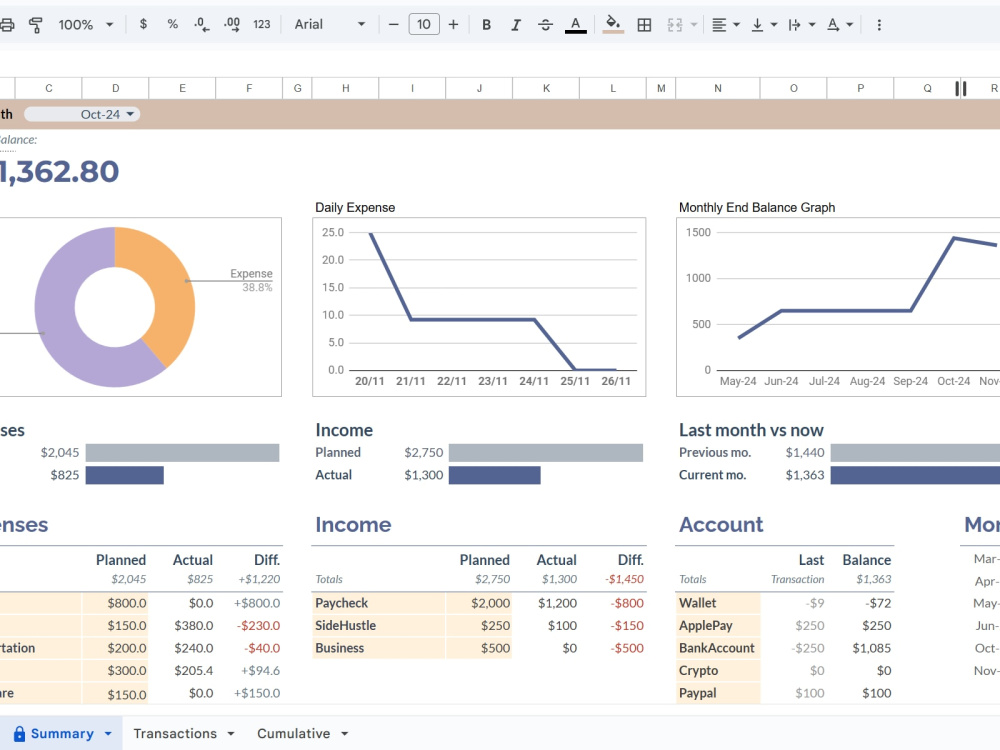
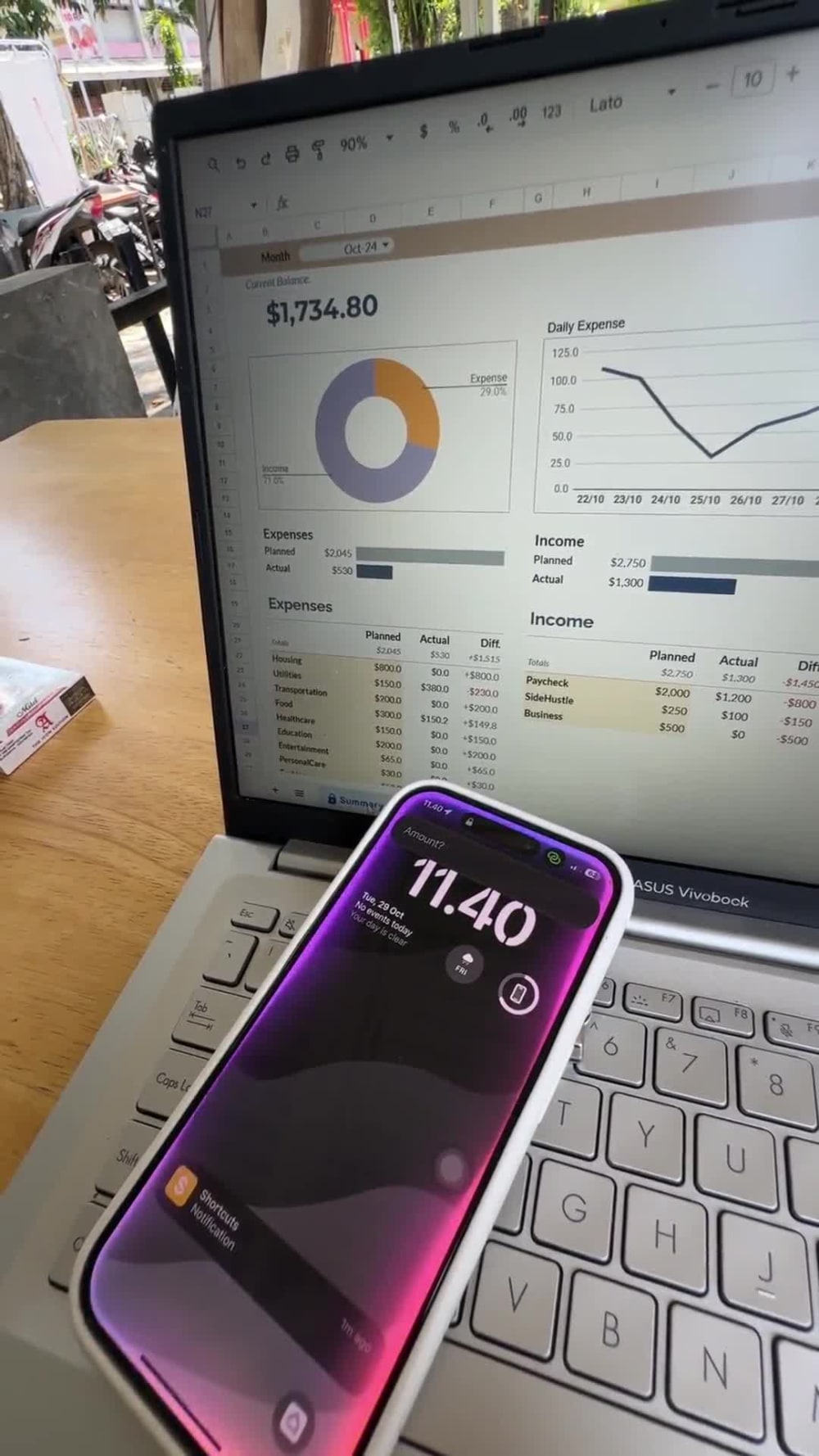
You will get a finance tracker template integrated with Siri. You can add expenses, income, or transfer between accounts effortlessly using Siri or simple inputs from Shortcuts, without needing to open Google Sheets on your iPhone or laptop every time you want to add a financial record. You can even check your balance just by asking Siri.
At the Starter Package, you will only receive the automation without a dashboard, allowing you to process and analyze the data further on your own.
At the Standard Package, you will receive complete automation with features like account transfers, balance checks, a ready-to-use dashboard, and a cumulative chart.
At the Advanced Package, you can add one custom function tailored to your specific needs.
At the Starter Package, you will only receive the automation without a dashboard, allowing you to process and analyze the data further on your own.
At the Standard Package, you will receive complete automation with features like account transfers, balance checks, a ready-to-use dashboard, and a cumulative chart.
At the Advanced Package, you can add one custom function tailored to your specific needs.
Data Entry Type
Data Cleansing, Document Conversion, Word ProcessingData Entry Tool
Google SheetsWhat's included
| Service Tiers |
Starter
$30
|
Standard
$35
|
Advanced
$45
|
|---|---|---|---|
| Delivery Time | 2 days | 2 days | 3 days |
Number of Revisions | 0 | 0 | 1 |
Formatting & Clean Up | - | ||
Graph & Table Creation | - |
Optional add-ons
You can add these on the next page.
Fast Delivery
+$5 - $10
Additional Revision
+$35
Graph & Table Creation
(+ 2 Days)
+$35Frequently asked questions
2 reviews
(2)
(0)
(0)
(0)
(0)
This project doesn't have any reviews.
SA
Sohaib A.
Sep 12, 2025
Automation Expert Needed for Fast-Growing AI Sales Assistant Platform
ET
Emmie Elvira T.
Feb 18, 2025
Google Sheets Expert Needed for Aesthetic and Automated Trackers
Benaya is a true pleasure to work with!
First of all is he very kind, he excels in bringing your ideas into real life and to top level even!
I enjoy a lot working with people who thinks for themselves too and upgrade your product based on a good idea they had. So I am very happy with his results!
Also I was awful at responding because a lot of other work, but he seemed so calm and accepting about it all the time! And was more than willing to readjust the last few details to make sure everything was PERFECT.
Will definitely work with him again!
First of all is he very kind, he excels in bringing your ideas into real life and to top level even!
I enjoy a lot working with people who thinks for themselves too and upgrade your product based on a good idea they had. So I am very happy with his results!
Also I was awful at responding because a lot of other work, but he seemed so calm and accepting about it all the time! And was more than willing to readjust the last few details to make sure everything was PERFECT.
Will definitely work with him again!
About Benaya
AI Automation Specialist - Make, Zapier and API Integration
100%
Job Success
Manado, Indonesia - 4:37 pm local time
My main tools are Make (Integromat) and Zapier — I build clean, reliable automations that connect your apps, move data between systems, and trigger the right actions at the right time. I also handle custom API integrations for tools that don't have native connectors.
Where AI comes in: I use Claude and other AI models to build smarter workflows — not just moving data, but making sense of it. Email routing that understands context, pipelines that summarize documents, automations that respond intelligently instead of just reacting.
What I can help with:
- Make / Zapier workflows built from scratch, or fixing ones that keep breaking
- REST API integrations between tools that weren't designed to talk to each other
- AI-powered automation pipelines using Claude, OpenAI, or Gemini
- Google Sheets, Airtable, Notion, HubSpot, and CRM automation
- Web scraping and structured data extraction
I keep things simple, document everything, and hand off systems that actually hold up after the project ends.
Tell me what you're trying to automate and I'll tell you how I'd approach it.
Steps for completing your project
After purchasing the project, send requirements so Benaya can start the project.
Delivery time starts when Benaya receives requirements from you.
Benaya works on your project following the steps below.
Revisions may occur after the delivery date.
Getting Project done for the client
I will complete the project within the time specified in the package.
Client receive the project
The client will receive the project, and I will guide them until the automation is successfully set up.