You will get Microsoft 365 to Google Workspace Migration
Top Rated
Top Rated
Project details
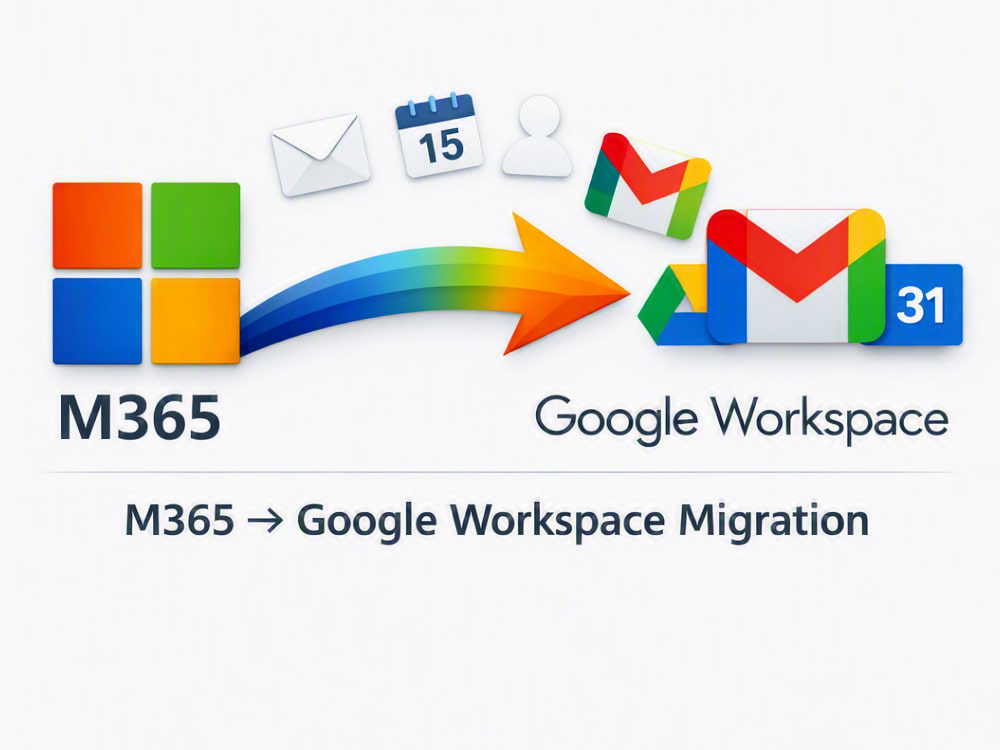
I offer professional migration services from Microsoft 365 to Google Workspace for teams of up to 15 users. The process includes transferring emails, contacts, and calendars while maintaining data integrity and ensuring uninterrupted mail flow. I also provide post‑migration support to verify successful setup and user access.
With hands‑on experience in Microsoft 365 administration and mail routing diagnostics, I ensure secure, efficient, and hassle‑free migration tailored to your business needs.
With hands‑on experience in Microsoft 365 administration and mail routing diagnostics, I ensure secure, efficient, and hassle‑free migration tailored to your business needs.
Language
EnglishWhat's included
| Service Tiers |
Starter
$800
|
Standard
$1,200
|
Advanced
$2,500
|
|---|---|---|---|
| Delivery Time | 7 days | 15 days | 30 days |
Number of Revisions | 2 | 2 | 3 |
Number of Hours of Work | 40 | 60 | 100 |
Basic Photo Editing | - | - | - |
Organize & Classify/Tag Files | - | - | - |
Formatting & Clean Up | - | - | - |
Project Management Support | |||
Travel Planning | - | - | - |
Optional add-ons
You can add these on the next page.
Additional Revision
+$250
Additional Hour of Work
+$40Frequently asked questions
4 reviews
(4)
(0)
(0)
(0)
(0)
This project doesn't have any reviews.
AK
Alok K.
Jun 21, 2024
IT MSP Support Desk - Level 2 role
Prakash is awesome person to work with. He’s well informed and dedicated to the work even with tiny details. Highly recommend!!
AK
Alok K.
Mar 14, 2024
ConnectWise Manage Migration
Thanks to Prakash's expertise and dedication, your experience with ConnectWise Manage exceeded our expectations. I would highly recommend Prakash to anyone in need of assistance with ConnectWise Manage or similar PSA platforms. His mastery of the PSA tools, combined with his exceptional professionalism, makes him a valuable asset to any team or project. Will hire again!!
NY
Neo Y.
Sep 29, 2021
Configuration and deployment of service boards in ConnectWise
Great Work
VR
Varun R.
Sep 18, 2021
Connectwise Manage setup and Automate consulting
Prakash was amazing! Handled everything we threw at him without missing a beat. His professionalism, and ability to take our ideas and understand and improve upon them, was invaluable.
About Prakash
System Administrator
100%
Job Success
Kharar, India - 2:27 am local time
I have accumulated a solid four years of comprehensive experience as a skilled System Administrator. During the last three years, I dedicated myself to advancing my proficiency within the IT industry while actively contributing to an esteemed IT company. This period allowed me to deepen my technical expertise, broaden my skill set, and stay abreast of the latest industry trends.
Having recently returned to the Upwork platform, I am now eager to leverage my enhanced capabilities and extensive background in system administration to deliver exceptional services to clients. My commitment to continuous learning and professional growth ensures that I bring a well-rounded and up-to-date skill set to any project.
Below are my following skills :
1. ConnectWise Automate/Datto Administrator/ SuperOps:-
Setup for Startup MSPs
Alerting and automation
Customized Monitoring : Monitor creations as per requirements for different issues.
Patching : Patching setup via RMM. I always make sure that machines are getting patched by schedule, Patches are getting approved or deny according to policies. I always keep my eyes on faulty patches and then deny them immediately to avoid any issue on machines.
Reports : Creating report and modifications
Migrations : Automate/LabTech, Control/ScreenConnect , Antivirus, Backup Migrations.
Plugin Integrations : Integrate Automate/LabTech with various available plugins. Connectwise Manage Integration.
Antivirus Management, Integrations (webroot, Sophos, Symantec, ESET , Trend Mirco) and custom infection definitions
Virtualization Manager arrangement
Backup Integration and Monitoring (Acronis, Datto, Symantec and Veeam and so on)
Customized alerting
User permissions and groups permission , security
Windows Server 2008/R2,2012,2016
2.Office 365:-
Migrate from on premise exchange, google or imap system to O365
Implement MFA, manage O365 admin for MSPs, Powershell for report and update mailbox
3. ConnectWise Manage Administrator: -
Setup for Startup MSPs
Create Agreements, Workflows, Custom Reports , Project Templates, Quotes.
Tickets dispatching and handling
Upgradation and migrations.
4. Desktop Support: -
Desktop Support
Assist staff with installation, configuration and ongoing usability of desktops, laptops, peripheral equipment and software complying with given standards and guidelines.
Documenting hardware and software usage.
Participate in important technological department projects and perform problem diagnosis of network and desktop environment under IT Management direction.
Update and maintain computer inventory and surplus equipment.
Ensure desktop computers interconnect seamlessly with diverse systems.
Maintain passwords, data integrity and file system security for computing environment.
Interact with vendor support contacts to resolve technical problems with desktop computing equipment and software.
Recommend and implement upgrades on systems to ensure longevity.
Identify and repair hardware and network connectivity issues.
Assist in technical upgrading and maintaining of entire desktop systems.
Support in testing and deployment of new applications and systems.
I have worked with following projects: -
1. Continuum to Automate migrations
2. Windows 7 to windows 10 migrations
3. ConnectWise Manage On premise to Cloud migration.
4.Created customize dashboards on Brightgauge.
Throughout my career, I have had the privilege of collaborating with more than 15 MSPs, contributing to the optimization of their operational efficiency by streamlining ConnectWise Automate (LabTech),Datto, SuperOps, N-Able configurations. My efforts have consistently aimed at enhancing system stability and driving profitability for these organizations.
If I got a chance to work with you and your team, I'd be managing your infrastructure 24 hours.
I look forward to the opportunity to discuss how my skills and experiences align with your needs. Thank you for considering my application
Thank you
Steps for completing your project
After purchasing the project, send requirements so Prakash can start the project.
Delivery time starts when Prakash receives requirements from you.
Prakash works on your project following the steps below.
Revisions may occur after the delivery date.
Initial Assessment
Review current Microsoft 365 setup Collect user list and mailbox details
Preparation
Set up Google Workspace accounts Configure permissions and access