You will get professional Microsoft MS Word document formatting expert PDF conversion
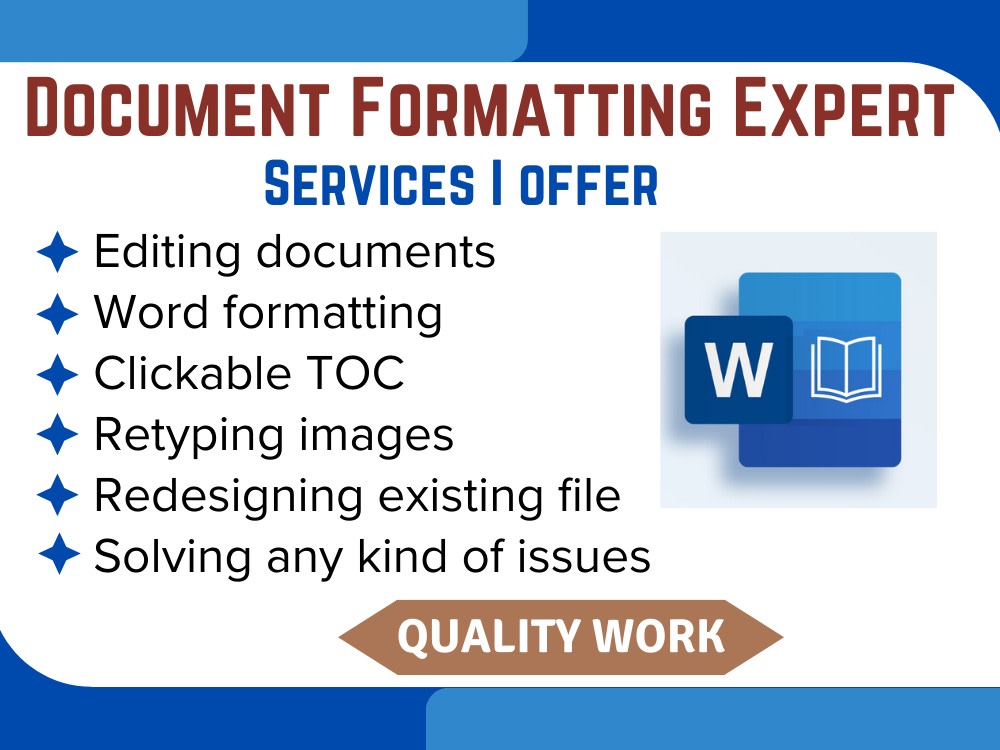
Project details
Hello & 𝗪𝗲𝗹𝗰𝗼𝗺𝗲!
Are you looking for someone to do MS Word Document 𝗙𝗼𝗿𝗺𝗮𝘁𝘁𝗶𝗻𝗴, 𝗗𝗲𝘀𝗶𝗴𝗻𝗶𝗻𝗴,, 𝗕𝗼𝗼𝗸 𝗙𝗼𝗿𝗺𝗮𝘁𝘁𝗶𝗻𝗴 𝗼𝗿 𝗙𝗶𝘅 𝗙𝗼𝗿𝗺𝗮𝘁𝘁𝗶𝗻𝗴 𝗜𝘀𝘀𝘂𝗲𝘀 in Microsoft MS Word document? If yes, then you've found the right place!
In this project, I'm offering you to do Microsoft MS Word document formatting, designing to give your 𝗱𝗼𝗰𝘂𝗺𝗲𝗻𝘁 𝗮 𝘀𝘁𝘂𝗻𝗻𝗶𝗻𝗴 & 𝗼𝘂𝘁𝘀𝘁𝗮𝗻𝗱𝗶𝗻𝗴 𝗹𝗼𝗼𝗸.
𝗦𝗘𝗥𝗩𝗜𝗖𝗘𝗦 𝗜 𝗢𝗙𝗙𝗘𝗥:
✨ Choose appropriate fonts & color schemes for your documents
✨ Format/Solve Header and Footer issues with shapes, titles, or logo
✨ Add/Format page numbering
✨ Fix Line/Paragraph Spacing issues
✨ Bulleted, Numbered, Multilevel Lists with correct indents
✨ Page Setup & Layout Settings
✨ Format Heading Styles & Levels
✨ Insert Clickable Table of Contents(TOC), Authorities, Indexes, List of images & Tables
✨ Add/Remove Watermarks, Page Breaks/Section Breaks, Images, Text Boxes, Cover Pages, Borders
✨ Convert Word to PDF & vice versa
✨ Retyping Scanned PDF Images into MS Word
✨ MS Word Typing
✨ Designing Template using shapes, colors
𝗘𝘅𝗰𝗶𝘁𝗲𝗱 𝘁𝗼 𝗰𝗼𝗹𝗹𝗮𝗯𝗼𝗿𝗮𝘁𝗲 𝗼𝗻 𝘆𝗼𝘂𝗿 𝗻𝗲𝘅𝘁 𝗽𝗿𝗼𝗷𝗲𝗰𝘁!
Are you looking for someone to do MS Word Document 𝗙𝗼𝗿𝗺𝗮𝘁𝘁𝗶𝗻𝗴, 𝗗𝗲𝘀𝗶𝗴𝗻𝗶𝗻𝗴,, 𝗕𝗼𝗼𝗸 𝗙𝗼𝗿𝗺𝗮𝘁𝘁𝗶𝗻𝗴 𝗼𝗿 𝗙𝗶𝘅 𝗙𝗼𝗿𝗺𝗮𝘁𝘁𝗶𝗻𝗴 𝗜𝘀𝘀𝘂𝗲𝘀 in Microsoft MS Word document? If yes, then you've found the right place!
In this project, I'm offering you to do Microsoft MS Word document formatting, designing to give your 𝗱𝗼𝗰𝘂𝗺𝗲𝗻𝘁 𝗮 𝘀𝘁𝘂𝗻𝗻𝗶𝗻𝗴 & 𝗼𝘂𝘁𝘀𝘁𝗮𝗻𝗱𝗶𝗻𝗴 𝗹𝗼𝗼𝗸.
𝗦𝗘𝗥𝗩𝗜𝗖𝗘𝗦 𝗜 𝗢𝗙𝗙𝗘𝗥:
✨ Choose appropriate fonts & color schemes for your documents
✨ Format/Solve Header and Footer issues with shapes, titles, or logo
✨ Add/Format page numbering
✨ Fix Line/Paragraph Spacing issues
✨ Bulleted, Numbered, Multilevel Lists with correct indents
✨ Page Setup & Layout Settings
✨ Format Heading Styles & Levels
✨ Insert Clickable Table of Contents(TOC), Authorities, Indexes, List of images & Tables
✨ Add/Remove Watermarks, Page Breaks/Section Breaks, Images, Text Boxes, Cover Pages, Borders
✨ Convert Word to PDF & vice versa
✨ Retyping Scanned PDF Images into MS Word
✨ MS Word Typing
✨ Designing Template using shapes, colors
𝗘𝘅𝗰𝗶𝘁𝗲𝗱 𝘁𝗼 𝗰𝗼𝗹𝗹𝗮𝗯𝗼𝗿𝗮𝘁𝗲 𝗼𝗻 𝘆𝗼𝘂𝗿 𝗻𝗲𝘅𝘁 𝗽𝗿𝗼𝗷𝗲𝗰𝘁!
Data Entry Type
Copy Paste, Data Cleansing, Document Conversion, Error Detection, Word ProcessingData Entry Tool
Microsoft Office, Microsoft WordWhat's included
| Service Tiers |
Starter
$10
|
Standard
$20
|
Advanced
$35
|
|---|---|---|---|
| Delivery Time | 1 day | 1 day | 3 days |
Number of Revisions | 3 | 3 | 3 |
Formatting & Clean Up | |||
Graph & Table Creation | - | - |
Frequently asked questions
About Isha
Data Entry, Document Formatting, Cleaning, Sorting, Conversion
Gujranwala, Pakistan - 10:23 pm local time
I hold a Bachelor's degree in Information Technology, which has equipped me with a strong foundation in handling technical and academic documents efficiently. My education, combined with hands-on experience, allows me to deliver well-organized, professionally formatted documents with precision.
I am proficient in Microsoft Word, Google Docs, Adobe Acrobat Pro and other document tools. Whether it’s fixing formatting issues, creating clickable tables of contents, inserting charts and images, or designing custom templates — I aim for quality and client satisfaction in every project.
Along with formatting, I offer fast and accurate typing and transcription services. I transcribe content from handwritten notes, scanned images, or digital sources, while maintaining layout consistency. I also provide document conversion services like converting PDFs to editable Word files or Google Docs formats, creating fillable forms and more.
I strongly believe in clear communication, timely delivery and continuous improvement based on client feedback. I’m passionate about what I do and always eager to take on new challenges.
If you're looking for someone who is dedicated, detail-oriented, and reliable, I would love to collaborate with you. Let’s work together to achieve great results!
Steps for completing your project
After purchasing the project, send requirements so Isha can start the project.
Delivery time starts when Isha receives requirements from you.
Isha works on your project following the steps below.
Revisions may occur after the delivery date.
Step - 1
After getting the requirements and instructions, I will analyze them.
Step - 2
After carefully analyzing the project requirements and instructions, I will ask any questions that arise. After this, I will prepare the first draft of the project and submit it to you.