You will get Simple Budget Tracker | Google Sheets (Auto-Computing & Editable)

Project details
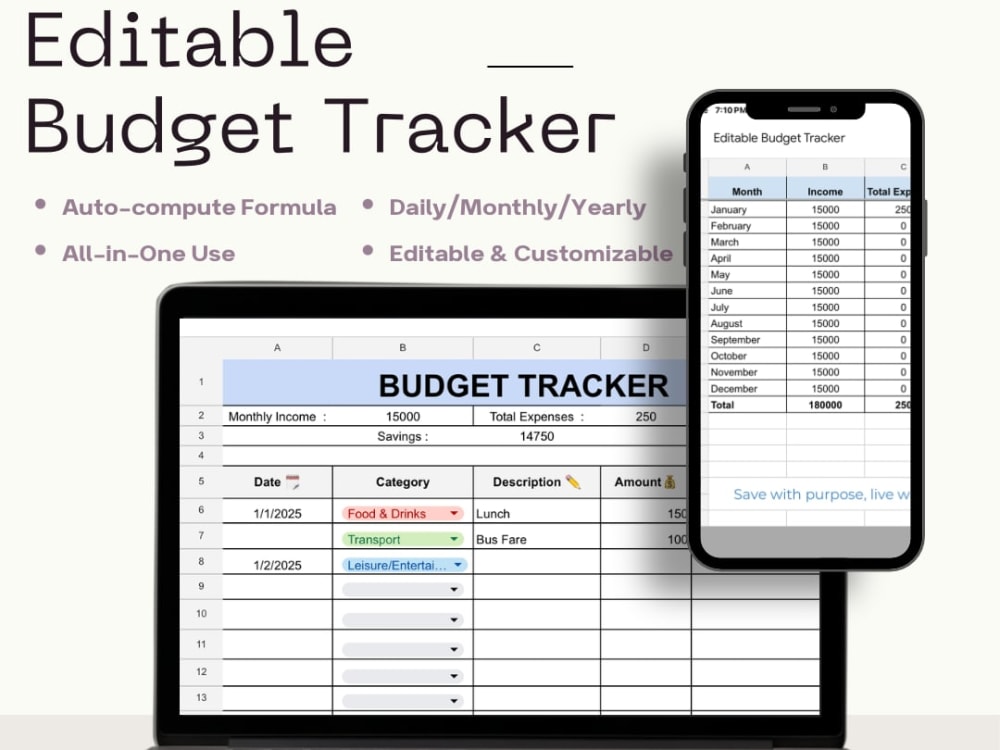
I offer a ready-to-use Google Sheet Budget Tracker that automatically computes your income, expenses, and savings—perfect for freelancer, students, or anyone who wants to manage their money better.
The Tracker is fully editable, easy to use, and requires no installation. Just open the file, make a copy, and start tracking your budget instantly!
What makes this tracker special is its auto-compute feature, clean design, and simple layout that helps you see exactly where your money goes.
The Tracker is fully editable, easy to use, and requires no installation. Just open the file, make a copy, and start tracking your budget instantly!
What makes this tracker special is its auto-compute feature, clean design, and simple layout that helps you see exactly where your money goes.
Data Entry Type
Data CleansingData Entry Tool
Google SheetsWhat's included $6
These options are included with the project scope.
$6
- Delivery Time 1 day
- Number of Revisions 0
- Formatting & Clean Up
Optional add-ons
You can add these on the next page.
Add Expense Graph or Chart
(+ 1 Day)
+$4Frequently asked questions
About Dana May
Admin | Virtual Assistant | Video Editing
Castillejos, Philippines - 1:47 pm local time
I also like social media management and have my own social media account where I create and maintain content. I'm responsible, detail-focused, and can work independently with little supervision. I love assisting clients in keeping communication flowing smoothly, systems organized, and compelling online presence.
Steps for completing your project
After purchasing the project, send requirements so Dana May can start the project.
Delivery time starts when Dana May receives requirements from you.
Dana May works on your project following the steps below.
Revisions may occur after the delivery date.
Step 1
I share the Google Sheet tracker via Drive link and give usage instructions.
Step 2
Client clicks “File → Make a copy” to save their editable version.