You will get responsive website UI/UX design in Figma
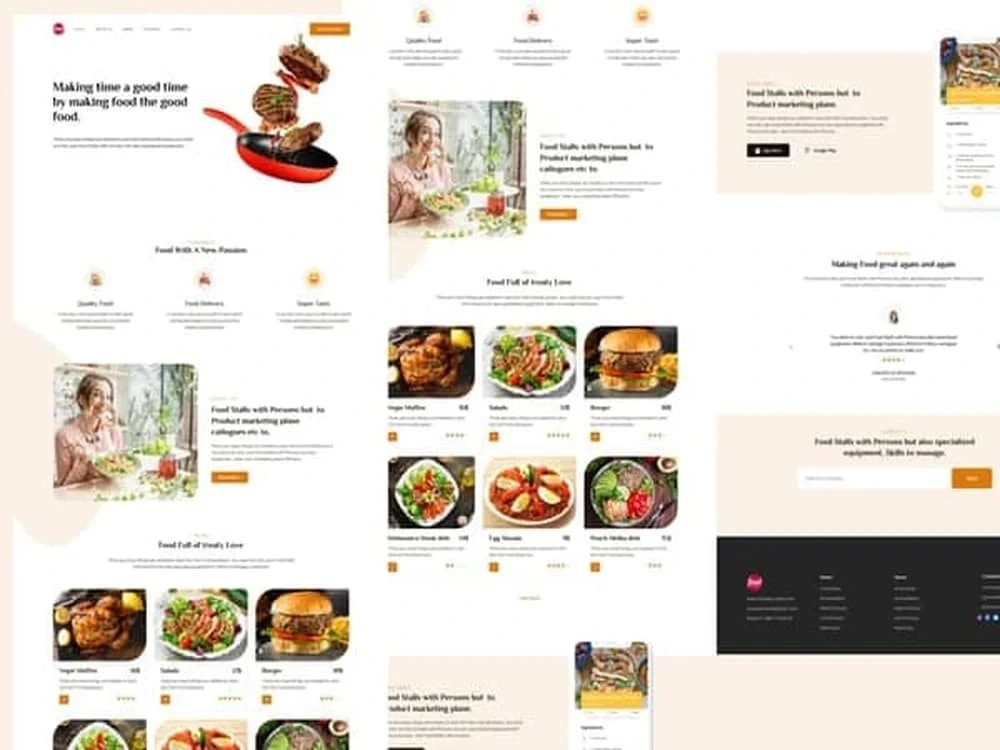
Project details
Step 1: Create a New Document
Create a new document in Figma by selecting File > New > Document. Set the canvas size to match the device you’re designing for.
Step 2: Design the Header
Start by designing the header of your Upwork description. This should include your company logo, a navigation bar, and a search bar.
Step 3: Design the Body
Next, design the body of your Upwork description. This should include a title, a brief description of the job, and a list of skills or qualifications you’re looking for in an ideal candidate.
Step 4: Design the Footer
Finally, design the footer of your Upwork description. This should include a contact form, a link to your privacy policy, and any other relevant information.
Step 5: Preview and Export
Once you’re done designing your Upwork description, you can preview it and export it to various file formats. This will allow you to share your design with potential clients.
Create a new document in Figma by selecting File > New > Document. Set the canvas size to match the device you’re designing for.
Step 2: Design the Header
Start by designing the header of your Upwork description. This should include your company logo, a navigation bar, and a search bar.
Step 3: Design the Body
Next, design the body of your Upwork description. This should include a title, a brief description of the job, and a list of skills or qualifications you’re looking for in an ideal candidate.
Step 4: Design the Footer
Finally, design the footer of your Upwork description. This should include a contact form, a link to your privacy policy, and any other relevant information.
Step 5: Preview and Export
Once you’re done designing your Upwork description, you can preview it and export it to various file formats. This will allow you to share your design with potential clients.
Main Type
Landing Pages, Mobile Apps, Web Apps, WebsiteFile Format
JPG, PDF, PNG, OtherWhat's included
| Service Tiers |
Starter
$35
|
Standard
$65
|
Advanced
$105
|
|---|---|---|---|
| Delivery Time | 1 day | 3 days | 5 days |
Number of Revisions | 3 | 5 | 7 |
Source Files |
Optional add-ons
You can add these on the next page.
Fast Delivery
+$15About Faizan
UX/UI Designer| Product Designer| Figma Guru
Gilgit, Pakistan - 4:23 am local time
I am a UX/UI Designer || Product designer with over 3+ years of experience.
✅ 3+ years experience in UX/UI Design
✅User Centric Design & Market Oriented Solution
✅Result Oriented
✅ Best practices
✅ Figma Expert
✅ Designed more than 5 Mobile Apps, website and user persona
I design new services, think of your business or help to improve the existing ones. I create a positive user experience for your customers and think for your business. I work as a full-time freelancer It is in my interest to meet the deadlines and provide a high-quality service
💪 MY SKILLS:
✔ User Interface User Experience
✔Crafting clean, detailed mobile and web app interface
✔Research the market and discover existing apps, analyze your issue
✔ Designing prototypes and interfaces for Web and Mobile Applications
✔Designing websites and consumer experiences
✔ Landing Page design
✔Designing micro-interactions
✔Digital Product design
✔User Research
👩🏽💻 MY TOOLS:
✔Figma
✔ Adobe Photoshop
✔Adobe Illustrator
I use the latest knowledge, trends, and guidelines for mobile and website design. My work is based on analyzing competitors and creating new, successful products, Which help you to boost your business in the market.
MY PROCESS
🔶 1. Discover
The first part of my process is about learning all about your product.
🔶 2. Strategy
Next, I determine the best way to meet the design goals of your brand strategically.
🔶 3. Design
The design phase is was I build out the usage guidelines, and user experience and prototype the product.
🕒 BUSINESS HOURS
I'm available Monday - Saturday, 12:00AM - 05:00AM (GMT+5)
You can check my portfolio on Behance
If you're interested to work with me, invite me to your project and let's discuss your goals.
Thank you for your time.
Regards
Faizan karim
Steps for completing your project
After purchasing the project, send requirements so Faizan can start the project.
Delivery time starts when Faizan receives requirements from you.
Faizan works on your project following the steps below.
Revisions may occur after the delivery date.
Create a New Document?
Create a new document in Figma by selecting File > New > Document. Set the canvas size to match the device you’re designing for.
Design the Header?
Start by designing the header of your Upwork description. This should include your company logo, a navigation bar, and a search bar.