You will get a booking form connected to Airtable with SMS reminders
Rising Talent
Rising Talent
Project details
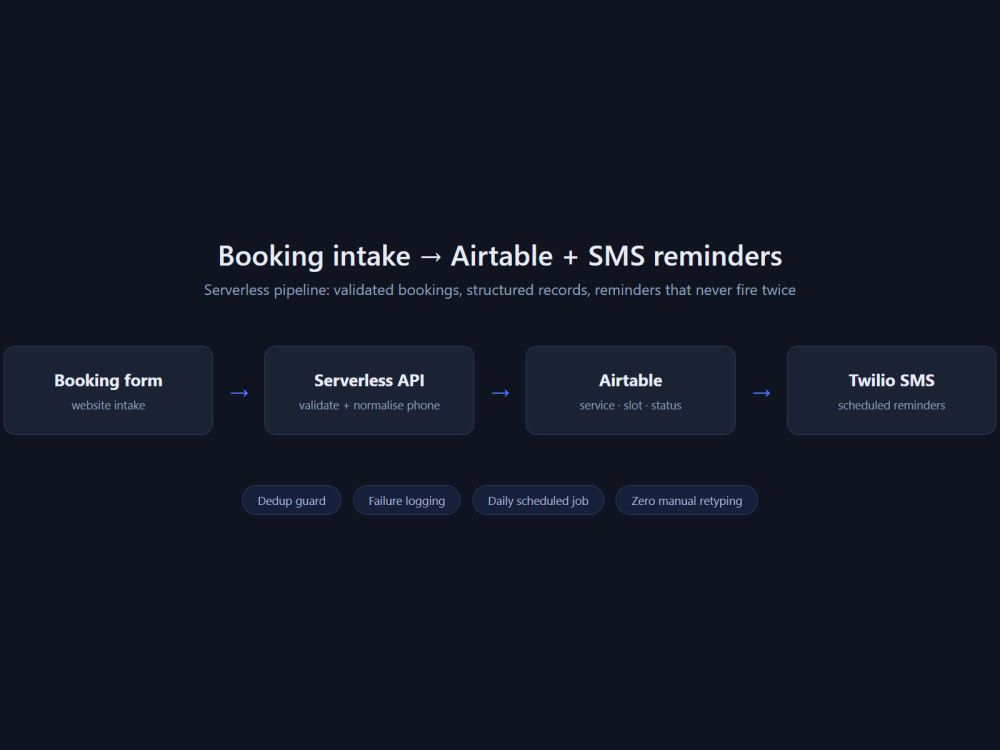
You will get a booking form on your website that writes every request straight into Airtable and sends the client an automatic SMS confirmation, plus a reminder before the appointment. No spreadsheet copy-paste and no missed bookings. I build the form in clean HTML/CSS/JS so it matches your site, connect it to your Airtable base, and wire the SMS through Twilio. You get the live form, the Airtable base set up with the right fields, the automation running, and a short handoff note showing how to change the message wording or the reminder timing yourself. Delivery is fast and I keep you posted at each step.
What's included
| Service Tiers |
Starter
$49
|
Standard
$350
|
Advanced
$700
|
|---|---|---|---|
| Delivery Time | 2 days | 7 days | 14 days |
Number of Revisions | 1 | 0 | 0 |
Number of Pages | 1 | 2 | 3 |
Design Customization | - | ||
Content Upload | - | ||
Responsive Design | |||
Source Code | - | - |
About Vitor Gabriel
Airtable & Supabase Automation | Zapier/Make Pipelines in Code
Reykjavik, Iceland - 10:38 am local time
I'm Vitor, a developer who builds the plumbing behind small business operations: forms, databases, webhooks and the automations that connect them.
I replace manual copy-paste with a pipeline that runs on its own: a form that writes straight into Airtable or Supabase, validation and deduplication so records stay clean, a webhook or scheduled job that reacts to each new entry, and an SMS or email confirmation that goes out without anyone remembering to send it.
I write these integrations in code, usually JavaScript running as serverless functions, rather than stacking Zapier or Make steps. That means you own the logic, can read it, and don't pay per task as volume grows. When a no-code tool is genuinely the right answer, I'll say so.
I also build the readable end of it: simple dashboards and Airtable views so a non-technical owner can see the day's bookings without asking anyone.
I work in English, reply within a day, and prefer to scope a small first piece so you can judge the work before committing to more.
Steps for completing your project
After purchasing the project, send requirements so Vitor Gabriel can start the project.
Delivery time starts when Vitor Gabriel receives requirements from you.
Vitor Gabriel works on your project following the steps below.
Revisions may occur after the delivery date.
Form built and connected to Airtable
I build the booking form in HTML/CSS/JS to match your site, create or wire your Airtable base with the fields you need, and confirm a test booking lands in the right table.
SMS confirmation and reminder live
I connect Twilio so every booking triggers an instant confirmation SMS and a reminder before the appointment, test both end to end, and send you a short handoff note on editing the wording and timing.