You will get a clean Excel file or refreshable weekly report
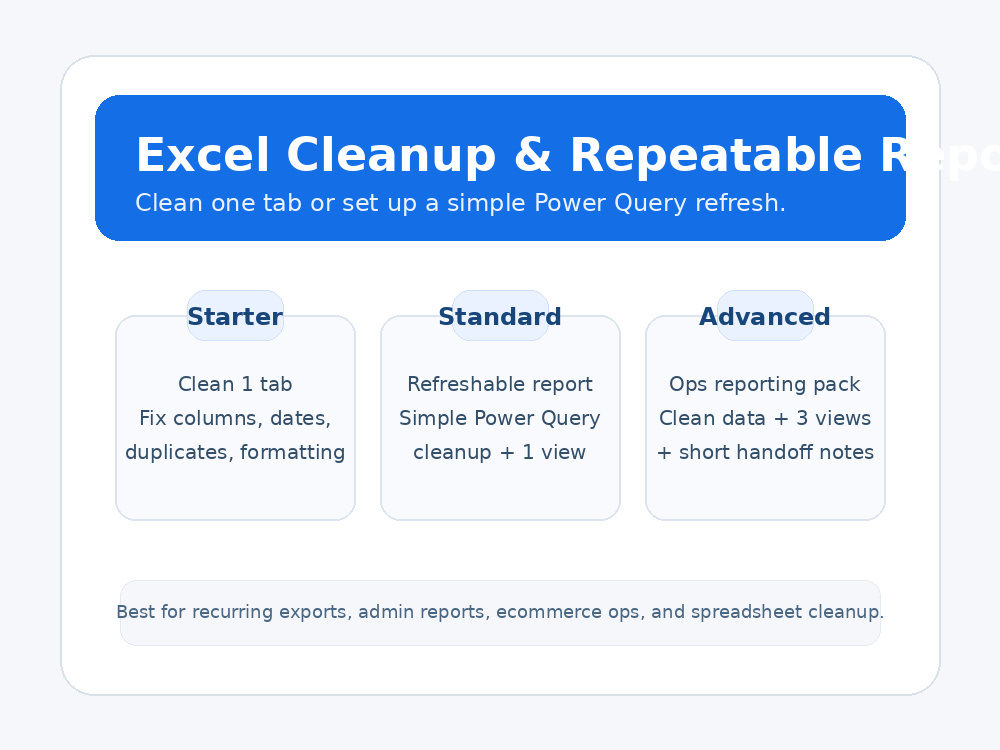
Project details
I help clean recurring Excel exports and turn them into usable files or repeatable weekly reports.
Best for:
• messy admin or ops exports
• duplicate cleanup
• column/date formatting
• simple Power Query refresh flows
• recurring weekly status or exception reporting
This project is a good fit when you already have the source file and need it cleaned, organized, and easier to reuse.
Best for:
• messy admin or ops exports
• duplicate cleanup
• column/date formatting
• simple Power Query refresh flows
• recurring weekly status or exception reporting
This project is a good fit when you already have the source file and need it cleaned, organized, and easier to reuse.
Data Tool
Microsoft ExcelWhat's included
| Service Tiers |
Starter
$25
|
Standard
$75
|
Advanced
$150
|
|---|---|---|---|
| Delivery Time | 2 days | 3 days | 4 days |
Number of Revisions | 1 | 1 | 1 |
Number of Pages Mined/Scraped | 1 | 2 | 3 |
Number of Sources Mined/Scraped | 1 | 2 | 3 |
Optional add-ons
You can add these on the next page.
Fast Delivery
+$50 - $250
Additional Revision
+$25
Add another source file
(+ 1 Day)
+$100Frequently asked questions
About Ricky
Excel/Power Q | Data Cleaning & Weekly Automation | Op Reporting
Lakewood, United States - 1:08 pm local time
I build clean, refreshable Excel reports for messy real-world operations data.
Most clients come to me with exports that are inconsistent, duplicated, or hard to use (orders, inventory, backorders, shipments, usage, exceptions). I turn that into a simple weekly workflow: drop the new file in → refresh → updated report.
What I can do fast:
• Excel data cleanup (standardize columns, remove duplicates, fix dates/codes, validate totals)
• Power Query automation (combine files, transform exports, refreshable tables)
• PivotTables + summary tabs (status views, aging views, exceptions lists)
• Practical templates: trackers, intake sheets, escalation logs, “owner/next step” report tabs
• Documentation: short SOP so you (or your team) can run it without me
Tools:
Excel (2019+ compatible). If you have Microsoft 365 features (like XLOOKUP/dynamic arrays) I can use them — if not, I’ll build with classic formulas so it still works.
I’m new to Upwork, not new to operations reporting. If you send a sample export (redacted is fine), I’ll tell you the fastest clean/automation path and give you a fixed quote.
Steps for completing your project
After purchasing the project, send requirements so Ricky can start the project.
Delivery time starts when Ricky receives requirements from you.
Ricky works on your project following the steps below.
Revisions may occur after the delivery date.
Share the source file and desired outcome
Send the Excel file, tab(s), and a short note on what you want fixed, cleaned, or summarized.
Cleanup and build
I clean the data, standardize the structure, and complete the scope of your package, whether that is a cleaned tab, Power Query refresh, or reporting view.