You will get a conversational AI assistant that manages Jira via chat
Project details
Conversational AI Agent for Jira — Chat Your Way Through Issue Management
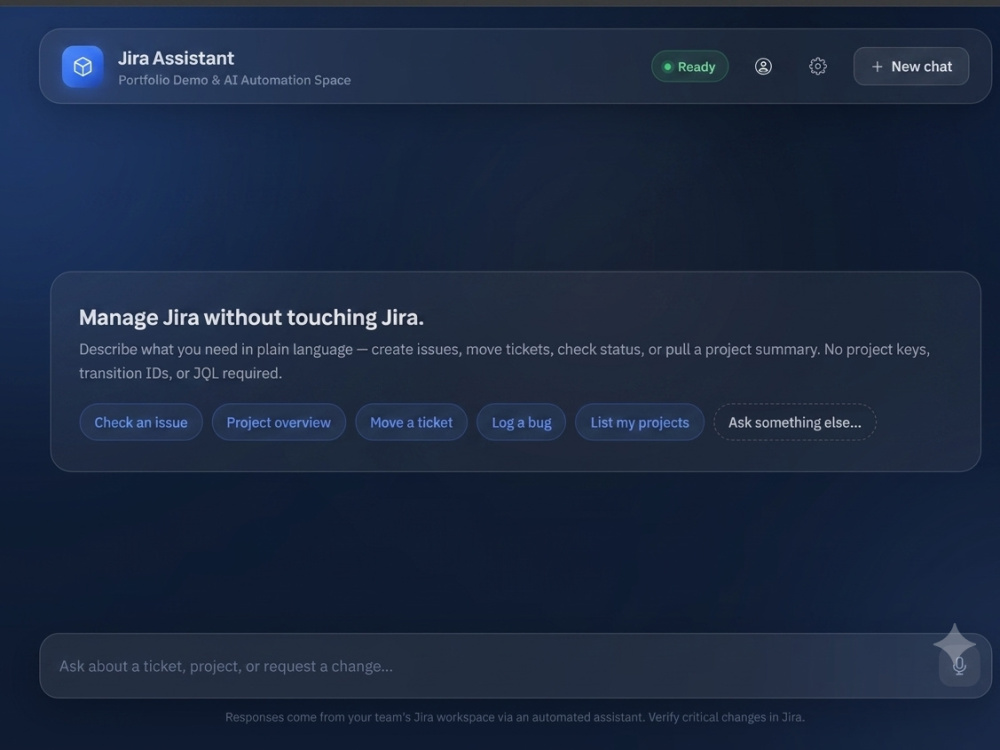
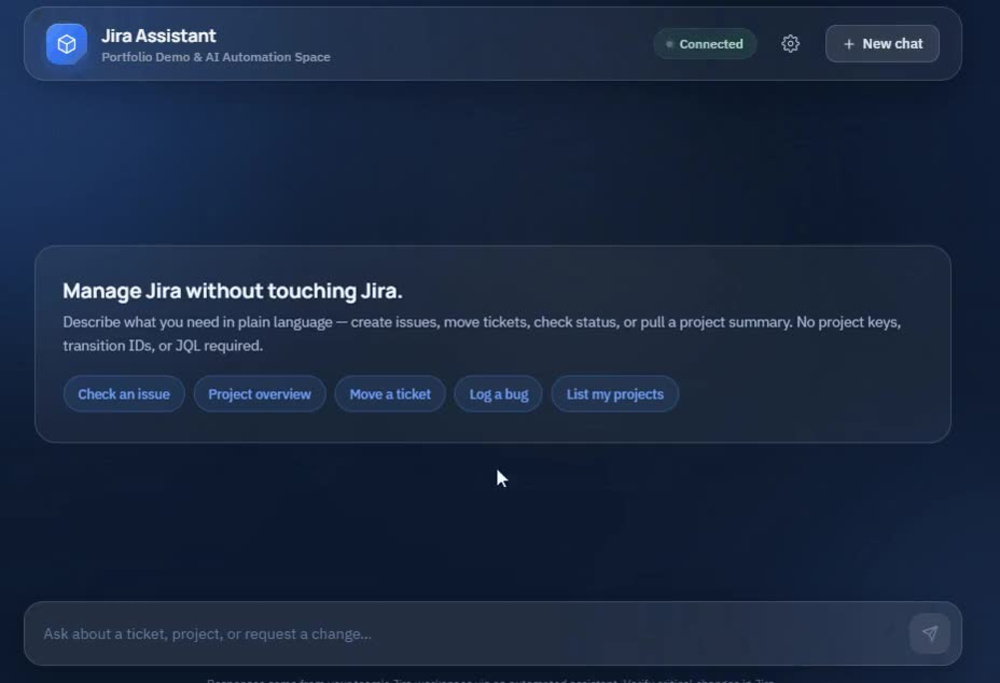
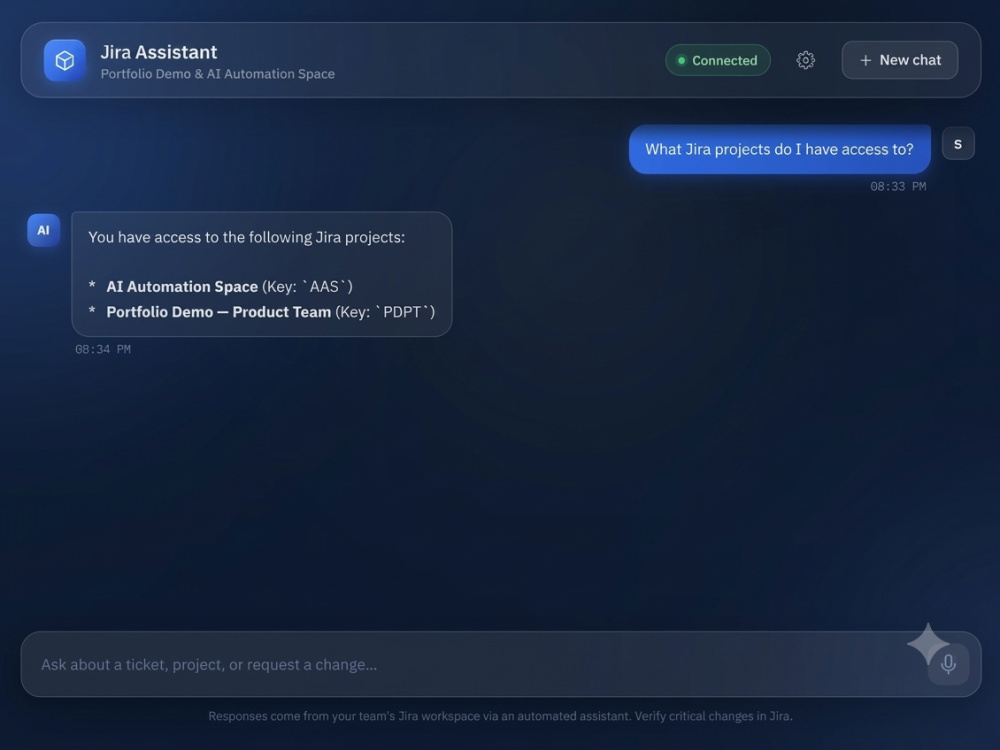
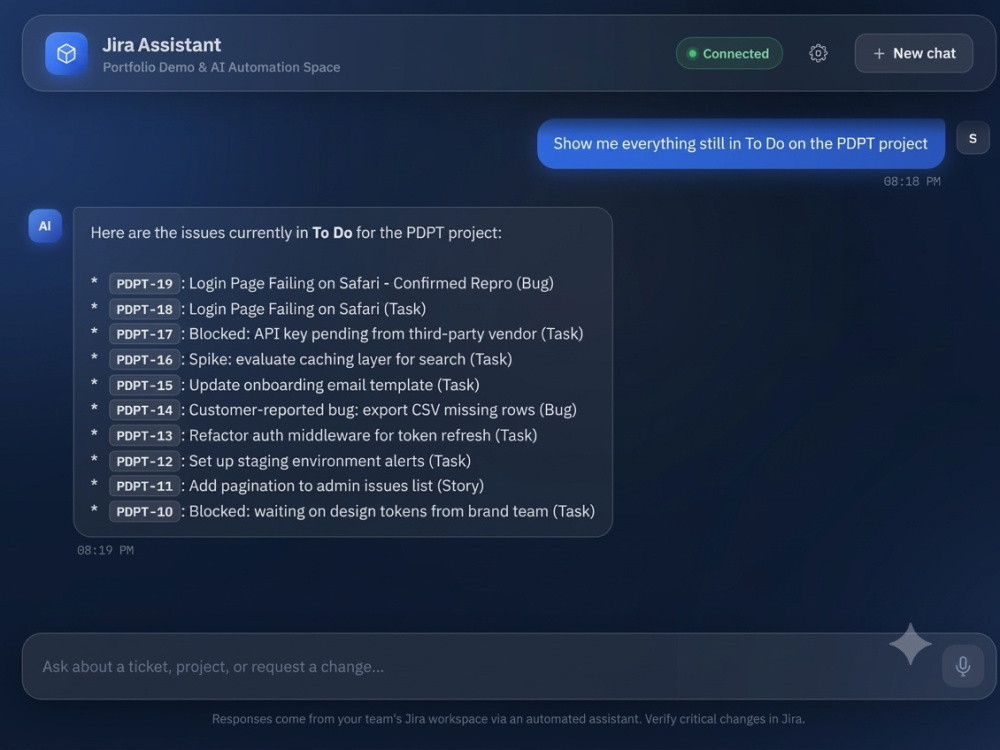
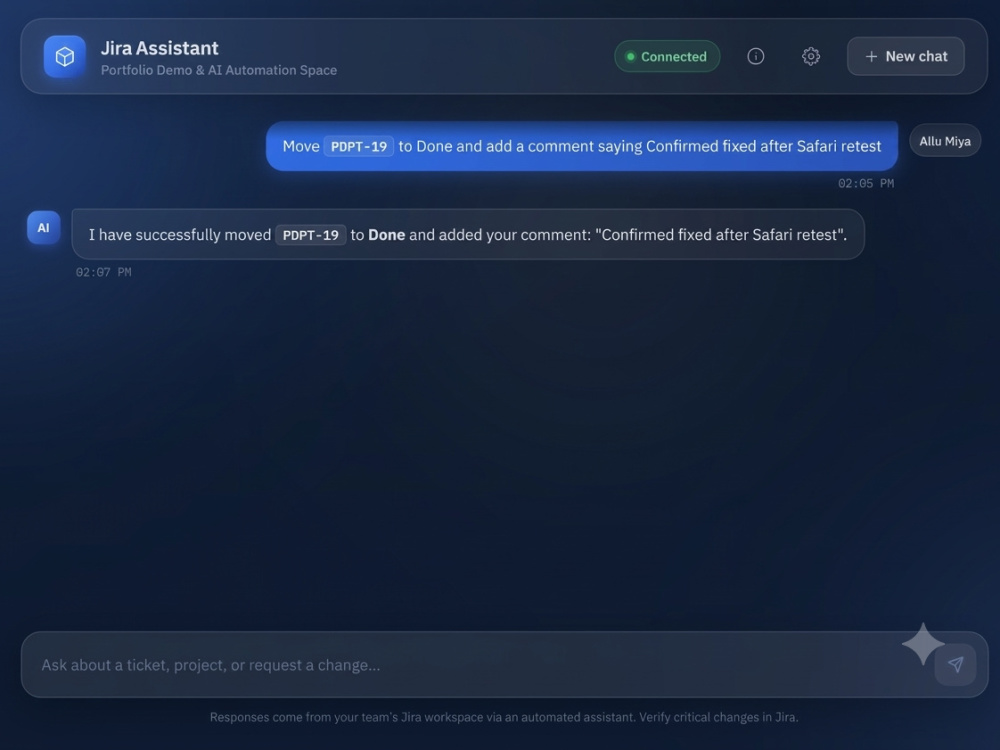
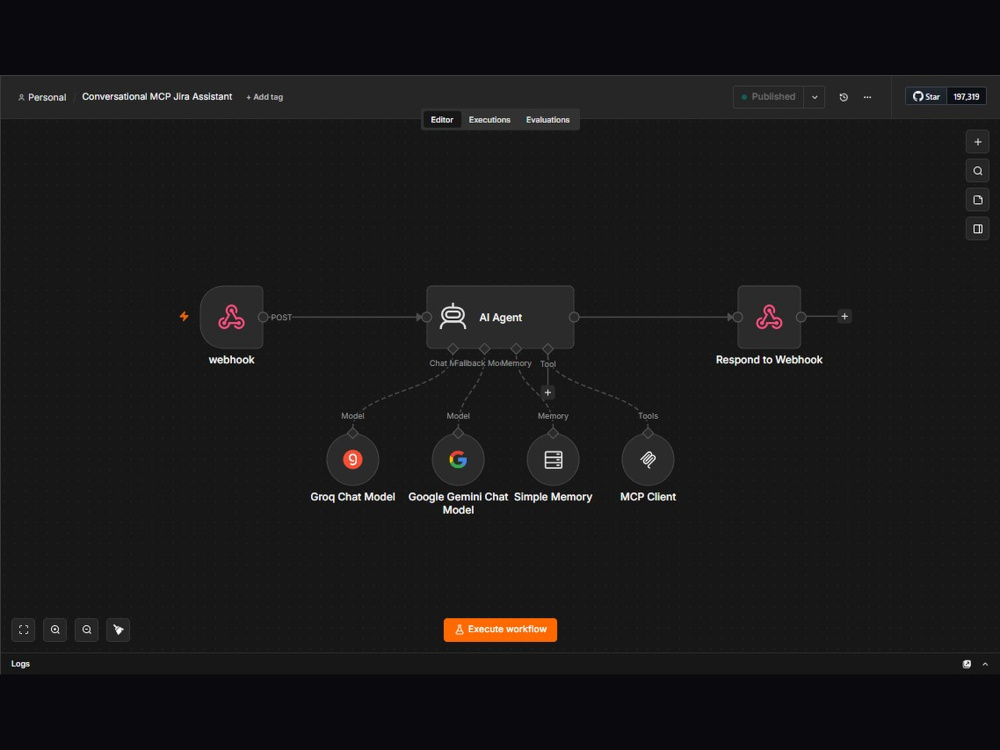
Stop clicking through Jira menus. This AI chat assistant lets you create, update, assign, comment on, transition, and search Jira issues — all through natural conversation.
How it works
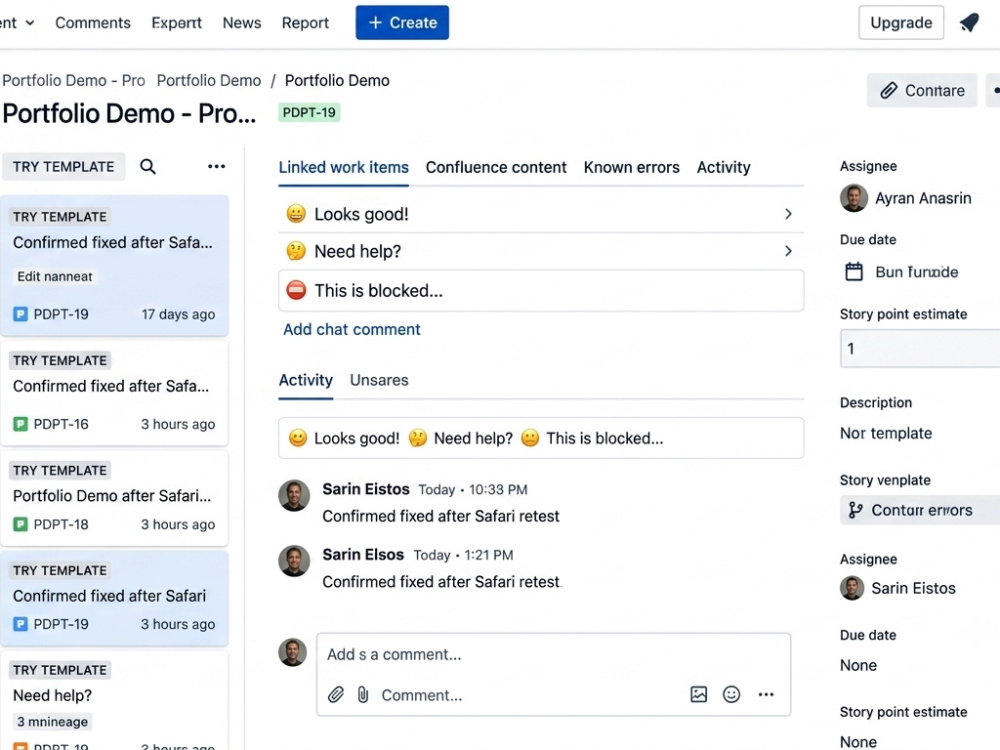
Type a request like "Move PDPT-18 to In Progress and note QA signed off" — the agent handles the multi-step Jira workflow (checking valid transitions, updating status, adding the comment) and confirms back in plain language.
What's included
🔹 AI Agent built on n8n, powered by Groq's LLaMA 3.3 for reliable tool-calling
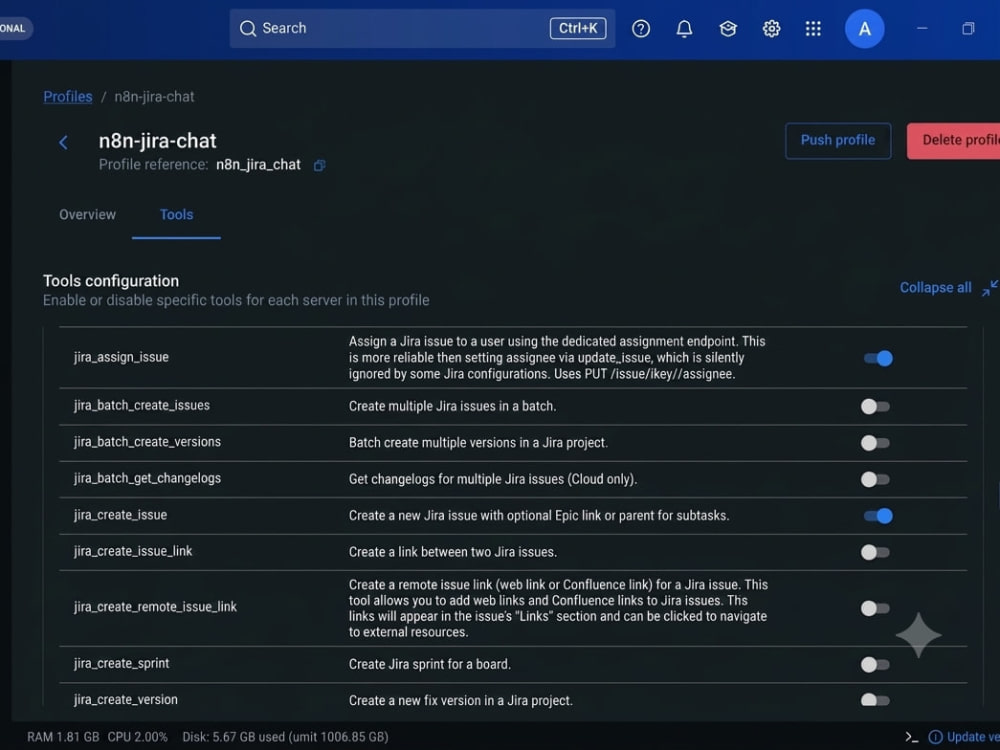
🔹 Direct Jira integration via MCP (Model Context Protocol) — no brittle custom API code
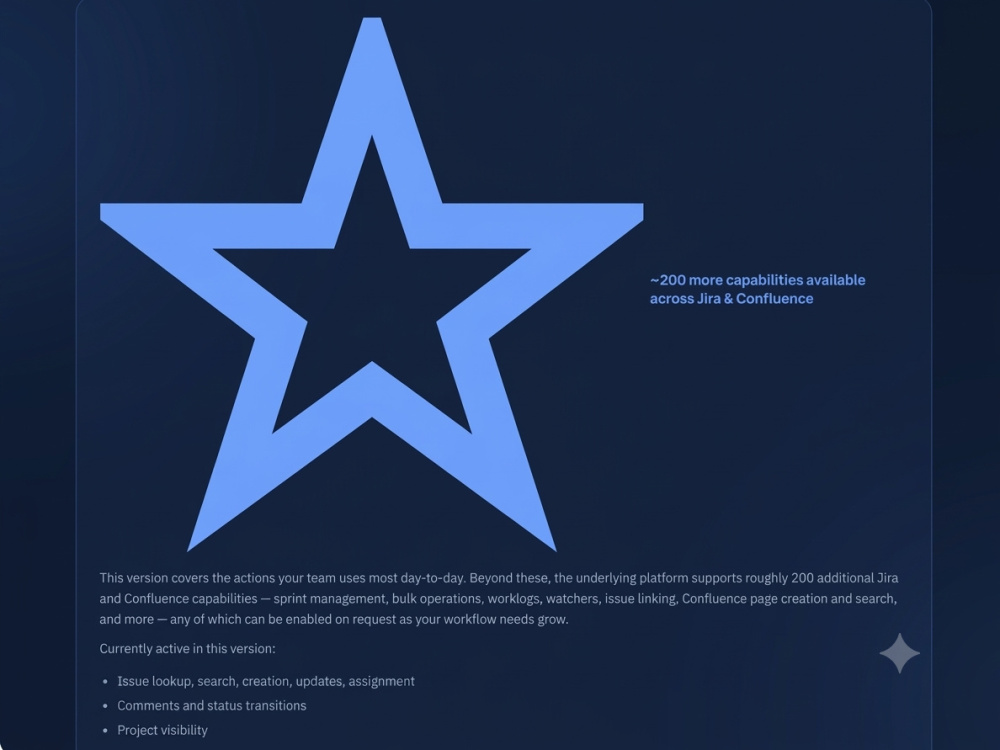
🔹 9 core Jira actions: create, update, assign, comment, transition, search & more
🔹 Honest error handling — failures are reported plainly, never faked
🔹 (Advanced) A branded, ready-to-use chat interface — no coding needed
Good fit for: teams wanting faster issue triage, non-technical staff avoiding the Jira UI, or anyone exploring AI agents on existing PM tools.
Check tiers for scope — happy to discuss custom needs before you order.
Stop clicking through Jira menus. This AI chat assistant lets you create, update, assign, comment on, transition, and search Jira issues — all through natural conversation.
How it works
Type a request like "Move PDPT-18 to In Progress and note QA signed off" — the agent handles the multi-step Jira workflow (checking valid transitions, updating status, adding the comment) and confirms back in plain language.
What's included
🔹 AI Agent built on n8n, powered by Groq's LLaMA 3.3 for reliable tool-calling
🔹 Direct Jira integration via MCP (Model Context Protocol) — no brittle custom API code
🔹 9 core Jira actions: create, update, assign, comment, transition, search & more
🔹 Honest error handling — failures are reported plainly, never faked
🔹 (Advanced) A branded, ready-to-use chat interface — no coding needed
Good fit for: teams wanting faster issue triage, non-technical staff avoiding the Jira UI, or anyone exploring AI agents on existing PM tools.
Check tiers for scope — happy to discuss custom needs before you order.
AI Algorithms
Large Language Model, Transformer ModelAI Applications
AI Chatbot, Conversational AI, Natural Language Generation, Natural Language UnderstandingAI Models
LLaMAWhat's included
| Service Tiers |
Starter
$180
|
Standard
$400
|
Advanced
$700
|
|---|---|---|---|
| Delivery Time | 3 days | 5 days | 7 days |
Number of Revisions | 1 | 2 | 3 |
AI Model Integration | |||
Batch Normalization | - | - | - |
Database Integration | - | - | - |
Detailed Code Comments | - | - | - |
Image Upscaling | - | - | - |
MLOps | - | - | - |
Model Deployment | - | - | - |
Model Documentation | - | - | - |
Model Monitoring | - | - | - |
Model Testing & Optimization | - | - | - |
Model Tuning | - | - | - |
Natural Language Processing | - | ||
NLP Tokenization | - | - | - |
Pre-Training | - | - | - |
Prompt Engineering | - | ||
Setup File | - | ||
Source Code | - | - |
Optional add-ons
You can add these on the next page.
Additional Revision
+$30Frequently asked questions
About Allavudeen
AI Workflow Automation Specialist | n8n - Make - AI Agents
Tiruchirappalli, India - 9:20 am local time
With 12+ years of experience as a Technical Project Manager, I've led offshore cross-functional teams, managed client delivery, and handled complex integrations — so I understand exactly where workflows break down and how to fix them permanently with automation.
What I build:
🔷 n8n Automations — RAG Document Intelligence Agents, Conversational Email Agents, Gmail-to-Jira ticket pipelines, and custom multi-step AI workflows
🟠 Make Automations — Standup summarisers, sprint retro processors, blocker escalation bots, and AI-powered status report generators
🤖 AI Agents — LLM-powered agents using Google Gemini and Groq with vector databases (Supabase pgvector), persistent PostgreSQL memory, and structured outputs
My tech stack:
n8n · Make · Google Gemini · Groq API · HuggingFace · Supabase · PostgreSQL · Gmail API · Jira API · Slack · Google Sheets · Python
What makes me different:
I bring a Project Manager's mindset to every automation — requirements first, edge cases handled, documentation delivered. You get a production-ready workflow, not a fragile prototype.
Currently building a 30-automation public portfolio on GitHub — every build is tested, sanitized, and documented.
If your team is spending time on tasks a workflow could handle in seconds — let's talk.
Steps for completing your project
After purchasing the project, send requirements so Allavudeen can start the project.
Delivery time starts when Allavudeen receives requirements from you.
Allavudeen works on your project following the steps below.
Revisions may occur after the delivery date.
Access & Requirements Review
Review your Jira site details, required actions, and scope. Confirm API access and clarify any custom needs before build begins.
Agent Build & MCP Configuration
Set up the n8n AI Agent, connect Jira via MCP, and configure the tool set (create, update, assign, comment, transition, search) based on your selected tier.