You will get a Google Sheets CRM with Apps Script automation
Project details
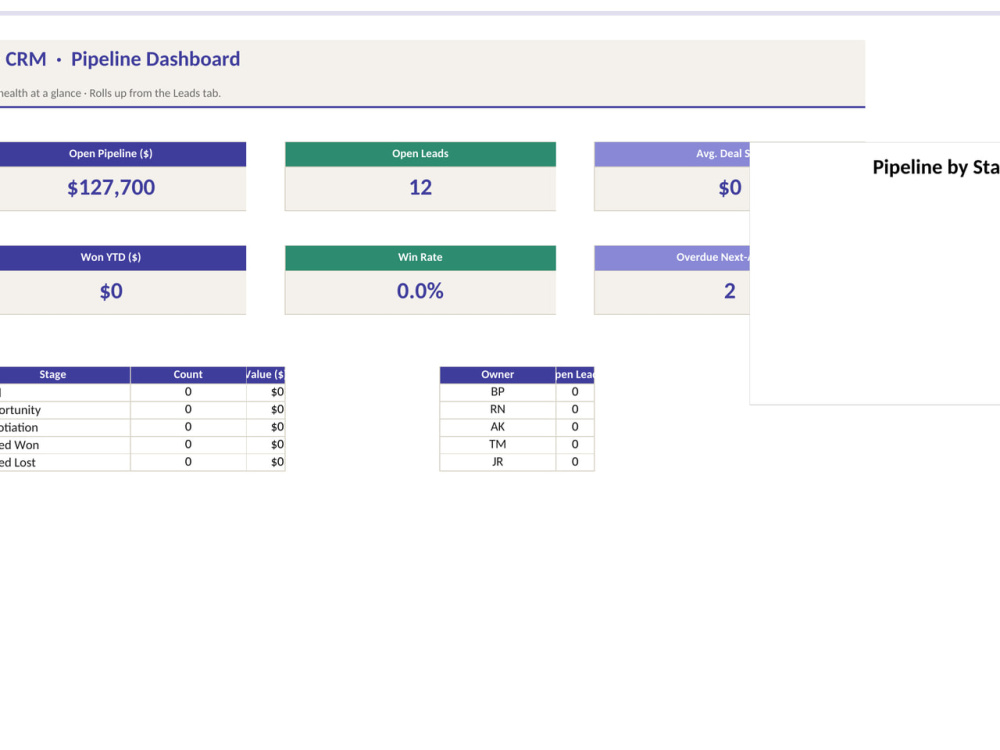
I'll build you a Google Sheets CRM with Apps Script automation - lead capture, contact tracking, deal pipeline, status colors, and a clean dashboard. Send personalized emails directly from Sheets, schedule follow-ups in Calendar, and get notified when high-value leads come in. Built on Google Workspace - no extra subscriptions. Works on desktop and mobile Sheets app. Fully customizable to your sales process. Send me your current pipeline (or just describe it) and I'll deliver a working CRM that fits how your team actually sells.
Programming Languages
JavaScriptWhat's included
| Service Tiers |
Starter
$50
|
Standard
$125
|
Advanced
$250
|
|---|---|---|---|
| Delivery Time | 3 days | 5 days | 7 days |
Number of Revisions | 1 | 2 | 3 |
Install Script | |||
Test Script | - | ||
Task Automation | - |
About Bhargav
Power Apps | Power Automate | AppSheet | Excel VBA | Apps Script | PDF
League City, United States - 1:35 am local time
What I deliver:
- Power Apps + Power Automate apps and flows (Microsoft 365 / Dataverse / SharePoint)
- AppSheet apps for field service, inventory, CRM
- Excel macros, VBA, Power Query, and dashboards
- Google Sheets + Apps Script for CRMs, reporting, and Gmail/Calendar automation
- Fillable PDF forms with embedded JavaScript for auto-totals
- Microsoft 365 Copilot and AI-assisted automation
Self-taught, response-fast, and comfortable jumping into messy problems end-to-end. Happy to do a 15-minute scoping call before we commit.
Steps for completing your project
After purchasing the project, send requirements so Bhargav can start the project.
Delivery time starts when Bhargav receives requirements from you.
Bhargav works on your project following the steps below.
Revisions may occur after the delivery date.
Review your workflow and confirm the CRM structure
I'll review your sales workflow and send you a short list of every column, status, and automation I'll set up. You approve or tweak, then I build, send the draft Sheet, and deliver final after your revisions.