You will get your repetitive Google Sheets workflow automated
Rising Talent
Rising Talent
Project details
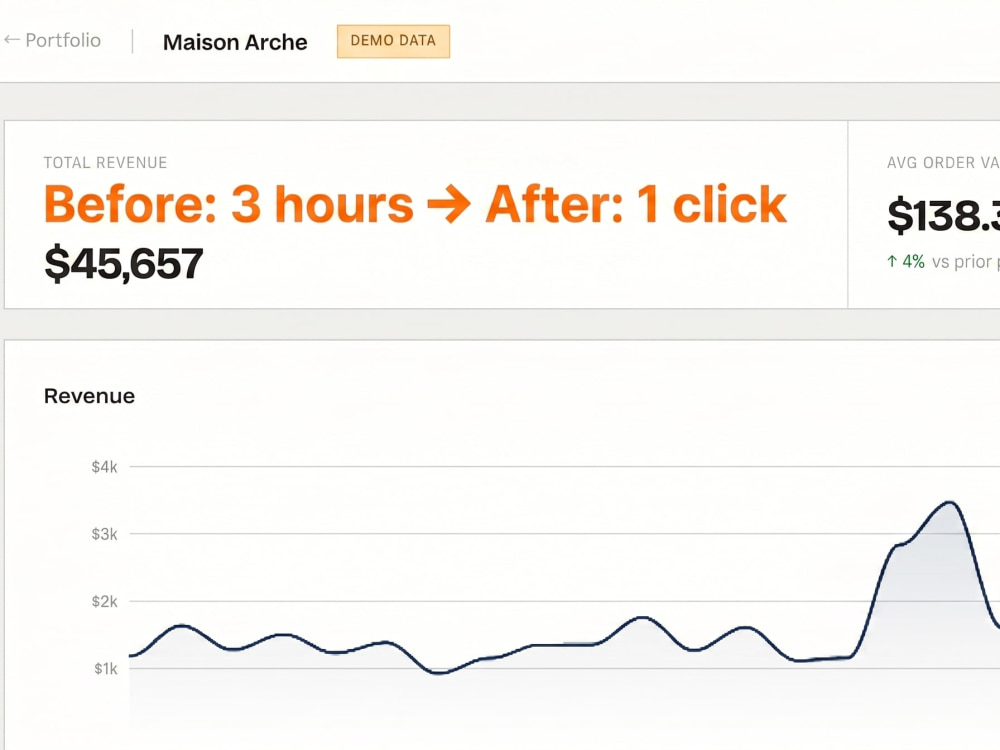
The image above shows an automated sales dashboard built for an e-commerce client — one example of what Google Sheets + Apps Script can do.
Tell me what you're doing manually in Google Sheets, and I'll build a script that does it automatically.
Common requests:
• Send email alerts when a cell value changes
• Copy approved rows to another sheet automatically
• Pull data from an external API into your Sheet daily
• Generate weekly summary reports and email them
• Trigger actions when a Google Form is submitted
• Sync data between multiple Sheets
What you receive:
• Working Google Apps Script installed in your Sheet
• Plain-language documentation of what the script does
• Instructions for making simple changes yourself
Not sure if your task qualifies? Message me first — I'll tell you in 5 minutes whether it's doable and give you a fixed price.
See more examples:
ryosuke-portfolio-rose.vercel.app
Tell me what you're doing manually in Google Sheets, and I'll build a script that does it automatically.
Common requests:
• Send email alerts when a cell value changes
• Copy approved rows to another sheet automatically
• Pull data from an external API into your Sheet daily
• Generate weekly summary reports and email them
• Trigger actions when a Google Form is submitted
• Sync data between multiple Sheets
What you receive:
• Working Google Apps Script installed in your Sheet
• Plain-language documentation of what the script does
• Instructions for making simple changes yourself
Not sure if your task qualifies? Message me first — I'll tell you in 5 minutes whether it's doable and give you a fixed price.
See more examples:
ryosuke-portfolio-rose.vercel.app
Programming Languages
JavaScriptWhat's included
| Service Tiers |
Starter
$99
|
Standard
$199
|
Advanced
$349
|
|---|---|---|---|
| Delivery Time | 2 days | 4 days | 7 days |
Number of Revisions | 1 | 2 | 3 |
Install Script | |||
Test Script | |||
Task Automation |
Frequently asked questions
About Ryosuke
Google Sheets & Automation Expert | Turning Hours of Work into Minutes
Cuijk, Netherlands - 11:49 am local time
A record label was spending 2 hours every day on manual data entry and inventory sorting. After I built them a custom Google Sheets system, that same work takes 3 minutes. That's what I do.
I build systems that run your Google Workspace for you.
If your team is manually sending invoices, rebuilding the same report every month, writing proposals from scratch, or copy-pasting data between sheets — I can automate it. Using Google Sheets and Apps Script, I connect your existing tools and create workflows that run themselves.
What I build:
• Invoice & document generation from Google Sheets (PDF, auto-emailed)
• Proposal & quote generators — fill in details, download a branded PDF
• Automated reporting dashboards that pull live data
• Form-to-CRM workflows with personalized email follow-ups
• API integrations that bring external data into your Sheet
Everything runs inside Google Workspace. No new subscriptions. No tools your team needs to learn. No monthly fees beyond what you already pay.
I don't just write scripts – I help you redesign the workflow so your team can run it without you.
Fast delivery. Clear communication. You own everything I build.
Steps for completing your project
After purchasing the project, send requirements so Ryosuke can start the project.
Delivery time starts when Ryosuke receives requirements from you.
Ryosuke works on your project following the steps below.
Revisions may occur after the delivery date.
Discovery
Understand your current workflow, identify the exact steps to automate, and confirm the scope.
Build & Test
Build the script, test against your real data, and refine until it runs reliably.