You will get AI sales assistant prompts connected to your Zoho CRM data
Project details
You will get AI working on your Zoho CRM data through a purpose-built MCP server, deployed on Zoho MCP — Zoho's fully managed hosting, so there's no infrastructure to set up or maintain.
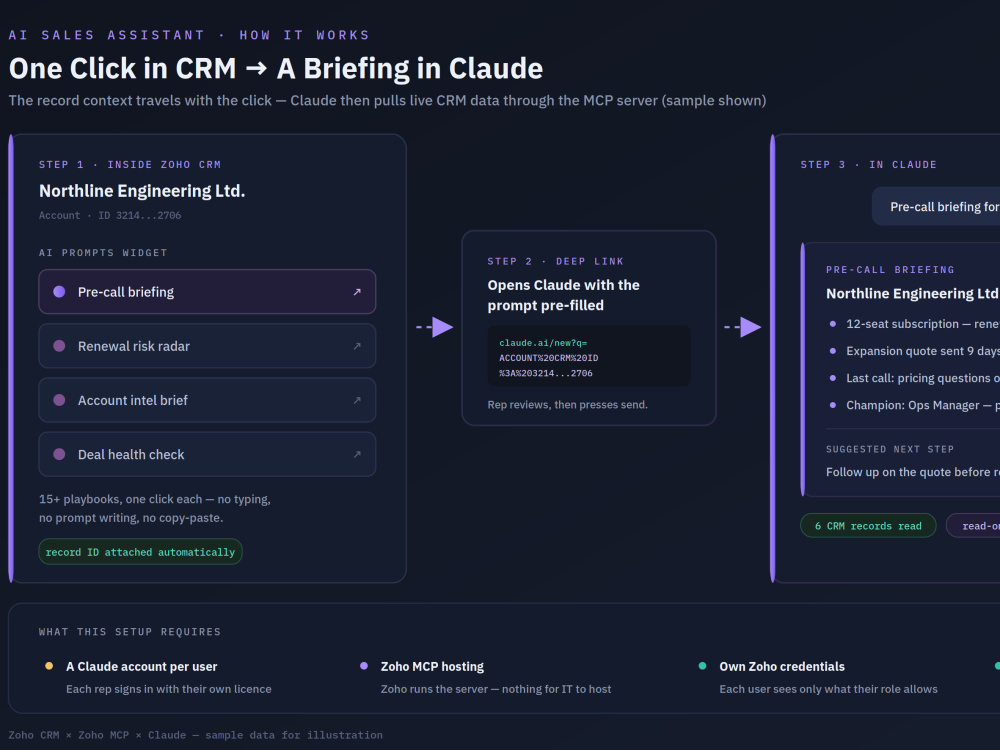
I configure the server itself: which modules and fields the AI can reach, what each tool does, and how access is scoped. Then I build the part that makes it usable day to day — a prompt library based on your real sales playbooks, and a launcher widget on your CRM records. One click opens Claude with the prompt and that record's context already filled in; the rep presses send and Claude pulls live CRM data through the server.
No prompt writing, no copy-pasting record IDs, no new system to learn beyond Claude itself.
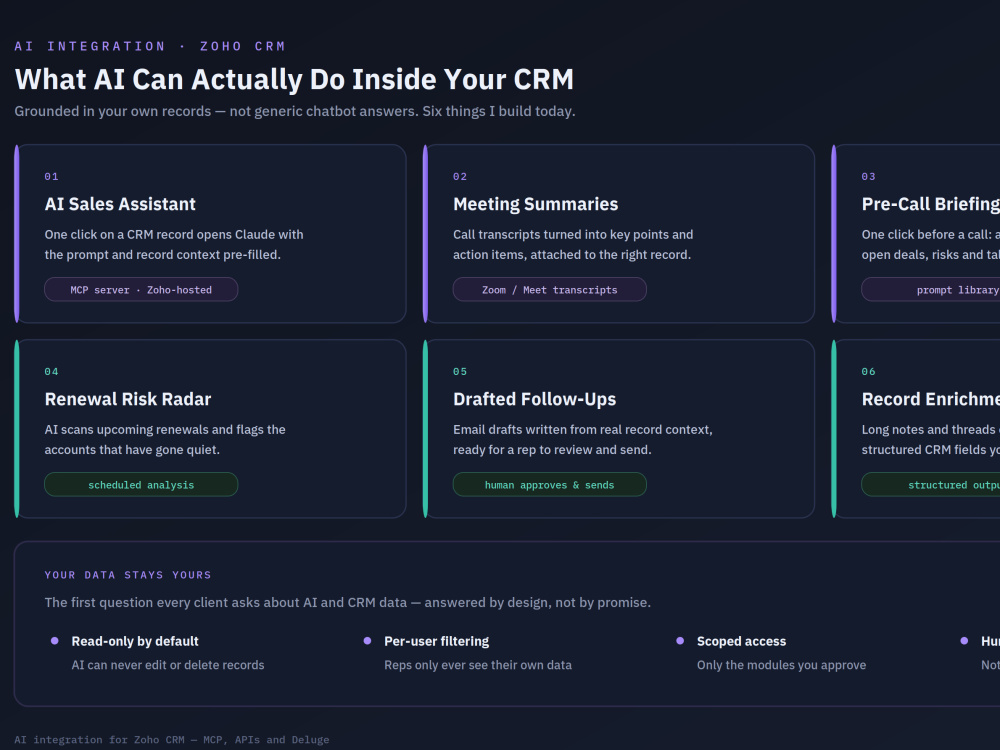
Access is read-only by default, and each user connects with their own Zoho credentials, so people only see what their CRM role already allows.
Please note: each user needs their own Claude account to use it. I'll confirm the setup with you before starting.
I configure the server itself: which modules and fields the AI can reach, what each tool does, and how access is scoped. Then I build the part that makes it usable day to day — a prompt library based on your real sales playbooks, and a launcher widget on your CRM records. One click opens Claude with the prompt and that record's context already filled in; the rep presses send and Claude pulls live CRM data through the server.
No prompt writing, no copy-pasting record IDs, no new system to learn beyond Claude itself.
Access is read-only by default, and each user connects with their own Zoho credentials, so people only see what their CRM role already allows.
Please note: each user needs their own Claude account to use it. I'll confirm the setup with you before starting.
AI Development Type
Software MaintenanceWhat's included
| Service Tiers |
Starter
$150
|
Standard
$500
|
Advanced
$1,100
|
|---|---|---|---|
| Delivery Time | 7 days | 14 days | 21 days |
AI Model Integration | |||
Detailed Code Comments | - | - | - |
Knowledge Graph | - | - | - |
Model Documentation | - | - | - |
Ontology | - | - | - |
Source Code | |||
Taxonomy | - | - | - |
Frequently asked questions
About Mohammed Arfater
Zoho+AI Integration Specialist
Chittagong, Bangladesh - 12:10 pm local time
Steps for completing your project
After purchasing the project, send requirements so Mohammed Arfater can start the project.
Delivery time starts when Mohammed Arfater receives requirements from you.
Mohammed Arfater works on your project following the steps below.
Revisions may occur after the delivery date.
Use Case & Data Scoping
I go through your sales workflow with you to find where AI genuinely helps, then agree which CRM modules and fields it should be able to read.
Access Rules & Your Approval
I define the access limits in writing: which data the AI can reach, read-only vs write, and how each user's own CRM permissions apply. You approve before I build.