You will get an AI-powered Excel automation and reporting solution
Project details
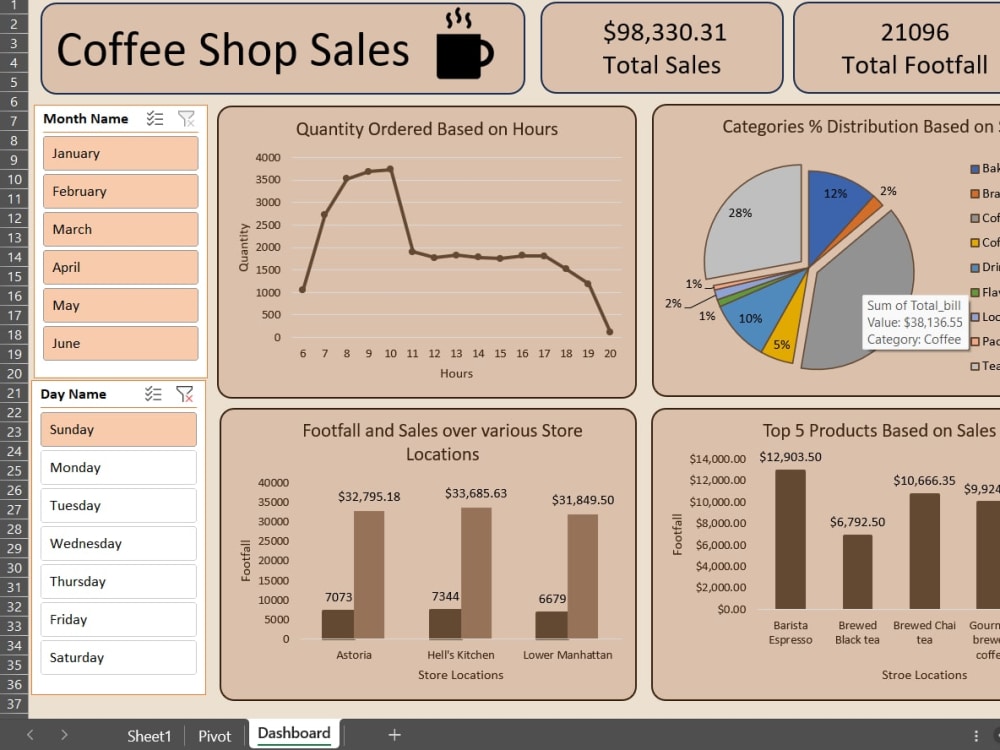
I will automate your Excel tasks to save time and reduce repetitive manual work. This service can include data cleaning, formulas, formatting, automated reports, KPI calculations, and recurring workflows. You will receive a clean, efficient, and easy-to-use Excel solution tailored to your requirements.
Data Tool
Microsoft ExcelWhat's included
| Service Tiers |
Starter
$10
|
Standard
$15
|
Advanced
$20
|
|---|---|---|---|
| Delivery Time | 2 days | 4 days | 1 day |
Number of Revisions | 1 | 2 | 2 |
Optional add-ons
You can add these on the next page.
Additional Revision
+$5About Paras
Data Analyst | Business Intelligence & Data Science
Ganaur, India - 8:17 pm local time
I specialize in Data Analytics, Business Intelligence, dashboard development, and predictive analytics, with hands-on experience working with real-world data and end-to-end analytical projects.
I can help with:
• Data Cleaning & Preparation
• Exploratory Data Analysis (EDA)
• SQL Data Analysis
• Excel & Power BI Dashboards
• KPI Reporting & Business Insights
• Data Visualization
• Python Data Analysis
• Machine Learning & Predictive Modeling
• Data Entry & Data Management
• AI Automation & Workflow Automation
I focus on delivering accurate, well-structured, and easy-to-understand results that address the actual business problem.
Tools: Python, Pandas, NumPy, SQL, Excel, Power BI, DAX, Scikit-learn, Matplotlib, Seaborn, MySQL, Git & GitHub.
If you have a dataset, dashboard, reporting requirement, or business problem that can be solved with data, feel free to reach out.
Steps for completing your project
After purchasing the project, send requirements so Paras can start the project.
Delivery time starts when Paras receives requirements from you.
Paras works on your project following the steps below.
Revisions may occur after the delivery date.
Review the Excel file and requirements
I review your workbook, understand the workflow, and identify the tasks that need to be automated.
Build the Excel automation
I implement the required formulas, data cleaning, formatting, reports, and automation based on your requirements.