You will get an AI workflow to extract and structure data from PDFs, emails, text
Project details
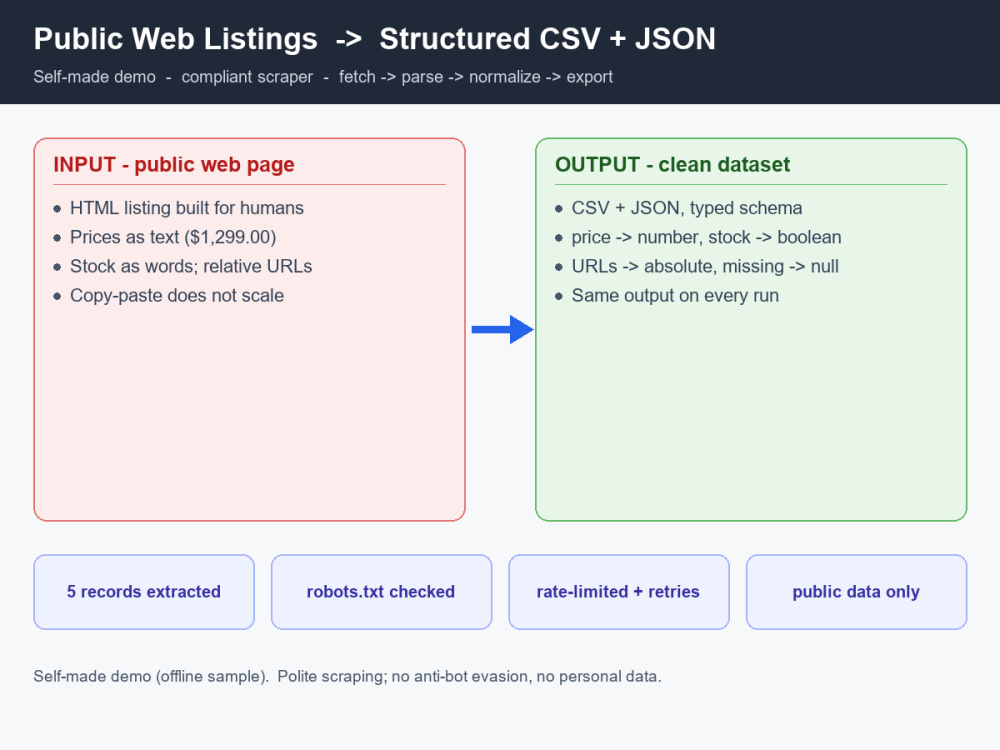
Turn messy, unstructured data into clean, structured output - automatically. Using Python and modern AI (LLMs like GPT-4), I build workflows that read documents, emails, reviews, or free text, extract exactly the fields you need, then classify, summarize, and drop the results into your spreadsheet, database, or report.
What's included:
• AI extraction, classification & summarization (Python + LLM)
• Handles PDFs, emails, text, scanned docs, or web content
• Structured output into Google Sheets, Excel, or a database
• Validation + human-review-friendly design, so you stay in control of accuracy
• Documentation, a short walkthrough video, and editable code
Great for: invoice/receipt extraction, lead/contact enrichment, categorizing support emails or reviews, summarizing reports, structuring research data.
I use AI transparently, with human review. Prefer no AI? I'll say so upfront and scope a non-AI approach. Describe your documents and the fields you need - I'll confirm feasibility first.
What's included:
• AI extraction, classification & summarization (Python + LLM)
• Handles PDFs, emails, text, scanned docs, or web content
• Structured output into Google Sheets, Excel, or a database
• Validation + human-review-friendly design, so you stay in control of accuracy
• Documentation, a short walkthrough video, and editable code
Great for: invoice/receipt extraction, lead/contact enrichment, categorizing support emails or reviews, summarizing reports, structuring research data.
I use AI transparently, with human review. Prefer no AI? I'll say so upfront and scope a non-AI approach. Describe your documents and the fields you need - I'll confirm feasibility first.
What's included
| Service Tiers |
Starter
$300
|
Standard
$750
|
Advanced
$1,500
|
|---|---|---|---|
| Delivery Time | 7 days | 14 days | 21 days |
Number of Pages Mined/Scraped | 50 | 300 | 1000 |
Number of Sources Mined/Scraped | 1 | 3 | 5 |
Number of Revisions | 0 | 0 | 0 |
About Sota
Spreadsheet & Data Automation - Python, Apps Script & Excel VBA
Kawasaki, Japan - 6:36 am local time
The problem: the same data exported from different systems never lines up — different column names, delimiters, date formats, currencies, invalid rows, and duplicates. Cleaning it by hand is slow and has to be redone every time.
My approach: one command reads every CSV in a folder regardless of layout, then cleans, validates, de-duplicates, and merges them into a single dataset, converting all amounts to one currency. It's fully auditable: every repaired or rejected row is logged with a reason, so nothing breaks silently.
The result: a formatted Excel workbook with four sheets (Summary, Clean Data, Rejected Rows, Issue Log), plus CSV exports and a run report. In the bundled sample it merges 3 incompatible files (22 rows) into 9 clean rows, flags 10 invalid records, and removes 3 duplicates. Manual equivalent: ~2 hours per batch; this runs in seconds.
Tech: Python (pandas, openpyxl), config-driven, with unit tests. Built with AI assistance under human supervision.
Steps for completing your project
After purchasing the project, send requirements so Sota can start the project.
Delivery time starts when Sota receives requirements from you.
Sota works on your project following the steps below.
Revisions may occur after the delivery date.
Define fields & samples
We agree on the documents, the exact fields to extract, and the output format, using your samples.
Build & tune the AI workflow
I build the extraction, classification, and summarization steps and tune them on your real documents.