You will get an intuitive Excel UserForm to Save Data Entries
Top Rated
Project details
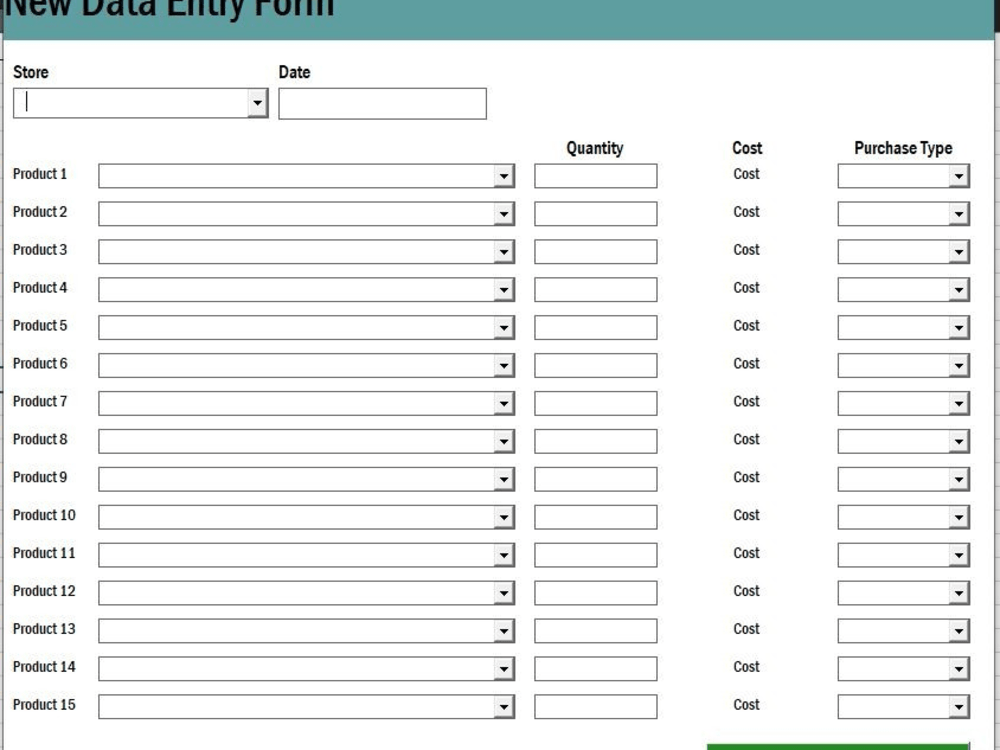
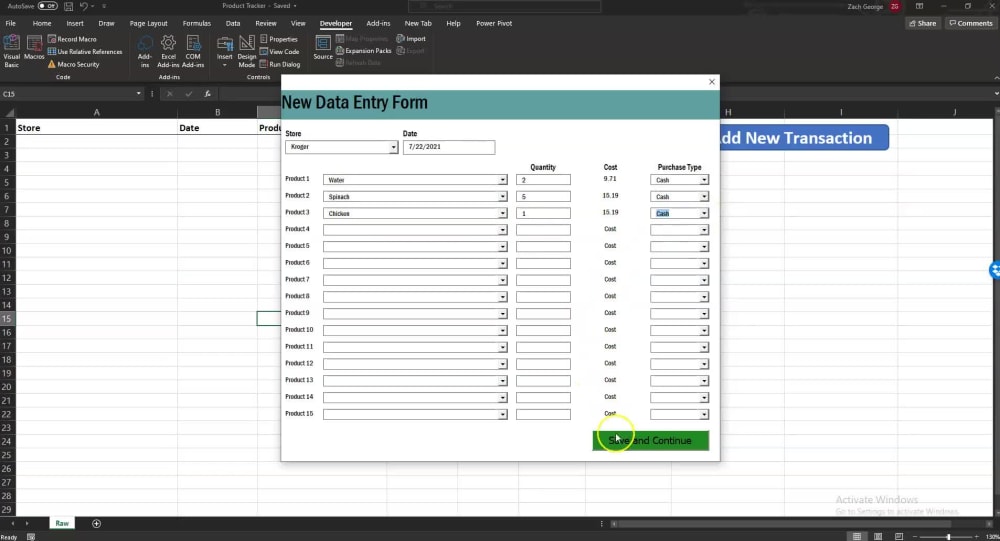
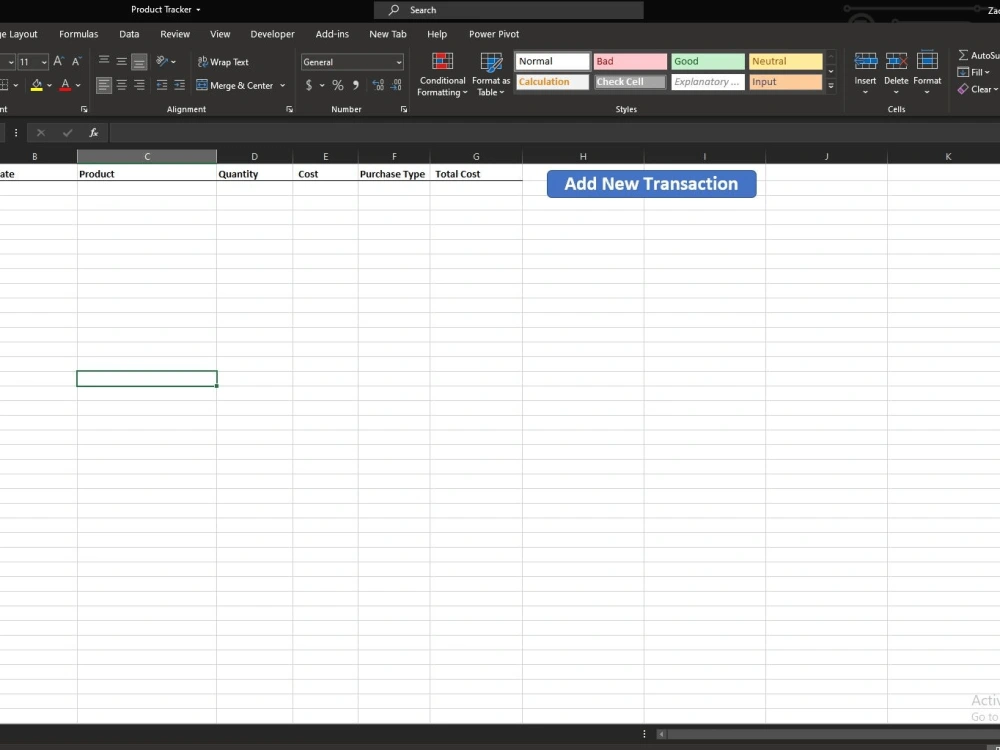
You will receive an incredible intuitive, highly customizable UserForm that can take in various types of user input and save it into a clean row and column format. With this raw data, you can easily build pivot tables, dashboards, and reports to analysis your data in any way you see fit. These UserForms can be easily customized to fit your specific data needs and will save you time, money, and prevent unclean data from entering your reports.
Data Tool
Microsoft ExcelWhat's included
| Service Tiers |
Starter
$150
|
Standard
$250
|
Advanced
$400
|
|---|---|---|---|
| Delivery Time | 1 day | 2 days | 4 days |
Number of Revisions | 1 | 3 | 4 |
Number of Pages Mined/Scraped | 1 | 2 | 4 |
Number of Sources Mined/Scraped | 1 | 1 | 1 |
87 reviews
(77)
(10)
(0)
(0)
(0)
This project doesn't have any reviews.
KP
Kelly P.
Jun 30, 2026
Dashboard Reporting & Automations for Franchise marketing agency
Zach was fantastic to work with. He really thought through what we were trying to do and came up with solutions.
CL
Christopher L.
May 4, 2026
Power BI + NetSuite Integration & Training Project
Loved working with Zach and the team .
BR
Bryan R.
Apr 27, 2026
Custom Dashboards
RD
Ryan D.
Mar 31, 2026
Power Bi Expert
Excellent service from Zach!!!
LC
Leah C.
Feb 13, 2026
Document Optimization for Real Estate Appraisal Templates (Word/Excel Formatting & Automation-Ready)
About Zach
Data Warehouse | Integrations | Custom Web Portals | PowerBI
100%
Job Success
Bellevue, United States - 5:56 am local time
I help companies turn those systems into AI-powered workflows, automated reporting, and intelligent data platforms.
Over the past several years I’ve helped 100+ companies build solutions that combine AI, automation, and analytics to eliminate manual work and unlock better decision making.
Today my team and I specialize in building AI-driven business systems, including:
• AI agents that automate workflows and decision making
• AI-generated dashboards built from natural language prompts
• Automated reporting pipelines and data warehouses
• AI document processing and data extraction systems
• Custom analytics platforms for operations, finance, and sales teams
Many of my clients start with a reporting or automation problem and quickly realize they can go much further by introducing AI-driven processes into their operations.
Examples of solutions we’ve built:
• AI dashboards that generate Power BI reports from simple prompts
• AI agents that process invoices and automatically code GL entries
• Automated reporting systems integrating QuickBooks, Shopify, Salesforce, and ERP data
• AI intake agents for law firms that handle client intake conversations
• Data warehouses feeding executive dashboards for C-suite reporting
• Workflow automation systems eliminating hours of manual spreadsheet work
My background started in Excel automation, data engineering, and analytics, which means the AI solutions I build are grounded in real business data systems, not just experimental tools.
Technologies I commonly work with:
AI / Automation
• OpenAI / LLM integrations
• AI workflow automation
• AI agents and conversational systems
• Natural language data interfaces
Data & Analytics
• Power BI
• Tableau
• SQL databases
• Data warehouse architecture
• ETL pipelines
Automation
• Python
• API integrations
• Excel / VBA automation
• Workflow automation platforms
Why clients hire me:
• I combine AI expertise with real business data systems
• I focus on solutions that save time or generate revenue
• My team can deliver end-to-end systems, not just prototypes
If you're looking to bring AI into your business operations, automate reporting, or build intelligent systems on top of your data, I’d be happy to discuss how we can help.
Steps for completing your project
After purchasing the project, send requirements so Zach can start the project.
Delivery time starts when Zach receives requirements from you.
Zach works on your project following the steps below.
Revisions may occur after the delivery date.
Input Requirements
Describe exactly the type of data you want to capture on the UserForm.
Review and Test Functionaility
Review and confirm that data is being transferred from the UserForm to the raw data sheet appropriately.