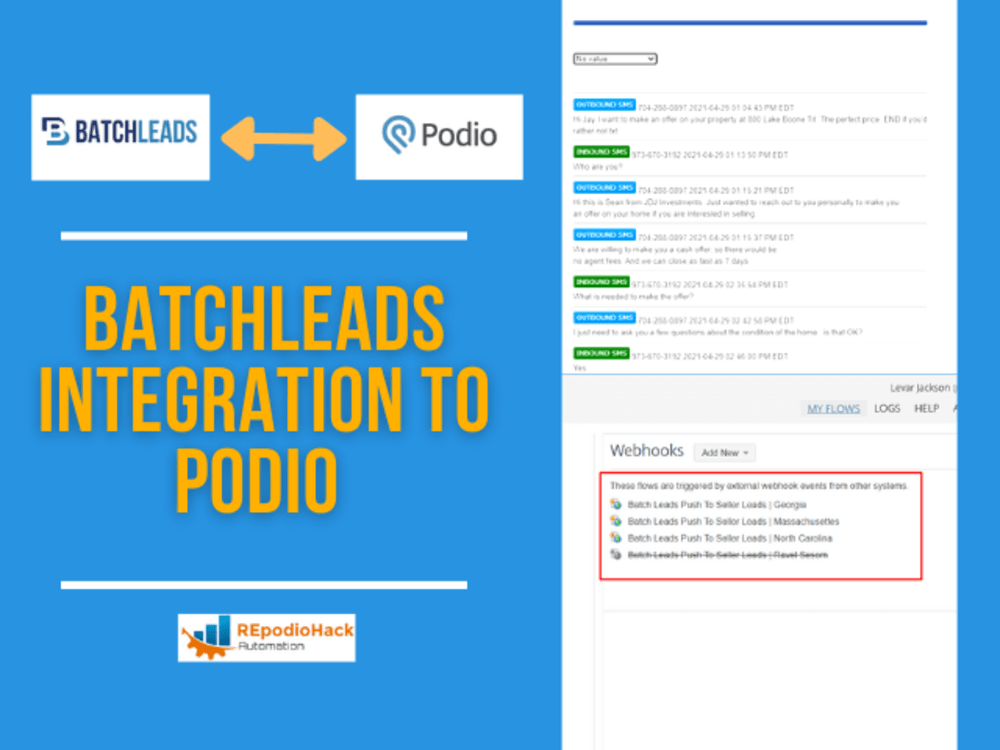
You will get Batchleads io Integration with Podio
Top Rated
Project details
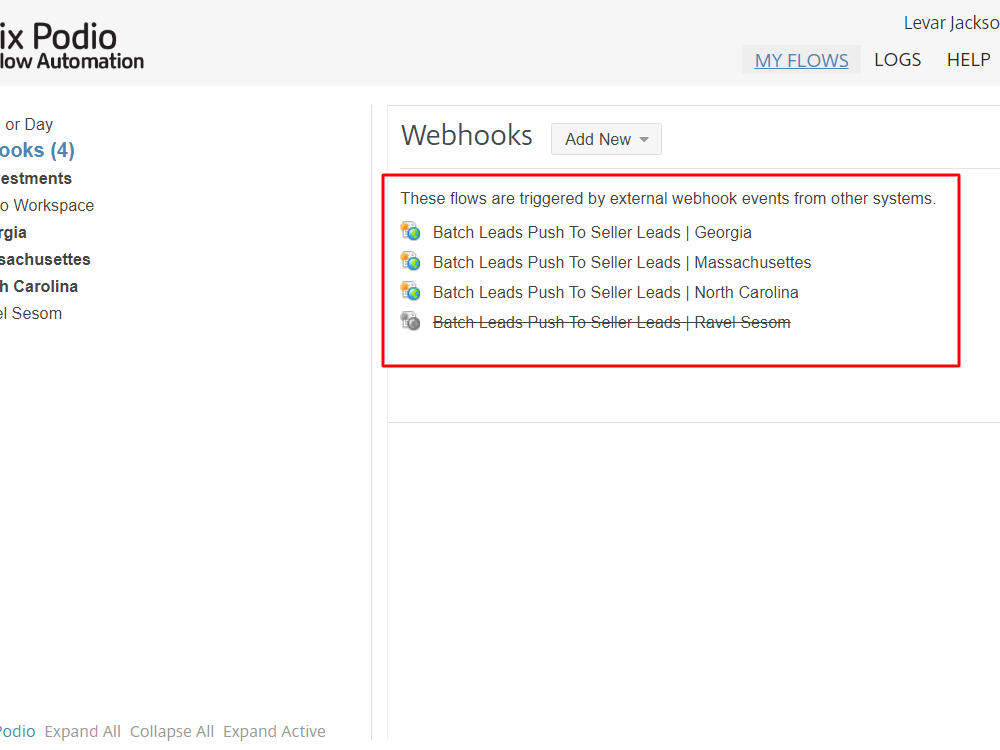
How BatchLeads with Podio Integrations Work
Step 1: Authenticate BatchLeads and Podio.
Step 2: Pick one of the apps as a trigger, which will kick off your automation.
Step 3: Choose a resulting action from the other app.
Step 4: Select the data you want to send from one app to the other.
That's it!
Podio Automation/Integration Features:
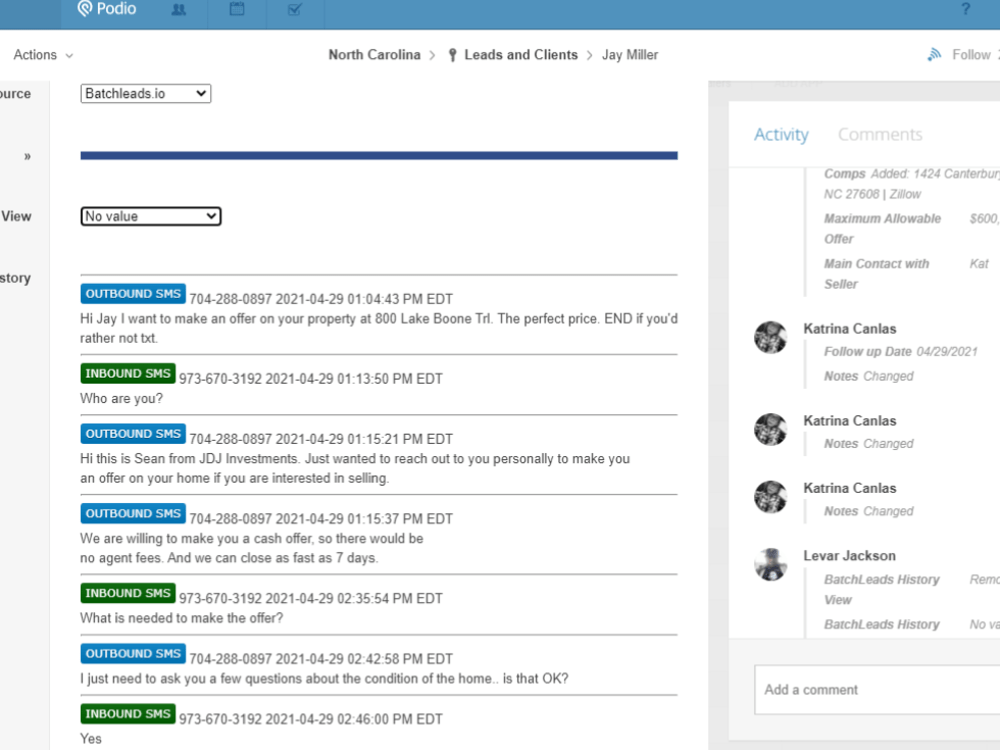
➔ SMS on Comments for instant messaging to your Leads/Buyers.
➔ Email on Comments for instant messaging to your Leads/Buyers.
➔ Followup Sequences to follow your Leads.
➔ Street and Aerial View of the property
➔ Set Appointments with your Leads and get tasks made for your Lead Owners automatically.
➔Send reminder SMS/Email to your Lead for Appointments.
➔ Separate app for your Web Leads.
➔ SMS log app for your all Inbound SMS and reference to Leads/Buyers app
➔Call logs app for your all Inbound/Outbound Calls and reference to Leads/Buyers app
➔Services Used:
➔Twilio for SMS
➔ CallRail for Inbound/Outbound Calls
➔ smrtPhone for SMS and Calls both.
➔ Right Signature/Docusign for e-signature of documents.
➔ Slybroadcast for Voicemails
➔ Podio Premium account.
Step 1: Authenticate BatchLeads and Podio.
Step 2: Pick one of the apps as a trigger, which will kick off your automation.
Step 3: Choose a resulting action from the other app.
Step 4: Select the data you want to send from one app to the other.
That's it!
Podio Automation/Integration Features:
➔ SMS on Comments for instant messaging to your Leads/Buyers.
➔ Email on Comments for instant messaging to your Leads/Buyers.
➔ Followup Sequences to follow your Leads.
➔ Street and Aerial View of the property
➔ Set Appointments with your Leads and get tasks made for your Lead Owners automatically.
➔Send reminder SMS/Email to your Lead for Appointments.
➔ Separate app for your Web Leads.
➔ SMS log app for your all Inbound SMS and reference to Leads/Buyers app
➔Call logs app for your all Inbound/Outbound Calls and reference to Leads/Buyers app
➔Services Used:
➔Twilio for SMS
➔ CallRail for Inbound/Outbound Calls
➔ smrtPhone for SMS and Calls both.
➔ Right Signature/Docusign for e-signature of documents.
➔ Slybroadcast for Voicemails
➔ Podio Premium account.
Programming Languages
PHP, HTML & CSS, JavaScriptWhat's included $89
These options are included with the project scope.
$89
- Delivery Time 1 day
- Number of Revisions 1
- Install Script
- Test Script
- Task Automation
58 reviews
(53)
(2)
(1)
(1)
(1)
This project doesn't have any reviews.
TW
Tyler W.
Jun 19, 2026
Podio developer needed - link Gmail to Podio
JH
Joel H.
Apr 22, 2026
Podio and smrtphone
TH
Tyler H.
Mar 26, 2025
Podio developer real estate
PA
Placer A.
Feb 21, 2025
Podio Integration
MB
Michael B.
Nov 5, 2024
Podio Expert
About Pooja
GoHighLevel & Podio CRM Expert, Workflow Automation & Web Developer
98%
Job Success
Bhopal, India - 5:43 pm local time
I help Real Estate Wholesalers, Marketing Agencies, and Small Businesses optimize their sales pipelines, build high-converting funnels, and automate manual tasks using GoHighLevel, Podio, and WordPress.
With 4+ years of hands-on experience, 120+ completed projects, and a 98% Job Success Score, I specialize in turning complex workflow requirements into simple, automated systems that save time and boost conversions.
🏆 What I Can Help You With:
1. GoHighLevel (GHL) Optimization & Setup
- Full GHL Account Setup, Custom Snapshots & Pipelines
- High-Converting Landing Pages, Sales Funnels & Forms
- Email & SMS Automation Campaigns, Lead Nurturing Workflows
- Domain Setup, Calendar Booking, and Membership Portals
2. Podio CRM & Real Estate Automation
- Custom Podio Architecture for Real Estate Wholesaling & REI
- Podio Workflow Automation (GlobiFlow) & Sequential Task Logic
- Integration with smrtphone (Calling, SMS, A2P Compliance, Call Recording)
- API Integrations using Zapier and Google Apps Script
3. Web Design & Custom Integrations
- Responsive Website Design using WordPress (Divi / Elementor)
- Custom API Connections, Webhooks, and CRM-to-Website Lead Syncing
💡 Why Work With Me?
Top Rated Freelancer with proven client satisfaction and attention to detail.
Clear Communication: Regular updates, clear Loom video walkthroughs, and fast response times.
End-to-End Solutions: From strategy and wireframing to technical setup and post-launch support.
Ready to streamline your business and scale faster?
Click the "Invite to Job" or "Send Message" button to discuss your project requirements!
Steps for completing your project
After purchasing the project, send requirements so Pooja can start the project.
Delivery time starts when Pooja receives requirements from you.
Pooja works on your project following the steps below.
Revisions may occur after the delivery date.
Need to Review and run the test
we need to review the globiflow integration and run the test.