You will get clean, analysis-ready Excel or Google Sheets data.
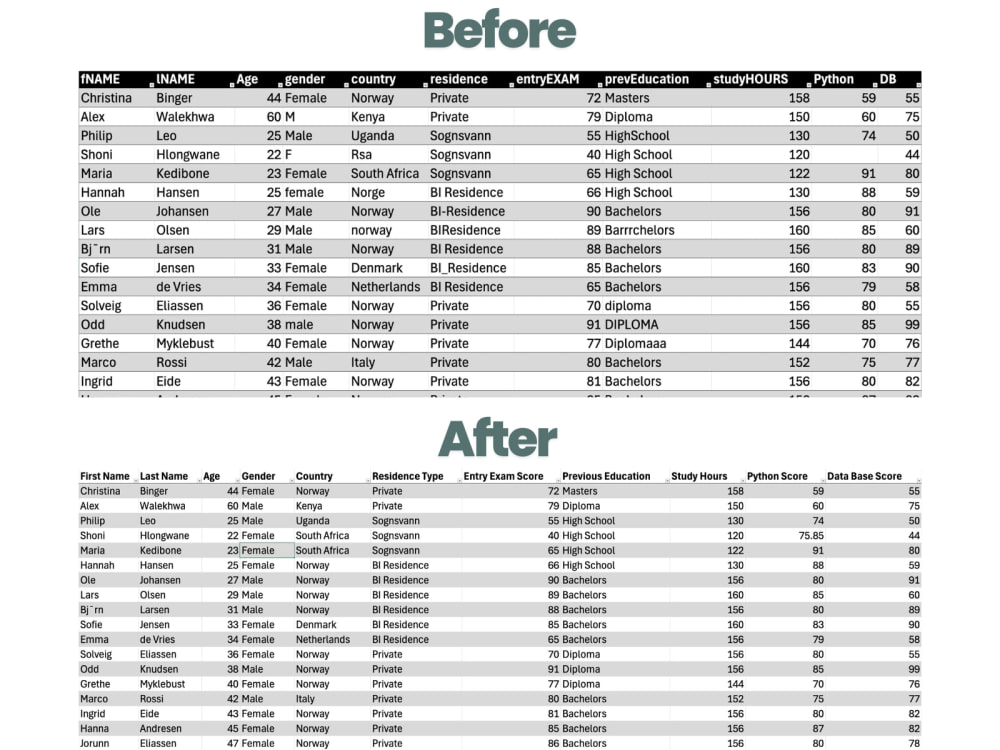
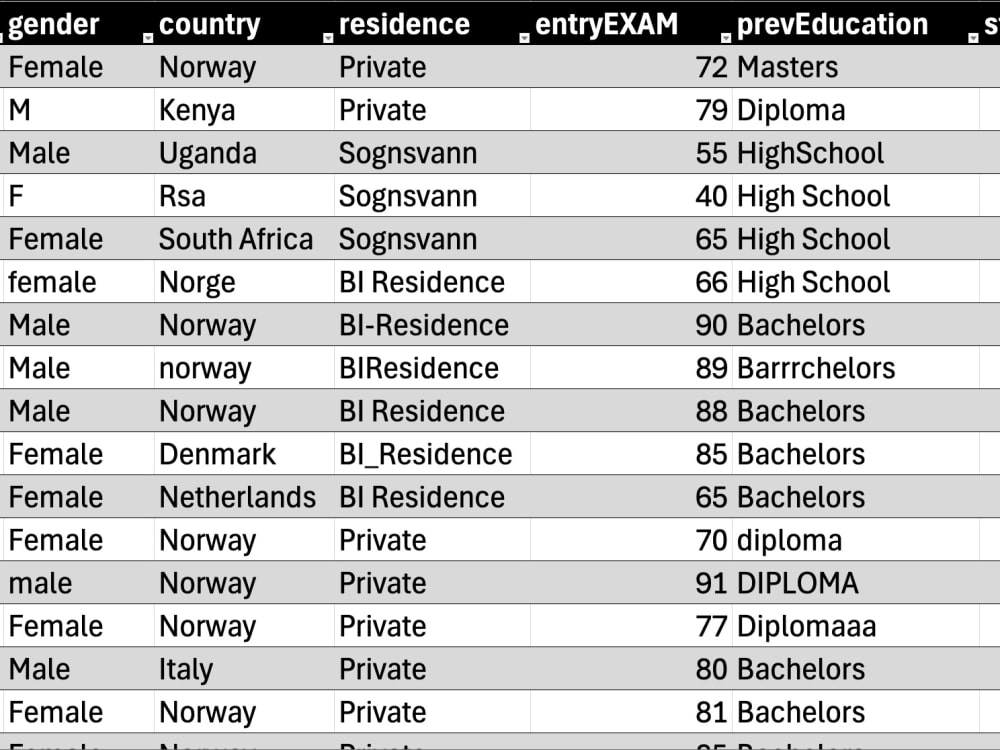
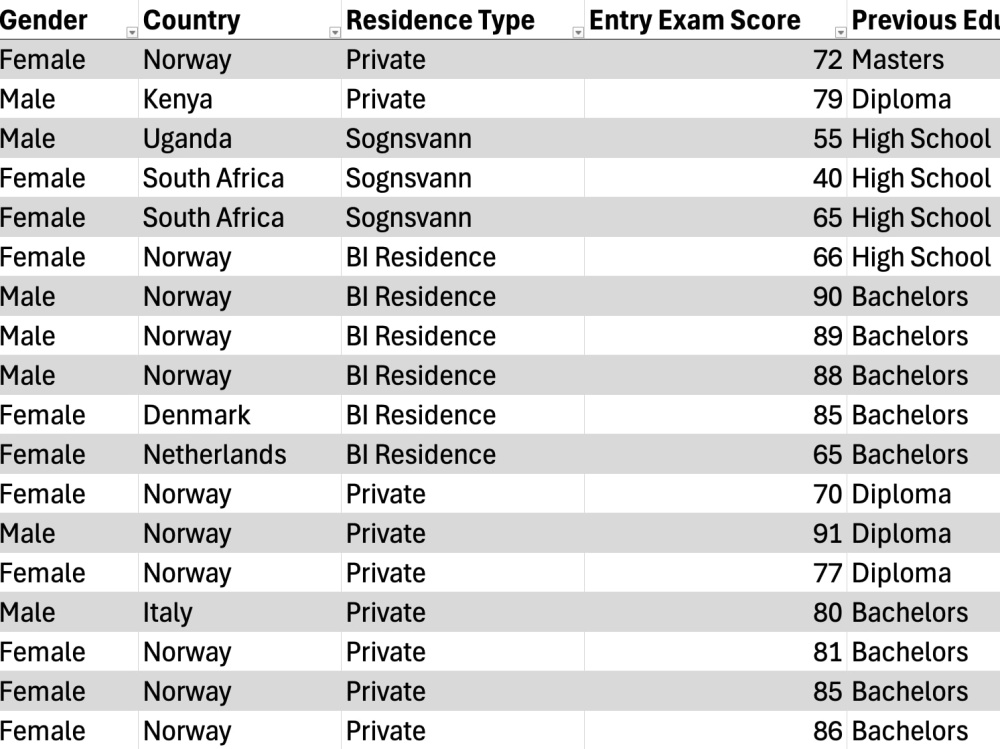
Project details
I clean, organize, and format data in Excel or Google Sheets to make it consistent, accurate, and ready for analysis. You’ll receive a clear, well-structured file that’s easy to read and work with.
What’s Included:
• Remove duplicates and errors
• Standardize text, numbers, and dates
• Apply clear headers and formatting
What’s Included:
• Remove duplicates and errors
• Standardize text, numbers, and dates
• Apply clear headers and formatting
Data Tool
Microsoft ExcelWhat's included $35
These options are included with the project scope.
$35
- Delivery Time 3 days
- Number of Revisions 1
About Dolma
Excel & Google Sheets Specialist | Data Cleaning & Dashboards
Scarborough, Canada - 3:37 pm local time
I enjoy turning messy spreadsheets into something clear and simple to work with. I’m the kind of person who likes structure and accuracy, and I pay attention to details that others often miss.
What I can do for you:
• Data cleaning: remove duplicates, fix formatting, clean up text and numbers
• Data entry: organize and enter information accurately
• Spreadsheet setup: formulas, data validation, clear layout
• Simple reports: summaries, charts and easy visuals
I’ve built spreadsheets and small dashboards for personal projects, including cleaning a 5,000-row dataset and reducing errors by more than 90%. You can see samples of my work in my portfolio.
Tools I use:
Excel, Google Sheets, Power Query, Power BI
I’m reliable, easy to communicate with and focused on delivering clean, organized spreadsheets that make your work easier.
Feel free to message me if you’d like to talk about your project.
Steps for completing your project
After purchasing the project, send requirements so Dolma can start the project.
Delivery time starts when Dolma receives requirements from you.
Dolma works on your project following the steps below.
Revisions may occur after the delivery date.
Receive & Review File
Client sends the spreadsheet (Excel, Google Sheets, or CSV) with instructions or a sample layout. I create a backup and review the file’s structure and content.
Clean & Standardize Data
Remove duplicates, correct inconsistencies, and standardize text, numbers, and dates according to client requirements.