You will get Clean, Well-Formatted & Error-Free Excel Data for Better Readability

Project details
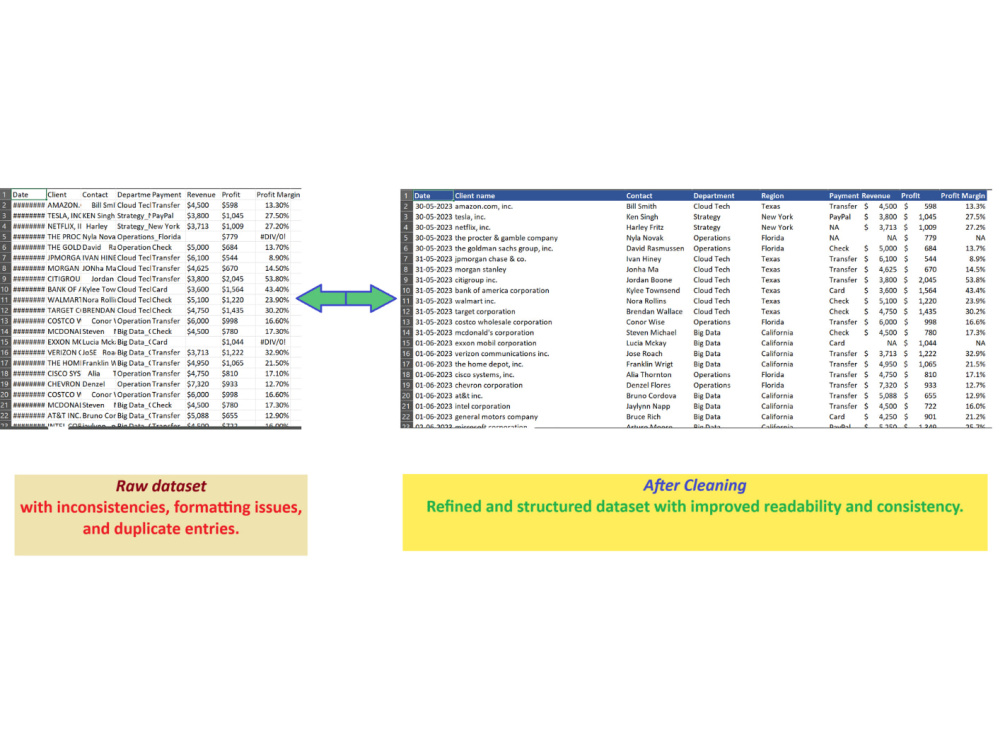
You will get a clean, well-structured, and professionally formatted Excel file tailored for accurate analysis and better presentation.
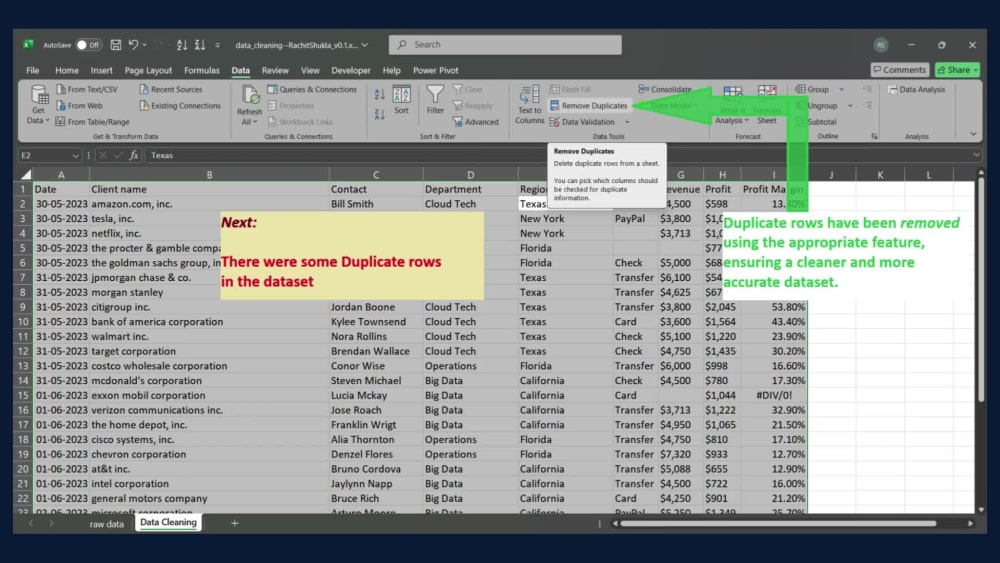
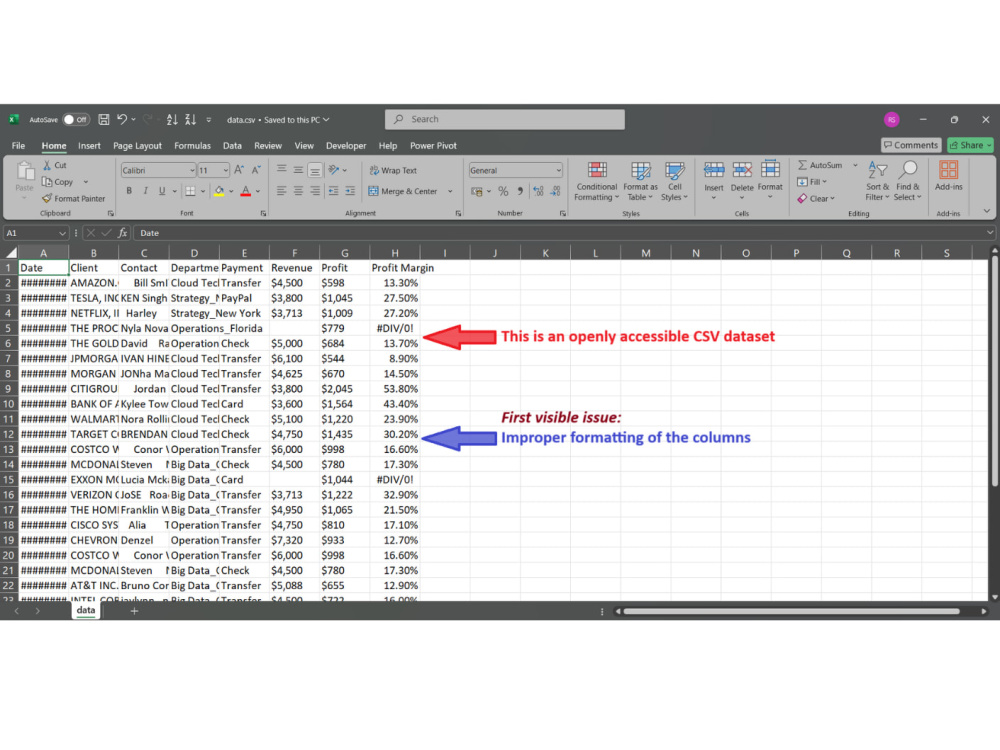
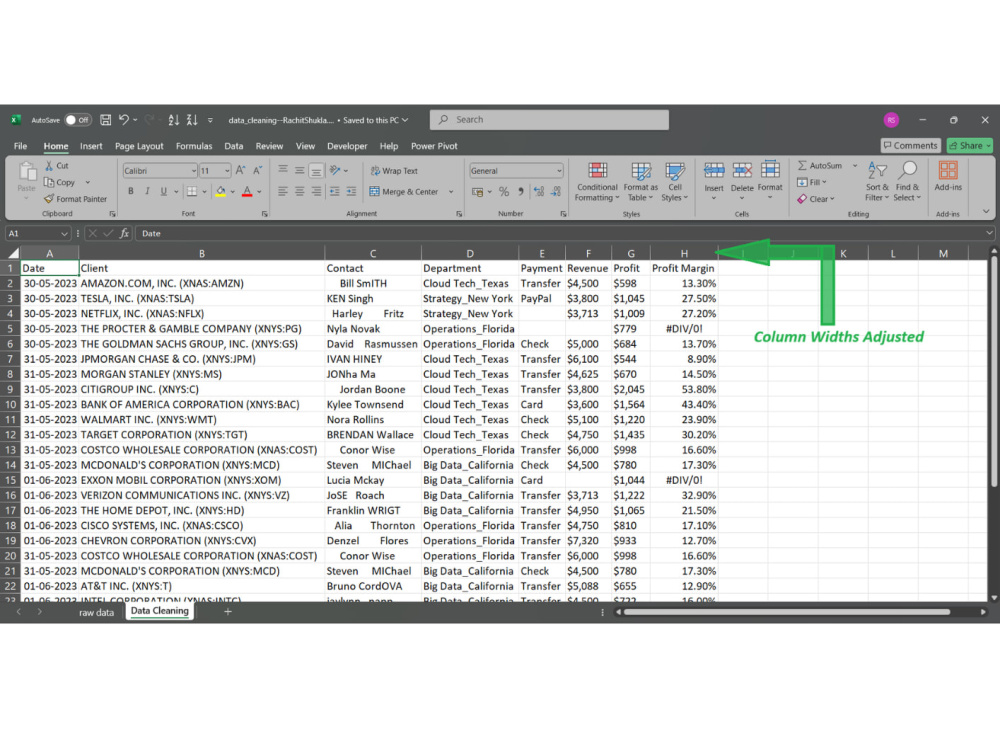
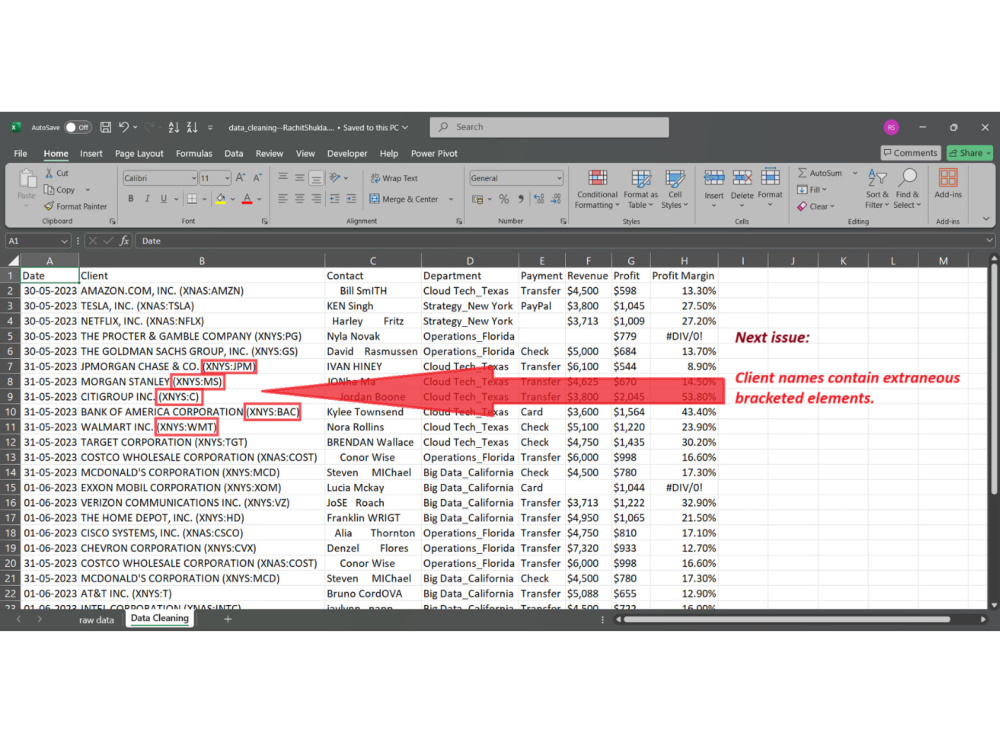
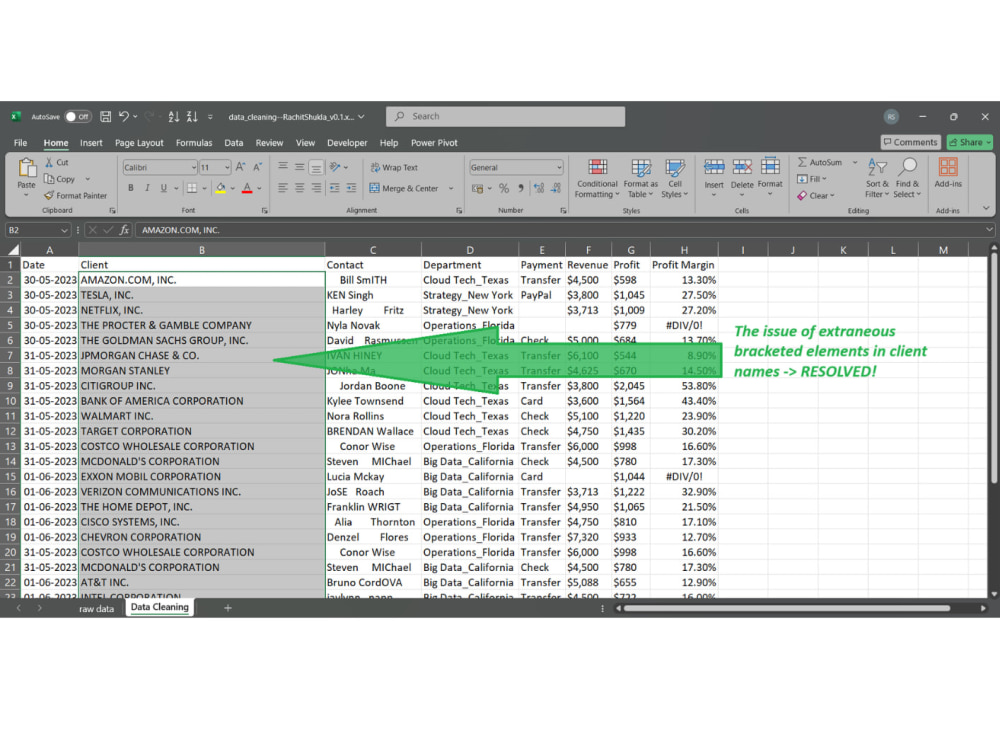
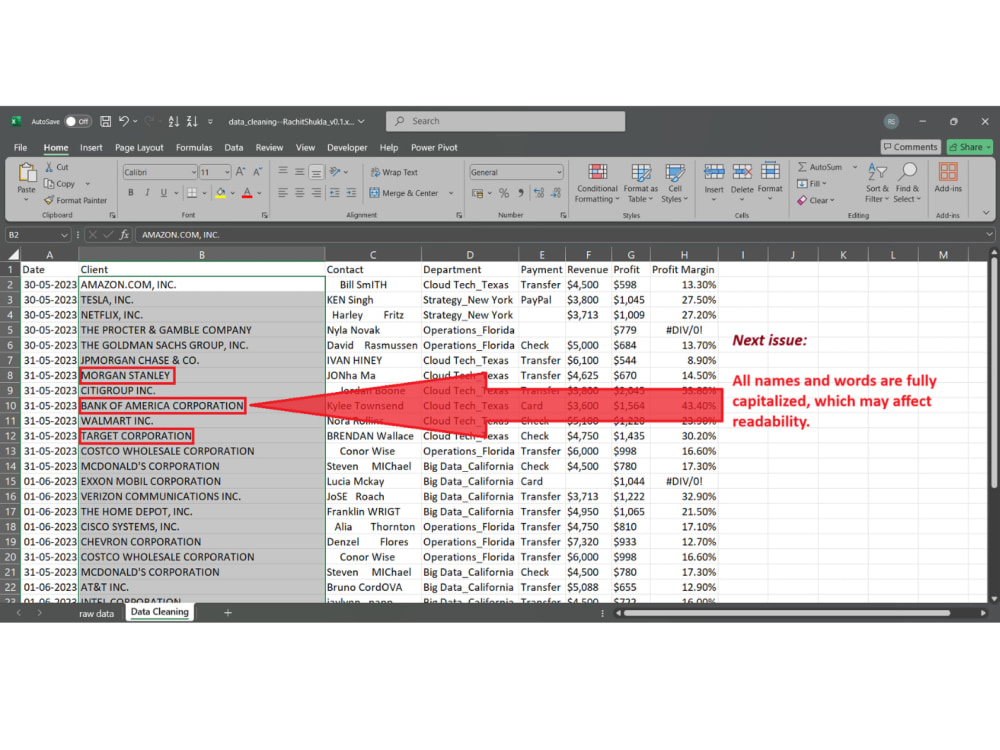
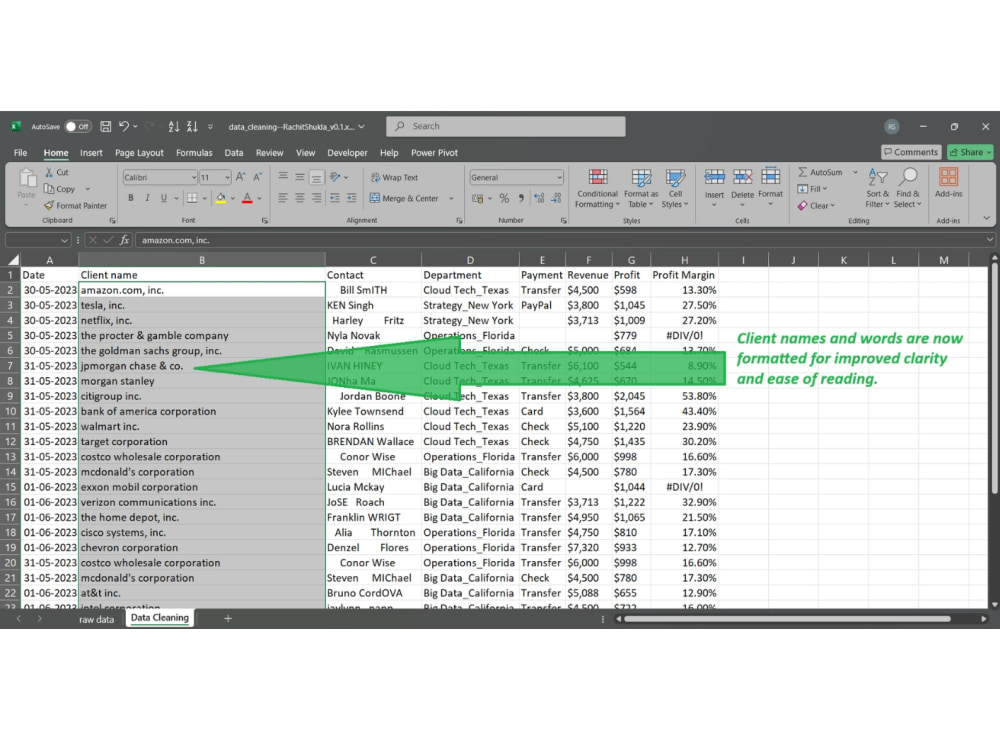
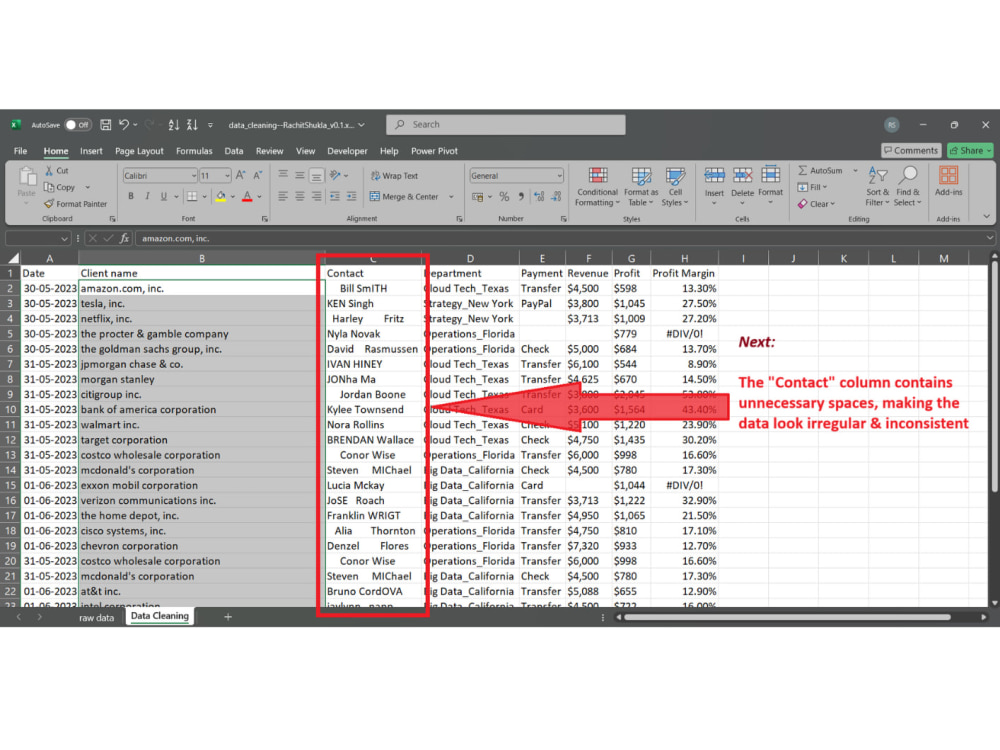
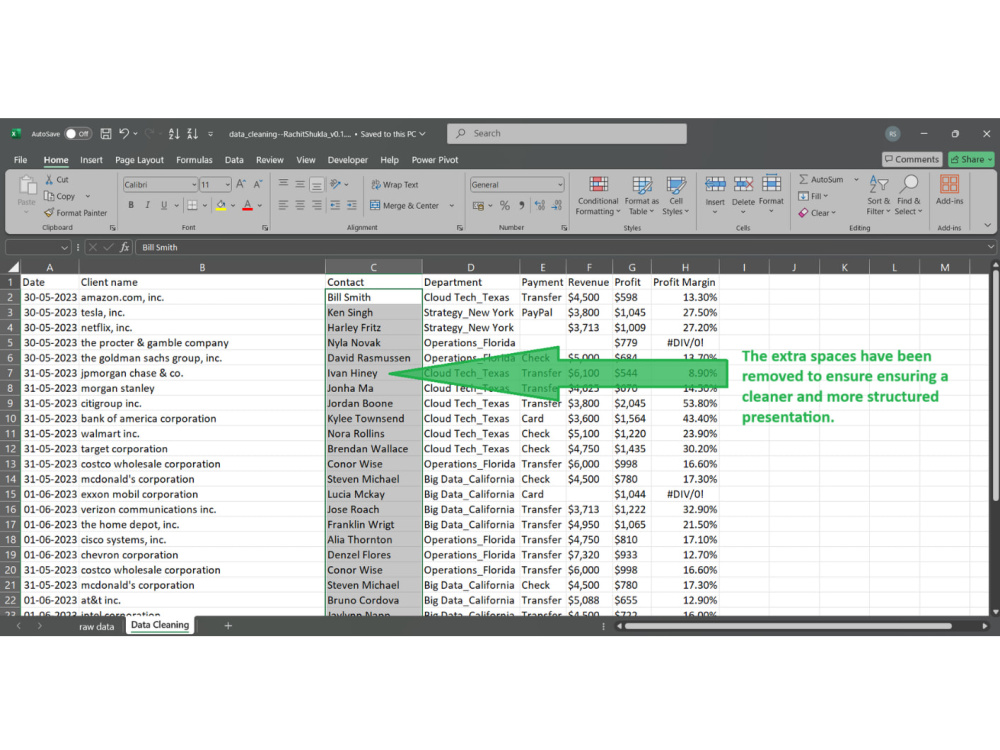
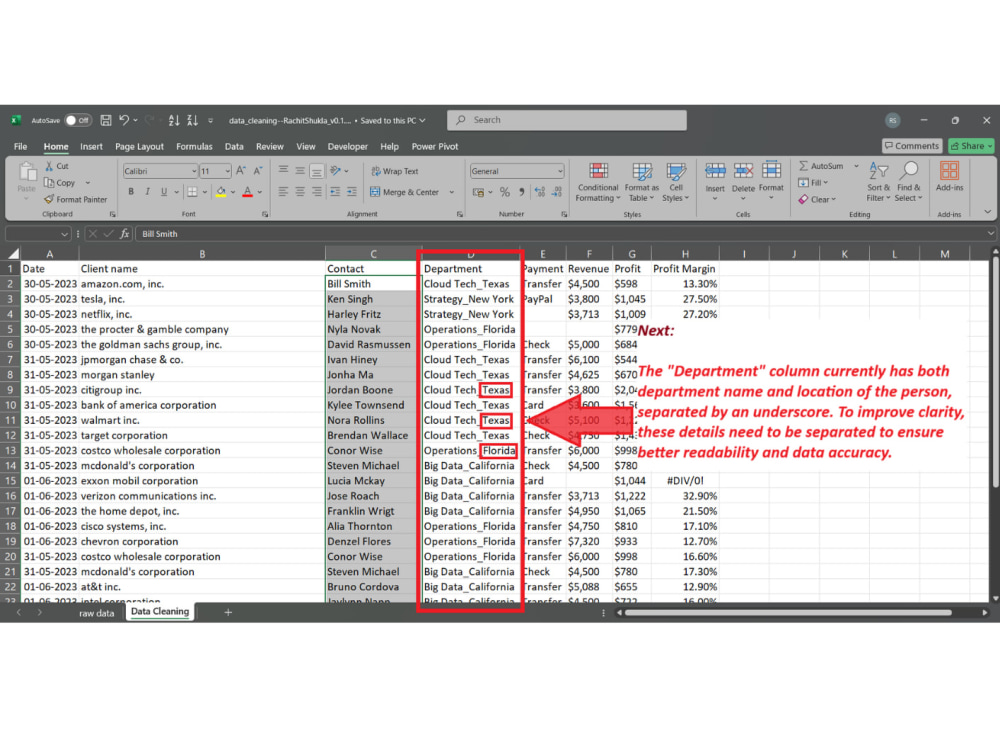
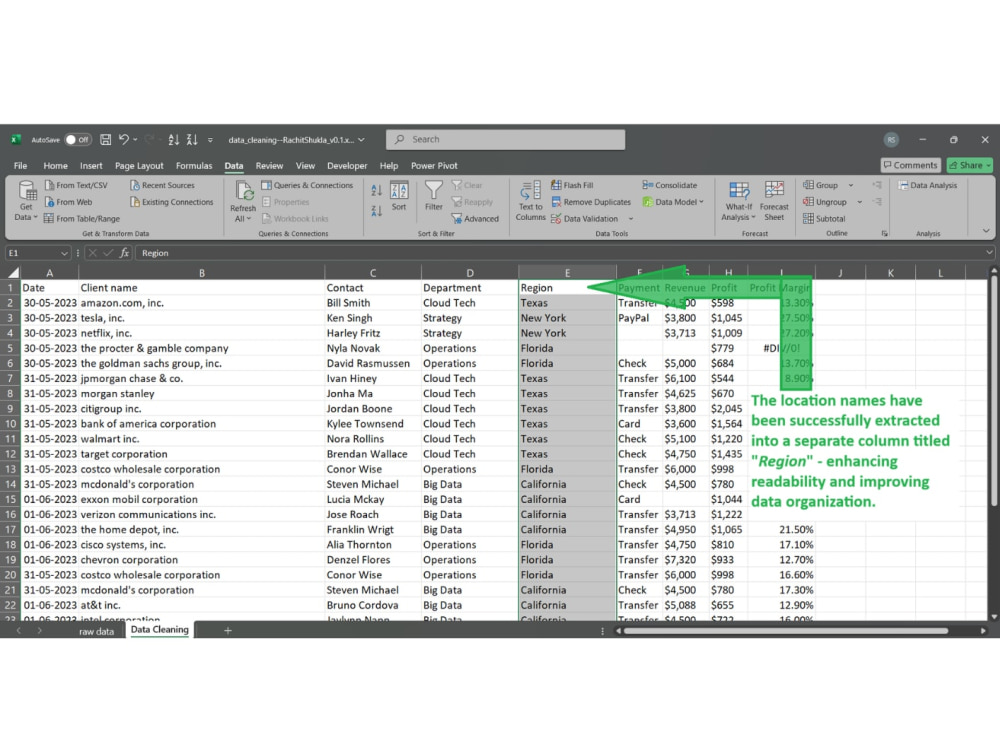
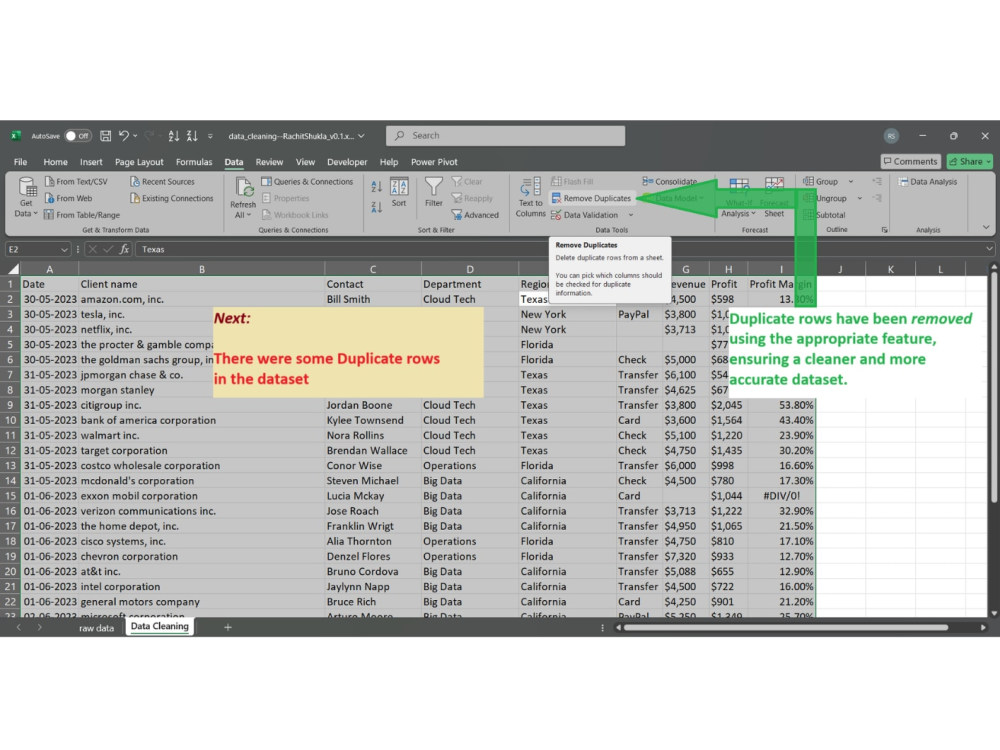
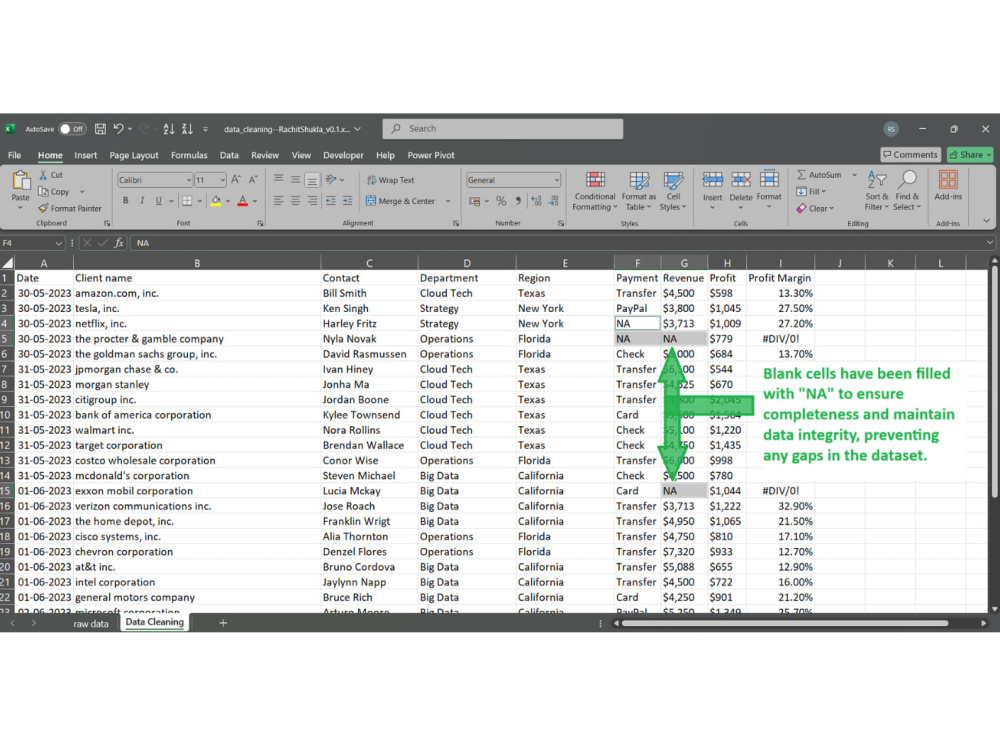
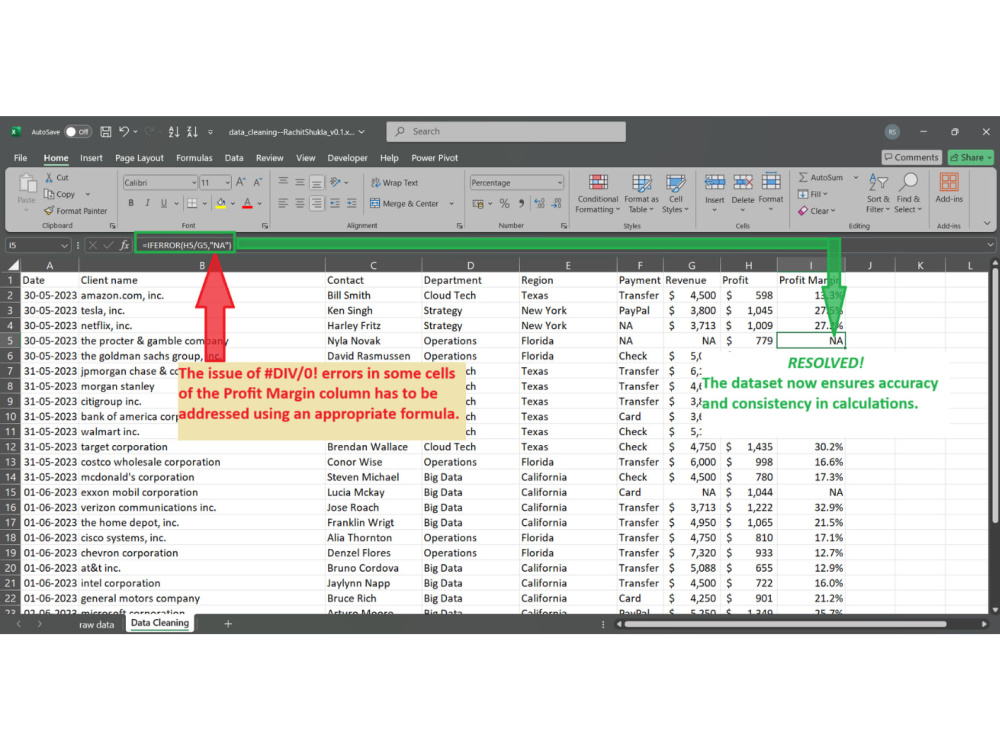
I specialize in cleaning and organizing Excel datasets by removing duplicates, fixing formula errors (like #DIV/0!), adjusting layouts, and applying consistent formatting styles such as monetary symbols, color schemes, and title alignment. I also resolve issues like inconsistent text casing, unwanted characters, and column misalignment for improved readability and usability.
Though I’m new to freelancing, I’ve completed detailed Excel projects that involved transforming disorganized spreadsheets into polished, analysis-ready files. One of my recent projects included cleaning a dataset with inconsistent formatting and multiple formula errors, then applying clean color themes, proper monetary formats, and standardized structure throughout.
I'm committed to clear communication, timely delivery, and high attention to detail. If you're looking for reliable Excel data cleaning with a fresh and dedicated approach, I’d love to help.
I specialize in cleaning and organizing Excel datasets by removing duplicates, fixing formula errors (like #DIV/0!), adjusting layouts, and applying consistent formatting styles such as monetary symbols, color schemes, and title alignment. I also resolve issues like inconsistent text casing, unwanted characters, and column misalignment for improved readability and usability.
Though I’m new to freelancing, I’ve completed detailed Excel projects that involved transforming disorganized spreadsheets into polished, analysis-ready files. One of my recent projects included cleaning a dataset with inconsistent formatting and multiple formula errors, then applying clean color themes, proper monetary formats, and standardized structure throughout.
I'm committed to clear communication, timely delivery, and high attention to detail. If you're looking for reliable Excel data cleaning with a fresh and dedicated approach, I’d love to help.
Data Tool
Microsoft ExcelWhat's included
| Service Tiers |
Starter
$10
|
Standard
$20
|
Advanced
$40
|
|---|---|---|---|
| Delivery Time | 1 day | 2 days | 4 days |
Number of Revisions | 1 | 2 | 2 |
Optional add-ons
You can add these on the next page.
Fast Delivery
+$10 - $20
Additional Revision
+$5
Data Validation Check
(+ 1 Day)
+$10
Advanced Charting
(+ 1 Day)
+$10
Additional Formatting
(+ 1 Day)
+$10Frequently asked questions
About Rachit
Microsoft Excel Specialist | Streamlining Data for Business Growth
Hyderabad, India - 12:22 pm local time
I help businesses organize, clean, and visualize their data to make smarter, faster decisions. With 3+ years of hands-on experience, I specialize in transforming raw datasets into clear, actionable insights using Microsoft Excel.
✅ My Expertise Includes:
Data Cleaning & Organization: Fixing messy datasets for accurate analysis.
Excel Reporting: Creating dynamic reports using Pivot Tables, Formulas (VLOOKUP, IF, etc.), and Dashboards.
Data Visualization: Presenting complex data through clear, impactful charts.
Power BI (In Progress): Building interactive dashboards for business intelligence.
Data Tracking: Experienced in handling large datasets from ERP systems.
📊 Why Work With Me?
I combine a methodical approach (from my engineering background) with practical data skills. Whether it’s cleaning data, automating reports, or creating insightful dashboards—I deliver accurate and timely solutions to support your business.
💼 Let’s Work Together!
I’m here to provide reliable, detail-oriented data services tailored to your needs. Reach out, and let’s discuss how I can help you turn your data into decisions.
Steps for completing your project
After purchasing the project, send requirements so Rachit can start the project.
Delivery time starts when Rachit receives requirements from you.
Rachit works on your project following the steps below.
Revisions may occur after the delivery date.
Review Client Requirements
I will carefully review your Excel file and description to understand the issues and expectations.
Initial Data Cleaning
I’ll begin by removing duplicates, correcting obvious errors, and standardizing basic formatting.