You will get HubSpot & QuickBooks Online Sync| HubSpot & QuickBooks Online custom API
Top Rated
Project details
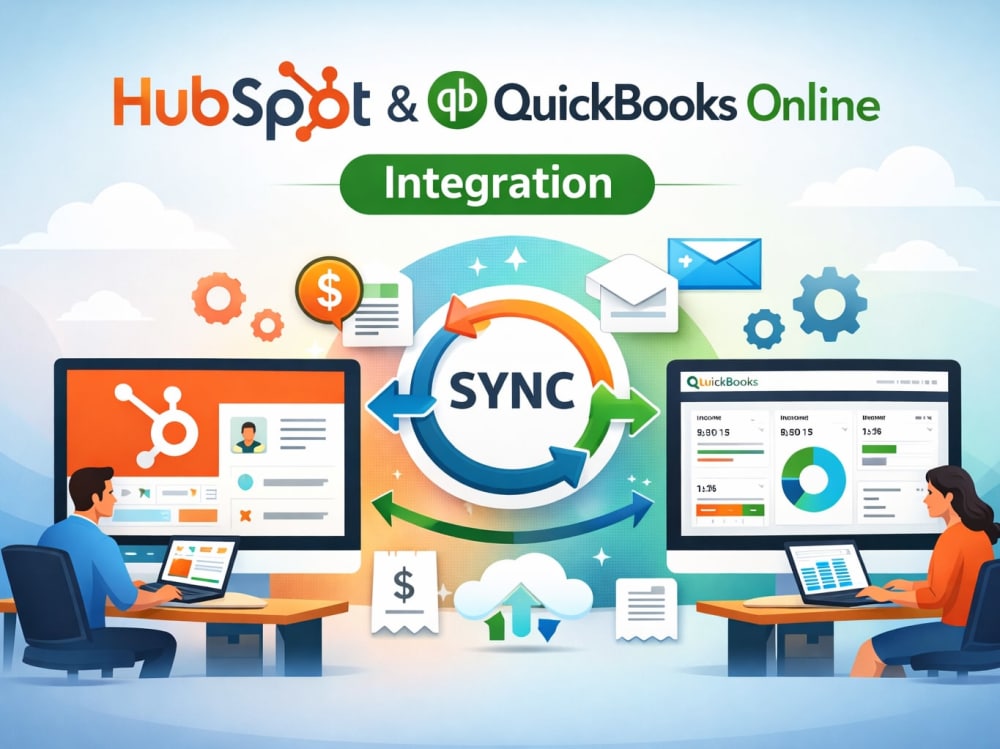
I offer a custom API integration that seamlessly syncs HubSpot with QuickBooks Online (QBO).
1. Contacts / Customers
From HubSpot to QBO: HubSpot contacts can be synced as customers in QBO.
From QBO to HubSpot: Customers in QBO can be added as contacts in HubSpot.
Fields synced: Name, email, phone, company name, address, etc.
2. Companies
If you manage contacts at the company level in HubSpot, these can also sync as customers in QBO.
3. Invoices
From HubSpot to QBO: Create and send QBO invoices directly from HubSpot deals.
From QBO to HubSpot: View invoice status in HubSpot (e.g., sent, paid, overdue).
Fields synced: Invoice number, line items, amount, due date, status.
4. Products / Line Items
Products created in HubSpot deals can be matched with QBO products/services.
Line items from HubSpot deals can be used to generate QBO invoices.
5. Deals (HubSpot) → Transactions (QBO)
When a deal is marked "Closed Won" in HubSpot, it can trigger the creation of:
A customer (if not existing)
An invoice or sales receipt in QBO
6. Payments
Payment status (e.g., paid, partial, overdue) from QBO can be reflected in HubSpot deal or invoice timeline.
1. Contacts / Customers
From HubSpot to QBO: HubSpot contacts can be synced as customers in QBO.
From QBO to HubSpot: Customers in QBO can be added as contacts in HubSpot.
Fields synced: Name, email, phone, company name, address, etc.
2. Companies
If you manage contacts at the company level in HubSpot, these can also sync as customers in QBO.
3. Invoices
From HubSpot to QBO: Create and send QBO invoices directly from HubSpot deals.
From QBO to HubSpot: View invoice status in HubSpot (e.g., sent, paid, overdue).
Fields synced: Invoice number, line items, amount, due date, status.
4. Products / Line Items
Products created in HubSpot deals can be matched with QBO products/services.
Line items from HubSpot deals can be used to generate QBO invoices.
5. Deals (HubSpot) → Transactions (QBO)
When a deal is marked "Closed Won" in HubSpot, it can trigger the creation of:
A customer (if not existing)
An invoice or sales receipt in QBO
6. Payments
Payment status (e.g., paid, partial, overdue) from QBO can be reflected in HubSpot deal or invoice timeline.
Programming Languages
PHP, JavaScript, TypeScriptCoding Expertise
Cross Browser & Device Compatibility, Performance Optimization, SecurityWhat's included
| Service Tiers |
Starter
$250
|
Standard
$600
|
Advanced
$900
|
|---|---|---|---|
| Delivery Time | 3 days | 6 days | 10 days |
Number of Revisions | 2 | 8 | 9 |
Install Script | |||
Test Script | |||
Task Automation |
58 reviews
(48)
(4)
(6)
(0)
(0)
This project doesn't have any reviews.
JP
Jim P.
Jul 14, 2026
full-stack developer who builds SaaS with Supabase/Next.js and integrates third-party APIs via OAuth
Anil built a custom dashboard for us with ServiceM8 and Xero integration. He was responsive throughout, and when a few technical hiccups came up, he resolved them quickly and professionally. Delivered a polished, fully working product — would recommend for development work.
SH
Stephanie H.
Apr 27, 2026
MarginEdge to QuickBooks Online Mapping Expert Needed
MS
Mark S.
Dec 23, 2025
HubSpot → TinCheck API Integration (Identity Verification Workflow)
Anil was great. It did take some time to nail down exactly what we were able to do with our project but I will absolutely be working with him again.
MS
Magnus S.
Dec 15, 2025
Integration of custom software and QBO using API
IM
Ilona M.
Nov 19, 2025
Update QBO data via API
About Anil
API Integration|Quickbooks|Xero| Hubspot | SaaS| Pipedrive|Zapier, GHL
98%
Job Success
Chandigarh, India - 8:26 am local time
I specialize in API Integration, System Integration, Workflow Automation, and Business Process Automation, connecting CRM platforms, accounting software, ERP systems, marketing tools, and custom applications through secure, scalable integrations.
Over the years, I've delivered integrations for startups, SaaS companies, agencies, healthcare organizations, accounting firms, logistics businesses, and enterprise clients using REST APIs, OAuth 2.0, Webhooks, and custom backend development.
Whether you need to synchronize customer data, automate business workflows, migrate legacy integrations, or build a custom API solution, I focus on reliability, security, and long-term maintainability.
⭐ Core Expertise
API Integration
REST API • GraphQL • SOAP API • Webhooks • OAuth 2.0 • OAuth Authentication • JSON • XML • API Development • API Testing • API Troubleshooting • Postman
CRM Integration
HubSpot • Salesforce CRM • Pipedrive • Monday com • ActiveCampaign • Mautic • Ontraport
Accounting & ERP Integration
QuickBooks Online (QBO) • Xero • MYOB • Moneybird • MarginEdge • Financial Data Synchronization
Workflow Automation
Zapier • Make com (Integromat) • n8n • Workflow Automation • Business Process Automation • Data Synchronization
Backend Development
PHP • Laravel • Node.js • Next.js • Supabase • Express.js
Databases
MySQL • PostgreSQL • SQL Server • Supabase Database
🚀 Services
✅ Third-Party API Integration
✅ Custom API Development
✅ CRM Integration
✅ ERP Integration
✅ Accounting Software Integration
✅ OAuth 2.0 Authentication
✅ Webhook Development
✅ API Migration
✅ Legacy API Modernization
✅ Data Mapping
✅ Data Synchronization
✅ Database Integration
✅ Zapier Automation
✅ Make com Automation
✅ Workflow Automation
✅ API Debugging & Maintenance
💼 Platforms I've Integrated
CRM Platforms
HubSpot • Salesforce • Pipedrive • Monday com • ActiveCampaign • Mautic
Accounting Platforms
QuickBooks Online • Xero • MYOB • Moneybird • MarginEdge
Business Applications
Calendly • Slack • Mailgun • TinCheck • JobAdder • TrackDrive
🔄 Integration Experience
✔ HubSpot ↔ QuickBooks Online
✔ HubSpot ↔ SQL Server
✔ Salesforce ↔ Aircall
✔ Xero ↔ MYOB
✔ Xero ↔ Monday com
✔ Pipedrive ↔ Moneybird
✔ CRM ↔ Practice Management Software
✔ CRM ↔ Accounting Software
✔ SQL Database ↔ QuickBooks
✔ OAuth 1.0a → OAuth 2.0 Migration
✔ Third-Party API Development
✔ Custom REST API Integration
✔ Webhook Development
✔ API Performance Optimization
✔ Data Migration & Synchronization
💡 Why Clients Work With Me
✔ Business-first approach to integrations
✔ Secure OAuth 2.0 implementation
✔ Reliable real-time and scheduled data synchronization
✔ Scalable architecture for long-term growth
✔ Clear communication and documentation
✔ Clean, maintainable code
✔ Strong debugging and problem-solving skills
✔ Long-term support after delivery
⚙️ Technology Stack
API Integration • REST API • GraphQL • SOAP API • OAuth 2.0 • Webhooks • Postman • PHP • Laravel • Node.js • Next.js • Supabase • SQL Server • MySQL • PostgreSQL • Git • Docker • HubSpot Expert • HubSpot CRM Setup • HubSpot CRM Management • HubSpot Sales Hub • HubSpot Marketing Hub • HubSpot Workflow Automation • HubSpot CRM Migration • HubSpot Lead Generation • HubSpot Email Marketing
Steps for completing your project
After purchasing the project, send requirements so Anil can start the project.
Delivery time starts when Anil receives requirements from you.
Anil works on your project following the steps below.
Revisions may occur after the delivery date.
Step 1 complete project discussion
Step2: Project will start as per the discussion