You will get a clean spreadsheet from public website information
Project details
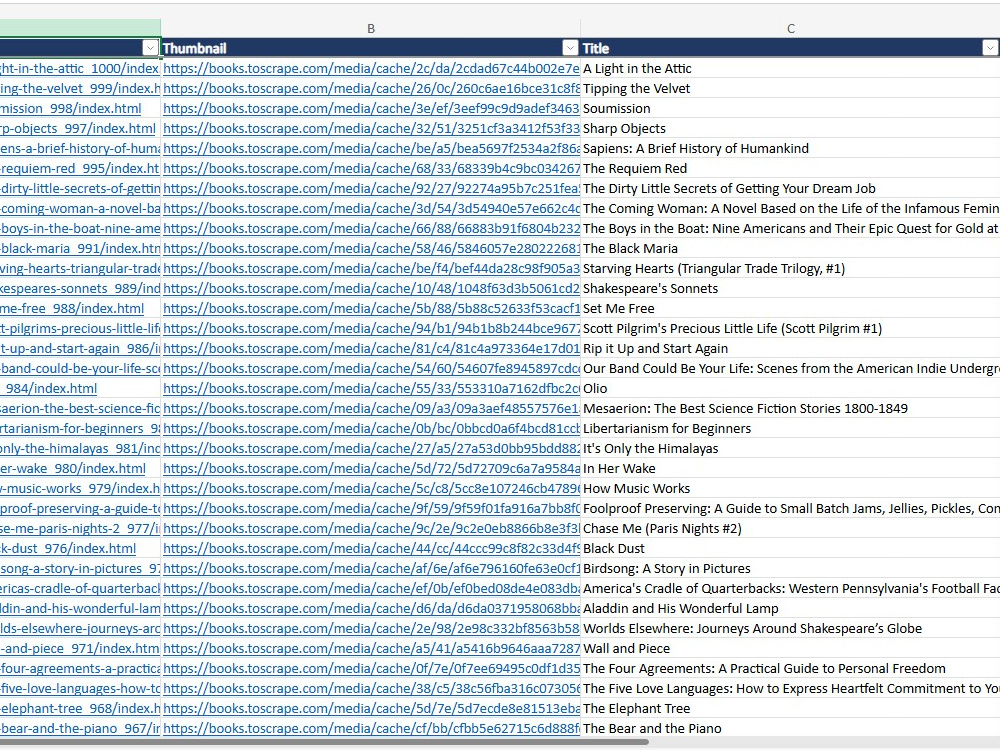
You will get a clean, ready-to-use Excel, CSV, or JSON file from public website information you provide. I review the visible page content, organize the fields into clear columns, remove duplicates, and format the result so it is easy to filter, edit, and share. This is useful for public directories, product lists, article indexes, catalog pages, and research lists. I only work with publicly accessible information - no logins, CAPTCHAs, paywalls, or private data.
Data Entry Type
Data Cleansing, Online ResearchData Entry Tool
Google Sheets, Microsoft ExcelWhat's included
| Service Tiers |
Starter
$5
|
Standard
$15
|
Advanced
$35
|
|---|---|---|---|
| Delivery Time | 1 day | 2 days | 3 days |
Formatting & Clean Up | - | - | - |
Graph & Table Creation | - | - | - |
Frequently asked questions
About Aradhel
Python Automation Developer | Web Scraping & AI Integrations
Pratteln, Switzerland - 7:29 am local time
I can help you with:
• Python scripts for repetitive tasks
• Web scraping and structured data extraction
• Excel, CSV, JSON, and data-cleaning workflows
• API integrations and REST API automation
• OpenAI API and AI-powered workflow integrations
• Custom scripts and utilities tailored to your process
My focus is not just writing code—it is delivering a solution that is clear, reliable, and easy to use. I communicate openly, confirm requirements before starting, and provide organized code with straightforward instructions.
If you have a repetitive task, a website you need to collect permitted public data from, or an API/AI workflow you want to automate, send me the details. I’ll review the requirements and suggest a practical approach.
Steps for completing your project
After purchasing the project, send requirements so Aradhel can start the project.
Delivery time starts when Aradhel receives requirements from you.
Aradhel works on your project following the steps below.
Revisions may occur after the delivery date.
Review the public page
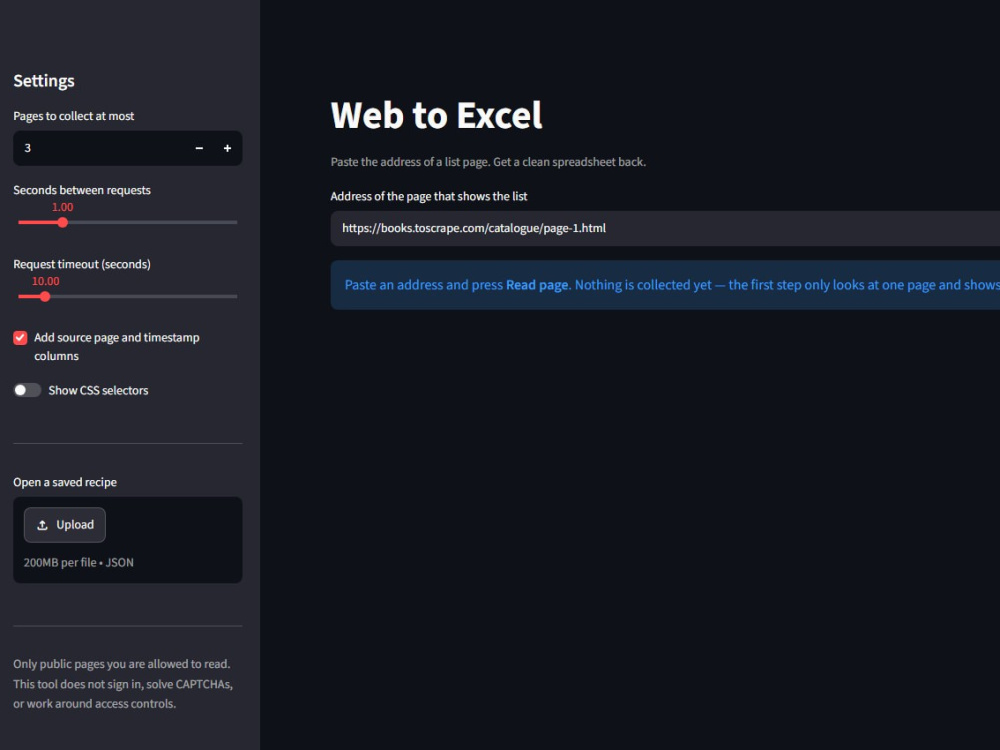
I open your URL and identify the repeating list — product cards, listings, or table rows — and the fields available on the page.
Confirm the data fields with you
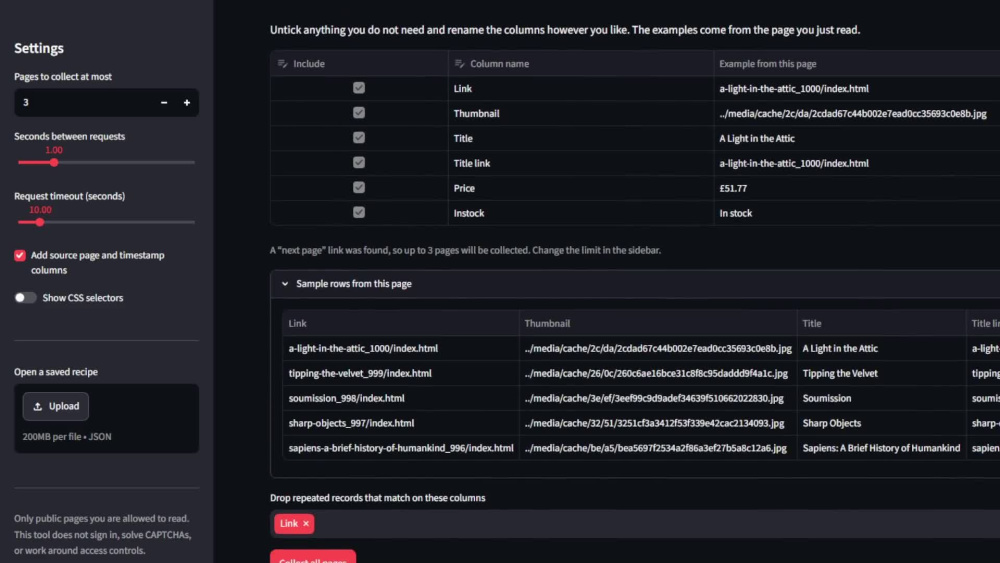
I show the detected columns with a real example value from the page, and confirm which ones to keep, rename, or add before collecting.