You will get database design and management with Access


Project details
You will get tables, user forms, reports, dashboards of charts and a switchboard according to your requirements. There will be 10 columns table in that project such as:
Project Table:
• Order Data Table
• Product Data Table
• Customer Data Table
• Worker Data Table etc.
Project Queries:
In this Project, you will get some 4 to 8 queries according to your requirements that will be created with simple SQL statements. Such as
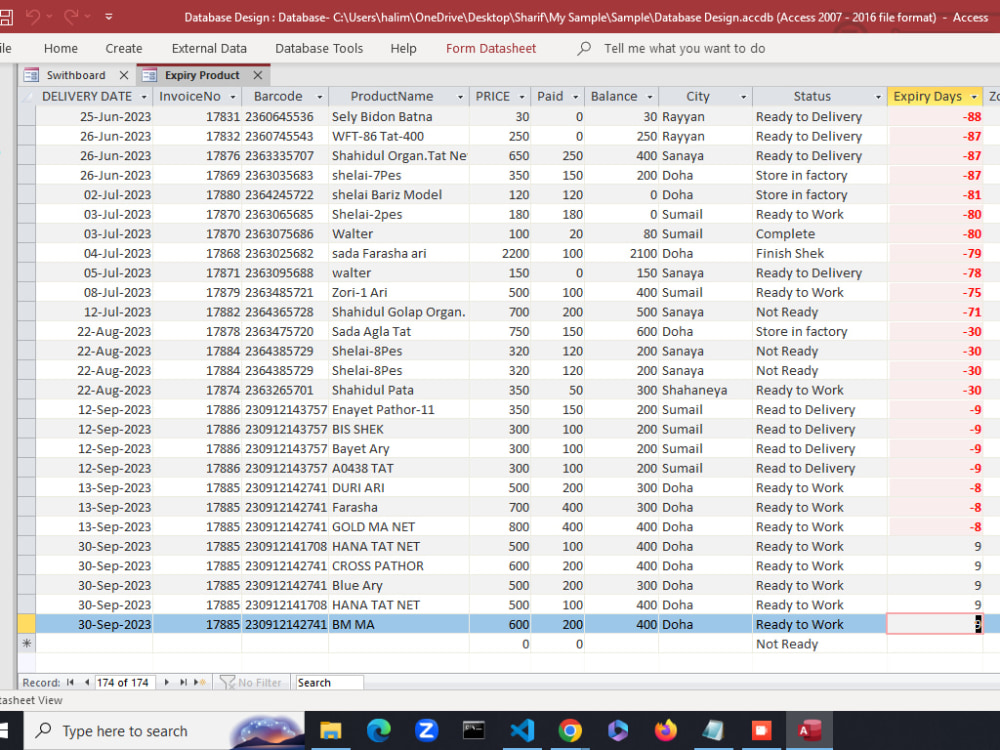
• Product Expiry Query
• Status Query
• Order Summary Query
• Delivery Date Query etc.
Project Forms:
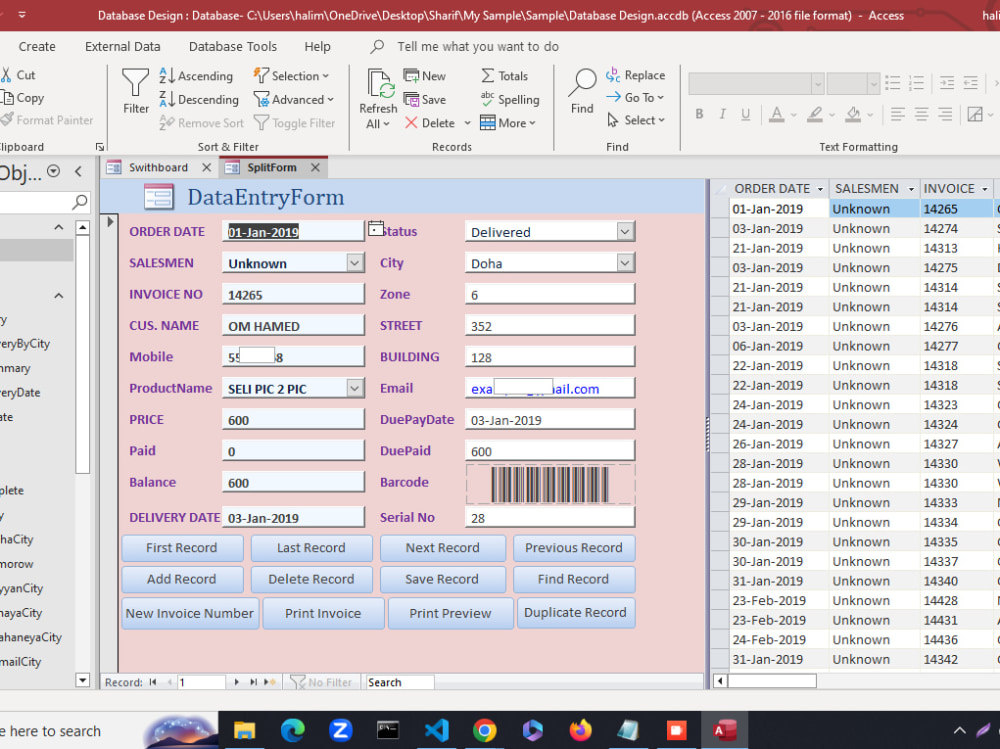
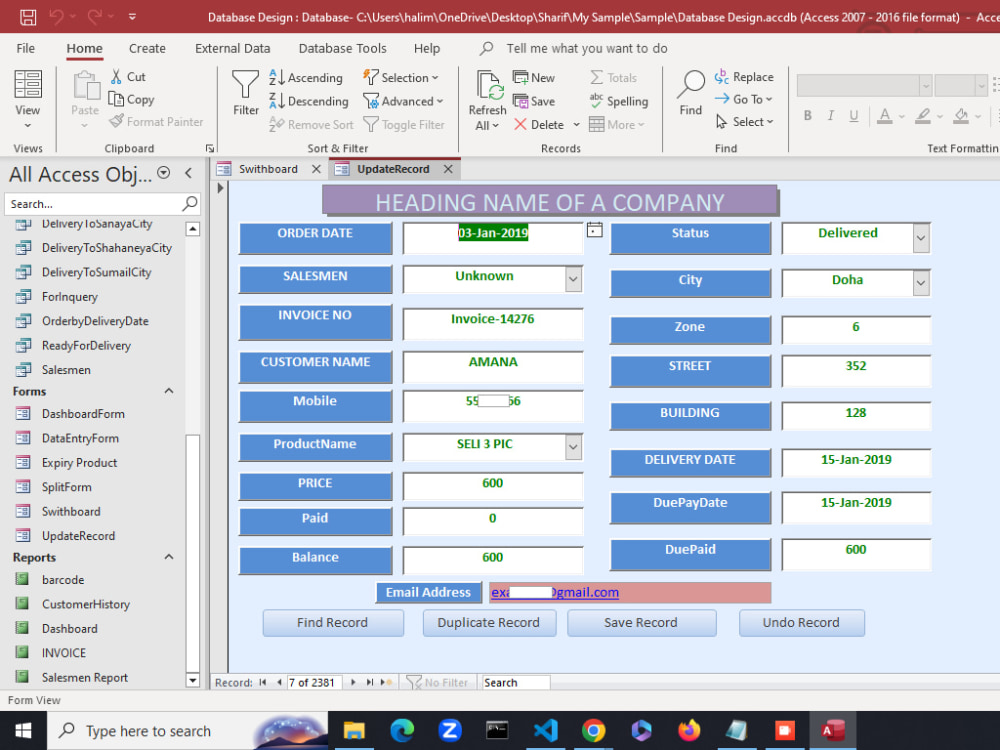
There will have been 3 to 5 forms in the project for project management and data entry with some buttons such as:
• User form
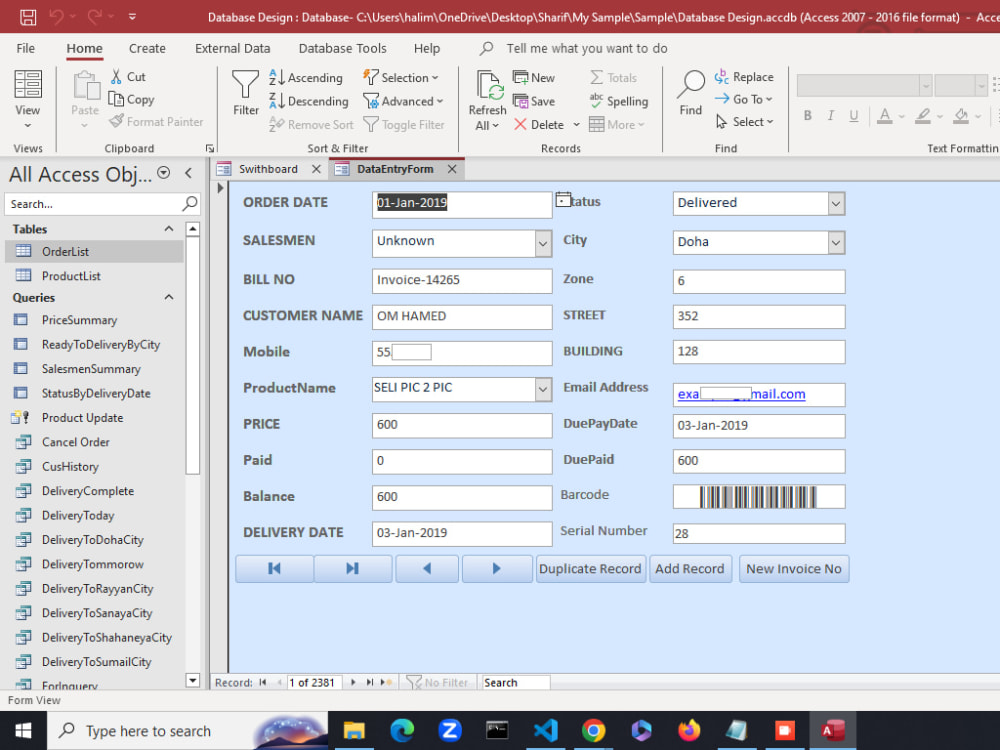
• Data entry Form
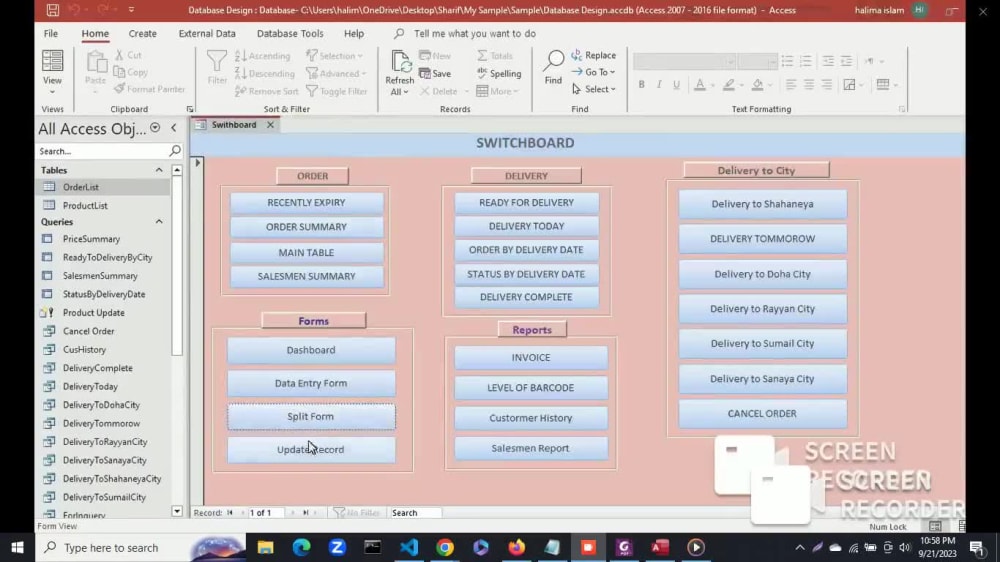
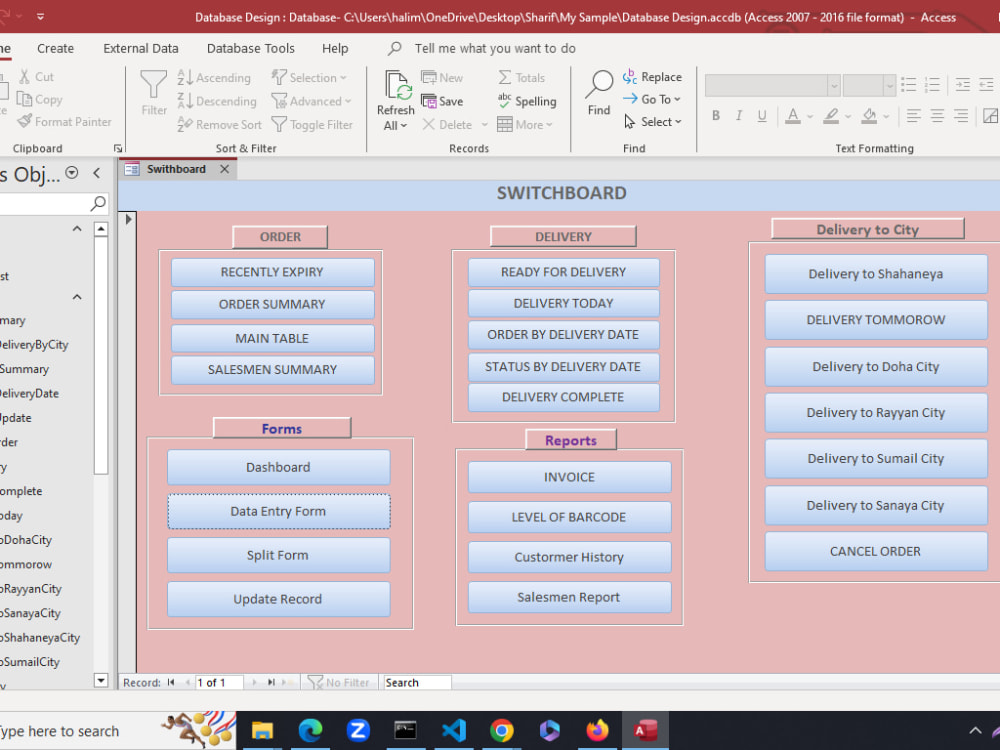
• Switchboard Form
• Dashboard of charts etc.
Project Reports:
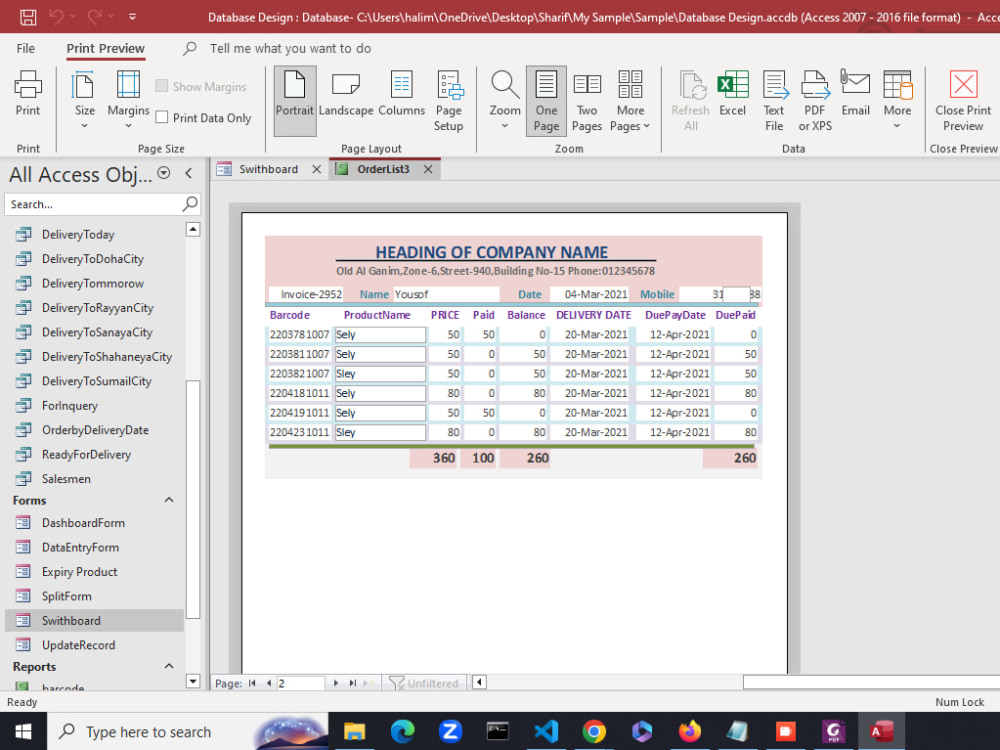
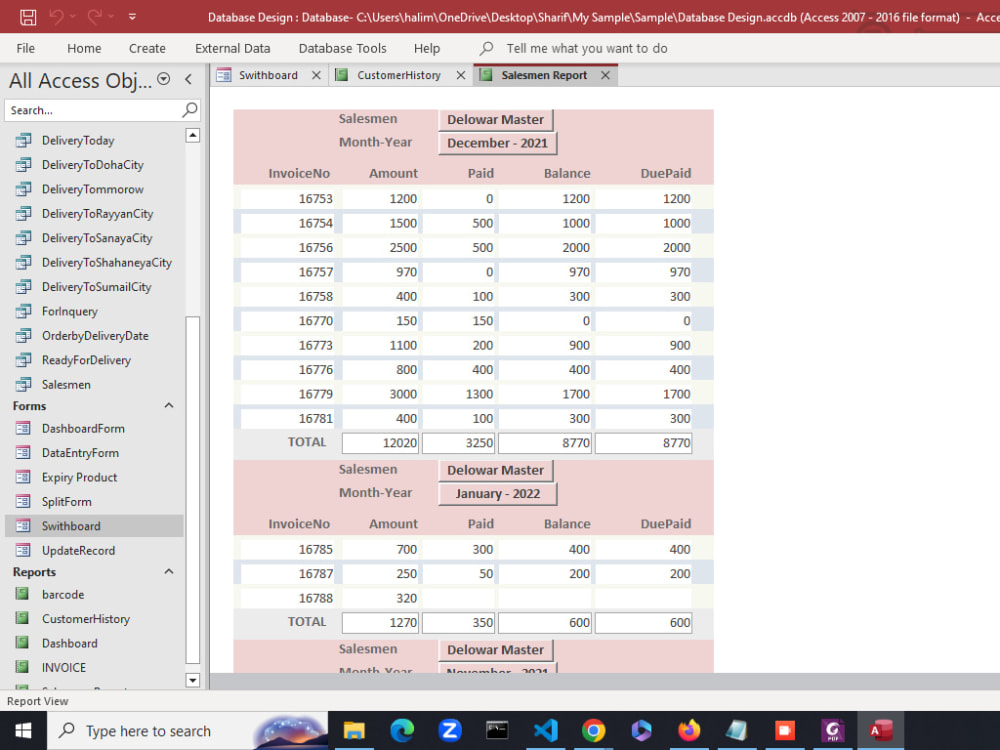
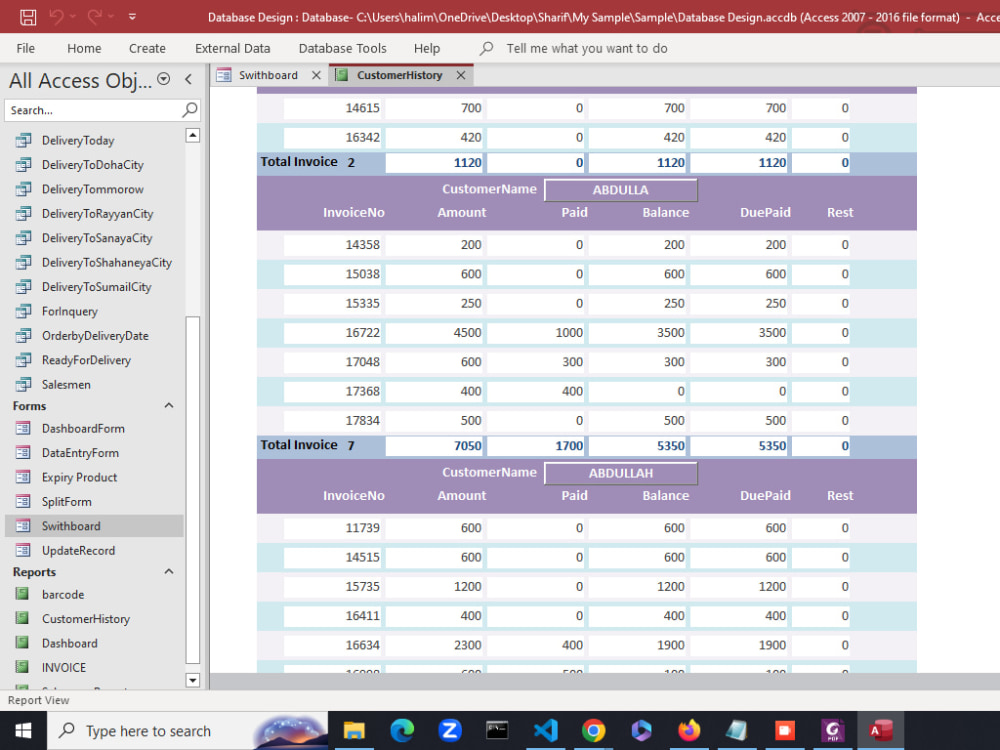
In this project, there will be 3 to 5 reports such as:
• Customer report
• Salesmen report
• Product report
• Invoice
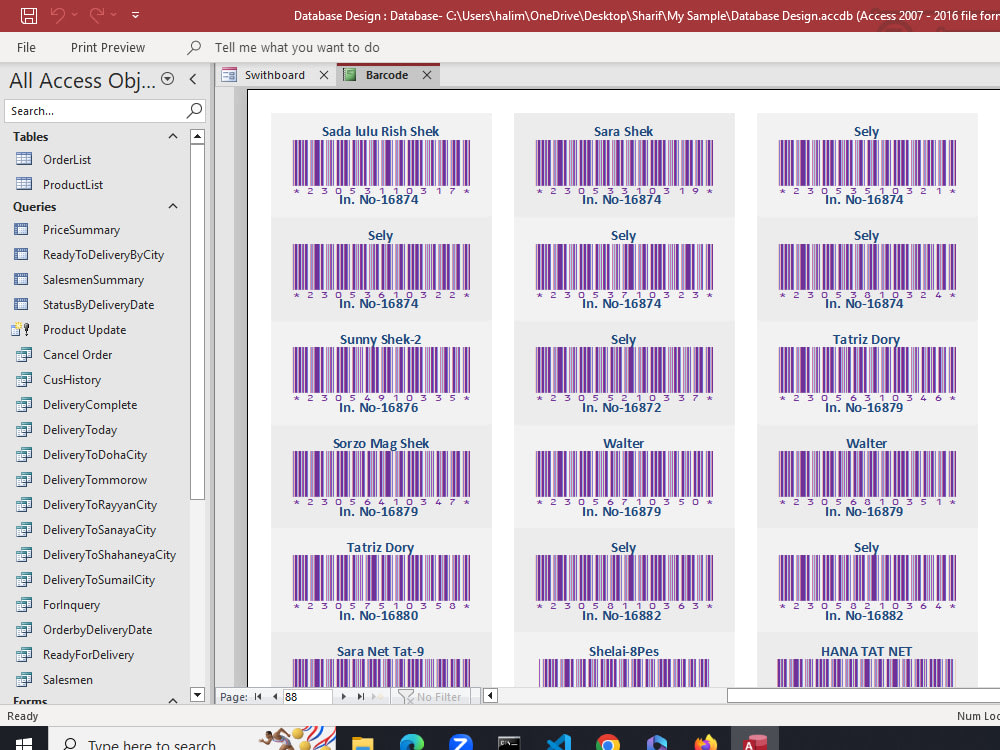
• Barcode Label etc.
All the tables, forms, reports and queries will be made in such a way that the user can navigate, Insert and update record information easily.
All queries, forms and reports will update dynamically after inputting the data information.
Project Table:
• Order Data Table
• Product Data Table
• Customer Data Table
• Worker Data Table etc.
Project Queries:
In this Project, you will get some 4 to 8 queries according to your requirements that will be created with simple SQL statements. Such as
• Product Expiry Query
• Status Query
• Order Summary Query
• Delivery Date Query etc.
Project Forms:
There will have been 3 to 5 forms in the project for project management and data entry with some buttons such as:
• User form
• Data entry Form
• Switchboard Form
• Dashboard of charts etc.
Project Reports:
In this project, there will be 3 to 5 reports such as:
• Customer report
• Salesmen report
• Product report
• Invoice
• Barcode Label etc.
All the tables, forms, reports and queries will be made in such a way that the user can navigate, Insert and update record information easily.
All queries, forms and reports will update dynamically after inputting the data information.
Database Type
MS AccessWhat's included
| Service Tiers |
Starter
$130
|
Standard
$280
|
Advanced
$555
|
|---|---|---|---|
| Delivery Time | 10 days | 12 days | 15 days |
Number of Revisions | 1 | 2 | 3 |
Number of Queries | 5 | 6 | 8 |
Query Debugging | |||
Query Optimization | - | - | - |
Query Scheduling | - | - | - |
Query Analysis | - | - | |
Source Code | - | - | - |
Optional add-ons
You can add these on the next page.
Additional Revision
+$120
Additional Query
(+ 4 Days)
+$50
Add Extra One Field
(+ 5 Days)
+$80
Add extra table
(+ 5 Days)
+$220Frequently asked questions
About Md Shariful
Expert in Data Analysis | Data Extraction | Data Visualization
Dhaka, Bangladesh - 5:33 pm local time
==================
I worked as a data entry operator for an embroidery design company in 2018 in Qatar. Then I was promoted to Database Administrator in 2020 and acquired good knowledge of Data Processing, Database Query, Data Analysis, Data Extraction, Data Cleaning, Data Transformation, Data Manipulation, and Data Visualization, etc.
Normally I had to manipulate customer data information, Work history of employees, employee ID, passport, and agreement expiry and employee's work time and date tracking and maintaining, Worker's salary sheet making and calculation, transferring the salary of every employee from company corporate account to employee's current account, etc.
I manipulated the customer name, order date, product price, net amount, advance, balance, product expiry date, delivery date, and so on. There is a sample of mail merge named "Invoice Merge" in my portfolio. You may see that sample to verify my experience.
🌍Work Description:
≈≈≈≈≈≈≈≈≈≈≈≈≈≈≈≈≈≈≈≈≈≈≈≈≈≈≈≈≈≈≈≈≈≈≈≈≈💠Mail Merge:≈≈≈≈≈≈≈≈≈≈≈≈≈≈≈≈≈≈≈≈≈≈≈≈≈≈≈≈≈≈≈≈
I have a good skill in mail merge. There are many samples of mail merges in my portfolio. One of them is named "Invoice Merge" and the other is named "Mail Merge". In the mail mere sample, you will see:
📧Letter merge,
📧Label merge,
📧Envelope merge,
📧Invoice merge,
📧Barcode merge and
📧Location merge and so on.
Generally, I complete mail merge with Microsoft Word and Microsoft Excell or Access. But sometime
I complete with Writer Document and Calc Spreadsheet or Base Database of LibreOffice. Moreover, I can do a mail merge with any kind of photo and logo provided in the Database.
≈≈≈≈≈≈≈≈≈≈≈≈≈≈≈≈≈≈≈≈≈≈≈≈≈≈≈≈≈≈≈≈≈≈≈≈≈💠File Conversion:≈≈≈≈≈≈≈≈≈≈≈≈≈≈≈≈≈≈≈≈≈≈≈≈≈≈≈≈≈
I can convert many kinds of files into other file types. Generally, I convert PDF files to Microsoft Word files or Microsoft Excel Files. Sometimes, I use LibreOffice to convert PDF files to Writer Document or Calc Spreadsheet. Also, I convert the following files:
📚PDF to Excel
📚Excel to PDF
📚CSV to Excel
📚Excel to CSV
📚PNG to Excel
📚JPEG to Excel
📚TXT to Excel
📚Excel To TXT
📚JSON to Excel etc.
Normally, I use Power Query of Excel to extract data from PDF, CSV, Photo, and any other database file. At the time of file conversion, I transform, format, and clean the data to make a proper dataset for data analysis.
≈≈≈≈≈≈≈≈≈≈≈≈≈≈≈≈≈≈≈≈≈≈≈≈≈≈≈≈≈≈≈≈≈≈≈≈≈💠 Fillable Form: ≈≈≈≈≈≈≈≈≈≈≈≈≈≈≈≈≈≈≈≈≈≈≈≈≈≈≈≈≈≈≈
I have a great skill in making a Fillable PDF form where users can input data in some specific fields easily. I have created many kinds of fillable PDF forms in my portfolio as samples with many kinds of data fields such as:
📄Text Box
📄 Number Field
📄 List Box
📄 Combo Box
📄 Date Field
📄 Barcode Field
📄 Radio Button
📄 Check Box
📄 Signature Field
📄 Print Button
📄 Submit Button
📄 Photo Field
📄 File Attachment Field
📄 Calculated Field
📄 Custom Field etc.
I can fix field errors in fillable forms and make proper data-type fields such as tap order errors, Custom field errors, calculated field errors, Font size errors, field label errors, Barcode errors, text direction errors, alignment errors, and so on. Generally, I use the Foxit PDF editor, Ace PDF Editor and LibreOffice Draw for editing PDF documents. But If it needs to make a fillable form design, I normally use Writer Document or Microsoft Word which is very easy to make a design and fillable form.
≈≈≈≈≈≈≈≈≈≈≈≈≈≈≈≈≈≈≈≈≈≈≈≈≈≈≈≈≈≈≈≈≈≈≈≈≈💠Data Entry: ≈≈≈≈≈≈≈≈≈≈≈≈≈≈≈≈≈≈≈≈≈≈≈≈≈≈≈≈≈≈≈≈≈
I can input data in various popular software that are most used such as:
💻 Excel Data Entry
💻Google Sheet Data Entry
💻Access Data Entry
💻Form Data Entry etc.
Steps for completing your project
After purchasing the project, send requirements so Md Shariful can start the project.
Delivery time starts when Md Shariful receives requirements from you.
Md Shariful works on your project following the steps below.
Revisions may occur after the delivery date.
Collect column information
At first, I will collect field or column information that will show in queries, forms and reports such as first name, last name, order date, product name, mobile number etc.
Making Table
I will make a table and some queries