You will get Excel Data Cleaning & Formatting | Fix Messy Excel & CSV Files
Project details
Struggling with messy, unorganized Excel data?
I clean, format, and fix Excel & CSV files so your data is accurate, consistent, and ready to use.
Messy Excel data can cause errors, confusion, and wrong decisions.
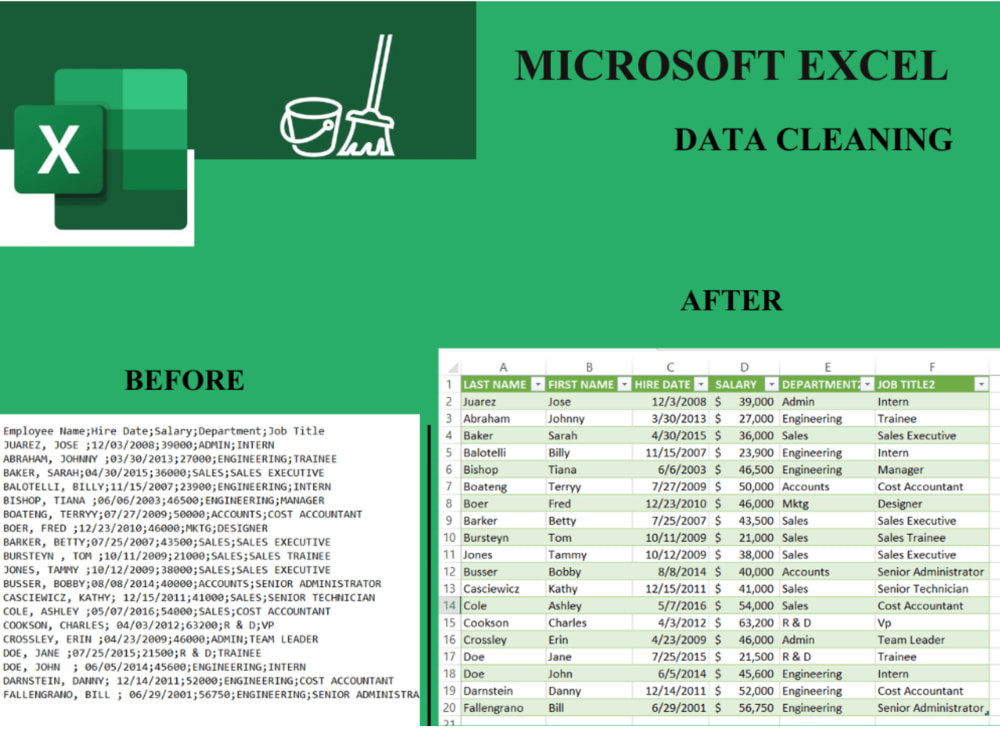
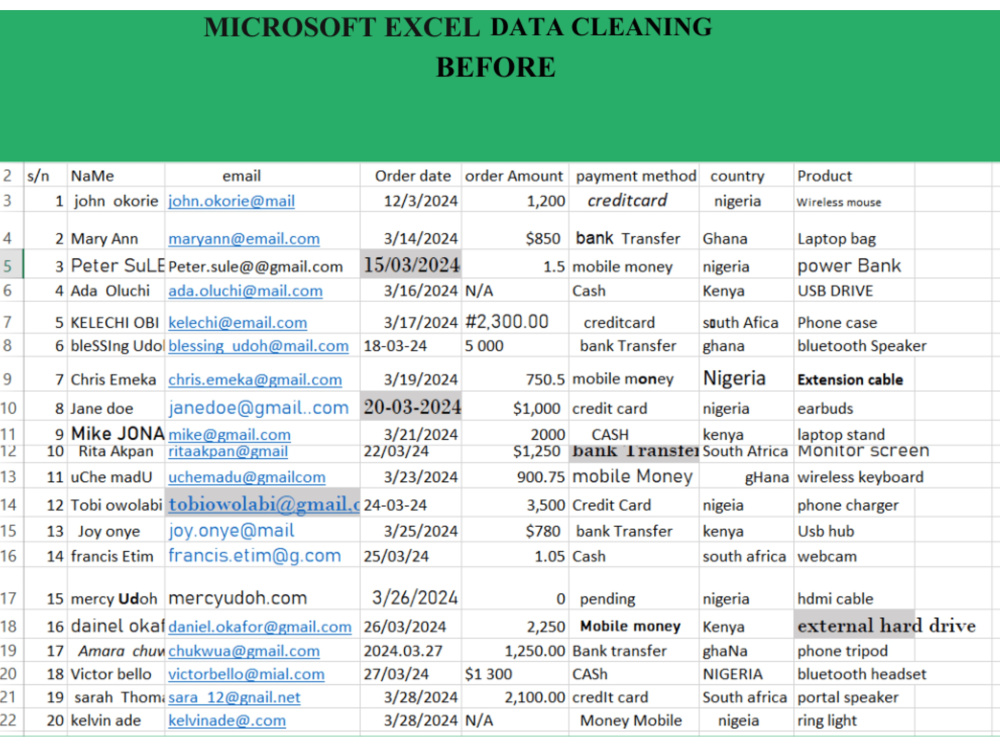
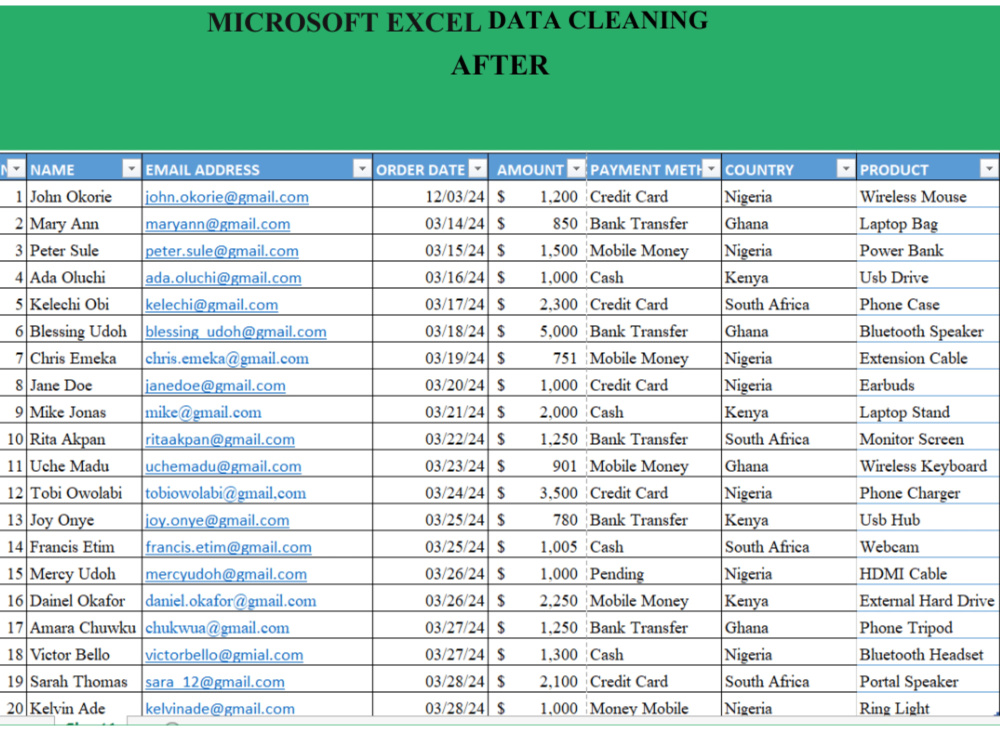
I specialize in Excel data cleaning, transforming raw, inconsistent spreadsheets into clean, structured, and professional datasets, just like the before-and-after examples in my portfolio.
Whether your data has:
• Inconsistent dates & currencies
• Duplicate or missing entries
• Incorrect formatting
• Mixed text & numbers
• Capitalization and spelling issues
I will clean it accurately and efficiently using Microsoft Excel.
WHAT I WILL DO
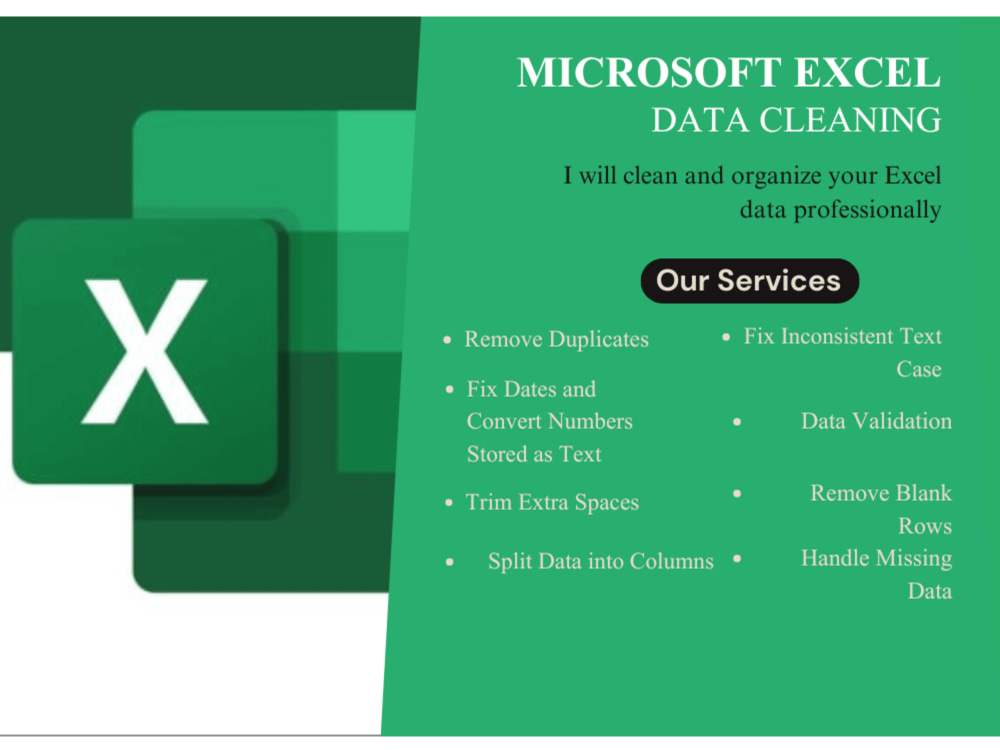
• Clean messy Excel & CSV data
• Remove duplicates and errors
• Fix date, currency, and number formats
• Standardize text, headers, and columns
• Correct capitalization & spelling
• Handle missing values (blank, N/A, errors)
• Organize data into clean tables
WHY CLIENTS CHOOSE ME
• Proven before-and-after results
• Attention to detail
• Fast delivery
• Clear communication
• 100% focus on data accuracy
I clean, format, and fix Excel & CSV files so your data is accurate, consistent, and ready to use.
Messy Excel data can cause errors, confusion, and wrong decisions.
I specialize in Excel data cleaning, transforming raw, inconsistent spreadsheets into clean, structured, and professional datasets, just like the before-and-after examples in my portfolio.
Whether your data has:
• Inconsistent dates & currencies
• Duplicate or missing entries
• Incorrect formatting
• Mixed text & numbers
• Capitalization and spelling issues
I will clean it accurately and efficiently using Microsoft Excel.
WHAT I WILL DO
• Clean messy Excel & CSV data
• Remove duplicates and errors
• Fix date, currency, and number formats
• Standardize text, headers, and columns
• Correct capitalization & spelling
• Handle missing values (blank, N/A, errors)
• Organize data into clean tables
WHY CLIENTS CHOOSE ME
• Proven before-and-after results
• Attention to detail
• Fast delivery
• Clear communication
• 100% focus on data accuracy
Data Tool
Microsoft ExcelWhat's included
| Service Tiers |
Starter
$10
|
Standard
$20
|
Advanced
$45
|
|---|---|---|---|
| Delivery Time | 1 day | 2 days | 3 days |
Number of Revisions | 1 | 1 | 1 |
Optional add-ons
You can add these on the next page.
Fast Delivery
+$5Frequently asked questions
About Ogbuewu
Customer Support & Data Analyst
Abuja, Nigeria - 2:10 pm local time
I specialize in turning raw data into clean, structured, and meaningful information while also ensuring efficient support processes and positive customer experiences.
How I add value:
* Customer Support & Success: Managing inquiries, resolving issues efficiently, and ensuring a smooth customer journey
* Data Cleaning & Preparation: Transforming raw, messy data into accurate and analysis-ready datasets
* Data Analysis & Reporting: Analyzing data across different business areas (not just customer data) to identify trends and support decision-making
* Dashboard Development: Building interactive dashboards in Excel and Power BI to track performance and key metrics
* Process Improvement: Identifying inefficiencies in workflows and implementing smarter, data-backed solutions
* Clear Communication: Presenting insights in a simple, understandable way for both technical and non-technical stakeholders
I am known for delivering clean, well-organized data, professional reports, and reliable support with clear communication and fast turnaround times.
Whether you need support with customer operations, data organization, or business reporting, I provide practical solutions that improve efficiency and drive results.
Tools: Zendesk, Microsoft Excel, Power BI, Power Query, SQL
Steps for completing your project
After purchasing the project, send requirements so Ogbuewu can start the project.
Delivery time starts when Ogbuewu receives requirements from you.
Ogbuewu works on your project following the steps below.
Revisions may occur after the delivery date.
Review the Data
Check the dataset for size, structure, and obvious errors Identify duplicate rows, missing values, and formatting issues
Remove Duplicates and Irrelevant Data
Delete exact and partial duplicates Remove unnecessary columns and blank rows