You will get Excel data cleanup and automation using Power Query and formulas
Project details
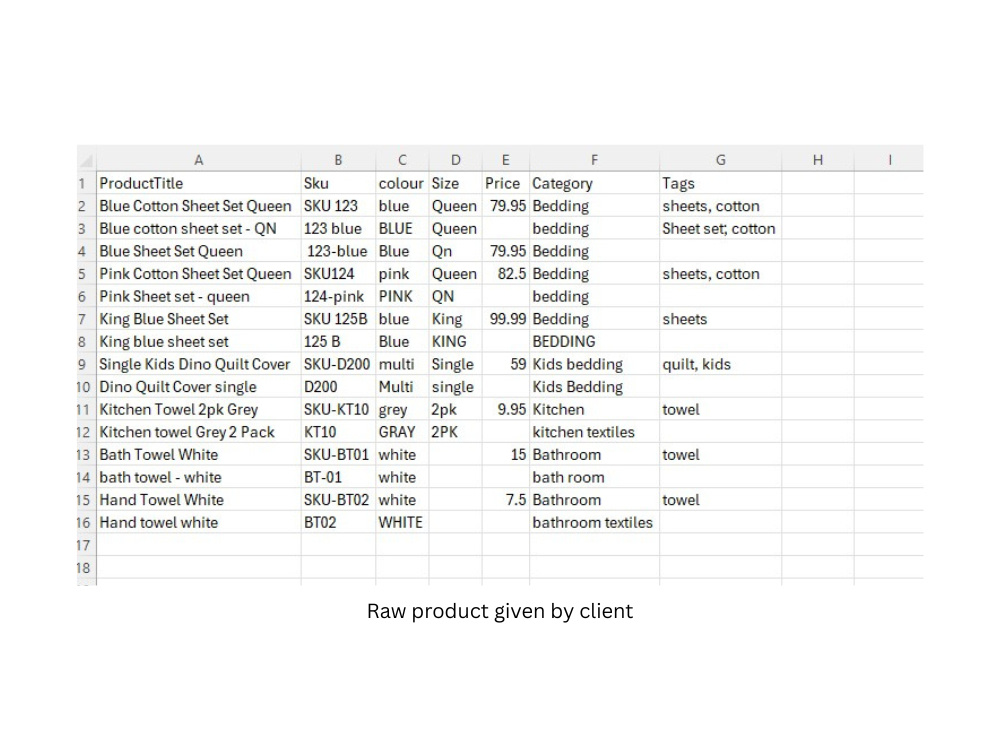
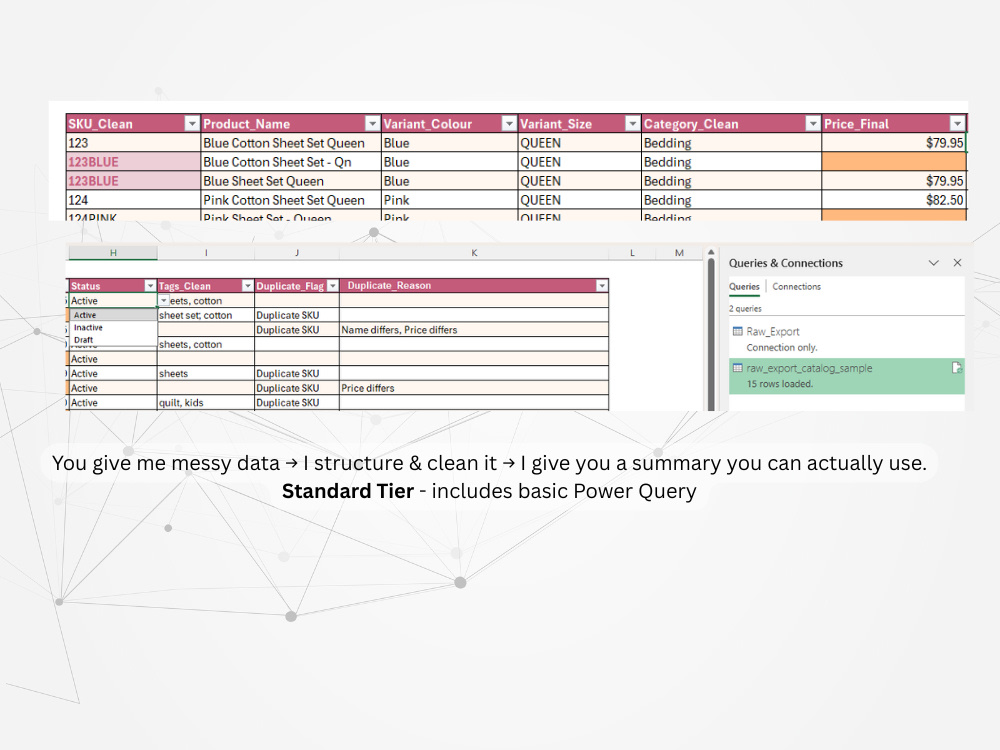
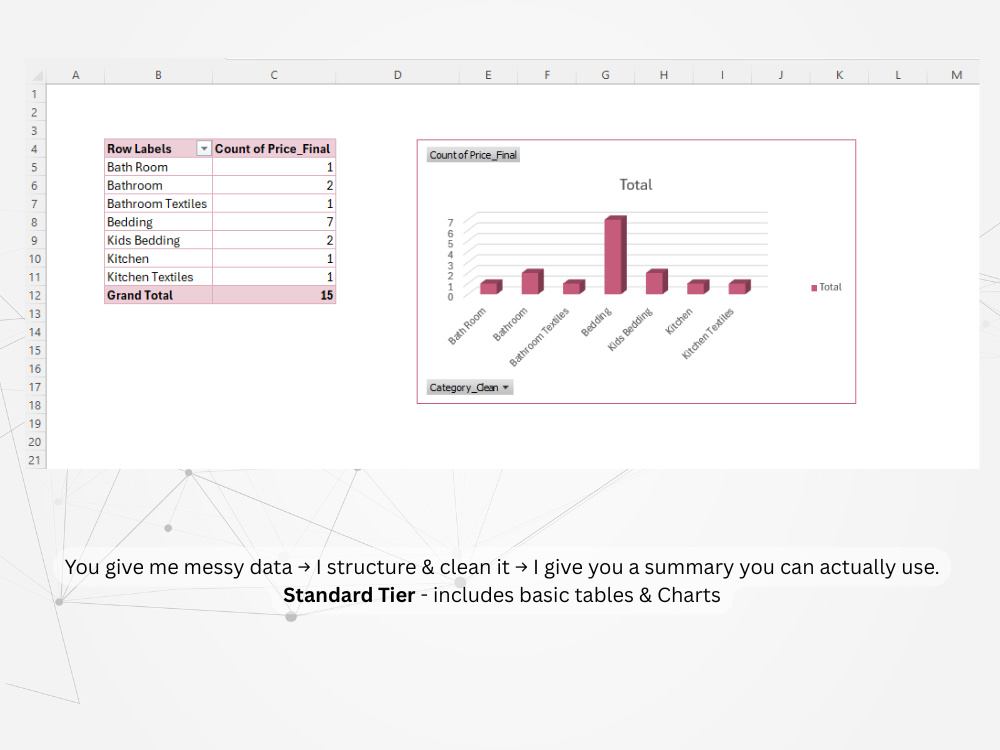
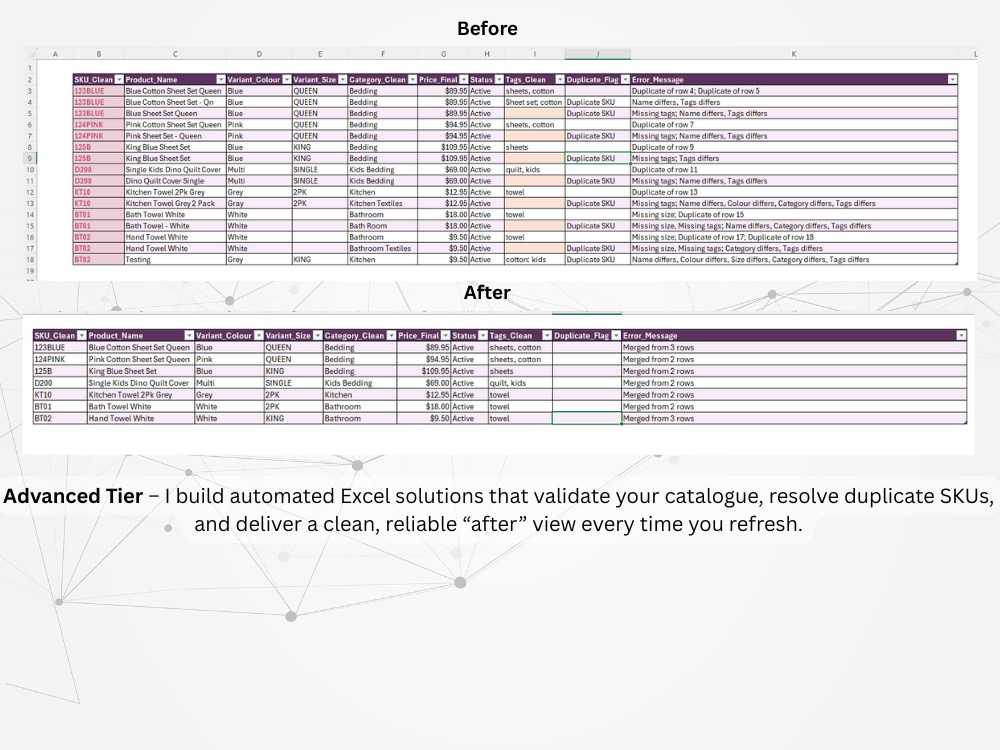
Tired of messy spreadsheets slowing you down? I specialise in transforming raw, inconsistent Excel data into clean, automated, and accurate reports that actually work for you. With years of experience as a systems support officer, I understand how vital reliable data is for decisions, and how frustrating manual fixes can be.
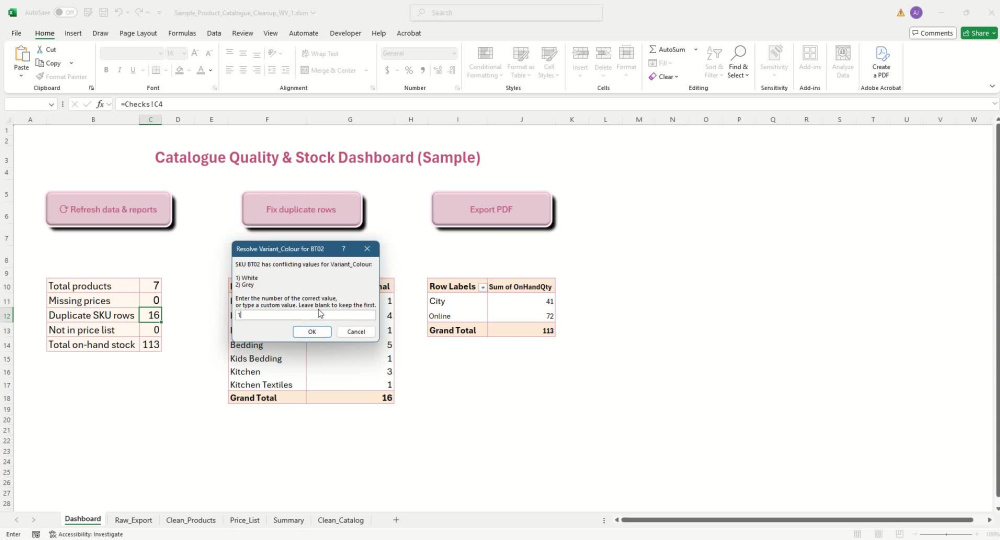
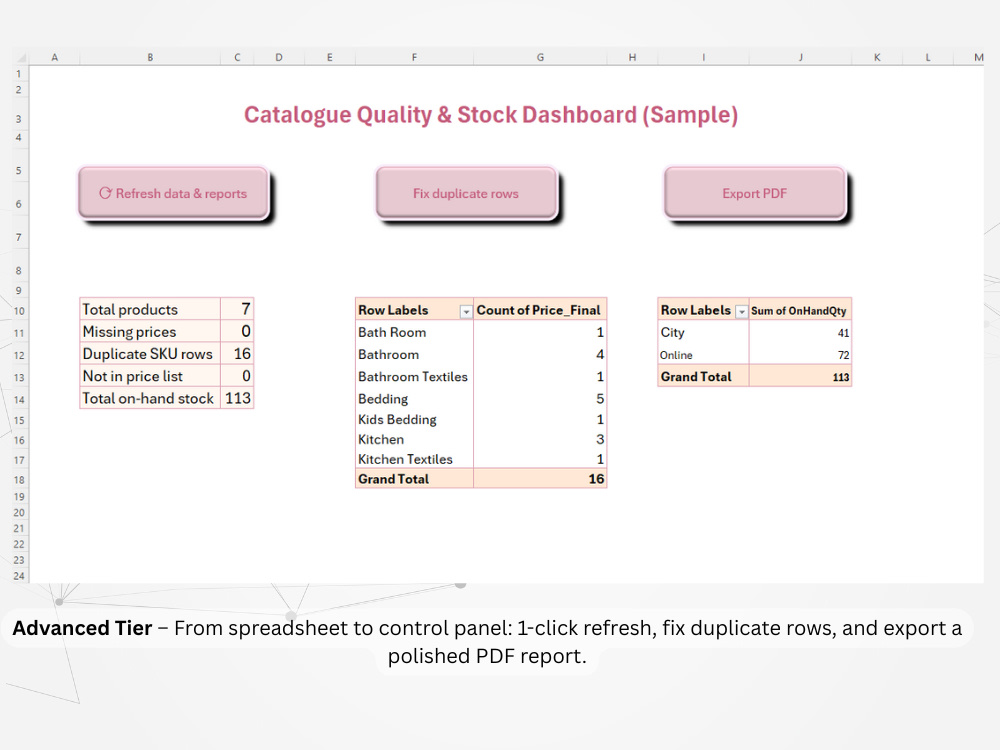
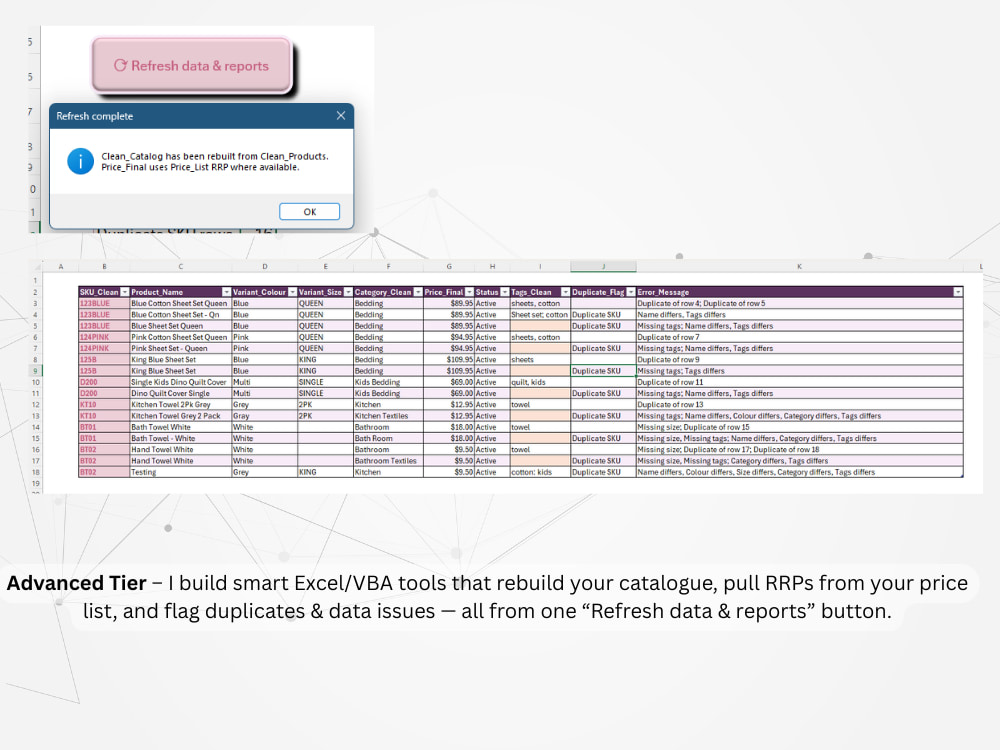
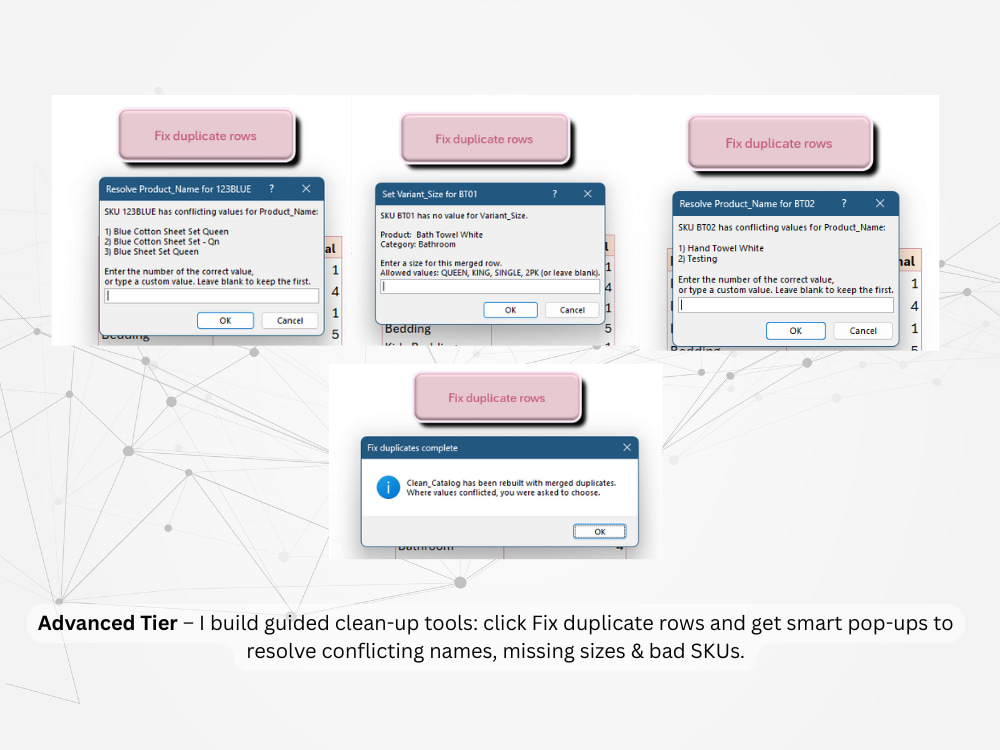
Whether you need simple data cleanup, smart Power Query automation, or fully coded VBA workflows with custom buttons and logic, I’ll deliver a seamless, user-friendly Excel solution tailored to your process.
Every project begins with a quick scope review, clear communication, and a transparent quote if your needs extend beyond your selected tier. My goal is to save you hours of repetitive work, prevent costly errors, and make your data something you can actually trust.
Get your time back, and let your spreadsheets do the work for you.
Whether you need simple data cleanup, smart Power Query automation, or fully coded VBA workflows with custom buttons and logic, I’ll deliver a seamless, user-friendly Excel solution tailored to your process.
Every project begins with a quick scope review, clear communication, and a transparent quote if your needs extend beyond your selected tier. My goal is to save you hours of repetitive work, prevent costly errors, and make your data something you can actually trust.
Get your time back, and let your spreadsheets do the work for you.
Data Tool
Microsoft ExcelWhat's included
| Service Tiers |
Starter
$36
|
Standard
$72
|
Advanced
$144
|
|---|---|---|---|
| Delivery Time | 2 days | 4 days | 7 days |
Number of Revisions | 1 | 2 | 3 |
Optional add-ons
You can add these on the next page.
Additional Revision
+$10
Custom Dashboard or Report Page
(+ 2 Days)
+$40
VBA Automation Script
(+ 3 Days)
+$60
Rush Delivery
+$35Frequently asked questions
About Ricki-Lee
Excel & Power Query Specialist | Data Cleanup, Dashboards & Automation
Redland Bay, Australia - 7:57 pm local time
I specialise in turning chaotic Excel and Google Sheets files into clean, structured, and refreshable tools your team can actually rely on.
What I can help you with
• Data cleanup & transformation
- Fixing broken formulas, inconsistent formats and duplicate data
- Reshaping data for analysis (unpivoting, merging, normalising)
- Creating validated tables instead of fragile ad hoc sheets
• Power Query & automation
- Building repeatable Power Query flows to clean and combine data
- Replacing manual copy/paste steps with a simple Refresh
- Setting up documented processes so anyone on your team can run them
• Dashboards & reporting
- Summary tabs, KPIs and pivot tables tailored to how you make decisions
- A4 or letter-sized print views for management reporting
- Clear layout and formatting so your reports are easy to read and maintain
How I work
• I start with a quick review of your current file and a short list of your pain points.
• I propose a simple plan (and fixed price or milestones) so you know exactly what you’re getting.
• I build with maintainability in mind: clear structure, documentation and, where needed, simple instructions for your team.
Recent results (anonymised)
• Cleaned and automated weekly reporting for a public-sector team (~200 staff), reducing manual prep from hours to 15–30 minutes using Power Query and structured tables.
• Consolidated multiple messy supplier spreadsheets into one validated import file, reducing pricing errors and rework.
• Designed a refreshable KPI summary with pivots and print-ready pages for leadership.
Where it makes sense, I also use Python to automate data preparation steps before they land in Excel/Power Query.
If you share a brief and a small sample file, I can confirm fit, outline the approach and give you a clear quote.
Steps for completing your project
After purchasing the project, send requirements so Ricki-Lee can start the project.
Delivery time starts when Ricki-Lee receives requirements from you.
Ricki-Lee works on your project following the steps below.
Revisions may occur after the delivery date.
Step 1 – Review & Scope Check
I’ll assess your data, confirm goals, and ensure the work fits your selected tier. If selecting basic but is advanced logic, multi-sheet links, or macros are required, I’ll quote the upgrade transparently before starting.
Step 2 – Clean • Format • Automate
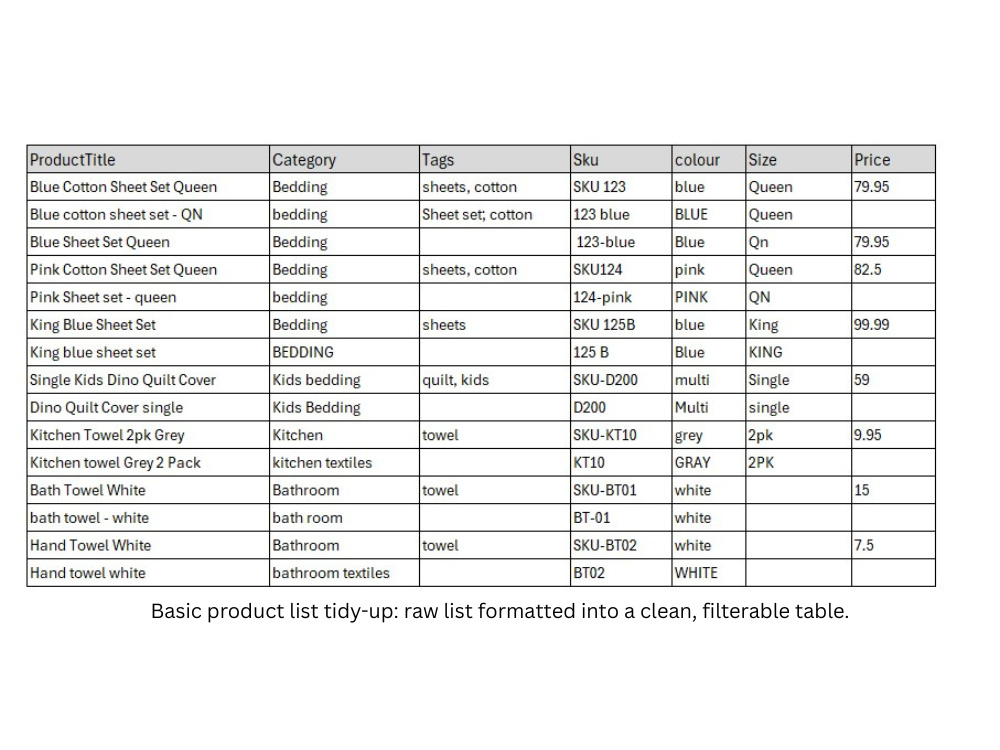
Tier 1 focuses on cleaning, deduping & formatting to create a consistent, ready-to-use dataset. Tier 2 adds Power Query logic for smarter automation. Tier 3 includes full VBA workflows for complete, code-driven automation.