You will get Excel Query and Data Extraction on Date or range type search criteria

Project details
Are you looking for a fast and powerful way to query data from multiple Excel files? Do you want to preserve the original formatting and formulas of your data? Do you need to search for any type of data, including text, numbers, dates, formulas and formatted values?
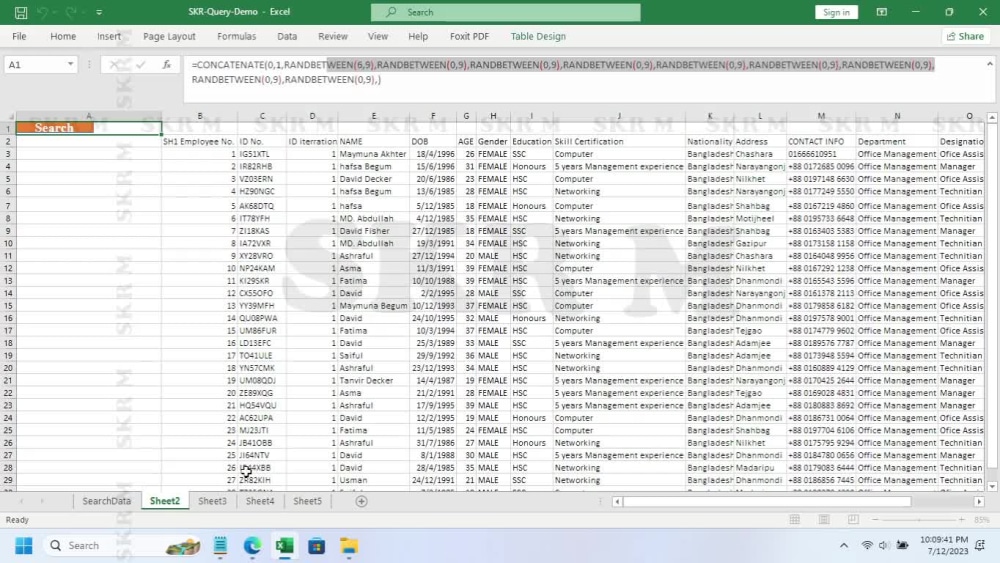
If you answered yes to any of these questions, then you might be interested in my **QUERY ENGINE** project. This is a custom-built tool that I developed using Microsoft Excel VBA and Excel in general. It allows you to extract data from various sources and create a new database with the search results.
With my QUERY ENGINE, you can:
• Choose to query data from the active file, selected files, all files in a folder, or all files in a folder and subfolders.
• Keep the search results in a separate sheet as a new database.
• Maintain the original database formats as present in Excel in the search results.
• Search for any Unicode characters and any language supported by VBA.
• Search for formulas, text, integers, formatted text, formatted integers, and Excel's formatted representation of date.
• And many more features.
If you answered yes to any of these questions, then you might be interested in my **QUERY ENGINE** project. This is a custom-built tool that I developed using Microsoft Excel VBA and Excel in general. It allows you to extract data from various sources and create a new database with the search results.
With my QUERY ENGINE, you can:
• Choose to query data from the active file, selected files, all files in a folder, or all files in a folder and subfolders.
• Keep the search results in a separate sheet as a new database.
• Maintain the original database formats as present in Excel in the search results.
• Search for any Unicode characters and any language supported by VBA.
• Search for formulas, text, integers, formatted text, formatted integers, and Excel's formatted representation of date.
• And many more features.
Data Tool
Microsoft ExcelWhat's included
| Service Tiers |
Starter
$180
|
Standard
$450
|
Advanced
$6,000
|
|---|---|---|---|
| Delivery Time | 2 days | 5 days | 60 days |
Number of Revisions | 1 | 1 | 1 |
Number of Pages Mined/Scraped | 0 |
Optional add-ons
You can add these on the next page.
Fast Delivery
+$100 - $3,000
Additional Revision
+$300
1 GB (up to)
(+ 10 Days)
+$1,400
50% Faster Delivery
+$2,500
+3 Search Criteria
(+ 5 Days)
+$300About Md.
Good Practice Makes Perfect
Narayanganj, Bangladesh - 3:39 am local time
1. Data Entry
- Accurately enter and manage data into spreadsheets, databases, or any other required format.
- Verify and update existing data for consistency and correctness.
- Organize and categorize data to ensure easy retrieval and analysis.
- Perform data cleaning and quality checks to maintain data integrity.
VBA Automation: Proficient in creating custom VBA scripts to automate repetitive data entry tasks and streamline processes, tailored to your unique requirements.
2. File Management
- Organize and maintain a structured file system for easy access to data and images.
- Ensure files are labeled, categorized, and stored appropriately.
- Backup and archive data and images to prevent data loss.
3. Photo Editing
- Retouch and enhance photographs to meet your specific requirements.
- Adjust lighting, color, and composition to improve the overall quality of images.
- Remove unwanted objects, blemishes, or imperfections from photos.
- Crop, resize, and format images as needed for different platforms.
Advanced Photo Editing:
Highly skilled in frequency separation image retouching, advanced color correction, photo restoration, sketch photo, indexed colored photo, background replacement, product image enhancement, logo placement, and proficient in a wide range of advanced image editing methods.
4. Additional Skills
Data Cleanup and Preparation: Utilize Power Query to perform automated robust data cleanup and data preparation.
Data Transformation: Transform summarized tables into well-structured Fact Tables with UnPivot in Power Query.
Data Visualization: Create advanced visualizations using Power BI visuals and Power Pivot.
Advanced Excel: Proficient in utilizing Pivot Charts, DAX, and M language in Excel, with the ability to customize solutions to precisely match your unique data analysis needs.
5. Communication
- Maintain clear and timely communication to understand project requirements.
- Seek clarification when needed to ensure accurate execution of tasks.
- Provide regular updates on project progress and deliverables.
Qualifications
- Proven experience in data entry, photo editing, and the advanced skills listed above.
- Proficiency in relevant software and tools for each skill area.
- Strong attention to detail and commitment to delivering error-free work.
- Excellent time management and organizational skills.
- Ability to work independently and meet deadlines.
- Effective communication skills to understand and execute client needs.
- Portfolio showcasing relevant projects for each skill.
Why Choose Me
Dedication: I am committed to delivering high-quality work and meeting project deadlines.
Expertise: I have a strong background in data entry, photo editing, and the advanced skills mentioned, ensuring comprehensive support.
Professionalism: You can expect clear communication, ethical conduct, and a collaborative approach.
Versatility: I am adaptable and can handle a wide range of tasks across various skill areas.
Attention to Detail: I take pride in ensuring precision and accuracy in all my work.
If you are seeking a reliable Data Entry and Photo Editing Expert, rest assured that I am well-prepared to address your specific project requirements. Please feel free to reach out to discuss your needs and objectives.
Let's work together to achieve your goals!
Steps for completing your project
After purchasing the project, send requirements so Md. can start the project.
Delivery time starts when Md. receives requirements from you.
Md. works on your project following the steps below.
Revisions may occur after the delivery date.
Request Received
We have received the project request
Project Start
We have started working on the project.