You will get Excel VBA Automation Tool | Email Generator & Data Manager
Project details
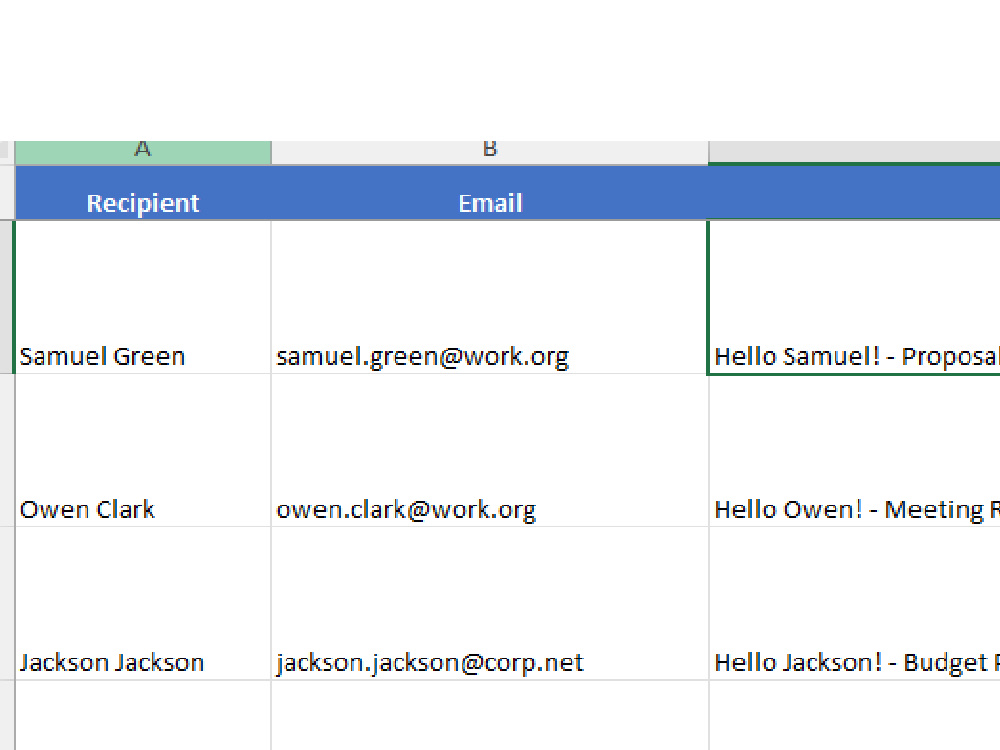
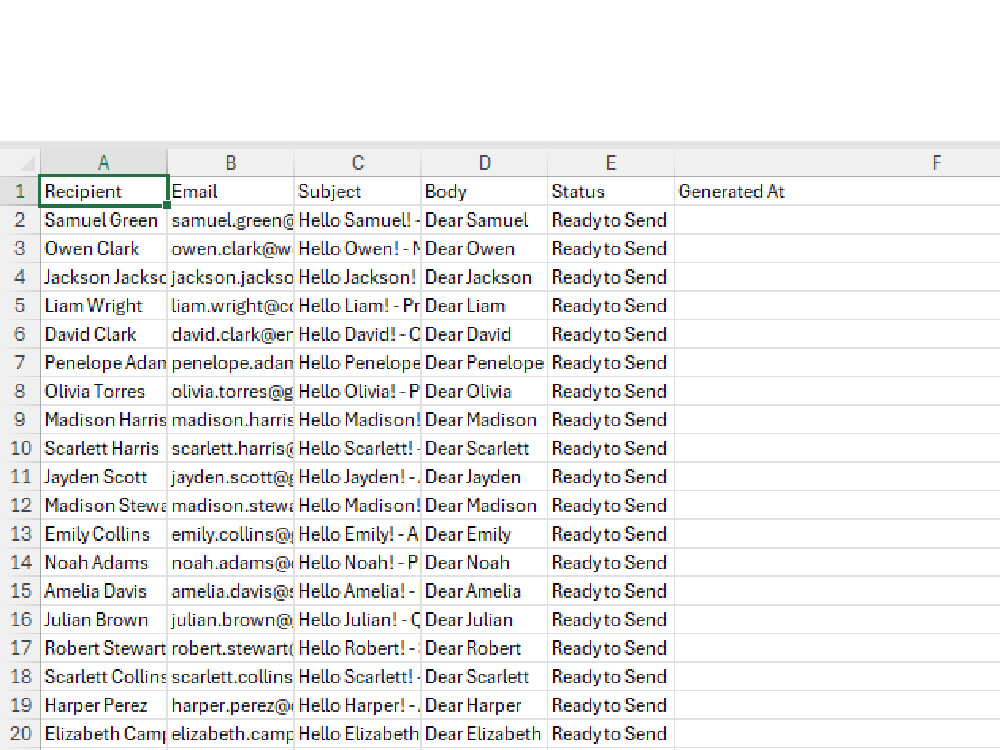
I will deliver a fully functional Excel VBA automation workbook that generates
personalized emails from a contact list automatically.
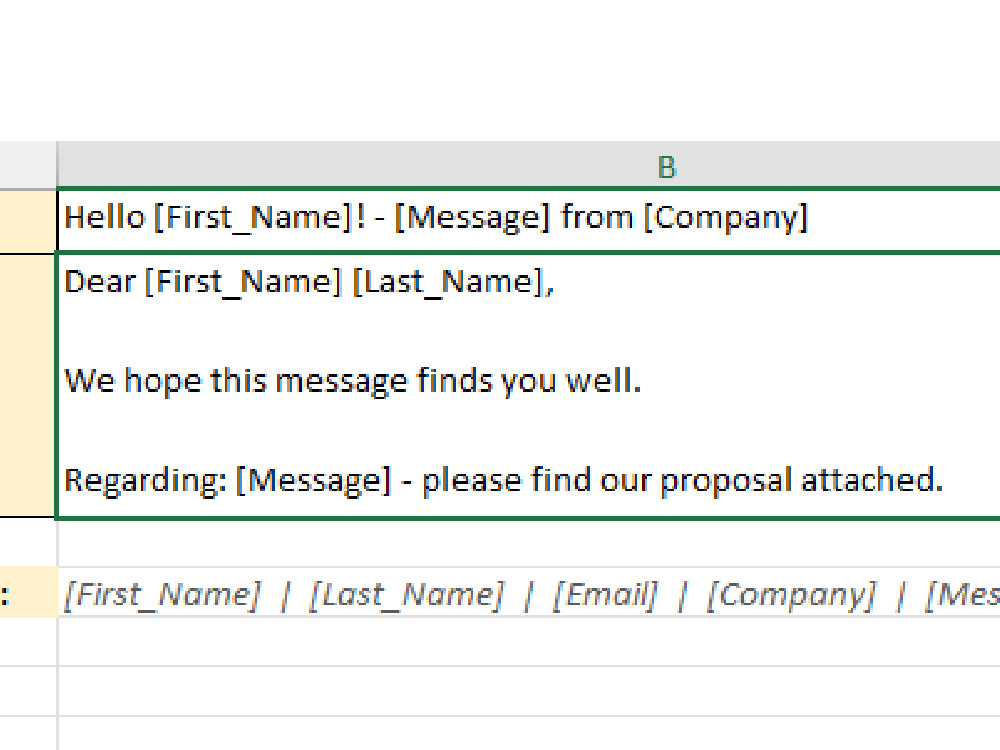
The tool reads data from a structured sheet, applies a customizable email
template with dynamic variables, and produces ready-to-send personalized emails
in seconds — replacing hours of manual work.
WHAT THE CLIENT GETS:
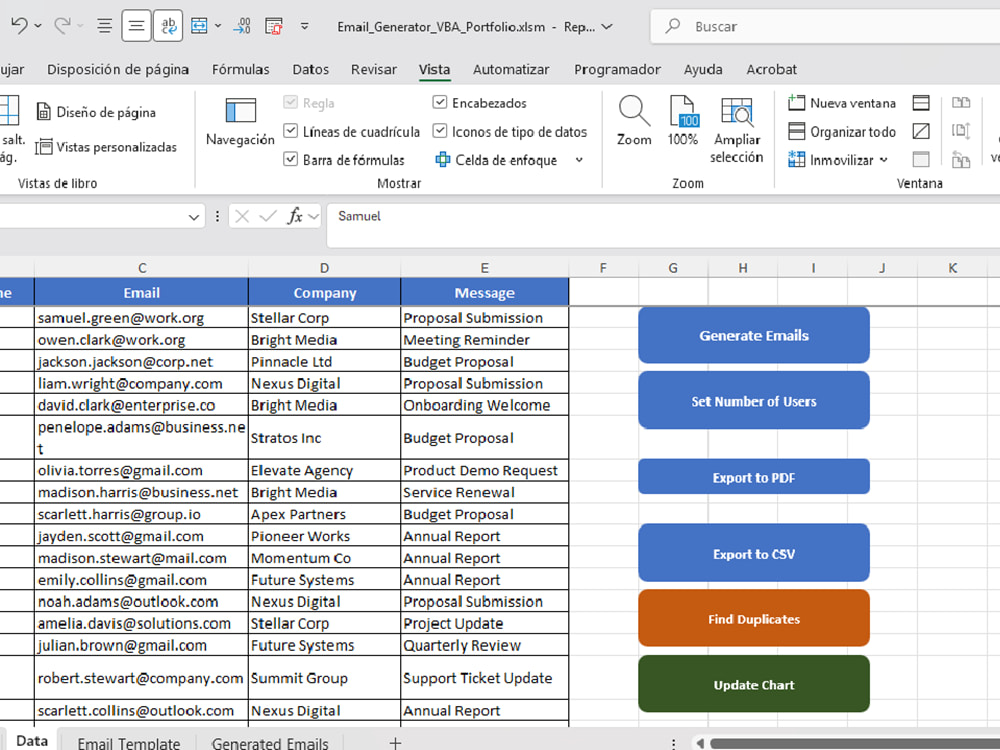
• Automated email generation from any contact list (up to 200 records)
• Customizable subject and body template with dynamic variables
• One-click export to PDF and CSV formats
• Duplicate contact detector with visual highlights
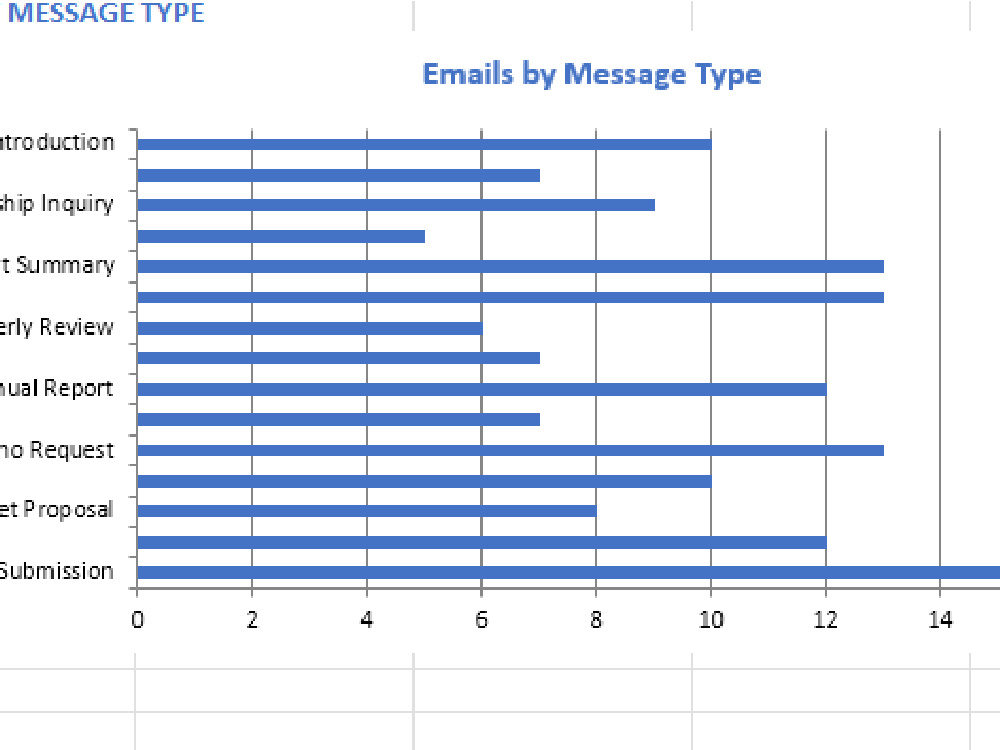
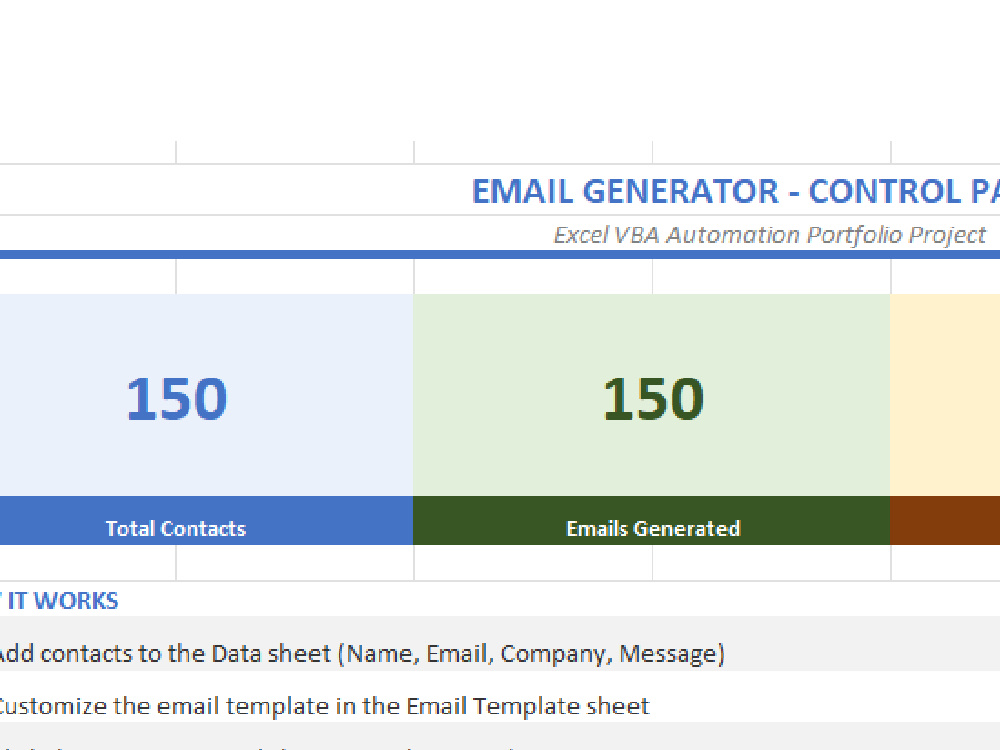
• Interactive dashboard with live counters and charts
• Conditional formatting for instant data validation
• Full reset and data management controls
• Clean organized code across 4 VBA modules
BUILT WITH:
Excel VBA Macros, Multi-Sheet Integration, String Manipulation,
Conditional Formatting, Chart Automation, PDF and CSV Export, Error Handling
IDEAL FOR:
Sales teams, marketing departments, HR, billing, or any team that sends
repetitive personalized communications and wants to eliminate manual work.
Delivery includes the complete macro-enabled file ready to use or customize.
personalized emails from a contact list automatically.
The tool reads data from a structured sheet, applies a customizable email
template with dynamic variables, and produces ready-to-send personalized emails
in seconds — replacing hours of manual work.
WHAT THE CLIENT GETS:
• Automated email generation from any contact list (up to 200 records)
• Customizable subject and body template with dynamic variables
• One-click export to PDF and CSV formats
• Duplicate contact detector with visual highlights
• Interactive dashboard with live counters and charts
• Conditional formatting for instant data validation
• Full reset and data management controls
• Clean organized code across 4 VBA modules
BUILT WITH:
Excel VBA Macros, Multi-Sheet Integration, String Manipulation,
Conditional Formatting, Chart Automation, PDF and CSV Export, Error Handling
IDEAL FOR:
Sales teams, marketing departments, HR, billing, or any team that sends
repetitive personalized communications and wants to eliminate manual work.
Delivery includes the complete macro-enabled file ready to use or customize.
Data Tool
Microsoft ExcelWhat's included $50
These options are included with the project scope.
$50
- Delivery Time 3 days
- Number of Revisions 2
Optional add-ons
You can add these on the next page.
Additional Revision
+$10
Custom template or extra sheet
+$15Frequently asked questions
About Richard
Excel VBA Automation | Excel Workflow Automation | Data Processing
San Juan de Lurigancho, Peru - 7:12 pm local time
My experience focuses on building practical Excel automations that help organize data, generate emails from templates, and reduce repetitive manual work.
Using Excel VBA, I have created solutions that can:
• Generate emails automatically from Excel data
• Fill templates and create structured files from lists of records
• Detect empty fields and organize data automatically
• Apply dynamic formatting based on specific conditions
• Show or hide cells depending on workflow steps
• Process stored variables to perform calculations and actions
• Automate repetitive tasks such as formatting, organizing, and preparing reports
These automations help make spreadsheets easier to use and save time in daily operations.
Currently, I am also strengthening my skills in data analysis to expand into data processing and reporting projects.
If you need help automating Excel tasks, cleaning spreadsheets, or improving Excel workflows, I would be happy to help.
Steps for completing your project
After purchasing the project, send requirements so Richard can start the project.
Delivery time starts when Richard receives requirements from you.
Richard works on your project following the steps below.
Revisions may occur after the delivery date.
Review client data and requirements
Analyze the contact list structure and email template provided by the client to understand the exact automation needed.
Build and configure the VBA automation
Set up the Excel workbook with macros, email template, data sheet and all automation logic based on client requirements.