You will get Gmail and Podio Integration
Project details
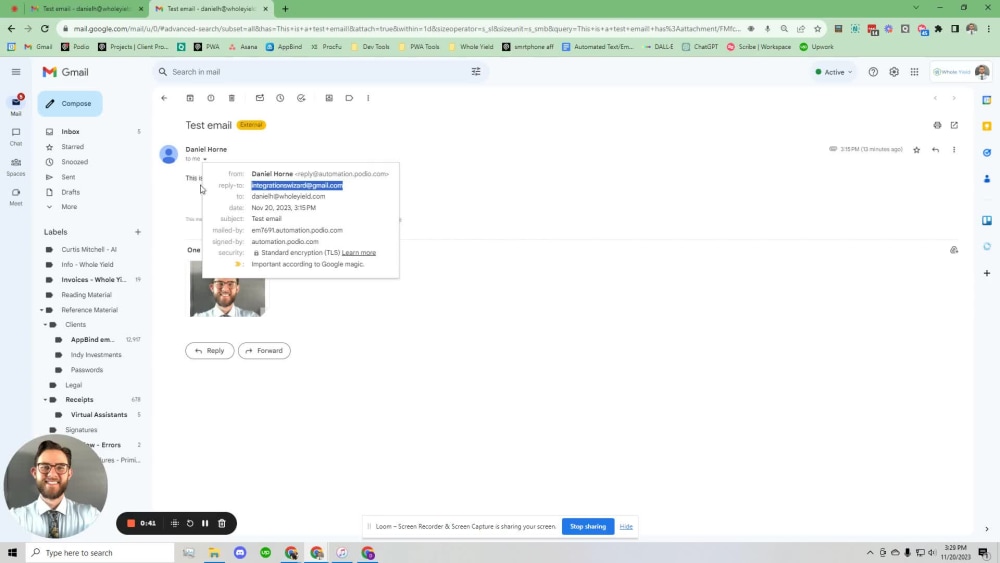
You will receive a fully functional integration between your Podio and Gmail accounts that will eliminate the thought from your customers' minds that your email is spam. Your emails will be sent from your Gmail account as though you sent them yourself. This is as close as you can get to personable automation. If you want your customers to see your emails and reply to them, this is the way to go.
Web Programming Project
API IntegrationWhat's included $50
These options are included with the project scope.
$50
- Delivery Time 1 day
- Number of Revisions 0
About Daniel
Podio, Workflow Automations and Integrations Expert
Phoenix, United States - 7:16 am local time
I am self-taught in the workings of Podio Workflow Automation (Globiflow) and Podio. With 8+ years of experience, I can do almost anything using these two powerful tools.
In addition, I have 7 years experience of operating a real estate investing business. Specifically residential wholesale and land investing. The skills I have in Podio came directly from my work in this industry and if you have a similar business, I'll be an even better fit for your business.
I have created the following functionalities using Globiflow and Podio:
-ChatGPT integration with Podio. Send emails or text messages using ChatGPT (OpenAI). Automate scheduling appointments, negotiation, customer service, etc.
-Slack integration with Podio. Send your team notifications directly or in their team channels.
-Snowflake database integration.
-Gmail integration with Podio. Send emails from Gmail without paying for services like GlobiMail.
-Call log that shows the date and time and a link to a recording of the voicemail or outbound conversation (Uses CallRail ).
-Automated workflow within each app (i.e. When lead manager calls lead but is unable to get in contact, a follow-up reminder will be set to remind them to call again in X amount of days).
-Follow-up sequences that send SMS messages to clients based off of a pre-designed campaign. This can also be done using emails, voicemail broadcasts and tasks for employees to do as the follow-up campaign progresses (Uses CallRail and SlyBroadcast).
-SMS communication abilities via the comments section of a lead item (Uses CallRail ).
-Create a contract at the push of a button
-Calculated links to frequently visited sites for each lead (I.e. County Assessor, County Treasurer, County GIS System, MLS listing, etc).
-Automatic voicemail broadcast using SlyBroadcast as the third party application. These can be integrated into the follow up system as well.
-Follow-up reminder field that allows you to select when you want to follow up. It can then remind you using an email, Podio notification, Podio chat message or a SMS text straight to your phone.
-Automatically create a new lead when a new phone call comes in (Uses CallRail ).
-Click-to-call button that calls the person who clicked it and then calls the lead (Uses CallRail ).
-Street view photo of the address of your lead.
-Form integration with OnCarrot (Investor Carrot) that creates a new lead when a form is submitted on your website.
If you want to know if I can make your idea become a reality, don't hesitate to contact me and I will let you know promptly.
Steps for completing your project
After purchasing the project, send requirements so Daniel can start the project.
Delivery time starts when Daniel receives requirements from you.
Daniel works on your project following the steps below.
Revisions may occur after the delivery date.
Creating the apps
I'll create the 2 apps that you'll need to make this integration in your Podio account.
Setting up the Gmail API
The Gmail API needs to be set up for the integration. This involves creating an OAuth consent screen and creating credentials.