You will get Gmail Attachment to Google Sheet Extractor
Top Rated
Project details
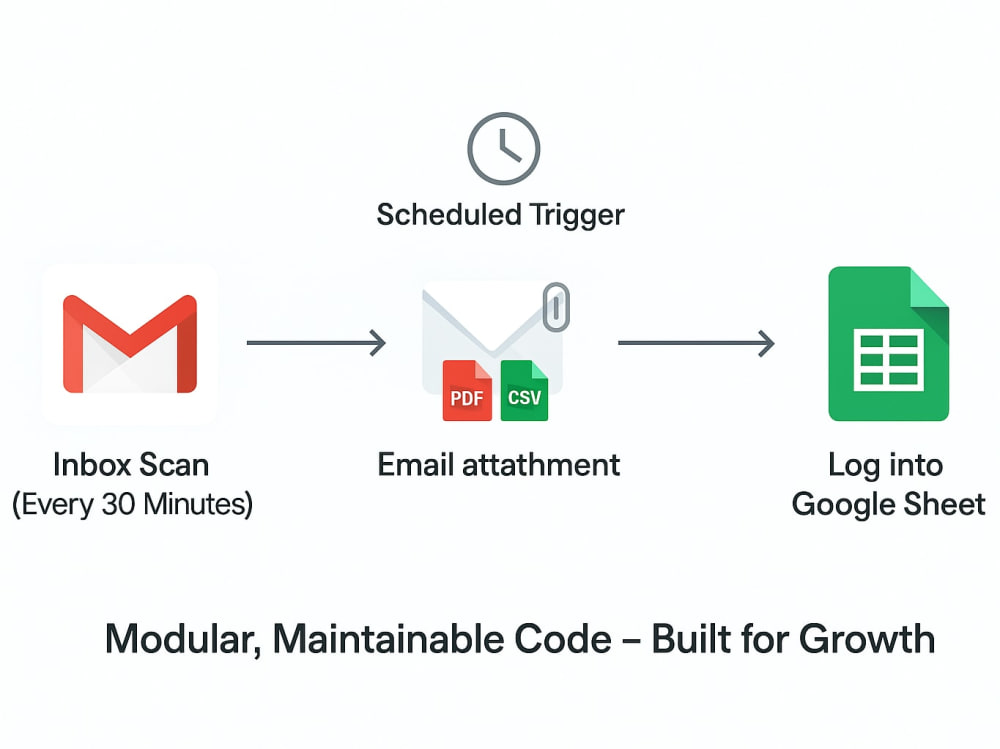
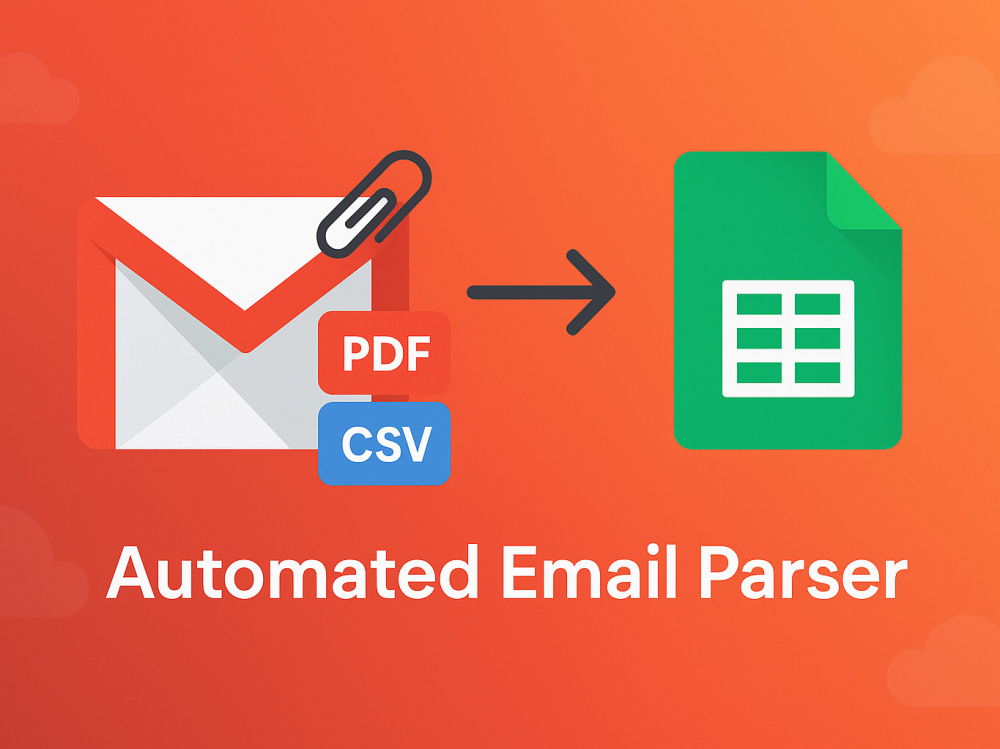
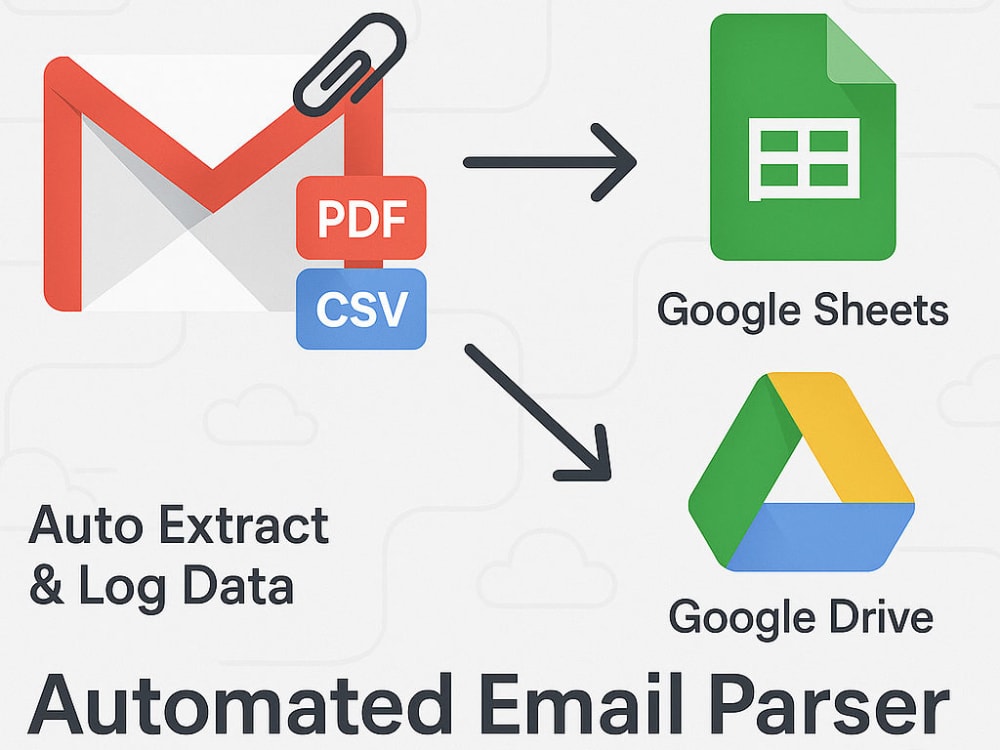
Automate Gmail to Google Sheets. This project extracts data from email attachments (PDFs or CSVs) and logs it into your spreadsheet every 30 minutes.
If you're receiving emails with attached reports—PDFs or CSVs—and manually copying data into Google Sheets, I can automate the entire process for you.
This project includes:
• Scheduled scan of your Gmail inbox (every 30 minutes, or customizable)
• Filtering based on subject, sender, or label
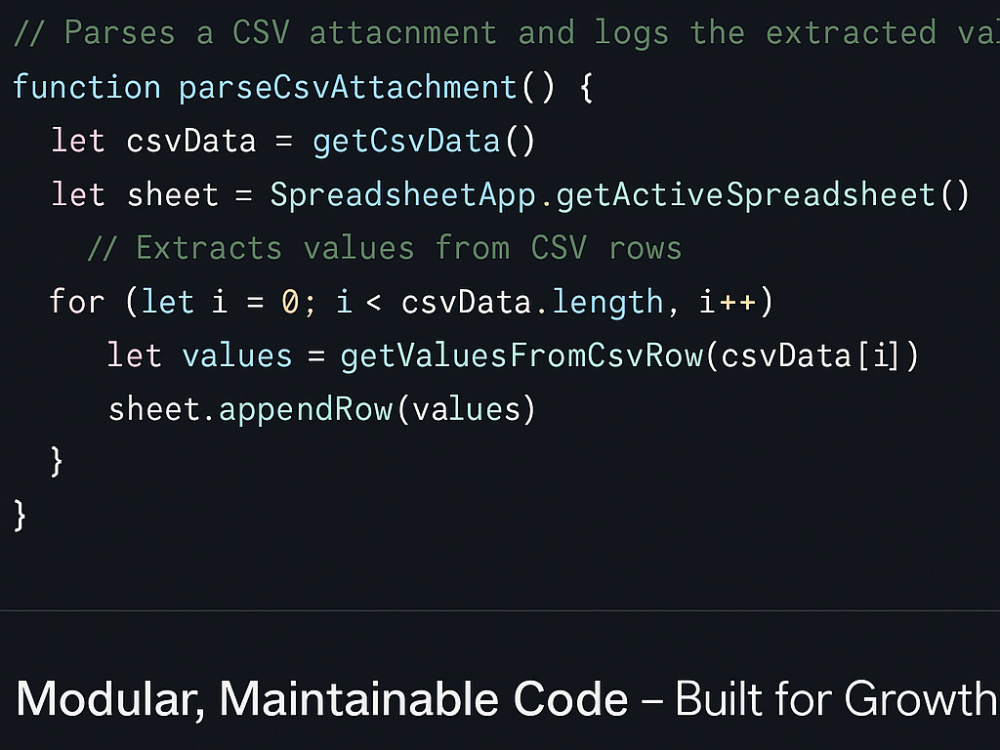
• Parsing of CSV attachments (standardized structure)
• Parsing of PDF attachments (text-based PDFs only)
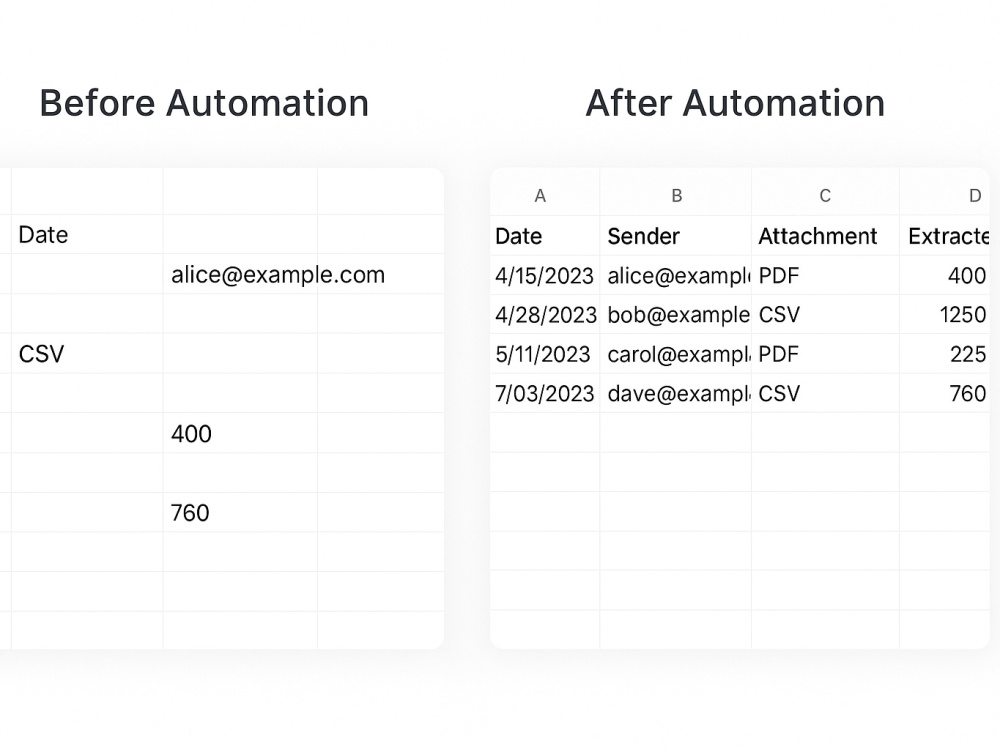
• Extracted data pasted into specific cells or tabs in your Google Sheet
I will write clean, modular Apps Script code so it's easy for you to:
• Add more email types in the future
• Change destination sheets or mapping rules
• Understand what each part of the code does (fully commented)
Use cases include:
• Daily/weekly sales or order reports
• Operational data from vendors
• Client documents emailed in recurring formats
Note: This project handles text-based PDFs only. For scanned/image-based PDFs, a different setup involving OCR may be required (see FAQ).
If you're receiving emails with attached reports—PDFs or CSVs—and manually copying data into Google Sheets, I can automate the entire process for you.
This project includes:
• Scheduled scan of your Gmail inbox (every 30 minutes, or customizable)
• Filtering based on subject, sender, or label
• Parsing of CSV attachments (standardized structure)
• Parsing of PDF attachments (text-based PDFs only)
• Extracted data pasted into specific cells or tabs in your Google Sheet
I will write clean, modular Apps Script code so it's easy for you to:
• Add more email types in the future
• Change destination sheets or mapping rules
• Understand what each part of the code does (fully commented)
Use cases include:
• Daily/weekly sales or order reports
• Operational data from vendors
• Client documents emailed in recurring formats
Note: This project handles text-based PDFs only. For scanned/image-based PDFs, a different setup involving OCR may be required (see FAQ).
Programming Languages
JavaScriptWhat's included
| Service Tiers |
Starter
$300
|
Standard
$450
|
Advanced
$600
|
|---|---|---|---|
| Delivery Time | 7 days | 14 days | 21 days |
Number of Revisions | 0 | 0 | 0 |
Install Script | |||
Test Script | |||
Task Automation |
Optional add-ons
You can add these on the next page.
Fast Delivery
+$50
Additional Revision
+$50Frequently asked questions
96 reviews
(95)
(1)
(0)
(0)
(0)
This project doesn't have any reviews.
GO
Gina O.
Mar 10, 2026
Jotform and Square Payment Integration
I am particular about the user interface for my projects, but the tools I am required to use have made it challenging for developers to give me what I ask for. This is not the case for Anuj! He is so fast and committed to accuracy and he makes it seem like he has no problem finding workarounds. I have zero complaints. This is my second time hiring him and I will do so again.
JH
Johnny H.
Jan 15, 2026
Zapier Expert Needed to Build Automated Google Docs + OpenAI Workflow (with Wix Integration)
JY
John Y.
Aug 18, 2025
Google Sheets Developer - Scripting Expert
Anuj has been a joy to work with thus far. He's smart, highly capable, technically proficient and incredibly detailed oriented.
GB
Gustav B.
Jul 20, 2025
Google App Verification Assistance Needed
JH
Johnny H.
Jul 10, 2025
Zapier Expert Needed to Build Automated Google Docs + OpenAI Workflow (with Wix Integration)
Anuj did exceptional work automating a high-effort process in my business. What used to take me 1.5–2 hours manually now runs in just a few minutes — fully automated end-to-end.
He built a seamless system using Google Apps Script, OpenAI API, Wix Forms, Google Docs, and email workflows that saves me hours of work every week.
While the project ended up being more complex than either of us originally expected — and took more time than planned — Anuj stayed committed, kept me informed, and honored the original contract amount without hesitation. That kind of integrity is rare.
He brought creative problem-solving, professionalism, and a genuine desire to get it right — and it shows in the final result. I’m thrilled with what he built and already planning to work with him again. Highly recommend.
He built a seamless system using Google Apps Script, OpenAI API, Wix Forms, Google Docs, and email workflows that saves me hours of work every week.
While the project ended up being more complex than either of us originally expected — and took more time than planned — Anuj stayed committed, kept me informed, and honored the original contract amount without hesitation. That kind of integrity is rare.
He brought creative problem-solving, professionalism, and a genuine desire to get it right — and it shows in the final result. I’m thrilled with what he built and already planning to work with him again. Highly recommend.
About Anuj
Google Workspace Workflows| Apps Script| Add-on| G-Sheet| OpenAI & API
100%
Job Success
Kalaiya, Nepal - 12:19 pm local time
My automations integrate Google Sheets, Docs, Forms, Gmail, Drive, Calendar, Tasks, and even external services using their API like Stripe, Twilio, OpenAI (ChatGPT API), and BigQuery.
𝗛𝗼𝘄 𝗜 𝗧𝗿𝗮𝗻𝘀𝗳𝗼𝗿𝗺 𝗬𝗼𝘂𝗿 𝗢𝗽𝗲𝗿𝗮𝘁𝗶𝗼𝗻𝘀:
Whether you need to connect Stripe for dynamic payment workflows, integrate the ChatGPT API for automated legal intake, or build bi-directional data syncing between Master and Slave sheets, I engineer fully modular solutions with zero third-party hosting required.
𝗖𝗼𝗿𝗲 𝗔𝘂𝘁𝗼𝗺𝗮𝘁𝗶𝗼𝗻 𝗦𝘆𝘀𝘁𝗲𝗺𝘀 𝗜 𝗕𝘂𝗶𝗹𝗱:
✅Smart Data & Document Routing: Auto-generating PDFs from Google Forms, parsing documents for keyword compliance, and dynamic Drive folder organization.
✅ Advanced API Integrations: Connecting Workspace to OpenAI, Stripe, Twilio, BigQuery, and TollGuru for real-time dashboards and calculators.
✅ Custom CRM & Booking Portals: Building embedded HTML/JS/CSS dashboards, automated Calendar scheduling, and lead-filtering tools directly within Sheets.
✅ Domain-Wide Administration: Custom Drive Workspace Add-ons featuring domain-wide delegation for seamless team onboarding and access management.
𝗠𝘆 𝗣𝗿𝗼𝗰𝗲𝘀𝘀:
I believe in complete transparency. Before writing a single line of code, I provide visual storyboards and comprehensive video breakdowns of your operational bottlenecks and the proposed automated solution.
🔧 Here’s what I build:
📄 Form to Document + PDF Automation (Docs → PDF → Email/Drive)
📆 Google Calendar Integration: Auto-create or edit events from Forms or Sheets
🧾 Gmail Readers: Extract messages + auto-save attachments into Drive
✅ Form-to-Task Workflows: Auto-create Google Tasks on form submission, organized by assignee
💬 ChatGPT-Powered Legal/Client Intake: GPT-4 intake from Google Forms + API processing
💡 Bi-directional Google Sheets Sync (Master ↔ Slave with privacy)
🧩 Embedded Dashboards and Data Portals using HTML, JS, CSS + Sheets backend
🔄 Stripe Licensing & Stock-Limited Forms (auto-remove options after max quantity)
🕒 Time & Attendance Trackers, Clock-in/out dashboards with real-time totals
🗃️ File Upload Web Forms (password protected, organized by folder)
🧠 Document Parsing: Find keywords in PDF/DOC and flag compliance issues
🎯 CRM Tools: Lead tagging, DNC filtering, email/SMS automation
📊 Industries I’ve helped:
Healthcare (lactation consultants, intake forms → Docs → PDFs)
Education (kit check-outs, approval workflows, leave trackers)
Field service & sales orgs (commission calculators, time trackers, CRM tools)
Real estate (conditional Forms, appointment scheduling)
Escape rooms & rentals (slot reservation, booking UI, calendar sync)
Every solution I build is fully modular, cleanly documented, and designed to run inside your own G-Suite account—no third-party tools or hosting required.
🎥 Available for walkthroughs via Loom or Google Meet. Let’s automate what’s holding you back.
💡 If you’re currently managing your workflows manually with Sheets or Forms, I can help you build reliable, scalable automations that save hours every week.
✅ Google Apps Script
✅ Google Workspace Automation
✅ Google Forms → Docs → PDF
✅ Web App Development (HTML, CSS, JS)
✅ Google Tasks Automation
✅ Gmail + Drive Integration
✅ Google Calendar Sync
✅ Dashboard Creation in Sheets
✅ Google Cloud (BigQuery, GCS)
✅ OpenAI / GPT API Integrations
✅ Stripe Payment Workflows
✅ CRM & Lead Management
✅ Document Parsing Automation
✅ Real-Time Data Syncing
✅ API Integration
✅ Workflow Automation
✅ PDF Generation
✅ Google Workspace Add-ons
I specialize in building custom solutions and workflow automations on Google workspace elements like Google Docs, Google Sheets, Gmail, Google Calendar, Google Slides, Google Forms, Google Drive, Google Tasks, Bigquery, etc..
𝗧𝗵𝗲 𝗚𝘂𝗮𝗿𝗮𝗻𝘁𝗲𝗲:
I operate with a US-client focus, providing 100% in-house development (never outsourced). My solutions are cleanly documented and built for long-term scalability.
𝗟𝗲𝘁’𝘀 𝗮𝘂𝘁𝗼𝗺𝗮𝘁𝗲 𝘄𝗵𝗮𝘁’𝘀 𝗵𝗼𝗹𝗱𝗶𝗻𝗴 𝘆𝗼𝘂𝗿 𝗯𝘂𝘀𝗶𝗻𝗲𝘀𝘀 𝗯𝗮𝗰𝗸. 𝗥𝗲𝗮𝗰𝗵 𝗼𝘂𝘁 𝘁𝗼 𝘀𝗰𝗵𝗲𝗱𝘂𝗹𝗲 𝗮 𝘃𝗶𝗱𝗲𝗼 𝘄𝗮𝗹𝗸𝘁𝗵𝗿𝗼𝘂𝗴𝗵 𝗼𝗳 𝗵𝗼𝘄 𝘄𝗲 𝗰𝗮𝗻 𝘁𝗿𝗮𝗻𝘀𝗳𝗼𝗿𝗺 𝘆𝗼𝘂𝗿 𝗰𝘂𝗿𝗿𝗲𝗻𝘁 𝗺𝗮𝗻𝘂𝗮𝗹 𝘀𝘆𝘀𝘁𝗲𝗺𝘀.
Steps for completing your project
After purchasing the project, send requirements so Anuj can start the project.
Delivery time starts when Anuj receives requirements from you.
Anuj works on your project following the steps below.
Revisions may occur after the delivery date.
Gather Samples & Requirements
I’ll request sample emails (or headers), attachment formats (PDF/CSV), and a copy of the destination Google Sheet. This helps identify the parsing logic, expected fields, and where data should be placed.
Design Modular Parsing Functions
I’ll write clean, well-documented Apps Script functions to handle each email format and file type separately. This allows future changes without breaking existing logic.