You will get automate your invoicing/certificates using Google Apps Script
Rising Talent
Rising Talent
Project details
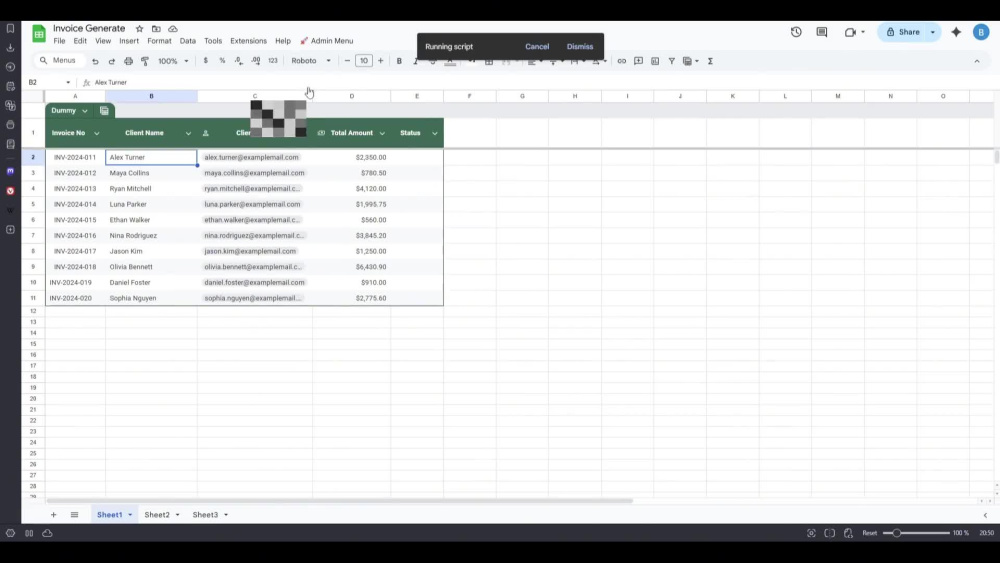
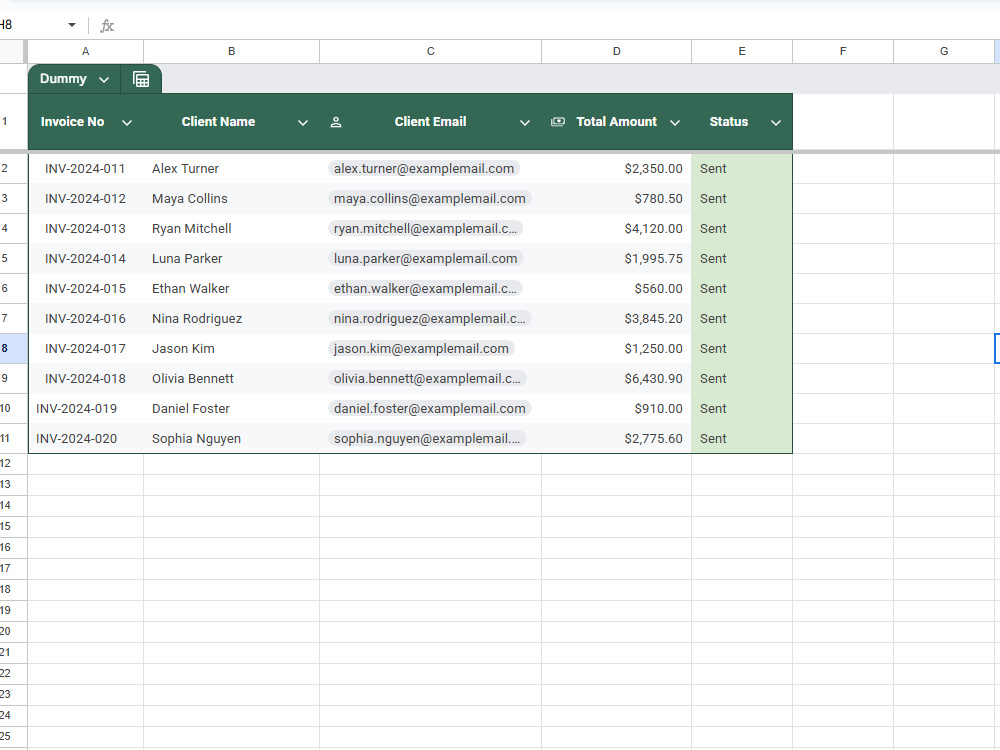
Stop manually copy-pasting data! I will build a custom "One-Click" automation system inside your Google Sheets. Unlike basic scripts, my solution includes a User-Friendly Menu, Status Tracking to prevent duplicate emails, and a "Safe Mode" logic to ensure you never accidentally spam your clients while testing.
Programming Languages
JavaScriptWhat's included $50
These options are included with the project scope.
$50
- Delivery Time 2 days
- Number of Revisions 1
- Test Script
Optional add-ons
You can add these on the next page.
Design
(+ 1 Day)
+$10About Budi
Automation Specialist (Google Apps Script) and Web GIS Developer
Yogyakarta, Indonesia - 12:06 am local time
About Me
I am a Technical Creative with a unique background in Civil Construction and Telecommunications (FTTH). I bridge the gap between complex spatial data and business efficiency.
Unlike typical developers who suggest expensive servers, I specialize in building Serverless & Low-Cost Solutions using Open Source tools. I help businesses automate workflows and visualize assets without heavy monthly operational costs.
What I Bring to the Table:
Web GIS Solutions: Custom "Check Coverage" apps, Interactive Maps, and Asset Visualization using Leaflet JS, QGIS, and PostGIS.
Business Automation: turning Google Sheets into powerful CRMs, Inventory Systems, and Automated Report Generators using Google Apps Script (GAS) & JavaScript.
Tech Stack:
📍 GIS & Mapping: QGIS, Leaflet JS, PostGIS (Spatial Database)
⚙️ Code & Automation: JavaScript, Google Apps Script, Google Sheets Integration
Steps for completing your project
After purchasing the project, send requirements so Budi can start the project.
Delivery time starts when Budi receives requirements from you.
Budi works on your project following the steps below.
Revisions may occur after the delivery date.
File Review & Access Setup
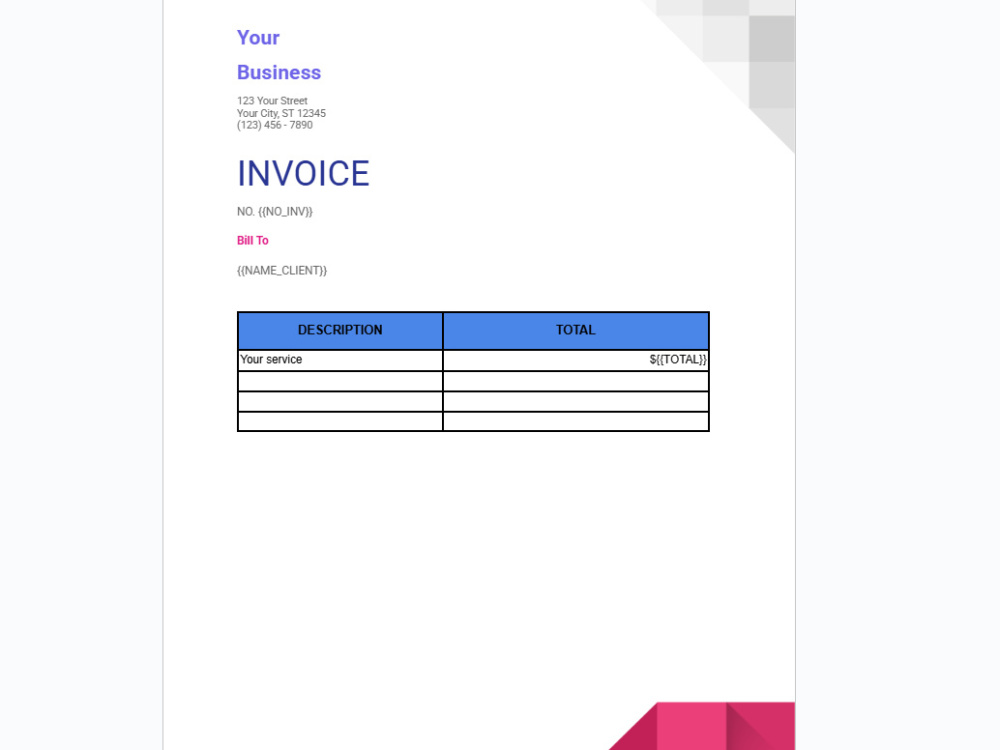
I will review your Google Sheet structure and Google Doc template to ensure the "tags" (e.g., {{Name}}) match your data columns. I will also set up the necessary permissions in the Script Editor.
Script Development
I will write the custom Google Apps Script code to automate the workflow. This includes mapping the data, setting up the PDF conversion logic, and configuring the email draft based on your requirements.