You will get impressive Web App and google sheet project done using Apps Script


Project details
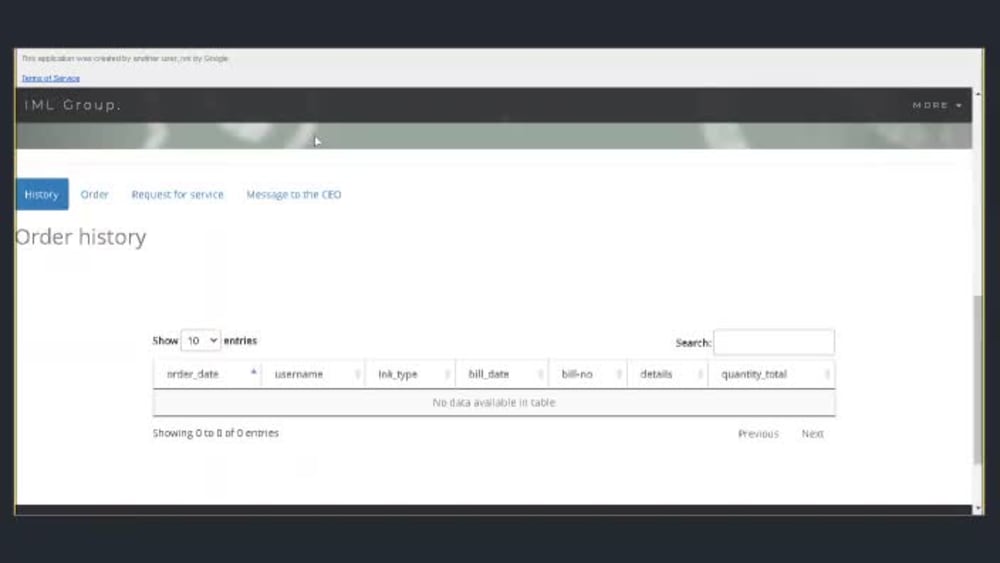
I have done some of the simple to medium complex apps script project and now delivering more complex projects ranging from google sheets custom menu work to trigger functions to web application that creates workflow for companies, Send automated emails, get contact numbers saved in a google sheets for further processing.
I can help you with your ecommerce web application for lead management, customer feedback, company internal workflow for google sheets, docs using apps script.
I can help you with your ecommerce web application for lead management, customer feedback, company internal workflow for google sheets, docs using apps script.
Programming Languages
HTML & CSS, JavaScriptCoding Expertise
Cross Browser & Device Compatibility, DesignWhat's included
| Service Tiers |
Starter
$240
|
Standard
$380
|
Advanced
$900
|
|---|---|---|---|
| Delivery Time | 3 days | 5 days | 14 days |
Number of Revisions | 1 | 2 | 2 |
Number of Pages | 1 | 2 | 3 |
Design Customization | |||
Content Upload | |||
Responsive Design | |||
Source Code |
Optional add-ons
You can add these on the next page.
Additional Revision
+$150
Additional Page
(+ 3 Days)
+$300
additional Form
(+ 2 Days)
+$120
WhatsApp Integration
(+ 4 Days)
+$240
Email Integration
(+ 2 Days)
+$180Frequently asked questions
About Khairul
Google Sheet automation using Apps Script
Berhampore, India - 1:55 pm local time
I am helping and supporting individuals and companies to use and get most of what is offered by Google Apps Script, Google Sheets, Google Docs, Slides, Forms, Web Applications, and APIs integrations.
- Sheets: Formating, Designing dashboards & reporting; formula, field lookups, query & format conversions, Feature adds-on through Apps Script and Web Applications
- Drive: Reading/Creating folders and files & use Google Sheet for processing
- Forms: Create custom forms to send to different recipients via Google Apps Script, get recipients from google sheets.
- Docs: Use a template with Google Sheets data and convert it to other formats such as Pdf/CSV
- Calendar: Create and sync calendar events with Google Sheets data
- Gmail: Sending /reading emails; format & forward emails; designing custom email trackers; processing attachments
- API Integration -API Calling; pass data from Google Sheet to API; collect data into Google Sheet from APIs
Steps for completing your project
After purchasing the project, send requirements so Khairul can start the project.
Delivery time starts when Khairul receives requirements from you.
Khairul works on your project following the steps below.
Revisions may occur after the delivery date.
Requirements - Initial discussion
Give as much detail as possible at the initial discussion. Milestone will be discussed after that, timeline will be given for each piece of work. Remember key is - communication. I might ask question anytime during work.
Confirmation and Kickoff - meeting
Once I present you my road map to work on your project. You have approve the road map, suggest change if you feel it has to change, give any other information not covered at initial discussion. Once roadmap is clear - we can go ahead and start.