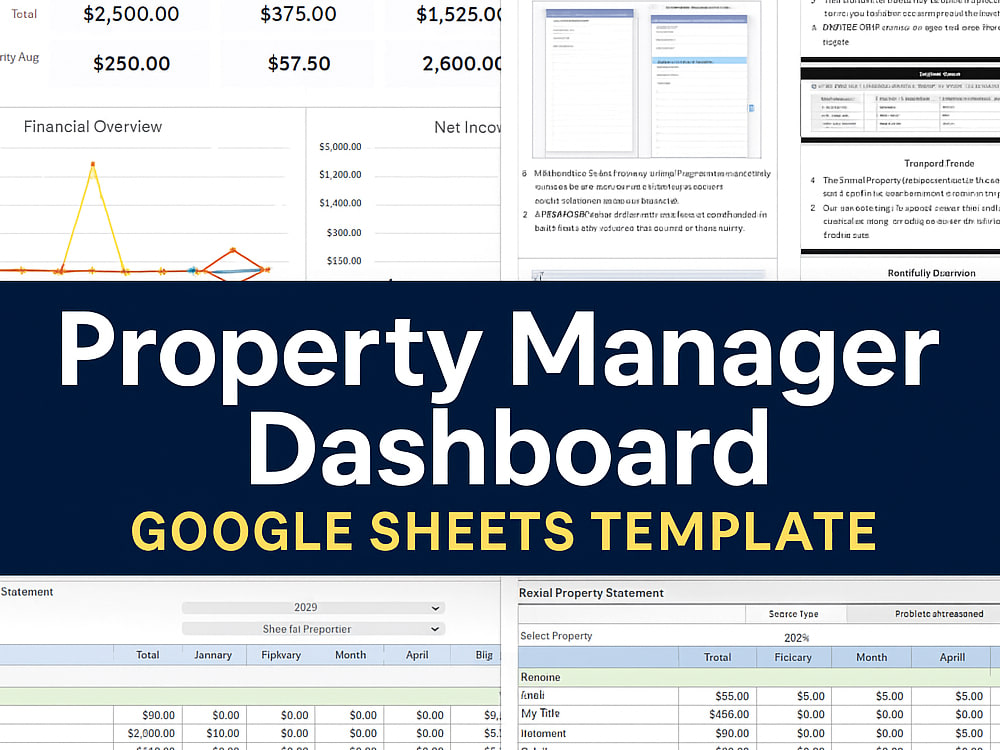
You will get Property Manager Dashboard in Google Sheets
Top Rated
Top Rated
Project details
Manage your rental portfolio like a pro with this powerful, easy-to-use Google Sheets Property Manager Template.
Whether you manage one property or a large portfolio, this tool helps you organize financial data, visualize performance, and make informed decisions — all in one place.
✨ Key Features
1. Instruction Tab
2. Input Tab
Easily enter your:
Property details
Revenue categories
Expense categories and sub-categories
3. Revenue & Expense Transaction Tabs
Record and track every transaction — date, category, property, and amount — with simple, structured tables.
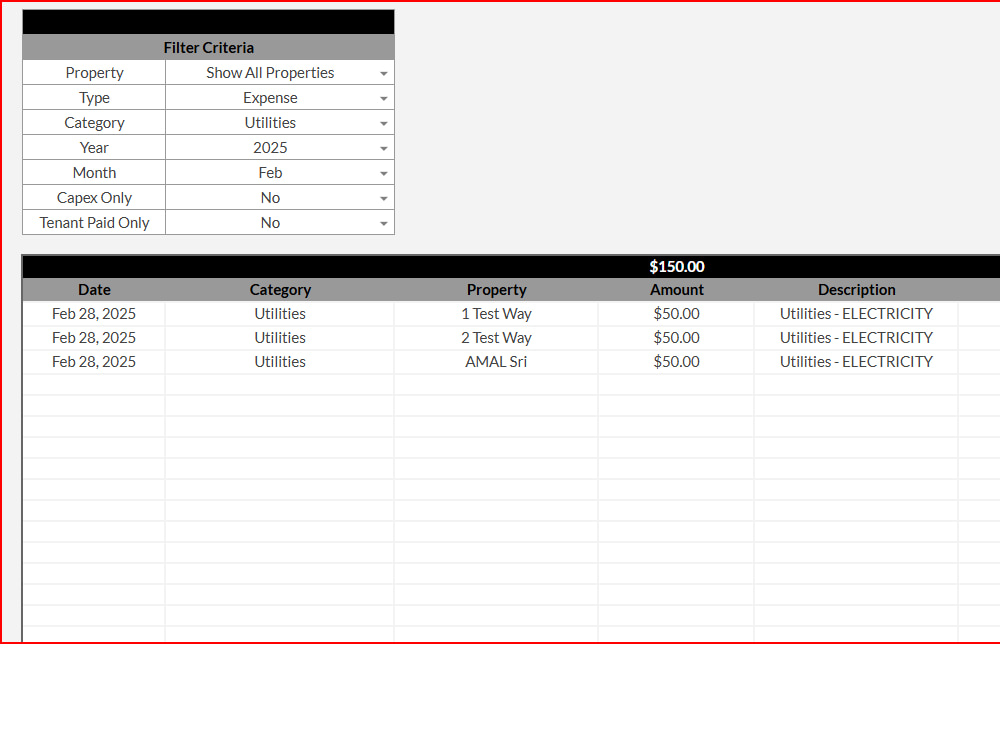
4. Transaction Lookup Tab
Quickly filter and view transactions by property, category, or time period for instant insights.
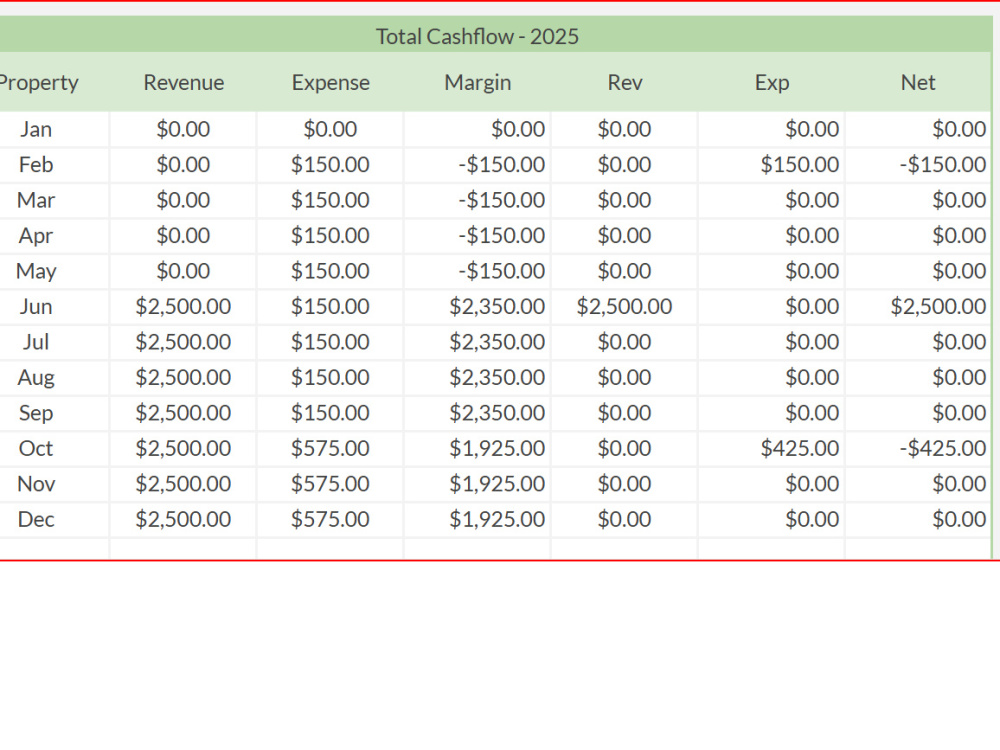
5. Portfolio Overview Tab
Get a snapshot of your entire portfolio:
Total income and expenses
Profit margins
Yearly cash flow
Option to view by property or the entire portfolio
6. Rental Statement Tab
Generate descriptive income statements for any property or the full portfolio for any selected year.
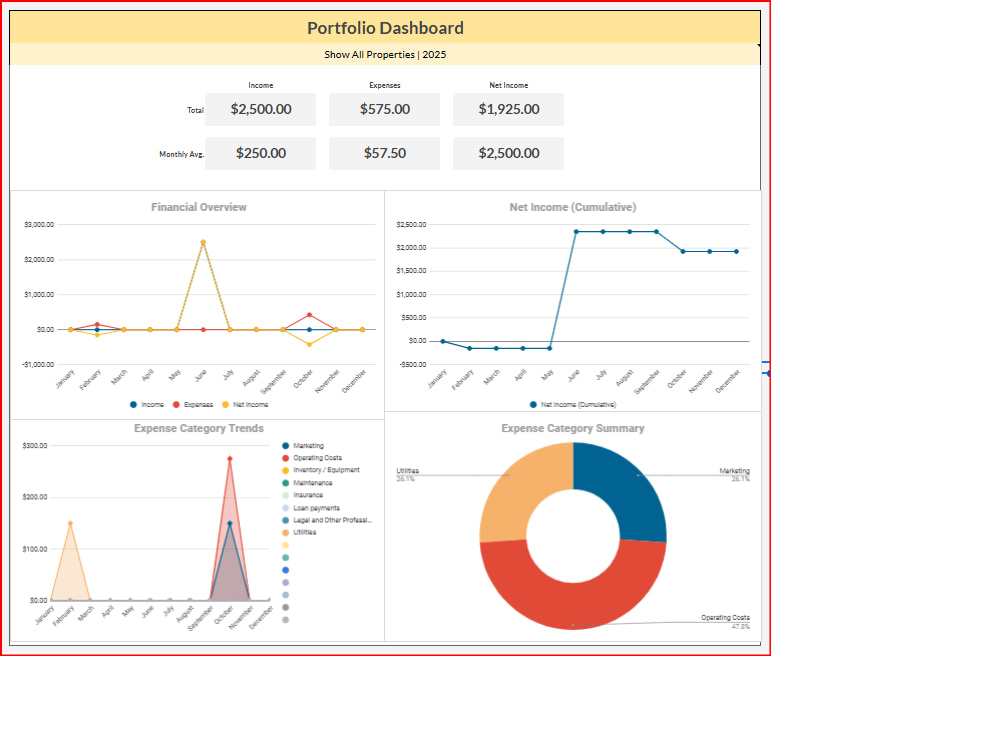
7. Portfolio Dashboard
An interactive visual summary that highlights:
Income vs. expenses
Net cash flow
Yearly performance trends
Portfolio-level comparisons
Whether you manage one property or a large portfolio, this tool helps you organize financial data, visualize performance, and make informed decisions — all in one place.
✨ Key Features
1. Instruction Tab
2. Input Tab
Easily enter your:
Property details
Revenue categories
Expense categories and sub-categories
3. Revenue & Expense Transaction Tabs
Record and track every transaction — date, category, property, and amount — with simple, structured tables.
4. Transaction Lookup Tab
Quickly filter and view transactions by property, category, or time period for instant insights.
5. Portfolio Overview Tab
Get a snapshot of your entire portfolio:
Total income and expenses
Profit margins
Yearly cash flow
Option to view by property or the entire portfolio
6. Rental Statement Tab
Generate descriptive income statements for any property or the full portfolio for any selected year.
7. Portfolio Dashboard
An interactive visual summary that highlights:
Income vs. expenses
Net cash flow
Yearly performance trends
Portfolio-level comparisons
Data Tool
Google SheetsWhat's included $40
These options are included with the project scope.
$40
- Delivery Time 1 day
- Number of Revisions 0
- Number of Graphs/Charts 6
- Interactive/Animated Visuals
Optional add-ons
You can add these on the next page.
Additional Revision
+$10Frequently asked questions
83 reviews
(76)
(7)
(0)
(0)
(0)
This project doesn't have any reviews.
SB
Steven B.
Sep 7, 2026
Spreadsheet
BC
Brandon C.
Jul 8, 2026
Google Sheets Cleanup & Standardization
Knows Google Sheets very well. Hard worker and gets job done quickly. Highly recommend.
ip
ian p.
Feb 12, 2026
Expense tracking spreadsheet fix a new error
Strong Excel spreadsheet, Programmer!
JS
Jacob S.
Jan 13, 2026
Sales source template
DP
Dana P.
Jan 1, 2026
Make 12 months of financial forecasting sheets
He did exactly as we agreed in a timely fashion. Would rehire. Thank you!
About Amal Sriyantha
Excel & Google Sheets Expert | QuickBooks Online & Bookkeeping
100%
Job Success
Biyagama, Sri Lanka - 3:12 am local time
I’m an Excel, Google Sheets, Airtable, and QuickBooks Online specialist with a strong background in accounting and business data management. I help businesses turn disorganized data and manual processes into accurate, efficient, and easy-to-use financial and reporting systems.
🏆 QuickBooks Online ProAdvisor – Gold
I’m a QuickBooks Online Accountant ProAdvisor – Gold, with practical accounting knowledge that allows me to work confidently with bookkeeping, financial data, reports, reconciliations, and business financial information.
🤵 Why choose me?
1️⃣ Excel, Google Sheets & Airtable Expertise
✔ Build professional spreadsheets, dashboards, trackers, financial models, and automated reporting systems
✔ Create advanced formulas, data validation, pivot tables, conditional formatting, and dynamic reports
✔ Design customized Airtable bases and workflows to organize and manage business data
2️⃣ QuickBooks Online & Accounting
✔ QuickBooks Online bookkeeping and accounting support
✔ Financial reporting and account analysis
✔ Budgeting, expense tracking, and variance analysis
✔ Data organization and reconciliation support
✔ Practical understanding of accounting principles and business financial data
3️⃣ Data Cleanup & Visualization
✔ Clean, organize, and standardize large or messy datasets
✔ Identify inconsistencies and improve data accuracy
✔ Create professional dashboards, charts, and visual reports that make information easier to understand
4️⃣ Custom Business Solutions
✔ Build customized Excel and Google Sheets systems around your business processes
✔ Automate repetitive tasks and reporting wherever possible
✔ Develop management dashboards, financial trackers, inventory systems, planning tools, and business templates
✔ Create practical solutions instead of forcing your business into a one-size-fits-all template
5️⃣ Accuracy & Attention to Detail
✔ I understand that financial and business data needs to be accurate and reliable
✔ I carefully structure formulas, calculations, reports, and workflows to minimize errors
6️⃣ Timely Delivery & Client Satisfaction
✔ I respect deadlines and communicate clearly throughout the project
✔ My goal is not just to complete a task, but to deliver a solution that is practical, reliable, and easy for you to use
🔑 What I can help you with
Whether you need help with QuickBooks Online, bookkeeping, Excel, Google Sheets, Airtable, financial reporting, dashboards, data cleanup, automation, budgeting, inventory management, or custom business spreadsheets, I can help turn your requirements into a professional and efficient solution.
If you have a spreadsheet that needs fixing, financial data that needs organizing, a QuickBooks task that needs attention, or a business process that needs to be automated, let’s discuss your project and find the right solution.
📌Send me a message and let’s make your data work for you!
Steps for completing your project
After purchasing the project, send requirements so Amal Sriyantha can start the project.
Delivery time starts when Amal Sriyantha receives requirements from you.
Amal Sriyantha works on your project following the steps below.
Revisions may occur after the delivery date.
Review Information
I’ll review your provided details and confirm if anything else is needed.
Template Setup